Compare commits
| Author | SHA1 | Date | |
|---|---|---|---|
 Daniel Bourke |
a16552001d | ||
|
mrdbourkeandCursor
|
13db585acc | ||
|
mrdbourkeandCursor
|
b12a12abfa | ||
|
Daniel Bourke
|
f0bb095cb4 | ||
|
pranav-mahure
|
53cd931a2d | ||
|
Daniel Bourke
|
baa27b6916 | ||
|
Daniel Bourke
|
8702841186 | ||
|
Daniel Bourke
|
9073ba0c8c | ||
|
Daniel Bourke
|
309bcd6a52 | ||
|
usv240
|
5f81d8b34d | ||
|
Etem Sarac
|
5d431bbd05 | ||
|
Daniel Bourke
|
af6548e526 | ||
|
Daniel Bourke
|
469fc9ac02 | ||
|
Daniel Bourke
|
c61af0c102 | ||
|
Daniel Bourke
|
e1fbd707e4 | ||
|
Daniel Bourke
|
f683ef819d | ||
|
Daniel Bourke
|
4795ae23e1 | ||
|
fxl
|
eafe86039c | ||
|
fxl
|
57472d01ad | ||
|
Jack Yang
|
fc558df5a0 | ||
|
Rajtilak Bhattacharjee
|
81408fccdd | ||
|
Sudibyo Sinha
|
3a78fb60d1 | ||
|
Daniel Bourke
|
6aa8b4c9f8 | ||
|
Daniel Bourke
|
f16b70040a | ||
|
Daniel Bourke
|
a127b237b2 | ||
|
Daniel Bourke
|
5fbccf697c | ||
|
Daniel Bourke
|
b99a203289 | ||
|
Thomas Berends
|
81a7b921a2 | ||
|
Thomas Berends
|
09fb0f3fa3 | ||
|
Thomas Berends
|
47cc9180c6 | ||
|
Daniel Bourke
|
897454376d | ||
|
Daniel Bourke
|
c2ae892539 | ||
|
Daniel Bourke
|
bd1ee991d6 | ||
|
Daniel Bourke
|
8bc74bd5f2 | ||
|
Daniel Bourke
|
38e6e3edb6 | ||
|
Daniel Bourke
|
91eb2e0b14 | ||
|
Daniel Bourke
|
a2273e4d61 | ||
|
Daniel Bourke
|
344c834172 | ||
|
Daniel Bourke
|
72a625f554 | ||
|
pritesh2000
|
a7c1b347ec | ||
|
pritesh2000
|
a1654e4b72 | ||
|
pritesh2000
|
cab062b536 | ||
|
pritesh2000
|
752af67c4c | ||
|
pritesh2000
|
c844a131d5 | ||
|
pritesh2000
|
d6023d4ae1 | ||
|
pritesh2000
|
20a51fd3c9 | ||
|
pritesh2000
|
dd689e9b89 | ||
|
pritesh2000
|
2ad8d0088a | ||
|
pritesh2000
|
5f6ea53f01 | ||
|
pritesh2000
|
8d7b86f23e | ||
|
pritesh2000
|
0b37d7cc83 | ||
|
pritesh2000
|
904e329967 | ||
|
pritesh2000
|
fb6a830a47 | ||
|
pritesh2000
|
5e86a078aa | ||
|
pritesh2000
|
99f8508cd8 | ||
|
pritesh2000
|
d935f5ed3e | ||
|
pritesh2000
|
8a79b06562 | ||
|
pritesh2000
|
1057547cbf | ||
|
pritesh2000
|
bb61c34eaa | ||
|
pritesh2000
|
21c059d650 | ||
|
pritesh2000
|
2fc4b0765e | ||
|
pritesh2000
|
1ac5a715a1 | ||
|
pritesh2000
|
545a460016 | ||
|
pritesh2000
|
dab0d6eb0d | ||
|
pritesh2000
|
dba5fdc40a | ||
|
pritesh2000
|
ee18a72c79 | ||
|
pritesh2000
|
4f7e678ba4 | ||
|
pritesh2000
|
3c56af47b4 | ||
|
pritesh2000
|
65ce646c67 | ||
|
pritesh2000
|
8d98438ba9 | ||
|
pritesh2000
|
df8b596845 | ||
|
pritesh2000
|
7040ddf64c | ||
|
pritesh2000
|
6c13eeba8e | ||
|
pritesh2000
|
8fd0b2a085 | ||
|
pritesh2000
|
80a39f4a14 | ||
|
pritesh2000
|
efe3af41bf | ||
|
pritesh2000
|
26372b2e8d | ||
|
pritesh2000
|
db7fea212c | ||
|
pritesh2000
|
71679e5708 | ||
|
pritesh2000
|
c91af95052 | ||
|
pritesh2000
|
ad4ca29cd3 | ||
|
pritesh2000
|
d3082f8168 | ||
|
Daniel Bourke
|
85a464482d | ||
|
Daniel Bourke
|
bc304a1643 | ||
|
Carter Tran
|
554233b4e9 | ||
|
Carter Tran
|
8adeffb3b6 | ||
|
Carter Tran
|
17514b7cbe | ||
|
Carter Tran
|
2b25f8c09c | ||
|
Daniel Bourke
|
e32e544668 | ||
|
Daniel Bourke
|
9f1084e898 | ||
|
Daniel Bourke
|
65ed32c167 | ||
|
Daniel Bourke
|
04287456f6 | ||
|
Daniel Bourke
|
a6665d965d | ||
|
Daniel Bourke
|
21455a2f2e | ||
|
Daniel Bourke
|
d9978ec0a9 | ||
|
Daniel Bourke
|
986498196b | ||
|
Daniel Bourke
|
c8a7b45293 | ||
|
Daniel Bourke
|
9de8da9bf4 | ||
|
Daniel Bourke
|
085d3e3424 | ||
|
Daniel Bourke
|
ed3507743e | ||
|
Carter Tran
|
5e859cf799 | ||
|
pritesh2000
|
8cccd2b09e | ||
|
pritesh2000
|
9432e558cc | ||
|
Daniel Bourke
|
42f64860b7 | ||
|
Daniel Bourke
|
505f7556f3 | ||
|
Daniel Bourke
|
bd5f2db418 | ||
|
Daniel Bourke
|
44ad1a3dbe | ||
|
yongwookim1
|
e6b1d09e2b | ||
|
Ikko Eltociear Ashimine
|
265ec036b7 | ||
|
JamorMoussa
|
dbba4188fa | ||
|
Vladimir Skvortsov
|
2be7fa7185 | ||
|
Vladimir Skvortsov
|
b6bc646fad | ||
|
Hrut7hesh
|
8f310954a1 | ||
|
utsavrai
|
e642eb23b5 | ||
|
sb2bg
|
9111c7d4d6 | ||
|
Yan Liu 刘燕
|
1bd3758a4c | ||
|
Navdeep Singh
|
de7f552ccd | ||
|
J Hernandez Alvarado
|
040dcfbfe3 | ||
|
J Hernandez Alvarado
|
905290d7a8 | ||
|
Luca Lombardo
|
4eb28ccb47 | ||
|
Luca Lombardo
|
b941874f7e | ||
|
Luca Lombardo
|
4377270f7a | ||
|
Luca Lombardo
|
11462fff44 | ||
|
mrdbourke
|
0fa794be52 | ||
|
Daniel Bourke
|
1f43ea83f9 | ||
|
Daniel Bourke
|
c60e58ff49 | ||
|
mrdbourke
|
c65584211b | ||
|
mrdbourke
|
c4fb09d171 | ||
|
Imgopz
|
d45d8067eb | ||
|
Victor Wu
|
e7e6db883a | ||
|
Pranav J.S
|
e24d903480 | ||
|
ZhouLong
|
1c585d169d | ||
|
Daniel Bourke
|
302ea8d0a6 | ||
|
Daniel Bourke
|
17f6c9845c | ||
|
Egecan Dursun
|
7435131a2d | ||
|
Daniel Bourke
|
bd84150de7 | ||
|
Daniel Bourke
|
c87474ba02 | ||
|
Daniel Bourke
|
23a50dd537 | ||
|
Daniel Bourke
|
163a5a32dd | ||
|
Daniel Bourke
|
78b89e219b | ||
|
Daniel Bourke
|
5e0ca42813 | ||
|
Daniel Bourke
|
5e31f8dad2 | ||
|
Daniel Bourke
|
f81b0155af | ||
|
Daniel Bourke
|
d6ff0560ff | ||
|
Daniel Bourke
|
909cf244ca | ||
|
Daniel Bourke
|
501cbba987 | ||
|
Daniel Bourke
|
25bbdc9d4a | ||
|
Daniel Bourke
|
eac3c57691 | ||
|
Alejandro Casanova
|
80c250c85f | ||
|
Alejandro Casanova
|
04bdc0b2db | ||
|
Alejandro Casanova
|
a08f56248c | ||
|
Alejandro Casanova
|
12082e8389 | ||
|
Alejandro Casanova
|
f23d78511a | ||
|
Alejandro Casanova
|
94fc11a15f | ||
|
Alejandro Casanova
|
71a64e3080 | ||
|
Alejandro Casanova
|
51a0bbdd91 | ||
|
Alejandro Casanova
|
e7f1614b4e | ||
|
Alejandro Casanova
|
0167c39557 | ||
|
Alejandro Casanova
|
6466ba8a27 | ||
|
Alejandro Casanova
|
d8368c8291 | ||
|
Daniel Bourke
|
cdc0a0a544 | ||
|
Daniel Bourke
|
544ed65669 | ||
|
Daniel Bourke
|
baedf416f0 | ||
|
Daniel Bourke
|
f30aa7a8d8 | ||
|
Daniel Bourke
|
a5a2994c0f | ||
|
Daniel Bourke
|
6b3ebaff8d | ||
|
Daniel Bourke
|
65eedb9e01 | ||
|
Daniel Bourke
|
e9c5559fdd | ||
|
Daniel Bourke
|
3d5ed9ec66 | ||
|
Alejandro Casanova
|
cb844aa450 | ||
|
Alejandro Casanova
|
3605702ed6 | ||
|
Alejandro Casanova
|
3734e46458 | ||
|
Alejandro Casanova
|
daf9080620 | ||
|
Alejandro Casanova
|
2150ecaab4 | ||
|
Alejandro Casanova
|
4088b3798e | ||
|
Alejandro Casanova
|
5498933d39 | ||
|
Daniel Bourke
|
a2a7c74642 | ||
|
Daniel Bourke
|
a50f1cf14e | ||
|
Savio Mak
|
dafcf91674 | ||
|
Savio Mak
|
138ebd5eb7 | ||
|
Daniel Bourke
|
c724056321 | ||
|
Daniel Bourke
|
4cfdb668a3 | ||
|
ifty
|
87972d199f | ||
|
Daniel Bourke
|
548c91777c | ||
|
Daniel Bourke
|
c18496823a | ||
|
Daniel Bourke
|
cf5dc5386b | ||
|
Daniel Bourke
|
6766496e8a | ||
|
Daniel Bourke
|
bb51b51619 | ||
|
Daniel Bourke
|
c21861c8bb | ||
|
Daniel Bourke
|
bce48d9daf | ||
|
Daniel Bourke
|
47f7fcfa02 | ||
|
Daniel Bourke
|
0054e97f91 | ||
|
Alejandro Casanova
|
8fb8b77613 | ||
|
Alejandro Casanova
|
52340dc9d8 | ||
|
Alejandro Casanova
|
39c4e03c22 | ||
|
Alejandro Casanova
|
7afa8e6758 | ||
|
Muizz Kusimo
|
48e592f453 | ||
|
Rohit Kumar
|
61b518b6d6 | ||
|
Daniel Bourke
|
57b5bdd7af | ||
|
TheShadeEngine
|
8def9c3acd | ||
|
TheShadeEngine
|
912168431c | ||
|
Daniel Bourke
|
0d33626b15 | ||
|
Patrick
|
3f6b576f6c | ||
|
Daniel Bourke
|
08bb4bad65 | ||
|
Savio Mak
|
47dd41bc16 | ||
|
Savio Mak
|
2fdda82d44 | ||
|
Daniel Bourke
|
58d70f5f9e | ||
|
Jafar Isbarov
|
79de27d9b1 | ||
|
ceferisbarov
|
883ecbcdd5 | ||
|
Daniel Bourke
|
7f6a56f4fe | ||
|
Anirudh Thatipelli
|
e3e196d9b7 | ||
|
Daniel Bourke
|
cab559ede6 | ||
|
Savio Mak
|
f46823318f | ||
|
Daniel Bourke
|
959ede1f99 | ||
|
Daniel Bourke
|
5736311c30 | ||
|
Collisteru
|
4e6feeda6f | ||
|
Daniel Bourke
|
f4207c27f6 | ||
|
Daniel Bourke
|
9d203d3453 | ||
|
Michael Tomadakis
|
8f08b20039 | ||
|
Michael Tomadakis
|
d991783b2c | ||
|
Michael Tomadakis
|
0a908100a1 | ||
|
Michael Tomadakis
|
408f04a5a1 | ||
|
Michael Tomadakis
|
a2efae405e | ||
|
Michael Tomadakis
|
53b9b919d6 | ||
|
Michael Tomadakis
|
a866b5b5f0 | ||
|
Daniel Bourke
|
e2acbc8046 | ||
|
Daniel Bourke
|
dbc301bd59 | ||
|
Daniel Bourke
|
530b6c30e2 | ||
|
Daniel Bourke
|
2c76c9f986 | ||
|
Daniel Bourke
|
059546b0f7 | ||
|
Daniel Bourke
|
e84b2f9f7e | ||
|
Daniel Bourke
|
b9a0f5a80d | ||
|
Daniel Bourke
|
5869075144 | ||
|
Daniel Bourke
|
be84aee3fc | ||
|
Daniel Bourke
|
60b9d4d86f | ||
|
Daniel Bourke
|
4bf8afb609 | ||
|
Steve-Dusty
|
4a621dc7b5 | ||
|
Kshitij Mathur
|
30ad847db4 | ||
|
Richie Farman
|
5ead818a03 | ||
|
Richie Farman
|
14718e62cc | ||
|
Carter Allen
|
d21449a756 | ||
|
Carter Allen
|
faa77ae539 | ||
|
Carter Allen
|
4e5b4ee738 | ||
|
Carter Allen
|
7db24aa28c | ||
|
Daniel Bourke
|
d8910ee0af | ||
|
Daniel Bourke
|
74f0c80386 | ||
|
Daniel Bourke
|
7c3074b823 | ||
|
mustious
|
5c8701abf6 | ||
|
mustious
|
783d59fc07 | ||
|
mustious
|
09c9108a06 | ||
|
Daniel Bourke
|
0846b2254c | ||
|
Mustapha Abdullahi
|
b8a3fade41 | ||
|
Deepak Sirohiwal
|
c5266bdf50 | ||
|
Gezim Sejdiu
|
205c65015e | ||
|
Daniel Bourke
|
373362c3cf | ||
|
Daniel Bourke
|
e7d5bab416 | ||
|
Daniel Bourke
|
d6fed59f83 | ||
|
Daniel Bourke
|
c665f041f3 | ||
|
Daniel Bourke
|
1a89e937ad | ||
|
Daniel Bourke
|
cb6b5bf4ed | ||
|
Daniel Bourke
|
9f74960c47 | ||
|
Daniel Bourke
|
d5eec47319 | ||
|
Daniel Bourke
|
04f87bd817 | ||
|
Daniel Bourke
|
e8729c588b | ||
|
Daniel Bourke
|
0d7daee18e | ||
|
Daniel Bourke
|
b2ca6c3111 | ||
|
Daniel Bourke
|
baf768b8a6 | ||
|
Daniel Bourke
|
096ba968c9 | ||
|
Daniel Bourke
|
372b33b140 | ||
|
Daniel Bourke
|
267a22b492 | ||
|
Daniel Bourke
|
25d852d2d6 | ||
|
Daniel Bourke
|
86a964766c | ||
|
Daniel Bourke
|
bff950f8ee | ||
|
Daniel Bourke
|
1bd7e863de | ||
|
Agamdeep Singh
|
d504674731 | ||
|
Agamdeep Singh
|
5347258520 | ||
|
Daniel Bourke
|
c8a8f83827 | ||
|
Daniel Bourke
|
8415435170 | ||
|
Daniel Bourke
|
e89983fa26 | ||
|
Arun S V
|
7951c262fd | ||
|
Daniel Bourke
|
6db24449d9 | ||
|
Daniel Bourke
|
9a933f53fc | ||
|
Daniel Bourke
|
e84234201b | ||
|
Daniel Bourke
|
4db7d3cc5c | ||
|
Daniel Bourke
|
8e59ca153a | ||
|
Daniel Bourke
|
02601b9f60 | ||
|
Daniel Bourke
|
d1cdd12485 | ||
|
Daniel Bourke
|
458332a429 | ||
|
Daniel Bourke
|
31d05fca34 | ||
|
Daniel Bourke
|
46ca03f314 | ||
|
Daniel Bourke
|
8752bbab96 | ||
|
Daniel Bourke
|
3fd1c2f0b1 | ||
|
Daniel Bourke
|
dee8129ce3 | ||
|
Daniel Bourke
|
d393713aa8 | ||
|
Daniel Bourke
|
f313732f23 | ||
|
Daniel Bourke
|
8de0b21169 | ||
|
Daniel Bourke
|
e0afb5f0e7 | ||
|
Daniel Bourke
|
e17ed4b8fc | ||
|
Daniel Bourke
|
e73b58f053 | ||
|
Daniel Bourke
|
84e8be1409 | ||
|
Kim Hyun Bin
|
8558ca095a | ||
|
Daniel Bourke
|
29595a60dc | ||
|
Daniel Bourke
|
17b3108639 | ||
|
Daniel Bourke
|
08eff08770 | ||
|
Daniel Bourke
|
7d89bb48b5 | ||
|
Stefano Fiorucci
|
85a99bc78e | ||
|
Stefano Fiorucci
|
f1f307d1c7 | ||
|
Stefano Fiorucci
|
649d59a1da | ||
|
Stefano Fiorucci
|
9b0ddfc120 | ||
|
Daniel Bourke
|
78be136b27 | ||
|
Stefano Fiorucci
|
453a94a2ba | ||
|
Stefano Fiorucci
|
c70de44635 | ||
|
Daniel Bourke
|
e0d63e62aa | ||
|
Daniel Bourke
|
46a28b438f | ||
|
Mustapha Abdullahi
|
b714f816c2 | ||
|
Mustapha Abdullahi
|
4e33f5bdf4 | ||
|
Daniel Bourke
|
033704af00 | ||
|
Daniel Bourke
|
3f9f4a663c | ||
|
Daniel Bourke
|
756b834e78 | ||
|
Daniel Bourke
|
d0723f53b7 | ||
|
Daniel Bourke
|
da189377f0 | ||
|
AlessandroMiola
|
3defaddb0c | ||
|
Daniel Bourke
|
4c7ff84bee | ||
|
mrvzay
|
f0bca31527 | ||
|
Daniel Bourke
|
86dd463099 | ||
|
Daniel Bourke
|
4805666c7f | ||
|
AlessandroMiola
|
944534fe7b | ||
|
AlessandroMiola
|
bf6f266417 | ||
|
AlessandroMiola
|
d76c767f1a | ||
|
Daniel Bourke
|
9bd2da1858 | ||
|
mrdbourke
|
ceb87d1187 | ||
|
Daniel Bourke
|
d32168fda4 | ||
|
Misha
|
1c45933cb1 | ||
|
Daniel Bourke
|
c2300171e0 | ||
|
Daniel Bourke
|
7cc73436a5 | ||
|
Daniel Bourke
|
6cd2d6ade5 | ||
|
Daniel Bourke
|
49273b56db | ||
|
Daniel Bourke
|
6a82918e09 | ||
|
Daniel Bourke
|
899f6b4220 | ||
|
Timothy Arlen
|
421fbca0ae | ||
|
dawmro
|
f7f781d48f | ||
|
dawmro
|
ee7a0d5ee0 | ||
|
Alessandro Miola
|
25b05581ba | ||
|
dhruvkej9
|
94f79e7ec1 | ||
|
dawmro
|
700345caae | ||
|
Daniel Bourke
|
f971e71743 | ||
|
dawmro
|
fa15a3a12f | ||
|
Daniel Bourke
|
049954396d | ||
|
AlessandroMiola
|
5b1a7d77bc | ||
|
Daniel Bourke
|
73adb6d159 | ||
|
Lucas A. Saavedra
|
6c574430ee | ||
|
Lucas A. Saavedra
|
7653e337d9 | ||
|
Daniel Bourke
|
82dafc250f | ||
|
Daniel Bourke
|
20f4f6f379 | ||
|
Gearoid
|
488f45337a | ||
|
Stefano Fiorucci
|
cb5c342c7a | ||
|
Daniel Bourke
|
7d1c7a4424 | ||
|
Daniel Bourke
|
211815aa5d | ||
|
Daniel Bourke
|
eee5a9db1f | ||
|
Daniel Bourke
|
b26f96102c | ||
|
Daniel Bourke
|
d6c5b00546 | ||
|
Daniel Bourke
|
92e53b430d | ||
|
Daniel Bourke
|
b136b3b94a | ||
|
Daniel Bourke
|
17031b1a38 | ||
|
Daniel Bourke
|
a194c7a284 | ||
|
Daniel Bourke
|
b0687e93fd | ||
|
Daniel Bourke
|
9fa0b83a59 | ||
|
Daniel Bourke
|
ec84592f4a | ||
|
Daniel Bourke
|
a007626bfc | ||
|
Daniel Bourke
|
42717cd5ec | ||
|
Daniel Bourke
|
a826986c6a | ||
|
Daniel Bourke
|
1441b1bfe0 | ||
|
Daniel Bourke
|
747cbbcad3 | ||
|
mrvzay
|
b44a8b0c5f | ||
|
mrvzay
|
1842b0a875 | ||
|
mrvzay
|
0b9c22e849 | ||
|
mikeyshean
|
f6884422e7 | ||
|
mrvzay
|
bfad957a51 | ||
|
Daniel Bourke
|
5556182adb | ||
|
Daniel Bourke
|
2bfee95e9e | ||
|
Daniel Bourke
|
16136157f1 | ||
|
Daniel Bourke
|
cf3194a69c | ||
|
Daniel Bourke
|
39987d12d1 | ||
|
Daniel Bourke
|
203888d0c5 | ||
|
Daniel Bourke
|
f6057c4968 | ||
|
Daniel Bourke
|
4c66ca4301 | ||
|
Daniel Bourke
|
92aaa440cd | ||
|
Daniel Bourke
|
da7a555460 | ||
|
Daniel Bourke
|
eb5340d40d | ||
|
Stefano Fiorucci
|
ab224579d8 | ||
|
Hom Bahrani
|
5f0ee04be2 | ||
|
Daniel Bourke
|
f16b29c553 | ||
|
Daniel Bourke
|
b72b85deff | ||
|
daspartho
|
896e630f88 | ||
|
Partho
|
4a88365440 | ||
|
Partho
|
f588ad24e6 | ||
|
Partho
|
aa9c5a3bc5 | ||
|
Partho
|
308b26f540 | ||
|
Daniel Bourke
|
67b2046a73 | ||
|
Daniel Bourke
|
683716b553 | ||
|
Partho
|
30082b13b0 | ||
|
Partho
|
74f210ddb7 | ||
|
Partho
|
e2f27d37c2 | ||
|
Daniel Bourke
|
aa8486a66f | ||
|
schafsam
|
2c8cd0cc4c | ||
|
Daniel Bourke
|
d1d0e44d6a | ||
|
Daniel Bourke
|
80a981aa3b | ||
|
Daniel Bourke
|
ca2d508426 | ||
|
Daniel Bourke
|
8d2e3d9d57 | ||
|
Daniel Bourke
|
154ff7f9ce | ||
|
Daniel Bourke
|
e76da913bc | ||
|
Daniel Bourke
|
2dbabfc811 | ||
|
Daniel Bourke
|
5ca02fc8b8 | ||
|
Daniel Bourke
|
03e5980f99 | ||
|
Daniel Bourke
|
7b9f93e5ee | ||
|
mrdbourke
|
d65ba9b7f3 | ||
|
Daniel Bourke
|
0392f51c01 | ||
|
Daniel Bourke
|
5537114a62 | ||
|
Daniel Bourke
|
40a7886826 | ||
|
Daniel Bourke
|
d10e8a0d87 | ||
|
Daniel Bourke
|
f4ed15311e | ||
|
Daniel Bourke
|
44909a9a97 | ||
|
Daniel Bourke
|
f1571e15cc | ||
|
Daniel Bourke
|
be50ef8b67 | ||
|
Daniel Bourke
|
fb0b475c24 | ||
|
Daniel Bourke
|
94c972ac72 | ||
|
Daniel Bourke
|
dbd13b02c2 | ||
|
Daniel Bourke
|
d2ac7a270e | ||
|
Daniel Bourke
|
e6be018666 | ||
|
Daniel Bourke
|
af5cd3078d | ||
|
Daniel Bourke
|
4bff010859 | ||
|
Daniel Bourke
|
14de0aa9db | ||
|
Daniel Bourke
|
6c9ed89b40 | ||
|
Sinisa Koscec
|
47583ba6ed | ||
|
Daniel Bourke
|
613b60ade2 | ||
|
Daniel Bourke
|
44278f6200 | ||
|
Daniel Bourke
|
83c4fa825f | ||
|
Daniel Bourke
|
7384539eb4 | ||
|
Daniel Bourke
|
daf701420e | ||
|
Daniel Bourke
|
9ebea703a4 | ||
|
Daniel Bourke
|
8b8849af2f | ||
|
Daniel Bourke
|
1e331e850a | ||
|
Daniel Bourke
|
cbf0c49f63 | ||
|
Daniel Bourke
|
8758d84cfe | ||
|
Daniel Bourke
|
c3ffccc64c | ||
|
Daniel Bourke
|
a43f3ebf4c | ||
|
Daniel Bourke
|
c815ea5ff6 | ||
|
Daniel Bourke
|
cbb5281e85 | ||
|
Daniel Bourke
|
ae29bfcc3f | ||
|
Daniel Bourke
|
fd4cabcbb4 | ||
|
Daniel Bourke
|
2eb41c325d | ||
|
Daniel Bourke
|
bc0231093f | ||
|
Daniel Bourke
|
0ee8d6cad8 | ||
|
Daniel Bourke
|
6ff039562e | ||
|
Daniel Bourke
|
18487be9a6 | ||
|
Daniel Bourke
|
2601192546 | ||
|
Daniel Bourke
|
ff21aacf00 | ||
|
Daniel Bourke
|
44949b62e6 | ||
|
Daniel Bourke
|
a7c28a4f23 | ||
|
Daniel Bourke
|
50256d3735 | ||
|
Daniel Bourke
|
549548a8be | ||
|
Daniel Bourke
|
83b8ebaa8b | ||
|
Daniel Bourke
|
6397d9b062 | ||
|
Daniel Bourke
|
64b5862681 | ||
|
Daniel Bourke
|
dc1fabdf6e | ||
|
Daniel Bourke
|
7c54684bd7 | ||
|
Daniel Bourke
|
971bc44c36 | ||
|
Daniel Bourke
|
5cc2b9e8a5 | ||
|
Daniel Bourke
|
8f229bf67e | ||
|
mrdbourke
|
ecc0e9c9fe | ||
|
mrdbourke
|
bc67fddec9 | ||
|
Daniel Bourke
|
5b467d07ea | ||
|
Daniel Bourke
|
f86df2bf2a | ||
|
Daniel Bourke
|
98616f3c0f | ||
|
Daniel Bourke
|
4070956983 | ||
|
Daniel Bourke
|
45054e6e3c | ||
|
Daniel Bourke
|
e4b2cf7baa | ||
|
Daniel Bourke
|
aad3e31700 | ||
|
Daniel Bourke
|
3e8aaf1877 | ||
|
Daniel Bourke
|
8da2100ea8 | ||
|
Daniel Bourke
|
88305d9430 | ||
|
Daniel Bourke
|
fc94d97ee9 | ||
|
Daniel Bourke
|
4af33c972f | ||
|
Daniel Bourke
|
1db9509b93 | ||
|
Daniel Bourke
|
b16fb9daf7 | ||
|
Daniel Bourke
|
f27cbb3477 | ||
|
Daniel Bourke
|
ec8b5fd0d5 | ||
|
Daniel Bourke
|
7e7702c870 | ||
|
Daniel Bourke
|
5f9e01ff41 | ||
|
Daniel Bourke
|
7ea1d9c12a | ||
|
Daniel Bourke
|
26b0040b14 | ||
|
Daniel Bourke
|
f6f7cb264e | ||
|
Daniel Bourke
|
30a105a0ef | ||
|
Daniel Bourke
|
2c3056e82f | ||
|
Daniel Bourke
|
87acbcc7a9 | ||
|
Daniel Bourke
|
6f3783575f | ||
|
Daniel Bourke
|
e80f0b647f | ||
|
Daniel Bourke
|
0681157436 | ||
|
Daniel Bourke
|
89b23dc5fc | ||
|
Daniel Bourke
|
ee67375404 | ||
|
Daniel Bourke
|
6483708936 | ||
|
Daniel Bourke
|
d092e166a4 | ||
|
Daniel Bourke
|
779a147e6b | ||
|
Daniel Bourke
|
ca616e6d4d | ||
|
Daniel Bourke
|
8ef74f6004 | ||
|
Daniel Bourke
|
f28249087c | ||
|
Daniel Bourke
|
d5f5b5d77c | ||
|
Daniel Bourke
|
331fe129bc | ||
|
Daniel Bourke
|
b9b1c6c496 | ||
|
Daniel Bourke
|
0adc2c2745 | ||
|
Daniel Bourke
|
f7710750e6 | ||
|
Daniel Bourke
|
4ea34eaa3e | ||
|
Daniel Bourke
|
df33fb4ef9 | ||
|
Daniel Bourke
|
7aa2313f21 | ||
|
mrdbourke
|
912c61c7ad | ||
|
mrdbourke
|
6541923da2 | ||
|
mrdbourke
|
00414faca3 | ||
|
mrdbourke
|
c9f98b3317 | ||
|
mrdbourke
|
c9f19d4770 | ||
|
Daniel Bourke
|
db6faae012 | ||
|
Daniel Bourke
|
9a31f7d829 | ||
|
Daniel Bourke
|
06f831c401 | ||
|
Daniel Bourke
|
f2831b7ee2 | ||
|
Daniel Bourke
|
faafe60120 | ||
|
Daniel Bourke
|
f79292fea4 | ||
|
Daniel Bourke
|
73ba07dab1 | ||
|
Daniel Bourke
|
8ddae862c7 | ||
|
Daniel Bourke
|
429578420a | ||
|
Daniel Bourke
|
89c3c5da34 | ||
|
Daniel Bourke
|
dd43495ccb | ||
|
Daniel Bourke
|
599386db94 | ||
|
Daniel Bourke
|
f98d7c2b25 | ||
|
Daniel Bourke
|
8e15cae033 | ||
|
Daniel Bourke
|
96c6c8b30b | ||
|
Daniel Bourke
|
5165ed0b56 | ||
|
Daniel Bourke
|
84425a75ee | ||
|
Daniel Bourke
|
7487440f56 | ||
|
Daniel Bourke
|
ca242c63e9 | ||
|
Daniel Bourke
|
b068bf84ff | ||
|
Daniel Bourke
|
d1ba9d6635 | ||
|
Daniel Bourke
|
96d1badf98 | ||
|
Daniel Bourke
|
b38a9bfef6 | ||
|
Daniel Bourke
|
133bec81e1 | ||
|
Daniel Bourke
|
da97d1e1ec | ||
|
Daniel Bourke
|
e47199ab7e | ||
|
Daniel Bourke
|
325e79d776 | ||
|
Daniel Bourke
|
8eed3188ab | ||
|
Daniel Bourke
|
2092525eee | ||
|
Daniel Bourke
|
2e0b13f3df | ||
|
Daniel Bourke
|
b9ab971ebc | ||
|
Daniel Bourke
|
16fc80a3e4 | ||
|
Daniel Bourke
|
3500c44da2 | ||
|
Daniel Bourke
|
3d232ed956 | ||
|
Daniel Bourke
|
8b73f6fa65 | ||
|
Daniel Bourke
|
defa4faa23 | ||
|
Daniel Bourke
|
6237b93e01 | ||
|
Daniel Bourke
|
6e776ff4cb | ||
|
Daniel Bourke
|
ba7ce8ce5c | ||
|
Daniel Bourke
|
264222e3ee | ||
|
Daniel Bourke
|
70527717d0 | ||
|
Daniel Bourke
|
40ccb99364 | ||
|
Daniel Bourke
|
bc2100c51e | ||
|
Daniel Bourke
|
4fbbb02776 | ||
|
Daniel Bourke
|
62a5c7016f | ||
|
Daniel Bourke
|
186da48e2d | ||
|
Daniel Bourke
|
db0af80c7b | ||
|
Daniel Bourke
|
a6fc235ebe | ||
|
Daniel Bourke
|
5664bcf9bb | ||
|
Daniel Bourke
|
6b6c7212e6 | ||
|
Daniel Bourke
|
b45c5ff66e | ||
|
Aron
|
dd66bfccdb | ||
|
Daniel Bourke
|
e020132277 | ||
|
Daniel Bourke
|
e9c916809c | ||
|
Daniel Bourke
|
d6aefad2e3 | ||
|
Daniel Bourke
|
e59e24f654 | ||
|
Daniel Bourke
|
4f912a6ee1 | ||
|
Daniel Bourke
|
1b035d673c | ||
|
Daniel Bourke
|
2b3bc78ba9 | ||
|
Daniel Bourke
|
cebf83bdab | ||
|
Daniel Bourke
|
527b59ef07 | ||
|
Daniel Bourke
|
de9bb31785 | ||
|
Daniel Bourke
|
46a8b29882 | ||
|
Daniel Bourke
|
73e26f3efb | ||
|
Daniel Bourke
|
75ba9c8d6e | ||
|
Daniel Bourke
|
bf2b959c74 | ||
|
Daniel Bourke
|
cea2703f82 | ||
|
Daniel Bourke
|
b72100b26b | ||
|
Daniel Bourke
|
cfdda5e4b7 | ||
|
Daniel Bourke
|
5e340d4e0b | ||
|
Daniel Bourke
|
55fe8446f6 | ||
|
Daniel Bourke
|
32b1ae6f8c | ||
|
Daniel Bourke
|
d97375fedb | ||
|
Daniel Bourke
|
53dbff060c | ||
|
Daniel Bourke
|
6b17e3529f | ||
|
Daniel Bourke
|
324f24f512 | ||
|
Daniel Bourke
|
e281e09b83 | ||
|
Daniel Bourke
|
fef9c3fae3 | ||
|
Daniel Bourke
|
77e2bfbd40 | ||
|
Daniel Bourke
|
7f5976fb66 | ||
|
Daniel Bourke
|
b8eb77f255 | ||
|
Daniel Bourke
|
04bd68f1d9 | ||
|
Daniel Bourke
|
9e586fa2f6 | ||
|
Daniel Bourke
|
0123cc1b1f | ||
|
Daniel Bourke
|
0fdad1a667 | ||
|
Daniel Bourke
|
de6d913415 | ||
|
Daniel Bourke
|
7f77faf07a | ||
|
Daniel Bourke
|
ca2b214698 | ||
|
Daniel Bourke
|
22c0164544 | ||
|
Daniel Bourke
|
9cabd2fb41 | ||
|
Daniel Bourke
|
30e4f827b1 | ||
|
Daniel Bourke
|
715aafad09 | ||
|
Daniel Bourke
|
3cc9875cc9 | ||
|
Daniel Bourke
|
511b25a836 | ||
|
Daniel Bourke
|
7d76d4eab2 | ||
|
Daniel Bourke
|
0b652f5ca7 | ||
|
Daniel Bourke
|
8c4c27e546 | ||
|
Daniel Bourke
|
ffa1895c9b | ||
|
Daniel Bourke
|
33ff9f7710 | ||
|
Daniel Bourke
|
18312f68e4 | ||
|
Daniel Bourke
|
a290fc1cbe | ||
|
Daniel Bourke
|
98213ccb90 | ||
|
Daniel Bourke
|
00f08a33a7 | ||
|
Daniel Bourke
|
abd9c803c8 | ||
|
Daniel Bourke
|
7a22db46dc | ||
|
Daniel Bourke
|
40209b79c1 | ||
|
Daniel Bourke
|
da35b9e8b7 | ||
|
Daniel Bourke
|
87f454380b | ||
|
Daniel Bourke
|
a214b7962e | ||
|
Daniel Bourke
|
c01b04a324 | ||
|
Daniel Bourke
|
bb5c0641b5 | ||
|
Daniel Bourke
|
0197a027cb | ||
|
Daniel Bourke
|
63fb04703d | ||
|
Daniel Bourke
|
bb19d210f0 | ||
|
Daniel Bourke
|
19261ca2fb | ||
|
Daniel Bourke
|
7fc2bbb4aa | ||
|
Daniel Bourke
|
096f1b59c2 | ||
|
Daniel Bourke
|
f471f588a1 | ||
|
Daniel Bourke
|
eec2523d6f | ||
|
Daniel Bourke
|
600d3ef4b9 | ||
|
Daniel Bourke
|
061e4388eb | ||
|
Daniel Bourke
|
2cd00c73ce | ||
|
Daniel Bourke
|
f8b2f2c037 | ||
|
Daniel Bourke
|
f9873561a4 | ||
|
Daniel Bourke
|
b973c63855 | ||
|
Daniel Bourke
|
55dc28e70b | ||
|
Daniel Bourke
|
d7177a8c85 | ||
|
Daniel Bourke
|
fd7618cc2f | ||
|
Daniel Bourke
|
2d3309c224 | ||
|
Daniel Bourke
|
51921c71b6 | ||
|
Daniel Bourke
|
d20f5bf0ef | ||
|
Daniel Bourke
|
d28d1383ed | ||
|
Daniel Bourke
|
949e769de1 | ||
|
Daniel Bourke
|
3b16179581 | ||
|
Daniel Bourke
|
904108ffaf | ||
|
Daniel Bourke
|
85e84ec5b2 | ||
|
Daniel Bourke
|
26df703cde | ||
|
Daniel Bourke
|
b88ad7df56 | ||
|
Daniel Bourke
|
08ff94d34a | ||
|
Daniel Bourke
|
2d2064d4fe | ||
|
Daniel Bourke
|
a6624f10ad | ||
|
Daniel Bourke
|
1bde3bb3f9 | ||
|
Daniel Bourke
|
4f0b1971cd | ||
|
Daniel Bourke
|
b661a63599 | ||
|
Daniel Bourke
|
eae931e42b | ||
|
Daniel Bourke
|
64fa3900ab | ||
|
Daniel Bourke
|
d392b91b05 | ||
|
Daniel Bourke
|
dff5dcbf97 | ||
|
Daniel Bourke
|
94d4e8b86b | ||
|
Daniel Bourke
|
f8c3a6b341 | ||
|
Daniel Bourke
|
7e69d705a8 | ||
|
Daniel Bourke
|
d6cdce6e01 | ||
|
Daniel Bourke
|
5a4cdb1a81 | ||
|
Daniel Bourke
|
8607bab311 | ||
|
Daniel Bourke
|
8ad582e1d9 | ||
|
Daniel Bourke
|
f95d034dd6 | ||
|
Daniel Bourke
|
9615436de1 | ||
|
Daniel Bourke
|
5037c32c37 | ||
|
Daniel Bourke
|
54e6f10cd7 | ||
|
Daniel Bourke
|
14f5162370 | ||
|
Daniel Bourke
|
de6b5b33ed | ||
|
Daniel Bourke
|
d13989b950 | ||
|
Daniel Bourke
|
c38f1d44b9 | ||
|
Daniel Bourke
|
7af1df1ff9 | ||
|
Daniel Bourke
|
8bba5ecc34 | ||
|
Daniel Bourke
|
9634dcac22 | ||
|
Daniel Bourke
|
bcc73f9deb | ||
|
Daniel Bourke
|
41e5fb5a3c | ||
|
Daniel Bourke
|
baa69d0ca7 | ||
|
Daniel Bourke
|
b71721857a | ||
|
Daniel Bourke
|
293d0cb291 | ||
|
Daniel Bourke
|
84d4dd4ea8 | ||
|
Daniel Bourke
|
235784e6f9 | ||
|
Daniel Bourke
|
ea7d835bbd | ||
|
Daniel Bourke
|
b62749b8d1 | ||
|
Daniel Bourke
|
562a5f98c4 | ||
|
Daniel Bourke
|
5bf62afc94 | ||
|
Daniel Bourke
|
0427a12593 | ||
|
Daniel Bourke
|
0f36760722 | ||
|
Daniel Bourke
|
96da863492 | ||
|
Daniel Bourke
|
38dcdbe986 | ||
|
Daniel Bourke
|
256b82b642 | ||
|
Daniel Bourke
|
7fa258fa13 | ||
|
Daniel Bourke
|
2fb62c5076 | ||
|
Daniel Bourke
|
ce67a2f924 | ||
|
Daniel Bourke
|
6392e6aba6 | ||
|
Daniel Bourke
|
eb9a8ad996 | ||
|
Daniel Bourke
|
48fb8b174b | ||
|
Daniel Bourke
|
bf9a5827be | ||
|
Daniel Bourke
|
0c972c4511 | ||
|
Daniel Bourke
|
dbac77abdd | ||
|
Daniel Bourke
|
7cc2b7dbdd | ||
|
Daniel Bourke
|
5e6afb09cd | ||
|
Daniel Bourke
|
477d32ffb1 | ||
|
Daniel Bourke
|
ea6d61616c | ||
|
Daniel Bourke
|
4b2a4ea14e | ||
|
Daniel Bourke
|
569571531d | ||
|
Daniel Bourke
|
287ec42954 | ||
|
Daniel Bourke
|
d433ac633e | ||
|
Daniel Bourke
|
40063b869d | ||
|
mrdbourke
|
5be84d7c5f | ||
|
mrdbourke
|
df1da96e8e | ||
|
Daniel Bourke
|
3b9e36140d | ||
|
Daniel Bourke
|
7d1aa41302 | ||
|
Daniel Bourke
|
ac6dbbaf19 | ||
|
mrdbourke
|
1f6e785120 | ||
|
mrdbourke
|
556e9e8720 | ||
|
mrdbourke
|
6bb9c28962 | ||
|
mrdbourke
|
587ac9063f | ||
|
mrdbourke
|
0e8c567422 | ||
|
mrdbourke
|
68a497cc4b | ||
|
mrdbourke
|
ca2bacd1f4 | ||
|
Daniel Bourke
|
961def1c15 | ||
|
mrdbourke
|
04bc463267 | ||
|
mrdbourke
|
2485ad8cdb | ||
|
mrdbourke
|
398cc1595c | ||
|
Daniel Bourke
|
59f4a41161 | ||
|
Daniel Bourke
|
5db7209a77 | ||
|
Daniel Bourke
|
59ec0e3290 | ||
|
Daniel Bourke
|
7222480f72 | ||
|
mrdbourke
|
212fbb8aad | ||
|
Daniel Bourke
|
8a63718155 | ||
|
Daniel Bourke
|
5a974045eb | ||
|
Daniel Bourke
|
76745f8b0e | ||
|
Daniel Bourke
|
26ee65196b | ||
|
Daniel Bourke
|
ac42300e56 | ||
|
Daniel Bourke
|
6320ea53c8 | ||
|
Daniel Bourke
|
85d235bf5b | ||
|
Daniel Bourke
|
d92da84176 | ||
|
Daniel Bourke
|
8ce391fda7 | ||
|
Daniel Bourke
|
a6fc45d35e | ||
|
Daniel Bourke
|
501b9da0fa | ||
|
Daniel Bourke
|
d59682cb9d | ||
|
Daniel Bourke
|
4cc258b4b7 | ||
|
Daniel Bourke
|
8fcb440b13 | ||
|
Daniel Bourke
|
dfa5f8487a | ||
|
Daniel Bourke
|
ee1fe2e5ca | ||
|
Daniel Bourke
|
7d7bd1c128 | ||
|
Daniel Bourke
|
90328fc5d6 | ||
|
Daniel Bourke
|
11c459f271 | ||
|
Daniel Bourke
|
3dc2f15c5e | ||
|
Daniel Bourke
|
dec34dcd30 | ||
|
Daniel Bourke
|
5105ee048f | ||
|
Daniel Bourke
|
8080ad84fa | ||
|
Daniel Bourke
|
3c26c00c0b | ||
|
Daniel Bourke
|
00c5ae1f8a | ||
|
Daniel Bourke
|
e0e49a8df4 | ||
|
Daniel Bourke
|
3cfbdbab9b | ||
|
Daniel Bourke
|
332649c73a | ||
|
Daniel Bourke
|
bbb25d0ca6 | ||
|
Daniel Bourke
|
f2695afeee | ||
|
Daniel Bourke
|
920549481f | ||
|
Daniel Bourke
|
5d76e468f9 | ||
|
Daniel Bourke
|
7765ddde59 | ||
|
Daniel Bourke
|
ad4ddd9296 | ||
|
Daniel Bourke
|
020ea19652 | ||
|
Daniel Bourke
|
3334ab32ba | ||
|
Daniel Bourke
|
963b419873 | ||
|
Daniel Bourke
|
d5d4956e42 | ||
|
Daniel Bourke
|
6d604cc507 | ||
|
Daniel Bourke
|
12f1a2ddac | ||
|
Ben Eyal
|
04ab4e71ff | ||
|
Daniel Bourke
|
87e2c49f9c | ||
|
Daniel Bourke
|
b48692b143 | ||
|
Daniel Bourke
|
3a6336cf00 | ||
|
Daniel Bourke
|
78409605c9 | ||
|
Daniel Bourke
|
727d5d2abd | ||
|
Daniel Bourke
|
e87eb43dc0 | ||
|
Daniel Bourke
|
56836812a9 | ||
|
Daniel Bourke
|
5cfc6d9200 | ||
|
Daniel Bourke
|
7be62a6c42 | ||
|
Daniel Bourke
|
778dad80a2 | ||
|
Daniel Bourke
|
c0dc9f5828 | ||
|
Daniel Bourke
|
b62ffb1712 | ||
|
Daniel Bourke
|
7bb02ad9c2 | ||
|
Daniel Bourke
|
26614111d1 | ||
|
Daniel Bourke
|
647d44765d | ||
|
Daniel Bourke
|
0710c0c897 | ||
|
Daniel Bourke
|
1923ecd215 | ||
|
Daniel Bourke
|
ff9bfff7a6 | ||
|
Daniel Bourke
|
4e990d6125 | ||
|
Daniel Bourke
|
7cfdff207b | ||
|
Daniel Bourke
|
a5c9bba2a5 | ||
|
Daniel Bourke
|
78d1d9de06 | ||
|
Daniel Bourke
|
9e7e0ae6a0 | ||
|
Daniel Bourke
|
3c2c7e404f | ||
|
Daniel Bourke
|
6ff7979223 | ||
|
Daniel Bourke
|
716a4b705b | ||
|
Daniel Bourke
|
a7d051d042 | ||
|
Daniel Bourke
|
a65afb1698 | ||
|
Daniel Bourke
|
c484bfd515 | ||
|
Daniel Bourke
|
d80a5c1048 | ||
|
Daniel Bourke
|
9fbd9d4b6a | ||
|
Daniel Bourke
|
3ab71031c9 | ||
|
Daniel Bourke
|
3fdab25253 | ||
|
Daniel Bourke
|
d5383fcbda | ||
|
Daniel Bourke
|
3900991c70 | ||
|
Daniel Bourke
|
9779f87a19 | ||
|
mrdbourke
|
63b9c8735f | ||
|
mrdbourke
|
b36ac90247 | ||
|
Daniel Bourke
|
06367689dd | ||
|
Daniel Bourke
|
b6d325e25e | ||
|
Daniel Bourke
|
278ebc85b7 | ||
|
Daniel Bourke
|
ce6817fd67 | ||
|
Daniel Bourke
|
a4ec1ba1b7 | ||
|
Daniel Bourke
|
b9ddca6181 | ||
|
Daniel Bourke
|
d901c9afab | ||
|
Daniel Bourke
|
aa18211ead | ||
|
Daniel Bourke
|
0ff34e5c70 | ||
|
Daniel Bourke
|
36facd3bda | ||
|
Daniel Bourke
|
421401a383 | ||
|
Daniel Bourke
|
94b5d88188 | ||
|
Daniel Bourke
|
4ec8a30da6 | ||
|
Daniel Bourke
|
5427492d7e | ||
|
Daniel Bourke
|
c117970ba7 | ||
|
Daniel Bourke
|
2ead5d6140 | ||
|
Daniel Bourke
|
6fe688584f | ||
|
Daniel Bourke
|
90dacfc552 | ||
|
Ben Eyal
|
3e0bc07035 | ||
|
Daniel Bourke
|
ccbc6841db | ||
|
Daniel Bourke
|
b5f8073f81 | ||
|
Daniel Bourke
|
6a1a4aa3bf | ||
|
Daniel Bourke
|
1d07f030d8 | ||
|
Daniel Bourke
|
c6fa63f97e | ||
|
Daniel Bourke
|
5d4c09470f | ||
|
Daniel Bourke
|
7f00b4c5f2 | ||
|
Daniel Bourke
|
7a93928ee0 | ||
|
Daniel Bourke
|
d266652368 | ||
|
Daniel Bourke
|
3c28f2bce8 | ||
|
Daniel Bourke
|
b49836126d | ||
|
Daniel Bourke
|
a7f0211f4b | ||
|
Daniel Bourke
|
9d1fca5c92 | ||
|
Daniel Bourke
|
37c9133207 | ||
|
Daniel Bourke
|
6c4abb50e6 | ||
|
Daniel Bourke
|
9d00b61ab8 | ||
|
Daniel Bourke
|
fbb652c0c2 | ||
|
Daniel Bourke
|
3ce1b7dc5b | ||
|
Daniel Bourke
|
734156dc1f | ||
|
Daniel Bourke
|
47f9a8a0de | ||
|
Daniel Bourke
|
0f03ab92d7 | ||
|
Daniel Bourke
|
3557615ec6 | ||
|
Daniel Bourke
|
8bee60d472 | ||
|
Daniel Bourke
|
e2530c477d | ||
|
Daniel Bourke
|
ab4657f958 | ||
|
Daniel Bourke
|
61dd551aa5 | ||
|
Daniel Bourke
|
c388dbdbfc | ||
|
Daniel Bourke
|
136f405f27 | ||
|
Daniel Bourke
|
ec2bdba930 | ||
|
Daniel Bourke
|
b71d8a8db7 | ||
|
Daniel Bourke
|
094e8ba0ad | ||
|
Daniel Bourke
|
d043451f68 | ||
|
Daniel Bourke
|
cc9039ea3c | ||
|
Daniel Bourke
|
7fe5d5d7bb | ||
|
Daniel Bourke
|
f54f1cb643 | ||
|
Daniel Bourke
|
a5235e4efb | ||
|
Daniel Bourke
|
15a870e5b1 | ||
|
Daniel Bourke
|
d96fb2072d | ||
|
Daniel Bourke
|
b16f5b3a8b | ||
|
Daniel Bourke
|
9febe6e5a9 | ||
|
Daniel Bourke
|
6f57c313af | ||
|
Daniel Bourke
|
6792794105 | ||
|
Daniel Bourke
|
ce5b261769 | ||
|
Daniel Bourke
|
dc6320ddbf | ||
|
Daniel Bourke
|
d9687b63b6 | ||
|
Daniel Bourke
|
c7da5031ec | ||
|
Daniel Bourke
|
11ce3f5847 | ||
|
Daniel Bourke
|
e90c3169b0 | ||
|
Daniel Bourke
|
1571ebf488 | ||
|
Daniel Bourke
|
159f67d777 | ||
|
Daniel Bourke
|
d964bf9f4a | ||
|
Daniel Bourke
|
b72ce3b587 | ||
|
Daniel Bourke
|
c11b1ccf5a | ||
|
Daniel Bourke
|
466c98aaea | ||
|
Daniel Bourke
|
aec3212bbc | ||
|
Daniel Bourke
|
43836518e4 | ||
|
Daniel Bourke
|
dd9b5b03b2 | ||
|
Daniel Bourke
|
61b308776c | ||
|
Daniel Bourke
|
8a3a6d50aa | ||
|
Daniel Bourke
|
e66666eaff | ||
|
Daniel Bourke
|
b61bfbf24f | ||
|
Daniel Bourke
|
69c5497392 | ||
|
Daniel Bourke
|
e2492cf87d | ||
|
Daniel Bourke
|
e69ac63d75 | ||
|
Daniel Bourke
|
0ff70258a5 | ||
|
Daniel Bourke
|
71afe74535 | ||
|
Daniel Bourke
|
70be85a6c1 | ||
|
Daniel Bourke
|
bca0b831f8 | ||
|
Daniel Bourke
|
6f0f6d6995 | ||
|
Daniel Bourke
|
6b19aea5db | ||
|
Daniel Bourke
|
c4b99e268b | ||
|
Daniel Bourke
|
6b518120ce | ||
|
Daniel Bourke
|
42e01e5880 | ||
|
Daniel Bourke
|
65e657931a | ||
|
Daniel Bourke
|
90ca74dfeb | ||
|
Daniel Bourke
|
9d1634d934 | ||
|
Daniel Bourke
|
849ad8c673 | ||
|
Daniel Bourke
|
c44f95c584 | ||
|
Daniel Bourke
|
e11212bf25 | ||
|
Daniel Bourke
|
fe19cc9097 | ||
|
Daniel Bourke
|
f6a9c96e42 | ||
|
Daniel Bourke
|
9d64f8f375 | ||
|
Daniel Bourke
|
2448e34035 | ||
|
Daniel Bourke
|
53423cf851 | ||
|
Daniel Bourke
|
22ed86ab0d | ||
|
Daniel Bourke
|
f3a09035d9 | ||
|
Daniel Bourke
|
25485b0c1f | ||
|
Daniel Bourke
|
ee417e6b23 | ||
|
Daniel Bourke
|
96e4ac6bb8 | ||
|
Daniel Bourke
|
48ec77fa12 | ||
|
Daniel Bourke
|
702210cfff | ||
|
Ben Eyal
|
ae05a66a14 | ||
|
Daniel Bourke
|
1025f312ec | ||
|
Daniel Bourke
|
199e5e744f | ||
|
Daniel Bourke
|
b52cbe436b | ||
|
Daniel Bourke
|
7a678c3035 | ||
|
Daniel Bourke
|
a65f1fd404 | ||
|
Daniel Bourke
|
bfe4f6c538 | ||
|
Daniel Bourke
|
5f18e12236 | ||
|
Daniel Bourke
|
222dd551f8 | ||
|
Daniel Bourke
|
9784e09337 | ||
|
Daniel Bourke
|
2d7dca9be0 | ||
|
Daniel Bourke
|
564813f935 | ||
|
Daniel Bourke
|
5a0b4c7c63 | ||
|
Daniel Bourke
|
0f5dd3cc4e | ||
|
Daniel Bourke
|
6d743fa46b | ||
|
Daniel Bourke
|
845fdaa41e | ||
|
Daniel Bourke
|
34de5917e8 | ||
|
Daniel Bourke
|
bc884b55dc | ||
|
Daniel Bourke
|
fbaea378cf | ||
|
Daniel Bourke
|
cbe28e2c34 | ||
|
Daniel Bourke
|
176147f502 | ||
|
Daniel Bourke
|
39c11844e6 | ||
|
Daniel Bourke
|
0ae3e0392c | ||
|
Daniel Bourke
|
17ecbeb673 | ||
|
Daniel Bourke
|
b55c88931d | ||
|
Daniel Bourke
|
9d8c966486 | ||
|
Daniel Bourke
|
e9a53f3481 | ||
|
Daniel Bourke
|
741832e196 | ||
|
Daniel Bourke
|
e9e603d84d | ||
|
Daniel Bourke
|
6c4964b15b | ||
|
Daniel Bourke
|
42c2c69a3f | ||
|
Daniel Bourke
|
ebc127a78f | ||
|
Daniel Bourke
|
0dd9a80900 | ||
|
Daniel Bourke
|
1ac845565b | ||
|
Daniel Bourke
|
2838f209f0 | ||
|
Daniel Bourke
|
d4511124b8 | ||
|
Daniel Bourke
|
eefdf861b6 | ||
|
Daniel Bourke
|
60d784f70a | ||
|
Daniel Bourke
|
7c81b362f2 | ||
|
Daniel Bourke
|
38d7f500cd | ||
|
Daniel Bourke
|
b0ae07bc25 | ||
|
Daniel Bourke
|
657466dae0 | ||
|
Daniel Bourke
|
fc0bf8d3fc | ||
|
Daniel Bourke
|
4b92f5c5e2 | ||
|
Daniel Bourke
|
fcc9528bf8 | ||
|
Daniel Bourke
|
863aa7d62e | ||
|
Daniel Bourke
|
5e52e546ba | ||
|
Daniel Bourke
|
9380bbca62 | ||
|
Daniel Bourke
|
689d4c472e | ||
|
Daniel Bourke
|
9b1be3a331 | ||
|
Daniel Bourke
|
9bf98c6845 | ||
|
Daniel Bourke
|
78f979daee | ||
|
Daniel Bourke
|
85adb96783 | ||
|
Daniel Bourke
|
6b6422942e | ||
|
Daniel Bourke
|
229660dc37 | ||
|
Daniel Bourke
|
bb33036840 | ||
|
Ben Eyal
|
fc7cdef07c | ||
|
Daniel Bourke
|
2404e65538 | ||
|
Daniel Bourke
|
310bf327ab | ||
|
Daniel Bourke
|
4fb06fdcc3 | ||
|
Daniel Bourke
|
2de77fe4ab | ||
|
Daniel Bourke
|
374c82ec89 | ||
|
Daniel Bourke
|
767cd599ed | ||
|
Daniel Bourke
|
db5bd810bc | ||
|
Daniel Bourke
|
a7b8140de8 | ||
|
Daniel Bourke
|
615a05015a | ||
|
Daniel Bourke
|
4f1aa831c0 | ||
|
Daniel Bourke
|
c8f50d6f99 | ||
|
Daniel Bourke
|
270b78efe0 | ||
|
Daniel Bourke
|
f1d0575e37 | ||
|
Daniel Bourke
|
62f21795c3 | ||
|
Daniel Bourke
|
3db6ac90a0 | ||
|
Daniel Bourke
|
d5a9661812 | ||
|
Daniel Bourke
|
a5ffbdda80 | ||
|
Daniel Bourke
|
a80d1c0dde | ||
|
Daniel Bourke
|
98691adc18 | ||
|
Daniel Bourke
|
9bb13a696b | ||
|
Daniel Bourke
|
f778d26cdc | ||
|
Daniel Bourke
|
18a9e01d16 | ||
|
Daniel Bourke
|
0f54e3c9ed | ||
|
Daniel Bourke
|
eb303b9829 | ||
|
Daniel Bourke
|
423b74355b | ||
|
Daniel Bourke
|
e938947a8f | ||
|
Daniel Bourke
|
ce7dcf719f | ||
|
Daniel Bourke
|
95d2643959 | ||
|
Daniel Bourke
|
bf977e48e0 | ||
|
Daniel Bourke
|
c5dbf8d94b | ||
|
Daniel Bourke
|
4b2f74f345 | ||
|
Daniel Bourke
|
7a2f4c4024 | ||
|
Daniel Bourke
|
5145819480 | ||
|
Daniel Bourke
|
390b11a5e5 | ||
|
Daniel Bourke
|
c7fa10670b | ||
|
Daniel Bourke
|
c956c4f6b8 | ||
|
Daniel Bourke
|
4dd79683eb | ||
|
Daniel Bourke
|
d978a72402 | ||
|
Daniel Bourke
|
0f396da634 | ||
|
Daniel Bourke
|
ab5ca074dd | ||
|
Daniel Bourke
|
a616737246 | ||
|
Daniel Bourke
|
d7cb28e6e5 | ||
|
Daniel Bourke
|
cd63e2de82 | ||
|
Daniel Bourke
|
99528765ff | ||
|
Daniel Bourke
|
a0e5a12a0a | ||
|
Daniel Bourke
|
4dd8840559 | ||
|
Daniel Bourke
|
41a1c5164c | ||
|
Daniel Bourke
|
f9d1305c83 | ||
|
Daniel Bourke
|
1e0406fa05 | ||
|
Daniel Bourke
|
8372707bca | ||
|
Daniel Bourke
|
ced4c0c328 | ||
|
Daniel Bourke
|
991f9a16ce | ||
|
Daniel Bourke
|
0b17c3290e | ||
|
Daniel Bourke
|
61ef5334b9 | ||
|
Daniel Bourke
|
23c34ee26a | ||
|
Daniel Bourke
|
a0d97d1b30 | ||
|
Daniel Bourke
|
5baf74c480 | ||
|
Daniel Bourke
|
0858c230ab | ||
|
Daniel Bourke
|
4b85c9456c | ||
|
Daniel Bourke
|
edc07c1421 | ||
|
Daniel Bourke
|
e0748cd9e6 | ||
|
Daniel Bourke
|
ecd6d1e5cf | ||
|
Daniel Bourke
|
731c4f3299 | ||
|
Daniel Bourke
|
310be5da19 | ||
|
Daniel Bourke
|
2c07bb3979 | ||
|
Daniel Bourke
|
90d7137042 | ||
|
Daniel Bourke
|
e649289f1a | ||
|
Daniel Bourke
|
a4380a919f | ||
|
Daniel Bourke
|
c7d6e5f259 | ||
|
Daniel Bourke
|
97f62f68f8 | ||
|
Daniel Bourke
|
d24982d738 | ||
|
Daniel Bourke
|
e8b01020f5 | ||
|
Daniel Bourke
|
0747765f69 | ||
|
Daniel Bourke
|
a38c6d0e27 | ||
|
Daniel Bourke
|
09cf2aa0cf | ||
|
Daniel Bourke
|
31d6cd98a3 | ||
|
Daniel Bourke
|
91cd4afc51 | ||
|
Daniel Bourke
|
91db6183bf | ||
|
Daniel Bourke
|
43d87d1ecb | ||
|
Daniel Bourke
|
fb878cfcdd | ||
|
Daniel Bourke
|
1288a2f740 | ||
|
Daniel Bourke
|
5416ca5594 | ||
|
Daniel Bourke
|
585c46a1cc | ||
|
Daniel Bourke
|
97c1b2671b | ||
|
Daniel Bourke
|
94a14f18ae | ||
|
Daniel Bourke
|
08c05f7f9f | ||
|
Daniel Bourke
|
6ab0cbff2d | ||
|
Daniel Bourke
|
2d50a49464 | ||
|
Daniel Bourke
|
7d336b6954 | ||
|
Daniel Bourke
|
4c57107a29 | ||
|
Daniel Bourke
|
06d3288e16 | ||
|
Daniel Bourke
|
d6d0508e97 | ||
|
Daniel Bourke
|
51b064e159 | ||
|
Daniel Bourke
|
de4927ee12 | ||
|
Daniel Bourke
|
11494cdc25 | ||
|
Daniel Bourke
|
0ffd779b00 | ||
|
Daniel Bourke
|
6708aa9af7 | ||
|
Daniel Bourke
|
a942d56046 | ||
|
Daniel Bourke
|
84c6db0f92 | ||
|
Daniel Bourke
|
476a5a0e98 | ||
|
Daniel Bourke
|
a0e08baf91 | ||
|
Daniel Bourke
|
6b8fa98a42 | ||
|
Daniel Bourke
|
4092775013 | ||
|
Daniel Bourke
|
21d4f00df5 | ||
|
Daniel Bourke
|
d2abb291e6 | ||
|
Daniel Bourke
|
b766612be8 | ||
|
Daniel Bourke
|
fc6bc67df3 | ||
|
Daniel Bourke
|
94b1cf7dbe | ||
|
Daniel Bourke
|
2ba1aa8120 | ||
|
Daniel Bourke
|
13d609d1d9 | ||
|
Daniel Bourke
|
d60631122f | ||
|
Daniel Bourke
|
dd2a0fe106 | ||
|
Daniel Bourke
|
65e3bb1b42 | ||
|
Daniel Bourke
|
ed9444a791 | ||
|
Daniel Bourke
|
fefd570e46 | ||
|
Daniel Bourke
|
5cfda14153 | ||
|
Daniel Bourke
|
402b0d89cc | ||
|
Daniel Bourke
|
f7ac57a51c | ||
|
Daniel Bourke
|
cbff0bff42 | ||
|
Daniel Bourke
|
165fe9d7c2 | ||
|
Daniel Bourke
|
06d6c7ab59 | ||
|
Daniel Bourke
|
9089285b38 | ||
|
Daniel Bourke
|
1d31c31521 | ||
|
Daniel Bourke
|
81ef29ecb3 | ||
|
Daniel Bourke
|
62c2564c3c | ||
|
Daniel Bourke
|
e7b30305b2 | ||
|
Daniel Bourke
|
5e409b8d5e | ||
|
Daniel Bourke
|
380a300283 | ||
|
Daniel Bourke
|
67e7a29b2f | ||
|
Daniel Bourke
|
2fa2c184b7 | ||
|
Daniel Bourke
|
6dc4e489a6 | ||
|
Daniel Bourke
|
39e85318e1 | ||
|
Daniel Bourke
|
75a74ce466 | ||
|
Daniel Bourke
|
c5d882cc75 | ||
|
Daniel Bourke
|
1a9e08463e | ||
|
Ben Eyal
|
fe5d4f4943 | ||
|
Ben Eyal
|
757c45ee23 | ||
|
Ben Eyal
|
5a384d1778 | ||
|
Daniel Bourke
|
fe212757e2 | ||
|
Daniel Bourke
|
fd4c7213ab | ||
|
Daniel Bourke
|
a2fc0341ac | ||
|
Daniel Bourke
|
16fe516601 | ||
|
Daniel Bourke
|
4763ddf162 | ||
|
Daniel Bourke
|
284070f210 | ||
|
Daniel Bourke
|
49f7535241 | ||
|
Daniel Bourke
|
1d822855ef | ||
|
Daniel Bourke
|
66c90fa48e | ||
|
Daniel Bourke
|
4a92ab98c6 | ||
|
Daniel Bourke
|
f2145ecbc8 | ||
|
Daniel Bourke
|
8d2c47ed73 | ||
|
Daniel Bourke
|
7f6c0e94fb | ||
|
Daniel Bourke
|
242da175ed | ||
|
Daniel Bourke
|
1f33e8359b | ||
|
Daniel Bourke
|
f155b1a5f6 | ||
|
Daniel Bourke
|
3f62e49708 | ||
|
Daniel Bourke
|
63014eadb1 | ||
|
Daniel Bourke
|
602d39e749 | ||
|
Daniel Bourke
|
ee9042e839 | ||
|
Daniel Bourke
|
72d877f891 | ||
|
Daniel Bourke
|
cbf51bbaca | ||
|
Daniel Bourke
|
d7606b968b | ||
|
Daniel Bourke
|
a70ce32603 | ||
|
Daniel Bourke
|
8fa9b949b2 | ||
|
Daniel Bourke
|
afae2a4a55 | ||
|
Daniel Bourke
|
4511e8fdc1 | ||
|
Daniel Bourke
|
8114d38507 | ||
|
Daniel Bourke
|
61c9ec146e | ||
|
Daniel Bourke
|
90958515c6 | ||
|
Daniel Bourke
|
1f4907d023 | ||
|
Daniel Bourke
|
ae66451cf1 | ||
|
Daniel Bourke
|
7d63ecd1d6 | ||
|
Daniel Bourke
|
b803fc3e28 | ||
|
Daniel Bourke
|
5281017eaa | ||
|
Daniel Bourke
|
42fd0632d6 | ||
|
Daniel Bourke
|
9cf53deef6 | ||
|
Daniel Bourke
|
5441a678c3 | ||
|
Daniel Bourke
|
871249206d | ||
|
Daniel Bourke
|
ef9dd8b765 | ||
|
Daniel Bourke
|
debc2c7e97 | ||
|
Daniel Bourke
|
b14fb4e222 | ||
|
Daniel Bourke
|
c3ee42db53 | ||
|
Daniel Bourke
|
23f42d76f5 | ||
|
Daniel Bourke
|
5f3673c3a1 | ||
|
Daniel Bourke
|
9288cfdb27 | ||
|
Daniel Bourke
|
ad5ce2bb8d | ||
|
Daniel Bourke
|
cf8ce1d144 | ||
|
Daniel Bourke
|
a924f2fc46 | ||
|
Daniel Bourke
|
036f5b3735 | ||
|
Daniel Bourke
|
0128729037 | ||
|
Daniel Bourke
|
087b71e91a | ||
|
Daniel Bourke
|
75b810e774 | ||
|
Daniel Bourke
|
598629f884 | ||
|
Daniel Bourke
|
9ec1da2c19 | ||
|
Daniel Bourke
|
dba082d149 | ||
|
Daniel Bourke
|
70d95a5a1b | ||
|
Daniel Bourke
|
1d75b2edd9 | ||
|
Daniel Bourke
|
5b7ed43019 | ||
|
Daniel Bourke
|
27a5c7bc4d | ||
|
Daniel Bourke
|
e230981248 | ||
|
Daniel Bourke
|
2ce3c3792b | ||
|
Daniel Bourke
|
7153759a61 | ||
|
Daniel Bourke
|
06408eeec1 | ||
|
Daniel Bourke
|
e86753997b | ||
|
Daniel Bourke
|
ea00c6719d | ||
|
Daniel Bourke
|
a44207dd87 | ||
|
Daniel Bourke
|
b854b19da4 | ||
|
Daniel Bourke
|
3dc9999878 | ||
|
Daniel Bourke
|
5282bba7b9 | ||
|
Daniel Bourke
|
d68d69f164 | ||
|
Daniel Bourke
|
927b9a3722 | ||
|
Daniel Bourke
|
23466fce27 | ||
|
Daniel Bourke
|
7ff1895014 | ||
|
Daniel Bourke
|
672dc15e40 | ||
|
Daniel Bourke
|
efec7ffc28 | ||
|
Daniel Bourke
|
eb32e60091 | ||
|
Daniel Bourke
|
b8cd99cabf | ||
|
Daniel Bourke
|
c82325c145 | ||
|
Daniel Bourke
|
01cc8a3f8e | ||
|
Daniel Bourke
|
d8d5a13dc2 | ||
|
Daniel Bourke
|
2d1bbcc8b1 | ||
|
Daniel Bourke
|
f670123e0f | ||
|
Daniel Bourke
|
76b7dc806a | ||
|
Daniel Bourke
|
163d45ff81 | ||
|
Daniel Bourke
|
53fa577aaa | ||
|
Daniel Bourke
|
fefa5bcc33 | ||
|
Daniel Bourke
|
8351a9e041 | ||
|
Daniel Bourke
|
e9d0d39b0f | ||
|
Daniel Bourke
|
e3553ad455 | ||
|
Daniel Bourke
|
7af9991435 | ||
|
Daniel Bourke
|
0a973ffca6 | ||
|
Daniel Bourke
|
9c14fb9baf | ||
|
Daniel Bourke
|
5c0dfa6b4b | ||
|
Daniel Bourke
|
38eaca4185 | ||
|
Daniel Bourke
|
4c9f585066 | ||
|
Daniel Bourke
|
663e7185d7 | ||
|
Daniel Bourke
|
6624e65e79 | ||
|
Daniel Bourke
|
7919c9e6ef | ||
|
Daniel Bourke
|
d4c8edd782 | ||
|
Daniel Bourke
|
36ab273e27 | ||
|
Daniel Bourke
|
81840c5741 | ||
|
Daniel Bourke
|
aab7de937f | ||
|
Daniel Bourke
|
5b03a1decc | ||
|
Daniel Bourke
|
df080c4cfc | ||
|
Daniel Bourke
|
53e092fa0c | ||
|
Daniel Bourke
|
369d80b11c | ||
|
Daniel Bourke
|
3f9c8df7eb | ||
|
Daniel Bourke
|
9adbaedd35 | ||
|
Daniel Bourke
|
a11d2cb56c | ||
|
Daniel Bourke
|
7147d1762b | ||
|
Daniel Bourke
|
e60b9f02bc | ||
|
Daniel Bourke
|
d22d3db605 | ||
|
Daniel Bourke
|
c896284e4c | ||
|
Daniel Bourke
|
04b8f3f844 | ||
|
Daniel Bourke
|
8256947ba7 | ||
|
Daniel Bourke
|
6e4a4a751e | ||
|
Daniel Bourke
|
7a4a4db2c7 | ||
|
Daniel Bourke
|
0acdc39962 | ||
|
Daniel Bourke
|
4ebfff8baf | ||
|
Daniel Bourke
|
f831d7ba13 | ||
|
Daniel Bourke
|
07fe6da101 | ||
|
Daniel Bourke
|
d17c2fd52b | ||
|
Daniel Bourke
|
488d7a58ea | ||
|
Daniel Bourke
|
ba53785831 | ||
|
Daniel Bourke
|
c351edec8b | ||
|
Daniel Bourke
|
66f824adc5 | ||
|
Daniel Bourke
|
e5be1448b1 | ||
|
Daniel Bourke
|
a2234ff772 | ||
|
Daniel Bourke
|
753e827f74 | ||
|
Daniel Bourke
|
c75579642f | ||
|
Daniel Bourke
|
118951f5e7 | ||
|
Daniel Bourke
|
f7b90eb6b3 | ||
|
Daniel Bourke
|
7215148d91 | ||
|
Daniel Bourke
|
93e87a6e02 | ||
|
Daniel Bourke
|
11705d25bc |
No files matched your search
@@ -0,0 +1,39 @@
|
||||
name: make_docs
|
||||
# Controls when the action will run.
|
||||
on:
|
||||
# Triggers the workflow on push or pull request events but only for the main branch
|
||||
push:
|
||||
branches:
|
||||
- main
|
||||
# Allows you to run this workflow manually from the Actions tab
|
||||
workflow_dispatch:
|
||||
# A workflow run is made up of one or more jobs that can run sequentially or in parallel
|
||||
jobs:
|
||||
# This workflow contains a single job called "build"
|
||||
deploy:
|
||||
# The type of runner that the job will run on
|
||||
runs-on: ubuntu-latest
|
||||
if: github.event.repository.fork == false
|
||||
# Steps represent a sequence of tasks that will be executed as part of the job
|
||||
steps:
|
||||
# Checks-out your repository under $GITHUB_WORKSPACE, so your job can access it
|
||||
- uses: actions/checkout@v4
|
||||
- uses: actions/setup-python@v5
|
||||
with:
|
||||
python-version: '3.12'
|
||||
- uses: actions/cache@v4
|
||||
with:
|
||||
key: ${{ github.ref }}
|
||||
path: .cache
|
||||
- run: pip install git+https://${{ secrets.GH_MATERIAL_MKDOCS_TOKEN }}@github.com/squidfunk/mkdocs-material-insiders.git
|
||||
- run: pip install mkdocs-jupyter
|
||||
- run: pip install pillow cairosvg # install social share card plugins
|
||||
# - run: pip install jupyter
|
||||
- run: cp *.ipynb docs/ # copy all notebooks to docs folder
|
||||
- run: cp 05_pytorch_going_modular.md docs/ # copy markdown section for 05 to docs folder
|
||||
- run: cp extras/pytorch_2_intro.ipynb docs/ # copy PyTorch 2.0 section to docs
|
||||
- run: cp extras/pytorch_extra_resources.md docs/
|
||||
- run: cp extras/pytorch_cheatsheet.ipynb docs/
|
||||
- run: cp extras/pytorch_most_common_errors.ipynb docs/
|
||||
# - run: cp extras/00_pytorch_fundamentals.md docs/
|
||||
- run: mkdocs gh-deploy --force
|
||||
@@ -127,3 +127,47 @@ dmypy.json
|
||||
|
||||
# Pyre type checker
|
||||
.pyre/
|
||||
|
||||
# Misc
|
||||
*.DS_Store
|
||||
*/.DS_Store
|
||||
extras/data/*
|
||||
|
||||
# Data files
|
||||
data/10_whole_foods*
|
||||
data/FashionMNIST
|
||||
data/10_whole_foods*
|
||||
data/food*
|
||||
data/pizza_steak_sushi/*
|
||||
data/pizza_steak_sushi_20_percent/
|
||||
10_whole_foods.zip
|
||||
going_modular/data/
|
||||
data/cifar-*
|
||||
logs/
|
||||
runs/
|
||||
extras/cifar-10*
|
||||
|
||||
# Notebooks
|
||||
09_pytorch_model_deployment-*
|
||||
|
||||
# Models
|
||||
models/03_pytorch_computer_vision_model_2.pth
|
||||
models/04_pytorch_custom_datasets_tinyvgg.pth
|
||||
models/07_effnetb0_data_10_percent_10_epochs.pth
|
||||
models/07_effnetb0_data_10_percent_5_epochs.pth
|
||||
models/07_effnetb0_data_20_percent_10_epochs.pth
|
||||
models/07_effnetb0_data_20_percent_5_epochs.pth
|
||||
models/07_effnetb2_data_10_percent_10_epochs.pth
|
||||
models/07_effnetb2_data_10_percent_5_epochs.pth
|
||||
models/07_effnetb2_data_20_percent_5_epochs.pth
|
||||
models/08_*
|
||||
models/09_*
|
||||
|
||||
# Demos
|
||||
demos/foodvision_big/
|
||||
demos/foodvision_mini/
|
||||
flagged/
|
||||
|
||||
# Docs
|
||||
.cache
|
||||
mkdocs-material-insiders
|
||||
@@ -0,0 +1,836 @@
|
||||
[View Source Code](https://github.com/mrdbourke/pytorch-deep-learning/blob/main/05_pytorch_going_modular.md) | [View Slides](https://github.com/mrdbourke/pytorch-deep-learning/blob/main/slides/05_pytorch_going_modular.pdf)
|
||||
|
||||
# 05. PyTorch Going Modular
|
||||
|
||||
This section answers the question, "how do I turn my notebook code into Python scripts?"
|
||||
|
||||
To do so, we're going to turn the most useful code cells in [notebook 04. PyTorch Custom Datasets](https://www.learnpytorch.io/04_pytorch_custom_datasets/) into a series of Python scripts saved to a directory called [`going_modular`](https://github.com/mrdbourke/pytorch-deep-learning/tree/main/going_modular).
|
||||
|
||||
## What is going modular?
|
||||
|
||||
Going modular involves turning notebook code (from a Jupyter Notebook or Google Colab notebook) into a series of different Python scripts that offer similar functionality.
|
||||
|
||||
For example, we could turn our notebook code from a series of cells into the following Python files:
|
||||
|
||||
* `data_setup.py` - a file to prepare and download data if needed.
|
||||
* `engine.py` - a file containing various training functions.
|
||||
* `model_builder.py` or `model.py` - a file to create a PyTorch model.
|
||||
* `train.py` - a file to leverage all other files and train a target PyTorch model.
|
||||
* `utils.py` - a file dedicated to helpful utility functions.
|
||||
|
||||
> **Note:** The naming and layout of the above files will depend on your use case and code requirements. Python scripts are as general as individual notebook cells, meaning, you could create one for almost any kind of functionality.
|
||||
|
||||
## Why would you want to go modular?
|
||||
|
||||
Notebooks are fantastic for iteratively exploring and running experiments quickly.
|
||||
|
||||
However, for larger scale projects you may find Python scripts more reproducible and easier to run.
|
||||
|
||||
Though this is a debated topic, as companies like [Netflix have shown how they use notebooks for production code](https://netflixtechblog.com/notebook-innovation-591ee3221233).
|
||||
|
||||
**Production code** is code that runs to offer a service to someone or something.
|
||||
|
||||
For example, if you have an app running online that other people can access and use, the code running that app is considered **production code**.
|
||||
|
||||
And libraries like fast.ai's [`nb-dev`](https://github.com/fastai/nbdev) (short for notebook development) enable you to write whole Python libraries (including documentation) with Jupyter Notebooks.
|
||||
|
||||
### Pros and cons of notebooks vs Python scripts
|
||||
|
||||
There's arguments for both sides.
|
||||
|
||||
But this list sums up a few of the main topics.
|
||||
|
||||
| | **Pros** | **Cons** |
|
||||
| ------------- | ------------------------------------------------------ | -------------------------------------------- |
|
||||
| **Notebooks** | Easy to experiment/get started | Versioning can be hard |
|
||||
| | Easy to share (e.g. a link to a Google Colab notebook) | Hard to use only specific parts |
|
||||
| | Very visual | Text and graphics can get in the way of code |
|
||||
|
||||
| | **Pros** | **Cons** |
|
||||
| ------------------ | ----------------------------------------------------------------------------------- | ----------------------------------------------------------------------------------------- |
|
||||
| **Python scripts** | Can package code together (saves rewriting similar code across different notebooks) | Experimenting isn't as visual (usually have to run the whole script rather than one cell) |
|
||||
| | Can use git for versioning | |
|
||||
| | Many open source projects use scripts | |
|
||||
| | Larger projects can be run on cloud vendors (not as much support for notebooks) | |
|
||||
|
||||
### My workflow
|
||||
|
||||
I usually start machine learning projects in Jupyter/Google Colab notebooks for quick experimentation and visualization.
|
||||
|
||||
Then when I've got something working, I move the most useful pieces of code to Python scripts.
|
||||
|
||||
<img src="https://raw.githubusercontent.com/mrdbourke/pytorch-deep-learning/main/images/05-my-workflow-for-experimenting.png" alt="one possible workflow for writing machine learning code, start with jupyter or google colab notebooks and then move to Python scripts when you've got something working." width=1000/>
|
||||
|
||||
*There are many possible workflows for writing machine learning code. Some prefer to start with scripts, others (like me) prefer to start with notebooks and go to scripts later on.*
|
||||
|
||||
### PyTorch in the wild
|
||||
|
||||
In your travels, you'll see many code repositories for PyTorch-based ML projects have instructions on how to run the PyTorch code in the form of Python scripts.
|
||||
|
||||
For example, you might be instructed to run code like the following in a terminal/command line to train a model:
|
||||
|
||||
```
|
||||
python train.py --model MODEL_NAME --batch_size BATCH_SIZE --lr LEARNING_RATE --num_epochs NUM_EPOCHS
|
||||
```
|
||||
|
||||
<img src="https://raw.githubusercontent.com/mrdbourke/pytorch-deep-learning/main/images/05-python-train-command-line-annotated.png" alt="command line call for training a PyTorch model with different hyperparameters" width=1000/>
|
||||
|
||||
*Running a PyTorch `train.py` script on the command line with various hyperparameter settings.*
|
||||
|
||||
In this case, `train.py` is the target Python script, it'll likely contain functions to train a PyTorch model.
|
||||
|
||||
And `--model`, `--batch_size`, `--lr` and `--num_epochs` are known as argument flags.
|
||||
|
||||
You can set these to whatever values you like and if they're compatible with `train.py`, they'll work, if not, they'll error.
|
||||
|
||||
For example, let's say we wanted to train our TinyVGG model from notebook 04 for 10 epochs with a batch size of 32 and a learning rate of 0.001:
|
||||
|
||||
```
|
||||
python train.py --model tinyvgg --batch_size 32 --lr 0.001 --num_epochs 10
|
||||
```
|
||||
|
||||
You could setup any number of these argument flags in your `train.py` script to suit your needs.
|
||||
|
||||
The PyTorch blog post for training state-of-the-art computer vision models uses this style.
|
||||
|
||||
<img src="https://raw.githubusercontent.com/mrdbourke/pytorch-deep-learning/main/images/05-training-sota-recipe.png" alt="PyTorch training script recipe for training state of the art computer vision models" width=800/>
|
||||
|
||||
*PyTorch command line training script recipe for training state-of-the-art computer vision models with 8 GPUs. Source: [PyTorch blog](https://pytorch.org/blog/how-to-train-state-of-the-art-models-using-torchvision-latest-primitives/#the-training-recipe).*
|
||||
|
||||
## What we're going to cover
|
||||
|
||||
The main concept of this section is: **turn useful notebook code cells into reusable Python files.**
|
||||
|
||||
Doing this will save us writing the same code over and over again.
|
||||
|
||||
There are two notebooks for this section:
|
||||
|
||||
1. [**05. Going Modular: Part 1 (cell mode)**](https://github.com/mrdbourke/pytorch-deep-learning/blob/main/going_modular/05_pytorch_going_modular_cell_mode.ipynb) - this notebook is run as a traditional Jupyter Notebook/Google Colab notebook and is a condensed version of [notebook 04](https://www.learnpytorch.io/04_pytorch_custom_datasets/).
|
||||
2. [**05. Going Modular: Part 2 (script mode)**](https://github.com/mrdbourke/pytorch-deep-learning/blob/main/going_modular/05_pytorch_going_modular_script_mode.ipynb) - this notebook is the same as number 1 but with added functionality to turn each of the major sections into Python scripts, such as, `data_setup.py` and `train.py`.
|
||||
|
||||
The text in this document focuses on the code cells 05. Going Modular: Part 2 (script mode), the ones with `%%writefile ...` at the top.
|
||||
|
||||
### Why two parts?
|
||||
|
||||
Because sometimes the best way to learn something is to see how it *differs* from something else.
|
||||
|
||||
If you run each notebook side-by-side you'll see how they differ and that's where the key learnings are.
|
||||
|
||||
<img src="https://raw.githubusercontent.com/mrdbourke/pytorch-deep-learning/main/images/05-notebook-cell-mode-vs-script-mode.png" alt="running cell mode notebook vs a script mode notebook" width=1000/>
|
||||
|
||||
*Running the two notebooks for section 05 side-by-side. You'll notice that the **script mode notebook has extra code cells** to turn code from the cell mode notebook into Python scripts.*
|
||||
|
||||
### What we're working towards
|
||||
|
||||
By the end of this section we want to have two things:
|
||||
|
||||
1. The ability to train the model we built in notebook 04 (Food Vision Mini) with one line of code on the command line: `python train.py`.
|
||||
2. A directory structure of reusable Python scripts, such as:
|
||||
|
||||
```
|
||||
going_modular/
|
||||
├── going_modular/
|
||||
│ ├── data_setup.py
|
||||
│ ├── engine.py
|
||||
│ ├── model_builder.py
|
||||
│ ├── train.py
|
||||
│ └── utils.py
|
||||
├── models/
|
||||
│ ├── 05_going_modular_cell_mode_tinyvgg_model.pth
|
||||
│ └── 05_going_modular_script_mode_tinyvgg_model.pth
|
||||
└── data/
|
||||
└── pizza_steak_sushi/
|
||||
├── train/
|
||||
│ ├── pizza/
|
||||
│ │ ├── image01.jpeg
|
||||
│ │ └── ...
|
||||
│ ├── steak/
|
||||
│ └── sushi/
|
||||
└── test/
|
||||
├── pizza/
|
||||
├── steak/
|
||||
└── sushi/
|
||||
```
|
||||
|
||||
### Things to note
|
||||
|
||||
* **Docstrings** - Writing reproducible and understandable code is important. And with this in mind, each of the functions/classes we'll be putting into scripts has been created with Google's [Python docstring style in mind](https://google.github.io/styleguide/pyguide.html#383-functions-and-methods).
|
||||
* **Imports at the top of scripts** - Since all of the Python scripts we're going to create could be considered a small program on their own, all of the scripts require their input modules be imported at the start of the script for example:
|
||||
|
||||
```python
|
||||
# Import modules required for train.py
|
||||
import os
|
||||
import torch
|
||||
import data_setup, engine, model_builder, utils
|
||||
|
||||
from torchvision import transforms
|
||||
```
|
||||
|
||||
## Where can you get help?
|
||||
|
||||
All of the materials for this course [are available on GitHub](https://github.com/mrdbourke/pytorch-deep-learning).
|
||||
|
||||
If you run into trouble, you can ask a question on the course [GitHub Discussions page](https://github.com/mrdbourke/pytorch-deep-learning/discussions).
|
||||
|
||||
And of course, there's the [PyTorch documentation](https://pytorch.org/docs/stable/index.html) and [PyTorch developer forums](https://discuss.pytorch.org/), a very helpful place for all things PyTorch.
|
||||
|
||||
## 0. Cell mode vs. script mode
|
||||
|
||||
A cell mode notebook such as [05. Going Modular Part 1 (cell mode)](https://github.com/mrdbourke/pytorch-deep-learning/blob/main/going_modular/05_pytorch_going_modular_cell_mode.ipynb) is a notebook run normally, each cell in the notebook is either code or markdown.
|
||||
|
||||
A script mode notebook such as [05. Going Modular Part 2 (script mode)](https://github.com/mrdbourke/pytorch-deep-learning/blob/main/going_modular/05_pytorch_going_modular_script_mode.ipynb) is very similar to a cell mode notebook, however, many of the code cells may be turned into Python scripts.
|
||||
|
||||
> **Note:** You don't *need* to create Python scripts via a notebook, you can create them directly through an IDE (integrated developer environment) such as [VS Code](https://code.visualstudio.com/). Having the script mode notebook as part of this section is just to demonstrate one way of going from notebooks to Python scripts.
|
||||
|
||||
## 1. Get data
|
||||
|
||||
Getting the data in each of the 05 notebooks happens the same as in [notebook 04](https://www.learnpytorch.io/04_pytorch_custom_datasets/#1-get-data).
|
||||
|
||||
A call is made to GitHub via Python's `requests` module to download a `.zip` file and unzip it.
|
||||
|
||||
```python
|
||||
import os
|
||||
import requests
|
||||
import zipfile
|
||||
from pathlib import Path
|
||||
|
||||
# Setup path to data folder
|
||||
data_path = Path("data/")
|
||||
image_path = data_path / "pizza_steak_sushi"
|
||||
|
||||
# If the image folder doesn't exist, download it and prepare it...
|
||||
if image_path.is_dir():
|
||||
print(f"{image_path} directory exists.")
|
||||
else:
|
||||
print(f"Did not find {image_path} directory, creating one...")
|
||||
image_path.mkdir(parents=True, exist_ok=True)
|
||||
|
||||
# Download pizza, steak, sushi data
|
||||
with open(data_path / "pizza_steak_sushi.zip", "wb") as f:
|
||||
request = requests.get("https://github.com/mrdbourke/pytorch-deep-learning/raw/main/data/pizza_steak_sushi.zip")
|
||||
print("Downloading pizza, steak, sushi data...")
|
||||
f.write(request.content)
|
||||
|
||||
# Unzip pizza, steak, sushi data
|
||||
with zipfile.ZipFile(data_path / "pizza_steak_sushi.zip", "r") as zip_ref:
|
||||
print("Unzipping pizza, steak, sushi data...")
|
||||
zip_ref.extractall(image_path)
|
||||
|
||||
# Remove zip file
|
||||
os.remove(data_path / "pizza_steak_sushi.zip")
|
||||
```
|
||||
|
||||
This results in having a file called `data` that contains another directory called `pizza_steak_sushi` with images of pizza, steak and sushi in standard image classification format.
|
||||
|
||||
```
|
||||
data/
|
||||
└── pizza_steak_sushi/
|
||||
├── train/
|
||||
│ ├── pizza/
|
||||
│ │ ├── train_image01.jpeg
|
||||
│ │ ├── test_image02.jpeg
|
||||
│ │ └── ...
|
||||
│ ├── steak/
|
||||
│ │ └── ...
|
||||
│ └── sushi/
|
||||
│ └── ...
|
||||
└── test/
|
||||
├── pizza/
|
||||
│ ├── test_image01.jpeg
|
||||
│ └── test_image02.jpeg
|
||||
├── steak/
|
||||
└── sushi/
|
||||
```
|
||||
|
||||
## 2. Create Datasets and DataLoaders (`data_setup.py`)
|
||||
|
||||
Once we've got data, we can then turn it into PyTorch `Dataset`'s and `DataLoader`'s (one for training data and one for testing data).
|
||||
|
||||
We convert the useful `Dataset` and `DataLoader` creation code into a function called `create_dataloaders()`.
|
||||
|
||||
And we write it to file using the line `%%writefile going_modular/data_setup.py`.
|
||||
|
||||
```py title="data_setup.py"
|
||||
%%writefile going_modular/data_setup.py
|
||||
"""
|
||||
Contains functionality for creating PyTorch DataLoaders for
|
||||
image classification data.
|
||||
"""
|
||||
import os
|
||||
|
||||
from torchvision import datasets, transforms
|
||||
from torch.utils.data import DataLoader
|
||||
|
||||
NUM_WORKERS = os.cpu_count()
|
||||
|
||||
def create_dataloaders(
|
||||
train_dir: str,
|
||||
test_dir: str,
|
||||
transform: transforms.Compose,
|
||||
batch_size: int,
|
||||
num_workers: int=NUM_WORKERS
|
||||
):
|
||||
"""Creates training and testing DataLoaders.
|
||||
|
||||
Takes in a training directory and testing directory path and turns
|
||||
them into PyTorch Datasets and then into PyTorch DataLoaders.
|
||||
|
||||
Args:
|
||||
train_dir: Path to training directory.
|
||||
test_dir: Path to testing directory.
|
||||
transform: torchvision transforms to perform on training and testing data.
|
||||
batch_size: Number of samples per batch in each of the DataLoaders.
|
||||
num_workers: An integer for number of workers per DataLoader.
|
||||
|
||||
Returns:
|
||||
A tuple of (train_dataloader, test_dataloader, class_names).
|
||||
Where class_names is a list of the target classes.
|
||||
Example usage:
|
||||
train_dataloader, test_dataloader, class_names = \
|
||||
= create_dataloaders(train_dir=path/to/train_dir,
|
||||
test_dir=path/to/test_dir,
|
||||
transform=some_transform,
|
||||
batch_size=32,
|
||||
num_workers=4)
|
||||
"""
|
||||
# Use ImageFolder to create dataset(s)
|
||||
train_data = datasets.ImageFolder(train_dir, transform=transform)
|
||||
test_data = datasets.ImageFolder(test_dir, transform=transform)
|
||||
|
||||
# Get class names
|
||||
class_names = train_data.classes
|
||||
|
||||
# Turn images into data loaders
|
||||
train_dataloader = DataLoader(
|
||||
train_data,
|
||||
batch_size=batch_size,
|
||||
shuffle=True,
|
||||
num_workers=num_workers,
|
||||
pin_memory=True,
|
||||
)
|
||||
test_dataloader = DataLoader(
|
||||
test_data,
|
||||
batch_size=batch_size,
|
||||
shuffle=False, # don't need to shuffle test data
|
||||
num_workers=num_workers,
|
||||
pin_memory=True,
|
||||
)
|
||||
|
||||
return train_dataloader, test_dataloader, class_names
|
||||
```
|
||||
|
||||
If we'd like to make `DataLoader`'s we can now use the function within `data_setup.py` like so:
|
||||
|
||||
```python
|
||||
# Import data_setup.py
|
||||
from going_modular import data_setup
|
||||
|
||||
# Create train/test dataloader and get class names as a list
|
||||
train_dataloader, test_dataloader, class_names = data_setup.create_dataloaders(...)
|
||||
```
|
||||
|
||||
## 3. Making a model (`model_builder.py`)
|
||||
|
||||
Over the past few notebooks (notebook 03 and notebook 04), we've built the TinyVGG model a few times.
|
||||
|
||||
So it makes sense to put the model into its file so we can reuse it again and again.
|
||||
|
||||
Let's put our `TinyVGG()` model class into a script with the line `%%writefile going_modular/model_builder.py`:
|
||||
|
||||
```python title="model_builder.py"
|
||||
%%writefile going_modular/model_builder.py
|
||||
"""
|
||||
Contains PyTorch model code to instantiate a TinyVGG model.
|
||||
"""
|
||||
import torch
|
||||
from torch import nn
|
||||
|
||||
class TinyVGG(nn.Module):
|
||||
"""Creates the TinyVGG architecture.
|
||||
|
||||
Replicates the TinyVGG architecture from the CNN explainer website in PyTorch.
|
||||
See the original architecture here: https://poloclub.github.io/cnn-explainer/
|
||||
|
||||
Args:
|
||||
input_shape: An integer indicating number of input channels.
|
||||
hidden_units: An integer indicating number of hidden units between layers.
|
||||
output_shape: An integer indicating number of output units.
|
||||
"""
|
||||
def __init__(self, input_shape: int, hidden_units: int, output_shape: int) -> None:
|
||||
super().__init__()
|
||||
self.conv_block_1 = nn.Sequential(
|
||||
nn.Conv2d(in_channels=input_shape,
|
||||
out_channels=hidden_units,
|
||||
kernel_size=3,
|
||||
stride=1,
|
||||
padding=0),
|
||||
nn.ReLU(),
|
||||
nn.Conv2d(in_channels=hidden_units,
|
||||
out_channels=hidden_units,
|
||||
kernel_size=3,
|
||||
stride=1,
|
||||
padding=0),
|
||||
nn.ReLU(),
|
||||
nn.MaxPool2d(kernel_size=2,
|
||||
stride=2)
|
||||
)
|
||||
self.conv_block_2 = nn.Sequential(
|
||||
nn.Conv2d(hidden_units, hidden_units, kernel_size=3, padding=0),
|
||||
nn.ReLU(),
|
||||
nn.Conv2d(hidden_units, hidden_units, kernel_size=3, padding=0),
|
||||
nn.ReLU(),
|
||||
nn.MaxPool2d(2)
|
||||
)
|
||||
self.classifier = nn.Sequential(
|
||||
nn.Flatten(),
|
||||
# Where did this in_features shape come from?
|
||||
# It's because each layer of our network compresses and changes the shape of our inputs data.
|
||||
nn.Linear(in_features=hidden_units*13*13,
|
||||
out_features=output_shape)
|
||||
)
|
||||
|
||||
def forward(self, x: torch.Tensor):
|
||||
x = self.conv_block_1(x)
|
||||
x = self.conv_block_2(x)
|
||||
x = self.classifier(x)
|
||||
return x
|
||||
# return self.classifier(self.conv_block_2(self.conv_block_1(x))) # <- leverage the benefits of operator fusion
|
||||
```
|
||||
|
||||
Now instead of coding the TinyVGG model from scratch every time, we can import it using:
|
||||
|
||||
```python
|
||||
import torch
|
||||
# Import model_builder.py
|
||||
from going_modular import model_builder
|
||||
device = "cuda" if torch.cuda.is_available() else "cpu"
|
||||
|
||||
# Instantiate an instance of the model from the "model_builder.py" script
|
||||
torch.manual_seed(42)
|
||||
model = model_builder.TinyVGG(input_shape=3,
|
||||
hidden_units=10,
|
||||
output_shape=len(class_names)).to(device)
|
||||
```
|
||||
|
||||
## 4. Creating `train_step()` and `test_step()` functions and `train()` to combine them
|
||||
|
||||
We wrote several training functions in [notebook 04](https://www.learnpytorch.io/04_pytorch_custom_datasets/#75-create-train-test-loop-functions):
|
||||
|
||||
1. `train_step()` - takes in a model, a `DataLoader`, a loss function and an optimizer and trains the model on the `DataLoader`.
|
||||
2. `test_step()` - takes in a model, a `DataLoader` and a loss function and evaluates the model on the `DataLoader`.
|
||||
3. `train()` - performs 1. and 2. together for a given number of epochs and returns a results dictionary.
|
||||
|
||||
Since these will be the *engine* of our model training, we can put them all into a Python script called `engine.py` with the line `%%writefile going_modular/engine.py`:
|
||||
|
||||
```python title="engine.py"
|
||||
%%writefile going_modular/engine.py
|
||||
"""
|
||||
Contains functions for training and testing a PyTorch model.
|
||||
"""
|
||||
import torch
|
||||
|
||||
from tqdm.auto import tqdm
|
||||
from typing import Dict, List, Tuple
|
||||
|
||||
def train_step(model: torch.nn.Module,
|
||||
dataloader: torch.utils.data.DataLoader,
|
||||
loss_fn: torch.nn.Module,
|
||||
optimizer: torch.optim.Optimizer,
|
||||
device: torch.device) -> Tuple[float, float]:
|
||||
"""Trains a PyTorch model for a single epoch.
|
||||
|
||||
Turns a target PyTorch model to training mode and then
|
||||
runs through all of the required training steps (forward
|
||||
pass, loss calculation, optimizer step).
|
||||
|
||||
Args:
|
||||
model: A PyTorch model to be trained.
|
||||
dataloader: A DataLoader instance for the model to be trained on.
|
||||
loss_fn: A PyTorch loss function to minimize.
|
||||
optimizer: A PyTorch optimizer to help minimize the loss function.
|
||||
device: A target device to compute on (e.g. "cuda" or "cpu").
|
||||
|
||||
Returns:
|
||||
A tuple of training loss and training accuracy metrics.
|
||||
In the form (train_loss, train_accuracy). For example:
|
||||
|
||||
(0.1112, 0.8743)
|
||||
"""
|
||||
# Put model in train mode
|
||||
model.train()
|
||||
|
||||
# Setup train loss and train accuracy values
|
||||
train_loss, train_acc = 0, 0
|
||||
|
||||
# Loop through data loader data batches
|
||||
for batch, (X, y) in enumerate(dataloader):
|
||||
# Send data to target device
|
||||
X, y = X.to(device), y.to(device)
|
||||
|
||||
# 1. Forward pass
|
||||
y_pred = model(X)
|
||||
|
||||
# 2. Calculate and accumulate loss
|
||||
loss = loss_fn(y_pred, y)
|
||||
train_loss += loss.item()
|
||||
|
||||
# 3. Optimizer zero grad
|
||||
optimizer.zero_grad()
|
||||
|
||||
# 4. Loss backward
|
||||
loss.backward()
|
||||
|
||||
# 5. Optimizer step
|
||||
optimizer.step()
|
||||
|
||||
# Calculate and accumulate accuracy metric across all batches
|
||||
y_pred_class = torch.argmax(torch.softmax(y_pred, dim=1), dim=1)
|
||||
train_acc += (y_pred_class == y).sum().item()/len(y_pred)
|
||||
|
||||
# Adjust metrics to get average loss and accuracy per batch
|
||||
train_loss = train_loss / len(dataloader)
|
||||
train_acc = train_acc / len(dataloader)
|
||||
return train_loss, train_acc
|
||||
|
||||
def test_step(model: torch.nn.Module,
|
||||
dataloader: torch.utils.data.DataLoader,
|
||||
loss_fn: torch.nn.Module,
|
||||
device: torch.device) -> Tuple[float, float]:
|
||||
"""Tests a PyTorch model for a single epoch.
|
||||
|
||||
Turns a target PyTorch model to "eval" mode and then performs
|
||||
a forward pass on a testing dataset.
|
||||
|
||||
Args:
|
||||
model: A PyTorch model to be tested.
|
||||
dataloader: A DataLoader instance for the model to be tested on.
|
||||
loss_fn: A PyTorch loss function to calculate loss on the test data.
|
||||
device: A target device to compute on (e.g. "cuda" or "cpu").
|
||||
|
||||
Returns:
|
||||
A tuple of testing loss and testing accuracy metrics.
|
||||
In the form (test_loss, test_accuracy). For example:
|
||||
|
||||
(0.0223, 0.8985)
|
||||
"""
|
||||
# Put model in eval mode
|
||||
model.eval()
|
||||
|
||||
# Setup test loss and test accuracy values
|
||||
test_loss, test_acc = 0, 0
|
||||
|
||||
# Turn on inference context manager
|
||||
with torch.inference_mode():
|
||||
# Loop through DataLoader batches
|
||||
for batch, (X, y) in enumerate(dataloader):
|
||||
# Send data to target device
|
||||
X, y = X.to(device), y.to(device)
|
||||
|
||||
# 1. Forward pass
|
||||
test_pred_logits = model(X)
|
||||
|
||||
# 2. Calculate and accumulate loss
|
||||
loss = loss_fn(test_pred_logits, y)
|
||||
test_loss += loss.item()
|
||||
|
||||
# Calculate and accumulate accuracy
|
||||
test_pred_labels = test_pred_logits.argmax(dim=1)
|
||||
test_acc += ((test_pred_labels == y).sum().item()/len(test_pred_labels))
|
||||
|
||||
# Adjust metrics to get average loss and accuracy per batch
|
||||
test_loss = test_loss / len(dataloader)
|
||||
test_acc = test_acc / len(dataloader)
|
||||
return test_loss, test_acc
|
||||
|
||||
def train(model: torch.nn.Module,
|
||||
train_dataloader: torch.utils.data.DataLoader,
|
||||
test_dataloader: torch.utils.data.DataLoader,
|
||||
optimizer: torch.optim.Optimizer,
|
||||
loss_fn: torch.nn.Module,
|
||||
epochs: int,
|
||||
device: torch.device) -> Dict[str, List]:
|
||||
"""Trains and tests a PyTorch model.
|
||||
|
||||
Passes a target PyTorch models through train_step() and test_step()
|
||||
functions for a number of epochs, training and testing the model
|
||||
in the same epoch loop.
|
||||
|
||||
Calculates, prints and stores evaluation metrics throughout.
|
||||
|
||||
Args:
|
||||
model: A PyTorch model to be trained and tested.
|
||||
train_dataloader: A DataLoader instance for the model to be trained on.
|
||||
test_dataloader: A DataLoader instance for the model to be tested on.
|
||||
optimizer: A PyTorch optimizer to help minimize the loss function.
|
||||
loss_fn: A PyTorch loss function to calculate loss on both datasets.
|
||||
epochs: An integer indicating how many epochs to train for.
|
||||
device: A target device to compute on (e.g. "cuda" or "cpu").
|
||||
|
||||
Returns:
|
||||
A dictionary of training and testing loss as well as training and
|
||||
testing accuracy metrics. Each metric has a value in a list for
|
||||
each epoch.
|
||||
In the form: {train_loss: [...],
|
||||
train_acc: [...],
|
||||
test_loss: [...],
|
||||
test_acc: [...]}
|
||||
For example if training for epochs=2:
|
||||
{train_loss: [2.0616, 1.0537],
|
||||
train_acc: [0.3945, 0.3945],
|
||||
test_loss: [1.2641, 1.5706],
|
||||
test_acc: [0.3400, 0.2973]}
|
||||
"""
|
||||
# Create empty results dictionary
|
||||
results = {"train_loss": [],
|
||||
"train_acc": [],
|
||||
"test_loss": [],
|
||||
"test_acc": []
|
||||
}
|
||||
|
||||
# Loop through training and testing steps for a number of epochs
|
||||
for epoch in tqdm(range(epochs)):
|
||||
train_loss, train_acc = train_step(model=model,
|
||||
dataloader=train_dataloader,
|
||||
loss_fn=loss_fn,
|
||||
optimizer=optimizer,
|
||||
device=device)
|
||||
test_loss, test_acc = test_step(model=model,
|
||||
dataloader=test_dataloader,
|
||||
loss_fn=loss_fn,
|
||||
device=device)
|
||||
|
||||
# Print out what's happening
|
||||
print(
|
||||
f"Epoch: {epoch+1} | "
|
||||
f"train_loss: {train_loss:.4f} | "
|
||||
f"train_acc: {train_acc:.4f} | "
|
||||
f"test_loss: {test_loss:.4f} | "
|
||||
f"test_acc: {test_acc:.4f}"
|
||||
)
|
||||
|
||||
# Update results dictionary
|
||||
results["train_loss"].append(train_loss)
|
||||
results["train_acc"].append(train_acc)
|
||||
results["test_loss"].append(test_loss)
|
||||
results["test_acc"].append(test_acc)
|
||||
|
||||
# Return the filled results at the end of the epochs
|
||||
return results
|
||||
```
|
||||
|
||||
Now we've got the `engine.py` script, we can import functions from it via:
|
||||
|
||||
```python
|
||||
# Import engine.py
|
||||
from going_modular import engine
|
||||
|
||||
# Use train() by calling it from engine.py
|
||||
engine.train(...)
|
||||
```
|
||||
|
||||
## 5. Creating a function to save the model (`utils.py`)
|
||||
|
||||
Often you'll want to save a model whilst it's training or after training.
|
||||
|
||||
Since we've written the code to save a model a few times now in previous notebooks, it makes sense to turn it into a function and save it to file.
|
||||
|
||||
It's common practice to store helper functions in a file called `utils.py` (short for utilities).
|
||||
|
||||
Let's save our `save_model()` function to a file called `utils.py` with the line `%%writefile going_modular/utils.py`:
|
||||
|
||||
```python title="utils.py"
|
||||
%%writefile going_modular/utils.py
|
||||
"""
|
||||
Contains various utility functions for PyTorch model training and saving.
|
||||
"""
|
||||
import torch
|
||||
from pathlib import Path
|
||||
|
||||
def save_model(model: torch.nn.Module,
|
||||
target_dir: str,
|
||||
model_name: str):
|
||||
"""Saves a PyTorch model to a target directory.
|
||||
|
||||
Args:
|
||||
model: A target PyTorch model to save.
|
||||
target_dir: A directory for saving the model to.
|
||||
model_name: A filename for the saved model. Should include
|
||||
either ".pth" or ".pt" as the file extension.
|
||||
|
||||
Example usage:
|
||||
save_model(model=model_0,
|
||||
target_dir="models",
|
||||
model_name="05_going_modular_tingvgg_model.pth")
|
||||
"""
|
||||
# Create target directory
|
||||
target_dir_path = Path(target_dir)
|
||||
target_dir_path.mkdir(parents=True,
|
||||
exist_ok=True)
|
||||
|
||||
# Create model save path
|
||||
assert model_name.endswith(".pth") or model_name.endswith(".pt"), "model_name should end with '.pt' or '.pth'"
|
||||
model_save_path = target_dir_path / model_name
|
||||
|
||||
# Save the model state_dict()
|
||||
print(f"[INFO] Saving model to: {model_save_path}")
|
||||
torch.save(obj=model.state_dict(),
|
||||
f=model_save_path)
|
||||
```
|
||||
|
||||
Now if we wanted to use our `save_model()` function, instead of writing it all over again, we can import it and use it via:
|
||||
|
||||
```python
|
||||
# Import utils.py
|
||||
from going_modular import utils
|
||||
|
||||
# Save a model to file
|
||||
save_model(model=...
|
||||
target_dir=...,
|
||||
model_name=...)
|
||||
```
|
||||
|
||||
## 6. Train, evaluate and save the model (`train.py`)
|
||||
|
||||
As previously discussed, you'll often come across PyTorch repositories that combine all of their functionality together in a `train.py` file.
|
||||
|
||||
This file is essentially saying "train the model using whatever data is available".
|
||||
|
||||
In our `train.py` file, we'll combine all of the functionality of the other Python scripts we've created and use it to train a model.
|
||||
|
||||
This way we can train a PyTorch model using a single line of code on the command line:
|
||||
|
||||
```
|
||||
python train.py
|
||||
```
|
||||
|
||||
To create `train.py` we'll go through the following steps:
|
||||
|
||||
1. Import the various dependencies, namely `torch`, `os`, `torchvision.transforms` and all of the scripts from the `going_modular` directory, `data_setup`, `engine`, `model_builder`, `utils`.
|
||||
* **Note:** Since `train.py` will be *inside* the `going_modular` directory, we can import the other modules via `import ...` rather than `from going_modular import ...`.
|
||||
2. Setup various hyperparameters such as batch size, number of epochs, learning rate and number of hidden units (these could be set in the future via [Python's `argparse`](https://docs.python.org/3/library/argparse.html)).
|
||||
3. Setup the training and test directories.
|
||||
4. Setup device-agnostic code.
|
||||
5. Create the necessary data transforms.
|
||||
6. Create the DataLoaders using `data_setup.py`.
|
||||
7. Create the model using `model_builder.py`.
|
||||
8. Setup the loss function and optimizer.
|
||||
9. Train the model using `engine.py`.
|
||||
10. Save the model using `utils.py`.
|
||||
|
||||
And we can create the file from a notebook cell using the line `%%writefile going_modular/train.py`:
|
||||
|
||||
```python title="train.py"
|
||||
%%writefile going_modular/train.py
|
||||
"""
|
||||
Trains a PyTorch image classification model using device-agnostic code.
|
||||
"""
|
||||
|
||||
import os
|
||||
import torch
|
||||
import data_setup, engine, model_builder, utils
|
||||
|
||||
from torchvision import transforms
|
||||
|
||||
# Setup hyperparameters
|
||||
NUM_EPOCHS = 5
|
||||
BATCH_SIZE = 32
|
||||
HIDDEN_UNITS = 10
|
||||
LEARNING_RATE = 0.001
|
||||
|
||||
# Setup directories
|
||||
train_dir = "data/pizza_steak_sushi/train"
|
||||
test_dir = "data/pizza_steak_sushi/test"
|
||||
|
||||
# Setup target device
|
||||
device = "cuda" if torch.cuda.is_available() else "cpu"
|
||||
|
||||
# Create transforms
|
||||
data_transform = transforms.Compose([
|
||||
transforms.Resize((64, 64)),
|
||||
transforms.ToTensor()
|
||||
])
|
||||
|
||||
# Create DataLoaders with help from data_setup.py
|
||||
train_dataloader, test_dataloader, class_names = data_setup.create_dataloaders(
|
||||
train_dir=train_dir,
|
||||
test_dir=test_dir,
|
||||
transform=data_transform,
|
||||
batch_size=BATCH_SIZE
|
||||
)
|
||||
|
||||
# Create model with help from model_builder.py
|
||||
model = model_builder.TinyVGG(
|
||||
input_shape=3,
|
||||
hidden_units=HIDDEN_UNITS,
|
||||
output_shape=len(class_names)
|
||||
).to(device)
|
||||
|
||||
# Set loss and optimizer
|
||||
loss_fn = torch.nn.CrossEntropyLoss()
|
||||
optimizer = torch.optim.Adam(model.parameters(),
|
||||
lr=LEARNING_RATE)
|
||||
|
||||
# Start training with help from engine.py
|
||||
engine.train(model=model,
|
||||
train_dataloader=train_dataloader,
|
||||
test_dataloader=test_dataloader,
|
||||
loss_fn=loss_fn,
|
||||
optimizer=optimizer,
|
||||
epochs=NUM_EPOCHS,
|
||||
device=device)
|
||||
|
||||
# Save the model with help from utils.py
|
||||
utils.save_model(model=model,
|
||||
target_dir="models",
|
||||
model_name="05_going_modular_script_mode_tinyvgg_model.pth")
|
||||
```
|
||||
|
||||
Woohoo!
|
||||
|
||||
Now we can train a PyTorch model by running the following line on the command line:
|
||||
|
||||
```
|
||||
python train.py
|
||||
```
|
||||
|
||||
Doing this will leverage all of the other code scripts we've created.
|
||||
|
||||
And if we wanted to, we could adjust our `train.py` file to use argument flag inputs with Python's `argparse` module, this would allow us to provide different hyperparameter settings like previously discussed:
|
||||
|
||||
```
|
||||
python train.py --model MODEL_NAME --batch_size BATCH_SIZE --lr LEARNING_RATE --num_epochs NUM_EPOCHS
|
||||
```
|
||||
|
||||
## Exercises
|
||||
|
||||
**Resources:**
|
||||
|
||||
* [Exercise template notebook for 05](https://github.com/mrdbourke/pytorch-deep-learning/blob/main/extras/exercises/05_pytorch_going_modular_exercise_template.ipynb)
|
||||
* [Example solutions notebook for 05](https://github.com/mrdbourke/pytorch-deep-learning/blob/main/extras/solutions/05_pytorch_going_modular_exercise_solutions.ipynb)
|
||||
* Live coding run through of [solutions notebook for 05 on YouTube](https://youtu.be/ijgFhMK3pp4)
|
||||
|
||||
**Exercises:**
|
||||
|
||||
1. Turn the code to get the data (from section 1. Get Data above) into a Python script, such as `get_data.py`.
|
||||
* When you run the script using `python get_data.py` it should check if the data already exists and skip downloading if it does.
|
||||
* If the data download is successful, you should be able to access the `pizza_steak_sushi` images from the `data` directory.
|
||||
2. Use [Python's `argparse` module](https://docs.python.org/3/library/argparse.html) to be able to send the `train.py` custom hyperparameter values for training procedures.
|
||||
* Add an argument for using a different:
|
||||
* Training/testing directory
|
||||
* Learning rate
|
||||
* Batch size
|
||||
* Number of epochs to train for
|
||||
* Number of hidden units in the TinyVGG model
|
||||
* Keep the default values for each of the above arguments as what they already are (as in notebook 05).
|
||||
* For example, you should be able to run something similar to the following line to train a TinyVGG model with a learning rate of 0.003 and a batch size of 64 for 20 epochs: `python train.py --learning_rate 0.003 --batch_size 64 --num_epochs 20`.
|
||||
* **Note:** Since `train.py` leverages the other scripts we created in section 05, such as, `model_builder.py`, `utils.py` and `engine.py`, you'll have to make sure they're available to use too. You can find these in the [`going_modular` folder on the course GitHub](https://github.com/mrdbourke/pytorch-deep-learning/tree/main/going_modular/going_modular).
|
||||
3. Create a script to predict (such as `predict.py`) on a target image given a file path with a saved model.
|
||||
* For example, you should be able to run the command `python predict.py some_image.jpeg` and have a trained PyTorch model predict on the image and return its prediction.
|
||||
* To see example prediction code, check out the [predicting on a custom image section in notebook 04](https://www.learnpytorch.io/04_pytorch_custom_datasets/#113-putting-custom-image-prediction-together-building-a-function).
|
||||
* You may also have to write code to load in a trained model.
|
||||
|
||||
## Extra-curriculum
|
||||
|
||||
* To learn more about structuring a Python project, check out Real Python's guide on [Python Application Layouts](https://realpython.com/python-application-layouts/).
|
||||
* For ideas on styling your PyTorch code, check out the [PyTorch style guide by Igor Susmelj](https://github.com/IgorSusmelj/pytorch-styleguide#recommended-code-structure-for-training-your-model) (much of styling in this chapter is based off this guide + various similar PyTorch repositories).
|
||||
* For an example `train.py` script and various other PyTorch scripts written by the PyTorch team to train state-of-the-art image classification models, check out their [`classification` repository on GitHub](https://github.com/pytorch/vision/tree/main/references/classification).
|
||||
@@ -1,40 +1,293 @@
|
||||
# pytorch-deep-learing
|
||||
I'd like to learn PyTorch. So I'm going to use this repo to:
|
||||
# Learn PyTorch for Deep Learning
|
||||
|
||||
1. Add what I've learned.
|
||||
2. Teach others in a beginner-friendly way.
|
||||
Welcome to the [Zero to Mastery Learn PyTorch for Deep Learning course](https://dbourke.link/ZTMPyTorch), the second best place to learn PyTorch on the internet (the first being the [PyTorch documentation](https://pytorch.org/docs/stable/index.html)).
|
||||
|
||||
Stay tuned to here for updates. Course materials will be actively worked on for the next ~3-4 months.
|
||||
* **Update April 2023:** New [tutorial for PyTorch 2.0](https://www.learnpytorch.io/pytorch_2_intro/) is live! And because PyTorch 2.0 is an additive (new features) and backward-compatible release, all previous course materials will *still* work with PyTorch 2.0.
|
||||
|
||||
Launch early 2022.
|
||||
<div align="center">
|
||||
<a href="https://learnpytorch.io">
|
||||
<img src="https://raw.githubusercontent.com/mrdbourke/pytorch-deep-learning/main/images/misc-pytorch-course-launch-cover-white-text-black-background.jpg" width=750 alt="pytorch deep learning by zero to mastery cover photo with different sections of the course">
|
||||
</a>
|
||||
</div>
|
||||
|
||||
## Outline
|
||||
## Contents of this page
|
||||
|
||||
**Note:** This is rough and subject to change.
|
||||
* [Course materials/outline](https://github.com/mrdbourke/pytorch-deep-learning#course-materialsoutline)
|
||||
* [About this course](https://github.com/mrdbourke/pytorch-deep-learning#about-this-course)
|
||||
* [Status](https://github.com/mrdbourke/pytorch-deep-learning#status) (the progress of the course creation)
|
||||
* [Log](https://github.com/mrdbourke/pytorch-deep-learning#log) (a log of the course material creation process)
|
||||
|
||||
0. PyTorch fundamentals - ML is all about representing data as numbers (tensors) and manipulating those tensors so this module will cover PyTorch tensors.
|
||||
1. PyTorch workflow - You'll use different techniques for different problem types but the workflow remains much the same:
|
||||
```
|
||||
data -> build model -> fit model to data (training) -> evaluate model and make predictions (inference) -> save & load model
|
||||
```
|
||||
* Module 1 will showcase an end-to-end PyTorch workflow that can be leveraged for other problems.
|
||||
2. PyTorch classification - Let's take the workflow we learned in module 1 and apply it to a common machine learning problem type: classification (deciding whether something is one thing or another).
|
||||
3. PyTorch computer vision - We'll get even more specific now and see how PyTorch can be used for computer vision problems though still using the same workflow from 1 & 2.
|
||||
4. Going modular - PyTorch is designed to be modular, let's turn what we've created into a series of Python scripts (this is how you'll often find PyTorch code in the wild). For example:
|
||||
```
|
||||
code/
|
||||
model.py
|
||||
training.py
|
||||
eval.py
|
||||
```
|
||||
5. ???
|
||||
## Course materials/outline
|
||||
|
||||
Still tossing up ideas for the last one. Possibly a two scaled up projects to emphasize everything in 2, 3, 4.
|
||||
* 📖 **Online book version:** All of course materials are available in a readable online book at [learnpytorch.io](https://learnpytorch.io).
|
||||
* 🎥 **First five sections on YouTube:** Learn PyTorch in a day by watching the [first 25 hours of material](https://youtu.be/Z_ikDlimN6A).
|
||||
* 🔬 **Course focus:** code, code, code, experiment, experiment, experiment.
|
||||
* 🏃♂️ **Teaching style:** [https://sive.rs/kimo](https://sive.rs/kimo).
|
||||
* 🤔 **Ask a question:** See the [GitHub Discussions page](https://github.com/mrdbourke/pytorch-deep-learning/discussions) for existing questions/ask your own.
|
||||
|
||||
Some ideas: transfer learning + replicate a modern paper with pure PyTorch?
|
||||
| **Section** | **What does it cover?** | **Exercises & Extra-curriculum** | **Slides** |
|
||||
| ----- | ----- | ----- | ----- |
|
||||
| [00 - PyTorch Fundamentals](https://www.learnpytorch.io/00_pytorch_fundamentals/) | Many fundamental PyTorch operations used for deep learning and neural networks. | [Go to exercises & extra-curriculum](https://www.learnpytorch.io/00_pytorch_fundamentals/#exercises) | [Go to slides](https://github.com/mrdbourke/pytorch-deep-learning/blob/main/slides/00_pytorch_and_deep_learning_fundamentals.pdf) |
|
||||
| [01 - PyTorch Workflow](https://www.learnpytorch.io/01_pytorch_workflow/) | Provides an outline for approaching deep learning problems and building neural networks with PyTorch. | [Go to exercises & extra-curriculum](https://www.learnpytorch.io/01_pytorch_workflow/#exercises) | [Go to slides](https://github.com/mrdbourke/pytorch-deep-learning/blob/main/slides/01_pytorch_workflow.pdf) |
|
||||
| [02 - PyTorch Neural Network Classification](https://www.learnpytorch.io/02_pytorch_classification/) | Uses the PyTorch workflow from 01 to go through a neural network classification problem. | [Go to exercises & extra-curriculum](https://www.learnpytorch.io/02_pytorch_classification/#exercises) | [Go to slides](https://github.com/mrdbourke/pytorch-deep-learning/blob/main/slides/02_pytorch_classification.pdf) |
|
||||
| [03 - PyTorch Computer Vision](https://www.learnpytorch.io/03_pytorch_computer_vision/) | Let's see how PyTorch can be used for computer vision problems using the same workflow from 01 & 02. | [Go to exercises & extra-curriculum](https://www.learnpytorch.io/03_pytorch_computer_vision/#exercises) | [Go to slides](https://github.com/mrdbourke/pytorch-deep-learning/blob/main/slides/03_pytorch_computer_vision.pdf) |
|
||||
| [04 - PyTorch Custom Datasets](https://www.learnpytorch.io/04_pytorch_custom_datasets/) | How do you load a custom dataset into PyTorch? Also we'll be laying the foundations in this notebook for our modular code (covered in 05). | [Go to exercises & extra-curriculum](https://www.learnpytorch.io/04_pytorch_custom_datasets/#exercises) | [Go to slides](https://github.com/mrdbourke/pytorch-deep-learning/blob/main/slides/04_pytorch_custom_datasets.pdf) |
|
||||
| [05 - PyTorch Going Modular](https://www.learnpytorch.io/05_pytorch_going_modular/) | PyTorch is designed to be modular, let's turn what we've created into a series of Python scripts (this is how you'll often find PyTorch code in the wild). | [Go to exercises & extra-curriculum](https://www.learnpytorch.io/05_pytorch_going_modular/#exercises) | [Go to slides](https://github.com/mrdbourke/pytorch-deep-learning/blob/main/slides/05_pytorch_going_modular.pdf) |
|
||||
| [06 - PyTorch Transfer Learning](https://www.learnpytorch.io/06_pytorch_transfer_learning/) | Let's take a well performing pre-trained model and adjust it to one of our own problems. | [Go to exercises & extra-curriculum](https://www.learnpytorch.io/06_pytorch_transfer_learning/#exercises) | [Go to slides](https://github.com/mrdbourke/pytorch-deep-learning/blob/main/slides/06_pytorch_transfer_learning.pdf) |
|
||||
| [07 - Milestone Project 1: PyTorch Experiment Tracking](https://www.learnpytorch.io/07_pytorch_experiment_tracking/) | We've built a bunch of models... wouldn't it be good to track how they're all going? | [Go to exercises & extra-curriculum](https://www.learnpytorch.io/07_pytorch_experiment_tracking/#exercises) | [Go to slides](https://github.com/mrdbourke/pytorch-deep-learning/blob/main/slides/07_pytorch_experiment_tracking.pdf) |
|
||||
| [08 - Milestone Project 2: PyTorch Paper Replicating](https://www.learnpytorch.io/08_pytorch_paper_replicating/) | PyTorch is the most popular deep learning framework for machine learning research, let's see why by replicating a machine learning paper. | [Go to exercises & extra-curriculum](https://www.learnpytorch.io/08_pytorch_paper_replicating/#exercises) | [Go to slides](https://github.com/mrdbourke/pytorch-deep-learning/blob/main/slides/08_pytorch_paper_replicating.pdf) |
|
||||
| [09 - Milestone Project 3: Model Deployment](https://www.learnpytorch.io/09_pytorch_model_deployment/) | So we've built a working PyTorch model... how do we get it in the hands of others? Hint: deploy it to the internet. | [Go to exercises & extra-curriculum](https://www.learnpytorch.io/09_pytorch_model_deployment/#exercises) | [Go to slides](https://github.com/mrdbourke/pytorch-deep-learning/blob/main/slides/09_pytorch_model_deployment.pdf) |
|
||||
| [PyTorch Extra Resources](https://www.learnpytorch.io/pytorch_extra_resources/) | This course covers a large amount of PyTorch and deep learning but the field of machine learning is vast, inside here you'll find recommended books and resources for: PyTorch and deep learning, ML engineering, NLP (natural language processing), time series data, where to find datasets and more. | - | - |
|
||||
| [PyTorch Cheatsheet](https://www.learnpytorch.io/pytorch_cheatsheet/) | A very quick overview of some of the main features of PyTorch plus links to various resources where more can be found in the course and in the PyTorch documentation. | - | - |
|
||||
| [A Quick PyTorch 2.0 Tutorial](https://www.learnpytorch.io/pytorch_2_intro/) | A fasssssst introduction to PyTorch 2.0, what's new and how to get started along with resources to learn more. | - | - |
|
||||
|
||||
## Status
|
||||
|
||||
All materials completed and videos published on Zero to Mastery!
|
||||
|
||||
See the project page for work-in-progress board - https://github.com/users/mrdbourke/projects/1
|
||||
|
||||
* **Total video count:** 321
|
||||
* **Done skeleton code for:** 00, 01, 02, 03, 04, 05, 06, 07, 08, 09
|
||||
* **Done annotations (text) for:** 00, 01, 02, 03, 04, 05, 06, 07, 08, 09
|
||||
* **Done images for:** 00, 01, 02, 03, 04, 05, 06, 07, 08, 09
|
||||
* **Done keynotes for:** 00, 01, 02, 03, 04, 05, 06, 07, 08, 09
|
||||
* **Done exercises and solutions for:** 00, 01, 02, 03, 04, 05, 06, 07, 08, 09
|
||||
|
||||
See the [log](https://github.com/mrdbourke/pytorch-deep-learning#log) for almost daily updates.
|
||||
|
||||
## About this course
|
||||
|
||||
### Who is this course for?
|
||||
|
||||
**You:** Are a beginner in the field of machine learning or deep learning and would like to learn PyTorch.
|
||||
|
||||
**This course:** Teaches you PyTorch and many machine learning concepts in a hands-on, code-first way.
|
||||
|
||||
If you already have 1-year+ experience in machine learning, this course may help but it is specifically designed to be beginner-friendly.
|
||||
|
||||
### What are the prerequisites?
|
||||
|
||||
1. 3-6 months coding Python.
|
||||
2. At least one beginner machine learning course (however this might be able to be skipped, resources are linked for many different topics).
|
||||
3. Experience using Jupyter Notebooks or Google Colab (though you can pick this up as we go along).
|
||||
4. A willingness to learn (most important).
|
||||
|
||||
For 1 & 2, I'd recommend the [Zero to Mastery Data Science and Machine Learning Bootcamp](https://dbourke.link/ZTMMLcourse), it'll teach you the fundamentals of machine learning and Python (I'm biased though, I also teach that course).
|
||||
|
||||
### How is the course taught?
|
||||
|
||||
All of the course materials are available for free in an online book at [learnpytorch.io](https://learnpytorch.io). If you like to read, I'd recommend going through the resources there.
|
||||
|
||||
If you prefer to learn via video, the course is also taught in apprenticeship-style format, meaning I write PyTorch code, you write PyTorch code.
|
||||
|
||||
There's a reason the course motto's include *if in doubt, run the code* and *experiment, experiment, experiment!*.
|
||||
|
||||
My whole goal is to help you to do one thing: learn machine learning by writing PyTorch code.
|
||||
|
||||
The code is all written via [Google Colab Notebooks](https://colab.research.google.com) (you could also use Jupyter Notebooks), an incredible free resource to experiment with machine learning.
|
||||
|
||||
### What will I get if I finish the course?
|
||||
|
||||
There's certificates and all that jazz if you go through the videos.
|
||||
|
||||
But certificates are meh.
|
||||
|
||||
You can consider this course a machine learning momentum builder.
|
||||
|
||||
By the end, you'll have written hundreds of lines of PyTorch code.
|
||||
|
||||
And will have been exposed to many of the most important concepts in machine learning.
|
||||
|
||||
So when you go to build your own machine learning projects or inspect a public machine learning project made with PyTorch, it'll feel familiar and if it doesn't, at least you'll know where to look.
|
||||
|
||||
### What will I build in the course?
|
||||
|
||||
We start with the barebone fundamentals of PyTorch and machine learning, so even if you're new to machine learning you'll be caught up to speed.
|
||||
|
||||
Then we’ll explore more advanced areas including PyTorch neural network classification, PyTorch workflows, computer vision, custom datasets, experiment tracking, model deployment, and my personal favourite: transfer learning, a powerful technique for taking what one machine learning model has learned on another problem and applying it to your own!
|
||||
|
||||
Along the way, you’ll build three milestone projects surrounding an overarching project called FoodVision, a neural network computer vision model to classify images of food.
|
||||
|
||||
These milestone projects will help you practice using PyTorch to cover important machine learning concepts and create a portfolio you can show employers and say "here's what I've done".
|
||||
|
||||
### How do I get started?
|
||||
|
||||
You can read the materials on any device but this course is best viewed and coded along within a desktop browser.
|
||||
|
||||
The course uses a free tool called Google Colab. If you've got no experience with it, I'd go through the free [Introduction to Google Colab tutorial](https://colab.research.google.com/notebooks/basic_features_overview.ipynb) and then come back here.
|
||||
|
||||
To start:
|
||||
|
||||
1. Click on one of the notebook or section links above like "[00. PyTorch Fundamentals](https://www.learnpytorch.io/00_pytorch_fundamentals/)".
|
||||
2. Click the "Open in Colab" button up the top.
|
||||
3. Press SHIFT+Enter a few times and see what happens.
|
||||
|
||||
### My question isn't answered
|
||||
|
||||
Please leave a [discussion](https://github.com/mrdbourke/pytorch-deep-learning/discussions) or send me an email directly: daniel (at) mrdbourke (dot) com.
|
||||
|
||||
## Log
|
||||
|
||||
Almost daily updates of what's happening.
|
||||
|
||||
19 Oct 2021 - Start repo 🔥
|
||||
* 15 May 2023 - PyTorch 2.0 tutorial finished + videos added to ZTM/Udemy, see code: https://www.learnpytorch.io/pytorch_2_intro/
|
||||
* 13 Apr 2023 - update PyTorch 2.0 notebook
|
||||
* 30 Mar 2023 - update PyTorch 2.0 notebook with more info/clean code
|
||||
* 23 Mar 2023 - upgrade PyTorch 2.0 tutorial with annotations and images
|
||||
* 13 Mar 2023 - add starter code for PyTorch 2.0 tutorial
|
||||
* 18 Nov 2022 - add a reference for 3 most common errors in PyTorch + links to course sections for more: https://www.learnpytorch.io/pytorch_most_common_errors/
|
||||
* 9 Nov 2022 - add PyTorch cheatsheet for a very quick overview of the main features of PyTorch + links to course sections: https://www.learnpytorch.io/pytorch_cheatsheet/
|
||||
* 9 Nov 2022 - full course materials (300+ videos) are now live on Udemy! You can sign up here: https://www.udemy.com/course/pytorch-for-deep-learning/?couponCode=ZTMGOODIES7 (launch deal code valid for 3-4 days from this line)
|
||||
* 4 Nov 2022 - add a notebook for PyTorch Cheatsheet in `extras/` (a simple overview of many of the most important functionality of PyTorch)
|
||||
* 2 Oct 2022 - all videos for section 08 and 09 published (100+ videos for the last two sections)!
|
||||
* 30 Aug 2022 - recorded 15 videos for 09, total videos: 321, finished section 09 videos!!!! ... even bigger than 08!!
|
||||
* 29 Aug 2022 - recorded 16 videos for 09, total videos: 306
|
||||
* 28 Aug 2022 - recorded 11 videos for 09, total videos: 290
|
||||
* 27 Aug 2022 - recorded 16 videos for 09, total videos: 279
|
||||
* 26 Aug 2022 - add finishing touchs to notebook 09, add slides for 09, create solutions and exercises for 09
|
||||
* 25 Aug 2022 - add annotations and cleanup 09, remove TK's, cleanup images, make slides for 09
|
||||
* 24 Aug 2022 - add annotations to 09, main takeaways, exercises and extra-curriculum done
|
||||
* 23 Aug 2022 - add annotations to 09, add plenty of images/slides
|
||||
* 22 Aug 2022 - add annotations to 09, start working on slides/images
|
||||
* 20 Aug 2022 - add annotations to 09
|
||||
* 19 Aug 2022 - add annotations to 09, check out the awesome demos!
|
||||
* 18 Aug 2022 - add annotations to 09
|
||||
* 17 Aug 2022 - add annotations to 09
|
||||
* 16 Aug 2022 - add annotations to 09
|
||||
* 15 Aug 2022 - add annotations to 09
|
||||
* 13 Aug 2022 - add annotations to 09
|
||||
* 12 Aug 2022 - add demo files for notebook 09 to `demos/`, start annotating notebook 09 with explainer text
|
||||
* 11 Aug 2022 - finish skeleton code for notebook 09, course finishes deploying 2x models, one for FoodVision Mini & one for (secret)
|
||||
* 10 Aug 2022 - add section for PyTorch Extra Resources (places to learn more about PyTorch/deep learning): https://www.learnpytorch.io/pytorch_extra_resources/
|
||||
* 09 Aug 2022 - add more skeleton code to notebook 09
|
||||
* 08 Aug 2022 - create draft notebook for 09, end goal to deploy FoodVision Mini model and make it publically accessible
|
||||
* 05 Aug 2022 - recorded 11 videos for 08, total videos: 263, section 08 videos finished!... the biggest section so far
|
||||
* 04 Aug 2022 - recorded 13 videos for 08, total videos: 252
|
||||
* 03 Aug 2022 - recorded 3 videos for 08, total videos: 239
|
||||
* 02 Aug 2022 - recorded 12 videos for 08, total videos: 236
|
||||
* 30 July 2022 - recorded 11 videos for 08, total videos: 224
|
||||
* 29 July 2022 - add exercises + solutions for 08, see live walkthrough on YouTube: https://youtu.be/tjpW_BY8y3g
|
||||
* 28 July 2022 - add slides for 08
|
||||
* 27 July 2022 - cleanup much of 08, start on slides for 08, exercises and extra-curriculum next
|
||||
* 26 July 2022 - add annotations and images for 08
|
||||
* 25 July 2022 - add annotations for 08
|
||||
* 24 July 2022 - launched first half of course (notebooks 00-04) in a single video (25+ hours!!!) on YouTube: https://youtu.be/Z_ikDlimN6A
|
||||
* 21 July 2022 - add annotations and images for 08
|
||||
* 20 July 2022 - add annotations and images for 08, getting so close! this is an epic section
|
||||
* 19 July 2022 - add annotations and images for 08
|
||||
* 15 July 2022 - add annotations and images for 08
|
||||
* 14 July 2022 - add annotations for 08
|
||||
* 12 July 2022 - add annotations for 08, woo woo this is bigggg section!
|
||||
* 11 July 2022 - add annotations for 08
|
||||
* 9 July 2022 - add annotations for 08
|
||||
* 8 July 2022 - add a bunch of annotations to 08
|
||||
* 6 July 2022 - course launched on ZTM Academy with videos for sections 00-07! 🚀 - https://dbourke.link/ZTMPyTorch
|
||||
* 1 July 2022 - add annotations and images for 08
|
||||
* 30 June 2022 - add annotations for 08
|
||||
* 28 June 2022 - recorded 11 videos for section 07, total video count 213, all videos for section 07 complete!
|
||||
* 27 June 2022 - recorded 11 videos for section 07, total video count 202
|
||||
* 25 June 2022 - recreated 7 videos for section 06 to include updated APIs, total video count 191
|
||||
* 24 June 2022 - recreated 12 videos for section 06 to include updated APIs
|
||||
* 23 June 2022 - finish annotations for 07, add exercise template and solutions for 07 + video walkthrough on YouTube: https://youtu.be/cO_r2FYcAjU
|
||||
* 21 June 2022 - make 08 runnable end-to-end, add images and annotations for 07
|
||||
* 17 June 2022 - fix up 06, 07 v2 for upcoming torchvision version upgrade, add plenty of annotations to 08
|
||||
* 13 June 2022 - add notebook 08 first version, starting to replicate the Vision Transformer paper
|
||||
* 10 June 2022 - add annotations for 07 v2
|
||||
* 09 June 2022 - create 07 v2 for `torchvision` v0.13 (this will replace 07 v1 when `torchvision=0.13` is released)
|
||||
* 08 June 2022 - adapt 06 v2 for `torchvision` v0.13 (this will replace 06 v1 when `torchvision=0.13` is released)
|
||||
* 07 June 2022 - create notebook 06 v2 for upcoming `torchvision` v0.13 update (new transfer learning methods)
|
||||
* 04 June 2022 - add annotations for 07
|
||||
* 03 June 2022 - huuuuuuge amount of annotations added to 07
|
||||
* 31 May 2022 - add a bunch of annotations for 07, make code runnable end-to-end
|
||||
* 30 May 2022 - record 4 videos for 06, finished section 06, onto section 07, total videos 186
|
||||
* 28 May 2022 - record 10 videos for 06, total videos 182
|
||||
* 24 May 2022 - add solutions and exercises for 06
|
||||
* 23 May 2022 - finished annotations and images for 06, time to do exercises and solutions
|
||||
* 22 May 2202 - add plenty of images to 06
|
||||
* 18 May 2022 - add plenty of annotations to 06
|
||||
* 17 May 2022 - added a bunch of annotations for section 06
|
||||
* 16 May 2022 - recorded 10 videos for section 05, finish videos for section 05 ✅
|
||||
* 12 May 2022 - added exercises and solutions for 05
|
||||
* 11 May 2022 - clean up part 1 and part 2 notebooks for 05, make slides for 05, start on exercises and solutions for 05
|
||||
* 10 May 2022 - huuuuge updates to the 05 section, see the website, it looks pretty: https://www.learnpytorch.io/05_pytorch_going_modular/
|
||||
* 09 May 2022 - add a bunch of materials for 05, cleanup docs
|
||||
* 08 May 2022 - add a bunch of materials for 05
|
||||
* 06 May 2022 - continue making materials for 05
|
||||
* 05 May 2022 - update section 05 with headings/outline
|
||||
* 28 Apr 2022 - recorded 13 videos for 04, finished videos for 04, now to make materials for 05
|
||||
* 27 Apr 2022 - recorded 3 videos for 04
|
||||
* 26 Apr 2022 - recorded 10 videos for 04
|
||||
* 25 Apr 2022 - recorded 11 videos for 04
|
||||
* 24 Apr 2022 - prepared slides for 04
|
||||
* 23 Apr 2022 - recorded 6 videos for 03, finished videos for 03, now to 04
|
||||
* 22 Apr 2022 - recorded 5 videos for 03
|
||||
* 21 Apr 2022 - recorded 9 videos for 03
|
||||
* 20 Apr 2022 - recorded 3 videos for 03
|
||||
* 19 Apr 2022 - recorded 11 videos for 03
|
||||
* 18 Apr 2022 - finish exercises/solutions for 04, added live-coding walkthrough of 04 exercises/solutions on YouTube: https://youtu.be/vsFMF9wqWx0
|
||||
* 16 Apr 2022 - finish exercises/solutions for 03, added live-coding walkthrough of 03 exercises/solutions on YouTube: https://youtu.be/_PibmqpEyhA
|
||||
* 14 Apr 2022 - add final images/annotations for 04, begin on exercises/solutions for 03 & 04
|
||||
* 13 Apr 2022 - add more images/annotations for 04
|
||||
* 3 Apr 2022 - add more annotations for 04
|
||||
* 2 Apr 2022 - add more annotations for 04
|
||||
* 1 Apr 2022 - add more annotations for 04
|
||||
* 31 Mar 2022 - add more annotations for 04
|
||||
* 29 Mar 2022 - add more annotations for 04
|
||||
* 27 Mar 2022 - starting to add annotations for 04
|
||||
* 26 Mar 2022 - making dataset for 04
|
||||
* 25 Mar 2022 - make slides for 03
|
||||
* 24 Mar 2022 - fix error for 03 not working in docs (finally)
|
||||
* 23 Mar 2022 - add more images for 03
|
||||
* 22 Mar 2022 - add images for 03
|
||||
* 20 Mar 2022 - add more annotations for 03
|
||||
* 18 Mar 2022 - add more annotations for 03
|
||||
* 17 Mar 2022 - add more annotations for 03
|
||||
* 16 Mar 2022 - add more annotations for 03
|
||||
* 15 Mar 2022 - add more annotations for 03
|
||||
* 14 Mar 2022 - start adding annotations for notebook 03, see the work in progress here: https://www.learnpytorch.io/03_pytorch_computer_vision/
|
||||
* 12 Mar 2022 - recorded 12 videos for 02, finished section 02, now onto making materials for 03, 04, 05
|
||||
* 11 Mar 2022 - recorded 9 videos for 02
|
||||
* 10 Mar 2022 - recorded 10 videos for 02
|
||||
* 9 Mar 2022 - cleaning up slides/code for 02, getting ready for recording
|
||||
* 8 Mar 2022 - recorded 9 videos for section 01, finished section 01, now onto 02
|
||||
* 7 Mar 2022 - recorded 4 videos for section 01
|
||||
* 6 Mar 2022 - recorded 4 videos for section 01
|
||||
* 4 Mar 2022 - recorded 10 videos for section 01
|
||||
* 20 Feb 2022 - recorded 8 videos for section 00, finished section, now onto 01
|
||||
* 18 Feb 2022 - recorded 13 videos for section 00
|
||||
* 17 Feb 2022 - recorded 11 videos for section 00
|
||||
* 16 Feb 2022 - added setup guide
|
||||
* 12 Feb 2022 - tidy up README with table of course materials, finish images and slides for 01
|
||||
* 10 Feb 2022 - finished slides and images for 00, notebook is ready for publishing: https://www.learnpytorch.io/00_pytorch_fundamentals/
|
||||
* 01-07 Feb 2022 - add annotations for 02, finished, still need images, going to work on exercises/solutions today
|
||||
* 31 Jan 2022 - start adding annotations for 02
|
||||
* 28 Jan 2022 - add exercies and solutions for 01
|
||||
* 26 Jan 2022 - lots more annotations to 01, should be finished tomorrow, will do exercises + solutions then too
|
||||
* 24 Jan 2022 - add a bunch of annotations to 01
|
||||
* 21 Jan 2022 - start adding annotations for 01
|
||||
* 20 Jan 2022 - finish annotations for 00 (still need to add images), add exercises and solutions for 00
|
||||
* 19 Jan 2022 - add more annotations for 00
|
||||
* 18 Jan 2022 - add more annotations for 00
|
||||
* 17 Jan 2022 - back from holidays, adding more annotations to 00
|
||||
* 10 Dec 2021 - start adding annotations for 00
|
||||
* 9 Dec 2021 - Created a website for the course ([learnpytorch.io](https://learnpytorch.io)) you'll see updates posted there as development continues
|
||||
* 8 Dec 2021 - Clean up notebook 07, starting to go back through code and add annotations
|
||||
* 26 Nov 2021 - Finish skeleton code for 07, added four different experiments, need to clean up and make more straightforward
|
||||
* 25 Nov 2021 - clean code for 06, add skeleton code for 07 (experiment tracking)
|
||||
* 24 Nov 2021 - Update 04, 05, 06 notebooks for easier digestion and learning, each section should cover a max of 3 big ideas, 05 is now dedicated to turning notebook code into modular code
|
||||
* 22 Nov 2021 - Update 04 train and test functions to make more straightforward
|
||||
* 19 Nov 2021 - Added 05 (transfer learning) notebook, update custom data loading code in 04
|
||||
* 18 Nov 2021 - Updated vision code for 03 and added custom dataset loading code in 04
|
||||
* 12 Nov 2021 - Added a bunch of skeleton code to notebook 04 for custom dataset loading, next is modelling with custom data
|
||||
* 10 Nov 2021 - researching best practice for custom datasets for 04
|
||||
* 9 Nov 2021 - Update 03 skeleton code to finish off building CNN model, onto 04 for loading custom datasets
|
||||
* 4 Nov 2021 - Add GPU code to 03 + train/test loops + `helper_functions.py`
|
||||
* 3 Nov 2021 - Add basic start for 03, going to finish by end of week
|
||||
* 29 Oct 2021 - Tidied up skeleton code for 02, still a few more things to clean/tidy, created 03
|
||||
* 28 Oct 2021 - Finished skeleton code for 02, going to clean/tidy tomorrow, 03 next week
|
||||
* 27 Oct 2021 - add a bunch of code for 02, going to finish tomorrow/by end of week
|
||||
* 26 Oct 2021 - update 00, 01, 02 with outline/code, skeleton code for 00 & 01 done, 02 next
|
||||
* 23, 24 Oct 2021 - update 00 and 01 notebooks with more outline/code
|
||||
* 20 Oct 2021 - add v0 outlines for 01 and 02, add rough outline of course to README, this course will focus on less but better
|
||||
* 19 Oct 2021 - Start repo 🔥, add fundamentals notebook draft v0
|
||||
@@ -0,0 +1,152 @@
|
||||
# Getting setup to code PyTorch
|
||||
|
||||
Setting up a machine for coding deep learning can be quite involved.
|
||||
|
||||
From hardware to software to all of the little bits and pieces to make your code run on someone else's machine just like it ran on yours.
|
||||
|
||||
For the sake of this course, we're keeping things simple.
|
||||
|
||||
Though not so simple you won't be able to use what you're using here elsewhere.
|
||||
|
||||
There are two setup options. One is easier than the other but the other offers more options in the long-run.
|
||||
|
||||
1. Use Google Colab (easiest)
|
||||
2. Setup on your own local/remote machine (a few steps but you've got a bit more flexibility here)
|
||||
|
||||
**Note** Neither of these are replacements for [PyTorch's official setup docs](https://pytorch.org/get-started/locally/), if you're wanting to start coding PyTorch for the long term, you should get familiar with those.
|
||||
|
||||
## 1. Setup with Google Colab (easiest)
|
||||
|
||||
Google Colab is a free online interactive compute engine (based on Jupyter Notebooks, the data science standard).
|
||||
|
||||
The benefits of Google Colab are:
|
||||
* Almost zero setup (Google Colab comes with PyTorch and many other data science packages such as pandas, NumPy and Matplotlib already installed)
|
||||
* Share your work with a link
|
||||
* Free access to GPUs (GPUs make your deep learning code faster), with a paid option to access *more* GPU power
|
||||
|
||||
The cons of Google Colab are:
|
||||
* Timeouts (most Colab notebooks only preserve state for 2-3 hours max, though this can increase with the paid option)
|
||||
* No access to local storage (though there are ways around this)
|
||||
* Not as well setup for scripting (turning your code into modules)
|
||||
|
||||
### Use Google Colab to begin, scale up when needed
|
||||
|
||||
For the starter notebooks of the course (00-04), we'll be using exclusively Google Colab.
|
||||
|
||||
This is because it more than satisfies our needs.
|
||||
|
||||
In fact, this is the workflow I'll often do myself.
|
||||
|
||||
I do a large amount of beginner and experimental work in Google Colab.
|
||||
|
||||
And when I've found something I'd like to turn into a larger project or work on more, I move to local compute or cloud-hosted compute.
|
||||
|
||||
### Getting started with Google Colab
|
||||
|
||||
To begin with Google Colab, I'd first go through the [Introduction to Google Colab notebook](https://colab.research.google.com/notebooks/basic_features_overview.ipynb) (just to get familiar with all the bells and buttons).
|
||||
|
||||
### Opening a course notebook with one-click
|
||||
|
||||
After you've gotten familiar with the Google Colab interface, you can run any of the course notebooks directly in Google Colab by pressing the "Open in Colab" button at the top of the online book version or the GitHub version.
|
||||
|
||||

|
||||
|
||||
If you'd like to make a copy of the notebook and store it on your Google Drive, you can press the "Copy to Drive" button.
|
||||
|
||||
### Opening a notebook in Google Colab with a link
|
||||
|
||||
You can also enter any notebook link from GitHub directly in Google Colab and get the same result.
|
||||
|
||||
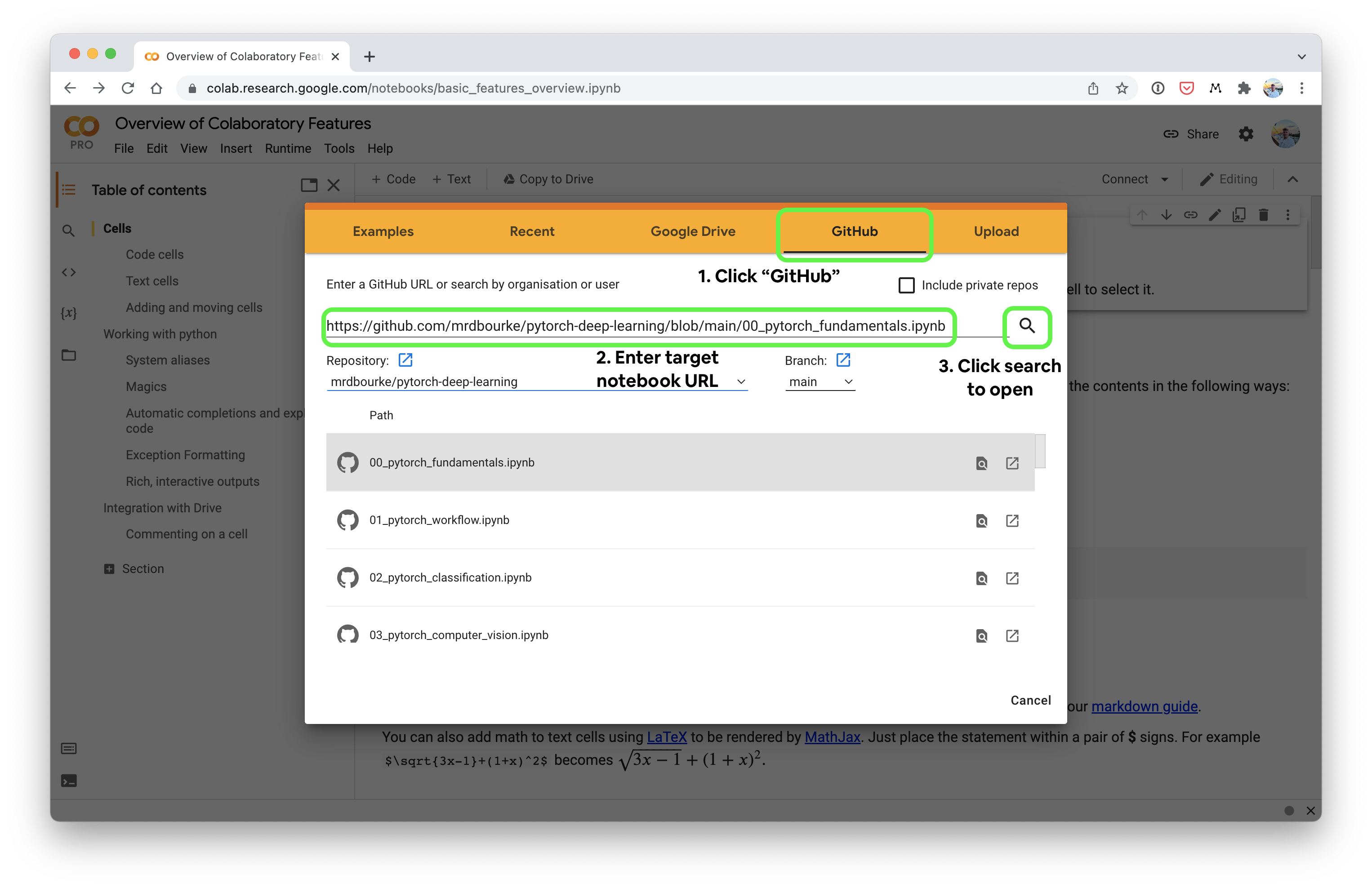
|
||||
|
||||
Doing this will give you a runable notebook right in Google Colab.
|
||||
|
||||
Though this should only be used for testing purposes, as when going through the course, I highly recommend you **write the code yourself**, rather than running existing code.
|
||||
|
||||
### Getting acess to a GPU in Google Colab
|
||||
|
||||
To get access to a CUDA-enabled NVIDIA GPU (CUDA is the programming interface that allows deep learning code to run faster on GPUs) in Google Colab you can go to `Runtime -> Change runtime type -> Hardware Accelerator -> GPU` (note: this will require the runtime to restart).
|
||||
|
||||
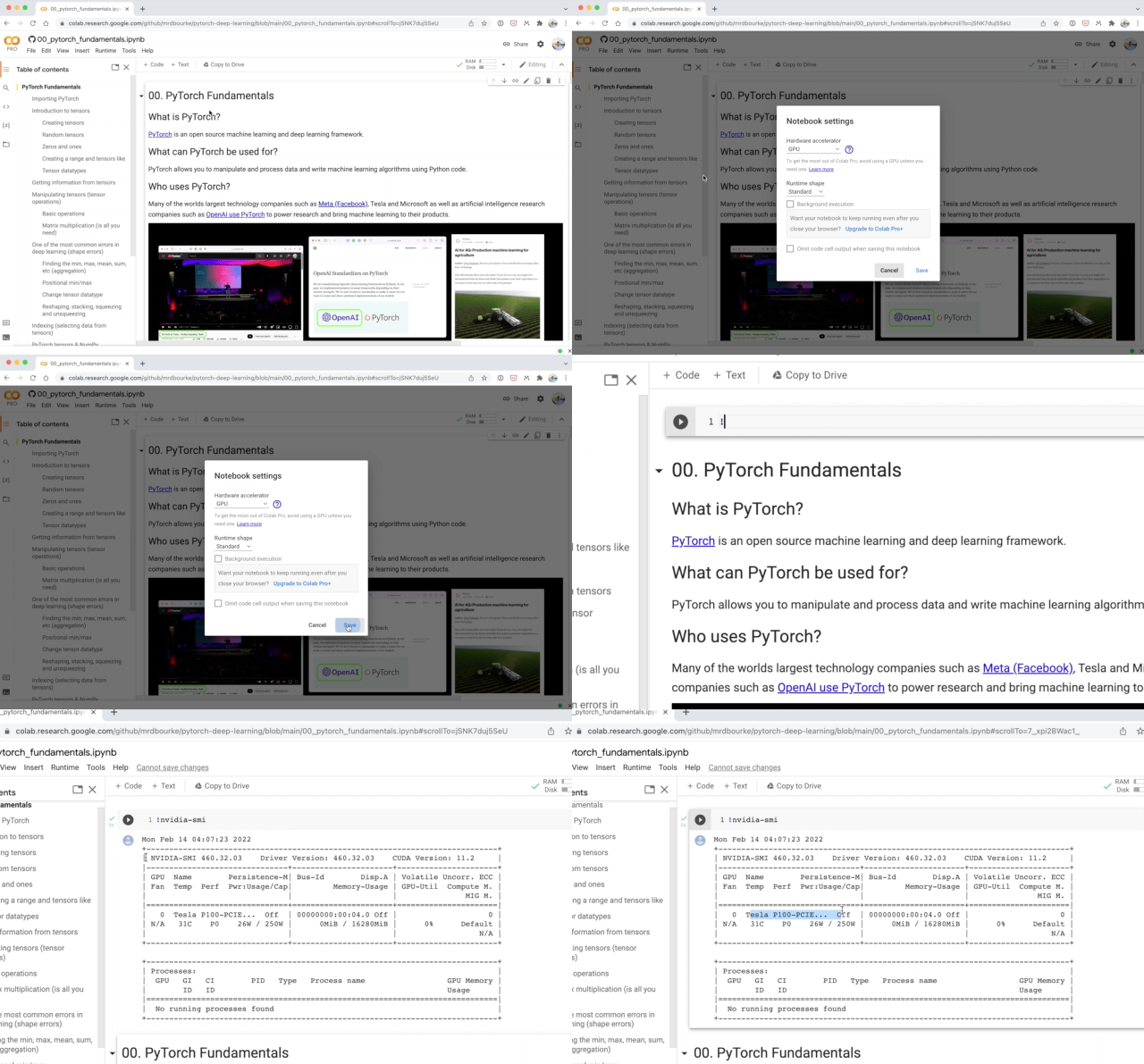
|
||||
|
||||
To check whether you have a GPU active in Google Colab you can run:
|
||||
|
||||
```
|
||||
!nvidia-smi
|
||||
```
|
||||
|
||||
If you have access to a GPU, this will show you what kind of GPU you have access to.
|
||||
|
||||
And to see if PyTorch has access to the GPU, you can run:
|
||||
|
||||
```python
|
||||
import torch # Google Colab comes with torch already installed
|
||||
print(torch.cuda.is_available()) # will return True if PyTorch can use the GPU
|
||||
```
|
||||
|
||||
If PyTorch can see the GPU on Google Colab, the above will print `True`.
|
||||
|
||||
## TK - 2. Getting setup locally (Linux version)
|
||||
|
||||
> **Note:** A reminder this is not a replacement for the [PyTorch documentation for getting setup locally](https://pytorch.org/get-started/locally/). This is only one way of getting setup (there are many) and designed specifically for this course.
|
||||
|
||||
This **setup is focused on Linux systems** (the most common operating system in the world), if you are running Windows or macOS, you should refer to the PyTorch documentation.
|
||||
|
||||
This setup also **expects you to have access to a NVIDIA GPU**.
|
||||
|
||||
Why this setup?
|
||||
|
||||
As a machine learning engineer, I use it almost daily. It works for a large amount of workflows and it's flexible enough so you can change if you need.
|
||||
|
||||
Let's begin.
|
||||
|
||||
### Setup steps locally for a Linux system with a GPU
|
||||
TK TODO - add step for install CUDA drivers
|
||||
TK image - overall setup of the course environment (e.g. Jupyter Lab inside conda env)
|
||||
|
||||
1. [Install Miniconda](https://docs.conda.io/projects/conda/en/latest/user-guide/install/linux.html) (you can use Anaconda if you already have it), the main thing is you need access to `conda` on the command line. Make sure to follow all the steps in the Miniconda installation guide before moving onto the next step.
|
||||
2. Make a directory for the course materials, you can name it what you want and then change into it. For example:
|
||||
```
|
||||
mkdir ztm-pytorch-course
|
||||
cd ztm-pytorch-course
|
||||
```
|
||||
3. Create a `conda` environment in the directory you just created. The following command will create a `conda` enviroment that lives in the folder called `env` which lives in the folder you just created (e.g. `ztm-pytorch-course/env`). Press `y` when the command below asks `y/n?`.
|
||||
```
|
||||
conda create --prefix ./env python=3.8.13
|
||||
```
|
||||
4. Activate the environment you just created.
|
||||
```
|
||||
conda activate ./env
|
||||
```
|
||||
5. Install the code dependencies you'll need for the course such as PyTorch and CUDA Toolkit for running PyTorch on your GPU. You can run all of these at the same time (**note:** this is specifically for Linux systems with a NVIDIA GPU, for other options see the [PyTorch setup documentation](https://pytorch.org/get-started/locally/)):
|
||||
```
|
||||
conda install -c pytorch pytorch=1.10.0 torchvision cudatoolkit=11.3 -y
|
||||
conda install -c conda-forge jupyterlab torchinfo torchmetrics -y
|
||||
conda install -c anaconda pip -y
|
||||
conda install pandas matplotlib scikit-learn -y
|
||||
```
|
||||
6. Verify the installation ran correctly by running starting a Jupyter Lab server:
|
||||
|
||||
```bash
|
||||
jupyter lab
|
||||
```
|
||||
|
||||
7. After Jupyter Lab is running, start a Jupyter Notebook and running the following piece of code in a cell.
|
||||
```python
|
||||
import pandas as pd
|
||||
import numpy as np
|
||||
import torch
|
||||
import sklearn
|
||||
import matplotlib
|
||||
import torchinfo, torchmetrics
|
||||
|
||||
# Check PyTorch access (should print out a tensor)
|
||||
print(torch.randn(3, 3))
|
||||
|
||||
# Check for GPU (should return True)
|
||||
print(torch.cuda.is_available())
|
||||
```
|
||||
|
||||
If the above code runs without errors, you should be ready to go.
|
||||
|
||||
If you do run into an error, please refer to the [Learn PyTorch GitHub Discussions page](https://github.com/mrdbourke/pytorch-deep-learning/discussions) and ask a question or the [PyTorch setup documentation page](https://pytorch.org/get-started/locally/).
|
||||

|
After Width: | Height: | Size: 2.7 MiB |
@@ -0,0 +1,19 @@
|
||||
# FoodVision Demos
|
||||
The `.zip` files contained in this folder contain the files for creating the FoodVision Mini and FoodVision Big demos.
|
||||
|
||||
The code to create these can be found in [09. PyTorch Model Deployment](https://www.learnpytorch.io/09_pytorch_model_deployment/).
|
||||
|
||||
Each `.zip` folder contains:
|
||||
* `model.py` - a file defining the model architecture used for the demo.
|
||||
* `app.py` - a file defining the Gradio demo application.
|
||||
* `*.pth` - a trained PyTorch model file with the same architecture as in `model.py`.
|
||||
* `requirements.txt` - a list of required packages for deploying the app.
|
||||
* `examples/` - a folder containing various image examples to try with the demo.
|
||||
|
||||
You can see a deployed version of each demo on HuggingFace Spaces:
|
||||
|
||||
| **App** | **What does it do?** | **Live demo** | **See files** | **Download files** |
|
||||
| ----- | ----- | ----- | ----- | ----- |
|
||||
| FoodVision Mini | Classifies an image of food into pizza 🍕, steak 🥩 or sushi 🍣. | [Demo](https://huggingface.co/spaces/mrdbourke/foodvision_mini) | [Files](https://huggingface.co/spaces/mrdbourke/foodvision_mini/tree/main) | [Download `foodvision_mini.zip`](https://github.com/mrdbourke/pytorch-deep-learning/raw/main/demos/foodvision_mini.zip) |
|
||||
| FoodVision Big 💪 | Classifies an image of food into 101 different food classes from the Food101 dataset. | [Demo](https://huggingface.co/spaces/mrdbourke/foodvision_big/) | [Files](https://huggingface.co/spaces/mrdbourke/foodvision_big/tree/main) | [Download `foodvision_big.zip`](https://github.com/mrdbourke/pytorch-deep-learning/raw/main/demos/foodvision_big.zip) |
|
||||
|
||||
@@ -0,0 +1,834 @@
|
||||
# 05. PyTorch Going Modular
|
||||
|
||||
This section answers the question, "how do I turn my notebook code into Python scripts?"
|
||||
|
||||
To do so, we're going to turn the most useful code cells in [notebook 04. PyTorch Custom Datasets](https://www.learnpytorch.io/04_pytorch_custom_datasets/) into a series of Python scripts saved to a directory called [`going_modular`](https://github.com/mrdbourke/pytorch-deep-learning/tree/main/going_modular).
|
||||
|
||||
## What is going modular?
|
||||
|
||||
Going modular involves turning notebook code (from a Jupyter Notebook or Google Colab notebook) into a series of different Python scripts that offer similar functionality.
|
||||
|
||||
For example, we could turn our notebook code from a series of cells into the following Python files:
|
||||
|
||||
* `data_setup.py` - a file to prepare and download data if needed.
|
||||
* `engine.py` - a file containing various training functions.
|
||||
* `model_builder.py` or `model.py` - a file to create a PyTorch model.
|
||||
* `train.py` - a file to leverage all other files and train a target PyTorch model.
|
||||
* `utils.py` - a file dedicated to helpful utility functions.
|
||||
|
||||
> **Note:** The naming and layout of the above files will depend on your use case and code requirements. Python scripts are as general as individual notebook cells, meaning, you could create one for almost any kind of functionality.
|
||||
|
||||
## Why would you want to go modular?
|
||||
|
||||
Notebooks are fantastic for iteratively exploring and running experiments quickly.
|
||||
|
||||
However, for larger scale projects you may find Python scripts more reproducible and easier to run.
|
||||
|
||||
Though this is a debated topic, as companies like [Netflix have shown how they use notebooks for production code](https://netflixtechblog.com/notebook-innovation-591ee3221233).
|
||||
|
||||
**Production code** is code that runs to offer a service to someone or something.
|
||||
|
||||
For example, if you have an app running online that other people can access and use, the code running that app is considered **production code**.
|
||||
|
||||
And libraries like fast.ai's [`nb-dev`](https://github.com/fastai/nbdev) (short for notebook development) enable you to write whole Python libraries (including documentation) with Jupyter Notebooks.
|
||||
|
||||
### Pros and cons of notebooks vs Python scripts
|
||||
|
||||
There's arguments for both sides.
|
||||
|
||||
But this list sums up a few of the main topics.
|
||||
|
||||
| | **Pros** | **Cons** |
|
||||
| ------------- | ------------------------------------------------------ | -------------------------------------------- |
|
||||
| **Notebooks** | Easy to experiment/get started | Versioning can be hard |
|
||||
| | Easy to share (e.g. a link to a Google Colab notebook) | Hard to use only specific parts |
|
||||
| | Very visual | Text and graphics can get in the way of code |
|
||||
|
||||
| | **Pros** | **Cons** |
|
||||
| ------------------ | ----------------------------------------------------------------------------------- | ----------------------------------------------------------------------------------------- |
|
||||
| **Python scripts** | Can package code together (saves rewriting similar code across different notebooks) | Experimenting isn't as visual (usually have to run the whole script rather than one cell) |
|
||||
| | Can use git for versioning | |
|
||||
| | Many open source projects use scripts | |
|
||||
| | Larger projects can be run on cloud vendors (not as much support for notebooks) | |
|
||||
|
||||
### My workflow
|
||||
|
||||
I usually start machine learning projects in Jupyter/Google Colab notebooks for quick experimentation and visualization.
|
||||
|
||||
Then when I've got something working, I move the most useful pieces of code to Python scripts.
|
||||
|
||||
<img src="https://raw.githubusercontent.com/mrdbourke/pytorch-deep-learning/main/images/05-my-workflow-for-experimenting.png" alt="one possible workflow for writing machine learning code, start with jupyter or google colab notebooks and then move to Python scripts when you've got something working." width=1000/>
|
||||
|
||||
*There are many possible workflows for writing machine learning code. Some prefer to start with scripts, others (like me) prefer to start with notebooks and go to scripts later on.*
|
||||
|
||||
### PyTorch in the wild
|
||||
|
||||
In your travels, you'll see many code repositories for PyTorch-based ML projects have instructions on how to run the PyTorch code in the form of Python scripts.
|
||||
|
||||
For example, you might be instructed to run code like the following in a terminal/command line to train a model:
|
||||
|
||||
```
|
||||
python train.py --model MODEL_NAME --batch_size BATCH_SIZE --lr LEARNING_RATE --num_epochs NUM_EPOCHS
|
||||
```
|
||||
|
||||
<img src="https://raw.githubusercontent.com/mrdbourke/pytorch-deep-learning/main/images/05-python-train-command-line-annotated.png" alt="command line call for training a PyTorch model with different hyperparameters" width=1000/>
|
||||
|
||||
*Running a PyTorch `train.py` script on the command line with various hyperparameter settings.*
|
||||
|
||||
In this case, `train.py` is the target Python script, it'll likely contain functions to train a PyTorch model.
|
||||
|
||||
And `--model`, `--batch_size`, `--lr` and `--num_epochs` are known as argument flags.
|
||||
|
||||
You can set these to whatever values you like and if they're compatible with `train.py`, they'll work, if not, they'll error.
|
||||
|
||||
For example, let's say we wanted to train our TinyVGG model from notebook 04 for 10 epochs with a batch size of 32 and a learning rate of 0.001:
|
||||
|
||||
```
|
||||
python train.py --model tinyvgg --batch_size 32 --lr 0.001 --num_epochs 10
|
||||
```
|
||||
|
||||
You could setup any number of these argument flags in your `train.py` script to suit your needs.
|
||||
|
||||
The PyTorch blog post for training state-of-the-art computer vision models uses this style.
|
||||
|
||||
<img src="https://raw.githubusercontent.com/mrdbourke/pytorch-deep-learning/main/images/05-training-sota-recipe.png" alt="PyTorch training script recipe for training state of the art computer vision models" width=800/>
|
||||
|
||||
*PyTorch command line training script recipe for training state-of-the-art computer vision models with 8 GPUs. Source: [PyTorch blog](https://pytorch.org/blog/how-to-train-state-of-the-art-models-using-torchvision-latest-primitives/#the-training-recipe).*
|
||||
|
||||
## What we're going to cover
|
||||
|
||||
The main concept of this section is: **turn useful notebook code cells into reusable Python files.**
|
||||
|
||||
Doing this will save us writing the same code over and over again.
|
||||
|
||||
There are two notebooks for this section:
|
||||
|
||||
1. [**05. Going Modular: Part 1 (cell mode)**](https://github.com/mrdbourke/pytorch-deep-learning/blob/main/going_modular/05_pytorch_going_modular_cell_mode.ipynb) - this notebook is run as a traditional Jupyter Notebook/Google Colab notebook and is a condensed version of [notebook 04](https://www.learnpytorch.io/04_pytorch_custom_datasets/).
|
||||
2. [**05. Going Modular: Part 2 (script mode)**](https://github.com/mrdbourke/pytorch-deep-learning/blob/main/going_modular/05_pytorch_going_modular_script_mode.ipynb) - this notebook is the same as number 1 but with added functionality to turn each of the major sections into Python scripts, such as, `data_setup.py` and `train.py`.
|
||||
|
||||
The text in this document focuses on the code cells 05. Going Modular: Part 2 (script mode), the ones with `%%writefile ...` at the top.
|
||||
|
||||
### Why two parts?
|
||||
|
||||
Because sometimes the best way to learn something is to see how it *differs* from something else.
|
||||
|
||||
If you run each notebook side-by-side you'll see how they differ and that's where the key learnings are.
|
||||
|
||||
<img src="https://raw.githubusercontent.com/mrdbourke/pytorch-deep-learning/main/images/05-notebook-cell-mode-vs-script-mode.png" alt="running cell mode notebook vs a script mode notebook" width=1000/>
|
||||
|
||||
*Running the two notebooks for section 05 side-by-side. You'll notice that the **script mode notebook has extra code cells** to turn code from the cell mode notebook into Python scripts.*
|
||||
|
||||
### What we're working towards
|
||||
|
||||
By the end of this section we want to have two things:
|
||||
|
||||
1. The ability to train the model we built in notebook 04 (Food Vision Mini) with one line of code on the command line: `python train.py`.
|
||||
2. A directory structure of reusable Python scripts, such as:
|
||||
|
||||
```
|
||||
going_modular/
|
||||
├── going_modular/
|
||||
│ ├── data_setup.py
|
||||
│ ├── engine.py
|
||||
│ ├── model_builder.py
|
||||
│ ├── train.py
|
||||
│ └── utils.py
|
||||
├── models/
|
||||
│ ├── 05_going_modular_cell_mode_tinyvgg_model.pth
|
||||
│ └── 05_going_modular_script_mode_tinyvgg_model.pth
|
||||
└── data/
|
||||
└── pizza_steak_sushi/
|
||||
├── train/
|
||||
│ ├── pizza/
|
||||
│ │ ├── image01.jpeg
|
||||
│ │ └── ...
|
||||
│ ├── steak/
|
||||
│ └── sushi/
|
||||
└── test/
|
||||
├── pizza/
|
||||
├── steak/
|
||||
└── sushi/
|
||||
```
|
||||
|
||||
### Things to note
|
||||
|
||||
* **Docstrings** - Writing reproducible and understandable code is important. And with this in mind, each of the functions/classes we'll be putting into scripts has been created with Google's [Python docstring style in mind](https://google.github.io/styleguide/pyguide.html#383-functions-and-methods).
|
||||
* **Imports at the top of scripts** - Since all of the Python scripts we're going to create could be considered a small program on their own, all of the scripts require their input modules be imported at the start of the script for example:
|
||||
|
||||
```python
|
||||
# Import modules required for train.py
|
||||
import os
|
||||
import torch
|
||||
import data_setup, engine, model_builder, utils
|
||||
|
||||
from torchvision import transforms
|
||||
```
|
||||
|
||||
## Where can you get help?
|
||||
|
||||
All of the materials for this course [are available on GitHub](https://github.com/mrdbourke/pytorch-deep-learning).
|
||||
|
||||
If you run into trouble, you can ask a question on the course [GitHub Discussions page](https://github.com/mrdbourke/pytorch-deep-learning/discussions).
|
||||
|
||||
And of course, there's the [PyTorch documentation](https://pytorch.org/docs/stable/index.html) and [PyTorch developer forums](https://discuss.pytorch.org/), a very helpful place for all things PyTorch.
|
||||
|
||||
## 0. Cell mode vs. script mode
|
||||
|
||||
A cell mode notebook such as [05. Going Modular Part 1 (cell mode)](https://github.com/mrdbourke/pytorch-deep-learning/blob/main/going_modular/05_pytorch_going_modular_cell_mode.ipynb) is a notebook run normally, each cell in the notebook is either code or markdown.
|
||||
|
||||
A script mode notebook such as [05. Going Modular Part 2 (script mode)](https://github.com/mrdbourke/pytorch-deep-learning/blob/main/going_modular/05_pytorch_going_modular_script_mode.ipynb) is very similar to a cell mode notebook, however, many of the code cells may be turned into Python scripts.
|
||||
|
||||
> **Note:** You don't *need* to create Python scripts via a notebook, you can create them directly through an IDE (integrated developer environment) such as [VS Code](https://code.visualstudio.com/). Having the script mode notebook as part of this section is just to demonstrate one way of going from notebooks to Python scripts.
|
||||
|
||||
## 1. Get data
|
||||
|
||||
Getting the data in each of the 05 notebooks happens the same as in [notebook 04](https://www.learnpytorch.io/04_pytorch_custom_datasets/#1-get-data).
|
||||
|
||||
A call is made to GitHub via Python's `requests` module to download a `.zip` file and unzip it.
|
||||
|
||||
```python
|
||||
import os
|
||||
import requests
|
||||
import zipfile
|
||||
from pathlib import Path
|
||||
|
||||
# Setup path to data folder
|
||||
data_path = Path("data/")
|
||||
image_path = data_path / "pizza_steak_sushi"
|
||||
|
||||
# If the image folder doesn't exist, download it and prepare it...
|
||||
if image_path.is_dir():
|
||||
print(f"{image_path} directory exists.")
|
||||
else:
|
||||
print(f"Did not find {image_path} directory, creating one...")
|
||||
image_path.mkdir(parents=True, exist_ok=True)
|
||||
|
||||
# Download pizza, steak, sushi data
|
||||
with open(data_path / "pizza_steak_sushi.zip", "wb") as f:
|
||||
request = requests.get("https://github.com/mrdbourke/pytorch-deep-learning/raw/main/data/pizza_steak_sushi.zip")
|
||||
print("Downloading pizza, steak, sushi data...")
|
||||
f.write(request.content)
|
||||
|
||||
# Unzip pizza, steak, sushi data
|
||||
with zipfile.ZipFile(data_path / "pizza_steak_sushi.zip", "r") as zip_ref:
|
||||
print("Unzipping pizza, steak, sushi data...")
|
||||
zip_ref.extractall(image_path)
|
||||
|
||||
# Remove zip file
|
||||
os.remove(data_path / "pizza_steak_sushi.zip")
|
||||
```
|
||||
|
||||
This results in having a file called `data` that contains another directory called `pizza_steak_sushi` with images of pizza, steak and sushi in standard image classification format.
|
||||
|
||||
```
|
||||
data/
|
||||
└── pizza_steak_sushi/
|
||||
├── train/
|
||||
│ ├── pizza/
|
||||
│ │ ├── train_image01.jpeg
|
||||
│ │ ├── test_image02.jpeg
|
||||
│ │ └── ...
|
||||
│ ├── steak/
|
||||
│ │ └── ...
|
||||
│ └── sushi/
|
||||
│ └── ...
|
||||
└── test/
|
||||
├── pizza/
|
||||
│ ├── test_image01.jpeg
|
||||
│ └── test_image02.jpeg
|
||||
├── steak/
|
||||
└── sushi/
|
||||
```
|
||||
|
||||
## 2. Create Datasets and DataLoaders (`data_setup.py`)
|
||||
|
||||
Once we've got data, we can then turn it into PyTorch `Dataset`'s and `DataLoader`'s (one for training data and one for testing data).
|
||||
|
||||
We convert the useful `Dataset` and `DataLoader` creation code into a function called `create_dataloaders()`.
|
||||
|
||||
And we write it to file using the line `%%writefile going_modular/data_setup.py`.
|
||||
|
||||
```py title="data_setup.py"
|
||||
%%writefile going_modular/data_setup.py
|
||||
"""
|
||||
Contains functionality for creating PyTorch DataLoaders for
|
||||
image classification data.
|
||||
"""
|
||||
import os
|
||||
|
||||
from torchvision import datasets, transforms
|
||||
from torch.utils.data import DataLoader
|
||||
|
||||
NUM_WORKERS = os.cpu_count()
|
||||
|
||||
def create_dataloaders(
|
||||
train_dir: str,
|
||||
test_dir: str,
|
||||
transform: transforms.Compose,
|
||||
batch_size: int,
|
||||
num_workers: int=NUM_WORKERS
|
||||
):
|
||||
"""Creates training and testing DataLoaders.
|
||||
|
||||
Takes in a training directory and testing directory path and turns
|
||||
them into PyTorch Datasets and then into PyTorch DataLoaders.
|
||||
|
||||
Args:
|
||||
train_dir: Path to training directory.
|
||||
test_dir: Path to testing directory.
|
||||
transform: torchvision transforms to perform on training and testing data.
|
||||
batch_size: Number of samples per batch in each of the DataLoaders.
|
||||
num_workers: An integer for number of workers per DataLoader.
|
||||
|
||||
Returns:
|
||||
A tuple of (train_dataloader, test_dataloader, class_names).
|
||||
Where class_names is a list of the target classes.
|
||||
Example usage:
|
||||
train_dataloader, test_dataloader, class_names = \
|
||||
= create_dataloaders(train_dir=path/to/train_dir,
|
||||
test_dir=path/to/test_dir,
|
||||
transform=some_transform,
|
||||
batch_size=32,
|
||||
num_workers=4)
|
||||
"""
|
||||
# Use ImageFolder to create dataset(s)
|
||||
train_data = datasets.ImageFolder(train_dir, transform=transform)
|
||||
test_data = datasets.ImageFolder(test_dir, transform=transform)
|
||||
|
||||
# Get class names
|
||||
class_names = train_data.classes
|
||||
|
||||
# Turn images into data loaders
|
||||
train_dataloader = DataLoader(
|
||||
train_data,
|
||||
batch_size=batch_size,
|
||||
shuffle=True,
|
||||
num_workers=num_workers,
|
||||
pin_memory=True,
|
||||
)
|
||||
test_dataloader = DataLoader(
|
||||
test_data,
|
||||
batch_size=batch_size,
|
||||
shuffle=True,
|
||||
num_workers=num_workers,
|
||||
pin_memory=True,
|
||||
)
|
||||
|
||||
return train_dataloader, test_dataloader, class_names
|
||||
```
|
||||
|
||||
If we'd like to make `DataLoader`'s we can now use the function within `data_setup.py` like so:
|
||||
|
||||
```python
|
||||
# Import data_setup.py
|
||||
from going_modular import data_setup
|
||||
|
||||
# Create train/test dataloader and get class names as a list
|
||||
train_dataloader, test_dataloader, class_names = data_setup.create_dataloaders(...)
|
||||
```
|
||||
|
||||
## 3. Making a model (`model_builder.py`)
|
||||
|
||||
Over the past few notebooks (notebook 03 and notebook 04), we've built the TinyVGG model a few times.
|
||||
|
||||
So it makes sense to put the model into its file so we can reuse it again and again.
|
||||
|
||||
Let's put our `TinyVGG()` model class into a script with the line `%%writefile going_modular/model_builder.py`:
|
||||
|
||||
```python title="model_builder.py"
|
||||
%%writefile going_modular/model_builder.py
|
||||
"""
|
||||
Contains PyTorch model code to instantiate a TinyVGG model.
|
||||
"""
|
||||
import torch
|
||||
from torch import nn
|
||||
|
||||
class TinyVGG(nn.Module):
|
||||
"""Creates the TinyVGG architecture.
|
||||
|
||||
Replicates the TinyVGG architecture from the CNN explainer website in PyTorch.
|
||||
See the original architecture here: https://poloclub.github.io/cnn-explainer/
|
||||
|
||||
Args:
|
||||
input_shape: An integer indicating number of input channels.
|
||||
hidden_units: An integer indicating number of hidden units between layers.
|
||||
output_shape: An integer indicating number of output units.
|
||||
"""
|
||||
def __init__(self, input_shape: int, hidden_units: int, output_shape: int) -> None:
|
||||
super().__init__()
|
||||
self.conv_block_1 = nn.Sequential(
|
||||
nn.Conv2d(in_channels=input_shape,
|
||||
out_channels=hidden_units,
|
||||
kernel_size=3,
|
||||
stride=1,
|
||||
padding=0),
|
||||
nn.ReLU(),
|
||||
nn.Conv2d(in_channels=hidden_units,
|
||||
out_channels=hidden_units,
|
||||
kernel_size=3,
|
||||
stride=1,
|
||||
padding=0),
|
||||
nn.ReLU(),
|
||||
nn.MaxPool2d(kernel_size=2,
|
||||
stride=2)
|
||||
)
|
||||
self.conv_block_2 = nn.Sequential(
|
||||
nn.Conv2d(hidden_units, hidden_units, kernel_size=3, padding=0),
|
||||
nn.ReLU(),
|
||||
nn.Conv2d(hidden_units, hidden_units, kernel_size=3, padding=0),
|
||||
nn.ReLU(),
|
||||
nn.MaxPool2d(2)
|
||||
)
|
||||
self.classifier = nn.Sequential(
|
||||
nn.Flatten(),
|
||||
# Where did this in_features shape come from?
|
||||
# It's because each layer of our network compresses and changes the shape of our inputs data.
|
||||
nn.Linear(in_features=hidden_units*13*13,
|
||||
out_features=output_shape)
|
||||
)
|
||||
|
||||
def forward(self, x: torch.Tensor):
|
||||
x = self.conv_block_1(x)
|
||||
x = self.conv_block_2(x)
|
||||
x = self.classifier(x)
|
||||
return x
|
||||
# return self.classifier(self.block_2(self.block_1(x))) # <- leverage the benefits of operator fusion
|
||||
```
|
||||
|
||||
Now instead of coding the TinyVGG model from scratch every time, we can import it using:
|
||||
|
||||
```python
|
||||
import torch
|
||||
# Import model_builder.py
|
||||
from going_modular import model_builder
|
||||
device = "cuda" if torch.cuda.is_available() else "cpu"
|
||||
|
||||
# Instantiate an instance of the model from the "model_builder.py" script
|
||||
torch.manual_seed(42)
|
||||
model = model_builder.TinyVGG(input_shape=3,
|
||||
hidden_units=10,
|
||||
output_shape=len(class_names)).to(device)
|
||||
```
|
||||
|
||||
## 4. Creating `train_step()` and `test_step()` functions and `train()` to combine them
|
||||
|
||||
We wrote several training functions in [notebook 04](https://www.learnpytorch.io/04_pytorch_custom_datasets/#75-create-train-test-loop-functions):
|
||||
|
||||
1. `train_step()` - takes in a model, a `DataLoader`, a loss function and an optimizer and trains the model on the `DataLoader`.
|
||||
2. `test_step()` - takes in a model, a `DataLoader` and a loss function and evaluates the model on the `DataLoader`.
|
||||
3. `train()` - performs 1. and 2. together for a given number of epochs and returns a results dictionary.
|
||||
|
||||
Since these will be the *engine* of our model training, we can put them all into a Python script called `engine.py` with the line `%%writefile going_modular/engine.py`:
|
||||
|
||||
```python title="engine.py"
|
||||
%%writefile going_modular/engine.py
|
||||
"""
|
||||
Contains functions for training and testing a PyTorch model.
|
||||
"""
|
||||
import torch
|
||||
|
||||
from tqdm.auto import tqdm
|
||||
from typing import Dict, List, Tuple
|
||||
|
||||
def train_step(model: torch.nn.Module,
|
||||
dataloader: torch.utils.data.DataLoader,
|
||||
loss_fn: torch.nn.Module,
|
||||
optimizer: torch.optim.Optimizer,
|
||||
device: torch.device) -> Tuple[float, float]:
|
||||
"""Trains a PyTorch model for a single epoch.
|
||||
|
||||
Turns a target PyTorch model to training mode and then
|
||||
runs through all of the required training steps (forward
|
||||
pass, loss calculation, optimizer step).
|
||||
|
||||
Args:
|
||||
model: A PyTorch model to be trained.
|
||||
dataloader: A DataLoader instance for the model to be trained on.
|
||||
loss_fn: A PyTorch loss function to minimize.
|
||||
optimizer: A PyTorch optimizer to help minimize the loss function.
|
||||
device: A target device to compute on (e.g. "cuda" or "cpu").
|
||||
|
||||
Returns:
|
||||
A tuple of training loss and training accuracy metrics.
|
||||
In the form (train_loss, train_accuracy). For example:
|
||||
|
||||
(0.1112, 0.8743)
|
||||
"""
|
||||
# Put model in train mode
|
||||
model.train()
|
||||
|
||||
# Setup train loss and train accuracy values
|
||||
train_loss, train_acc = 0, 0
|
||||
|
||||
# Loop through data loader data batches
|
||||
for batch, (X, y) in enumerate(dataloader):
|
||||
# Send data to target device
|
||||
X, y = X.to(device), y.to(device)
|
||||
|
||||
# 1. Forward pass
|
||||
y_pred = model(X)
|
||||
|
||||
# 2. Calculate and accumulate loss
|
||||
loss = loss_fn(y_pred, y)
|
||||
train_loss += loss.item()
|
||||
|
||||
# 3. Optimizer zero grad
|
||||
optimizer.zero_grad()
|
||||
|
||||
# 4. Loss backward
|
||||
loss.backward()
|
||||
|
||||
# 5. Optimizer step
|
||||
optimizer.step()
|
||||
|
||||
# Calculate and accumulate accuracy metric across all batches
|
||||
y_pred_class = torch.argmax(torch.softmax(y_pred, dim=1), dim=1)
|
||||
train_acc += (y_pred_class == y).sum().item()/len(y_pred)
|
||||
|
||||
# Adjust metrics to get average loss and accuracy per batch
|
||||
train_loss = train_loss / len(dataloader)
|
||||
train_acc = train_acc / len(dataloader)
|
||||
return train_loss, train_acc
|
||||
|
||||
def test_step(model: torch.nn.Module,
|
||||
dataloader: torch.utils.data.DataLoader,
|
||||
loss_fn: torch.nn.Module,
|
||||
device: torch.device) -> Tuple[float, float]:
|
||||
"""Tests a PyTorch model for a single epoch.
|
||||
|
||||
Turns a target PyTorch model to "eval" mode and then performs
|
||||
a forward pass on a testing dataset.
|
||||
|
||||
Args:
|
||||
model: A PyTorch model to be tested.
|
||||
dataloader: A DataLoader instance for the model to be tested on.
|
||||
loss_fn: A PyTorch loss function to calculate loss on the test data.
|
||||
device: A target device to compute on (e.g. "cuda" or "cpu").
|
||||
|
||||
Returns:
|
||||
A tuple of testing loss and testing accuracy metrics.
|
||||
In the form (test_loss, test_accuracy). For example:
|
||||
|
||||
(0.0223, 0.8985)
|
||||
"""
|
||||
# Put model in eval mode
|
||||
model.eval()
|
||||
|
||||
# Setup test loss and test accuracy values
|
||||
test_loss, test_acc = 0, 0
|
||||
|
||||
# Turn on inference context manager
|
||||
with torch.inference_mode():
|
||||
# Loop through DataLoader batches
|
||||
for batch, (X, y) in enumerate(dataloader):
|
||||
# Send data to target device
|
||||
X, y = X.to(device), y.to(device)
|
||||
|
||||
# 1. Forward pass
|
||||
test_pred_logits = model(X)
|
||||
|
||||
# 2. Calculate and accumulate loss
|
||||
loss = loss_fn(test_pred_logits, y)
|
||||
test_loss += loss.item()
|
||||
|
||||
# Calculate and accumulate accuracy
|
||||
test_pred_labels = test_pred_logits.argmax(dim=1)
|
||||
test_acc += ((test_pred_labels == y).sum().item()/len(test_pred_labels))
|
||||
|
||||
# Adjust metrics to get average loss and accuracy per batch
|
||||
test_loss = test_loss / len(dataloader)
|
||||
test_acc = test_acc / len(dataloader)
|
||||
return test_loss, test_acc
|
||||
|
||||
def train(model: torch.nn.Module,
|
||||
train_dataloader: torch.utils.data.DataLoader,
|
||||
test_dataloader: torch.utils.data.DataLoader,
|
||||
optimizer: torch.optim.Optimizer,
|
||||
loss_fn: torch.nn.Module,
|
||||
epochs: int,
|
||||
device: torch.device) -> Dict[str, List]:
|
||||
"""Trains and tests a PyTorch model.
|
||||
|
||||
Passes a target PyTorch models through train_step() and test_step()
|
||||
functions for a number of epochs, training and testing the model
|
||||
in the same epoch loop.
|
||||
|
||||
Calculates, prints and stores evaluation metrics throughout.
|
||||
|
||||
Args:
|
||||
model: A PyTorch model to be trained and tested.
|
||||
train_dataloader: A DataLoader instance for the model to be trained on.
|
||||
test_dataloader: A DataLoader instance for the model to be tested on.
|
||||
optimizer: A PyTorch optimizer to help minimize the loss function.
|
||||
loss_fn: A PyTorch loss function to calculate loss on both datasets.
|
||||
epochs: An integer indicating how many epochs to train for.
|
||||
device: A target device to compute on (e.g. "cuda" or "cpu").
|
||||
|
||||
Returns:
|
||||
A dictionary of training and testing loss as well as training and
|
||||
testing accuracy metrics. Each metric has a value in a list for
|
||||
each epoch.
|
||||
In the form: {train_loss: [...],
|
||||
train_acc: [...],
|
||||
test_loss: [...],
|
||||
test_acc: [...]}
|
||||
For example if training for epochs=2:
|
||||
{train_loss: [2.0616, 1.0537],
|
||||
train_acc: [0.3945, 0.3945],
|
||||
test_loss: [1.2641, 1.5706],
|
||||
test_acc: [0.3400, 0.2973]}
|
||||
"""
|
||||
# Create empty results dictionary
|
||||
results = {"train_loss": [],
|
||||
"train_acc": [],
|
||||
"test_loss": [],
|
||||
"test_acc": []
|
||||
}
|
||||
|
||||
# Loop through training and testing steps for a number of epochs
|
||||
for epoch in tqdm(range(epochs)):
|
||||
train_loss, train_acc = train_step(model=model,
|
||||
dataloader=train_dataloader,
|
||||
loss_fn=loss_fn,
|
||||
optimizer=optimizer,
|
||||
device=device)
|
||||
test_loss, test_acc = test_step(model=model,
|
||||
dataloader=test_dataloader,
|
||||
loss_fn=loss_fn,
|
||||
device=device)
|
||||
|
||||
# Print out what's happening
|
||||
print(
|
||||
f"Epoch: {epoch+1} | "
|
||||
f"train_loss: {train_loss:.4f} | "
|
||||
f"train_acc: {train_acc:.4f} | "
|
||||
f"test_loss: {test_loss:.4f} | "
|
||||
f"test_acc: {test_acc:.4f}"
|
||||
)
|
||||
|
||||
# Update results dictionary
|
||||
results["train_loss"].append(train_loss)
|
||||
results["train_acc"].append(train_acc)
|
||||
results["test_loss"].append(test_loss)
|
||||
results["test_acc"].append(test_acc)
|
||||
|
||||
# Return the filled results at the end of the epochs
|
||||
return results
|
||||
```
|
||||
|
||||
Now we've got the `engine.py` script, we can import functions from it via:
|
||||
|
||||
```python
|
||||
# Import engine.py
|
||||
from going_modular import engine
|
||||
|
||||
# Use train() by calling it from engine.py
|
||||
engine.train(...)
|
||||
```
|
||||
|
||||
## 5. Creating a function to save the model (`utils.py`)
|
||||
|
||||
Often you'll want to save a model whilst it's training or after training.
|
||||
|
||||
Since we've written the code to save a model a few times now in previous notebooks, it makes sense to turn it into a function and save it to file.
|
||||
|
||||
It's common practice to store helper functions in a file called `utils.py` (short for utilities).
|
||||
|
||||
Let's save our `save_model()` function to a file called `utils.py` with the line `%%writefile going_modular/utils.py`:
|
||||
|
||||
```python title="utils.py"
|
||||
%%writefile going_modular/utils.py
|
||||
"""
|
||||
Contains various utility functions for PyTorch model training and saving.
|
||||
"""
|
||||
import torch
|
||||
from pathlib import Path
|
||||
|
||||
def save_model(model: torch.nn.Module,
|
||||
target_dir: str,
|
||||
model_name: str):
|
||||
"""Saves a PyTorch model to a target directory.
|
||||
|
||||
Args:
|
||||
model: A target PyTorch model to save.
|
||||
target_dir: A directory for saving the model to.
|
||||
model_name: A filename for the saved model. Should include
|
||||
either ".pth" or ".pt" as the file extension.
|
||||
|
||||
Example usage:
|
||||
save_model(model=model_0,
|
||||
target_dir="models",
|
||||
model_name="05_going_modular_tingvgg_model.pth")
|
||||
"""
|
||||
# Create target directory
|
||||
target_dir_path = Path(target_dir)
|
||||
target_dir_path.mkdir(parents=True,
|
||||
exist_ok=True)
|
||||
|
||||
# Create model save path
|
||||
assert model_name.endswith(".pth") or model_name.endswith(".pt"), "model_name should end with '.pt' or '.pth'"
|
||||
model_save_path = target_dir_path / model_name
|
||||
|
||||
# Save the model state_dict()
|
||||
print(f"[INFO] Saving model to: {model_save_path}")
|
||||
torch.save(obj=model.state_dict(),
|
||||
f=model_save_path)
|
||||
```
|
||||
|
||||
Now if we wanted to use our `save_model()` function, instead of writing it all over again, we can import it and use it via:
|
||||
|
||||
```python
|
||||
# Import utils.py
|
||||
from going_modular import utils
|
||||
|
||||
# Save a model to file
|
||||
save_model(model=...
|
||||
target_dir=...,
|
||||
model_name=...)
|
||||
```
|
||||
|
||||
## 6. Train, evaluate and save the model (`train.py`)
|
||||
|
||||
As previously discussed, you'll often come across PyTorch repositories that combine all of their functionality together in a `train.py` file.
|
||||
|
||||
This file is essentially saying "train the model using whatever data is available".
|
||||
|
||||
In our `train.py` file, we'll combine all of the functionality of the other Python scripts we've created and use it to train a model.
|
||||
|
||||
This way we can train a PyTorch model using a single line of code on the command line:
|
||||
|
||||
```
|
||||
python train.py
|
||||
```
|
||||
|
||||
To create `train.py` we'll go through the following steps:
|
||||
|
||||
1. Import the various dependencies, namely `torch`, `os`, `torchvision.transforms` and all of the scripts from the `going_modular` directory, `data_setup`, `engine`, `model_builder`, `utils`.
|
||||
* **Note:** Since `train.py` will be *inside* the `going_modular` directory, we can import the other modules via `import ...` rather than `from going_modular import ...`.
|
||||
2. Setup various hyperparameters such as batch size, number of epochs, learning rate and number of hidden units (these could be set in the future via [Python's `argparse`](https://docs.python.org/3/library/argparse.html)).
|
||||
3. Setup the training and test directories.
|
||||
4. Setup device-agnostic code.
|
||||
5. Create the necessary data transforms.
|
||||
6. Create the DataLoaders using `data_setup.py`.
|
||||
7. Create the model using `model_builder.py`.
|
||||
8. Setup the loss function and optimizer.
|
||||
9. Train the model using `engine.py`.
|
||||
10. Save the model using `utils.py`.
|
||||
|
||||
And we can create the file from a notebook cell using the line `%%writefile going_modular/train.py`:
|
||||
|
||||
```python title="train.py"
|
||||
%%writefile going_modular/train.py
|
||||
"""
|
||||
Trains a PyTorch image classification model using device-agnostic code.
|
||||
"""
|
||||
|
||||
import os
|
||||
import torch
|
||||
import data_setup, engine, model_builder, utils
|
||||
|
||||
from torchvision import transforms
|
||||
|
||||
# Setup hyperparameters
|
||||
NUM_EPOCHS = 5
|
||||
BATCH_SIZE = 32
|
||||
HIDDEN_UNITS = 10
|
||||
LEARNING_RATE = 0.001
|
||||
|
||||
# Setup directories
|
||||
train_dir = "data/pizza_steak_sushi/train"
|
||||
test_dir = "data/pizza_steak_sushi/test"
|
||||
|
||||
# Setup target device
|
||||
device = "cuda" if torch.cuda.is_available() else "cpu"
|
||||
|
||||
# Create transforms
|
||||
data_transform = transforms.Compose([
|
||||
transforms.Resize((64, 64)),
|
||||
transforms.ToTensor()
|
||||
])
|
||||
|
||||
# Create DataLoaders with help from data_setup.py
|
||||
train_dataloader, test_dataloader, class_names = data_setup.create_dataloaders(
|
||||
train_dir=train_dir,
|
||||
test_dir=test_dir,
|
||||
transform=data_transform,
|
||||
batch_size=BATCH_SIZE
|
||||
)
|
||||
|
||||
# Create model with help from model_builder.py
|
||||
model = model_builder.TinyVGG(
|
||||
input_shape=3,
|
||||
hidden_units=HIDDEN_UNITS,
|
||||
output_shape=len(class_names)
|
||||
).to(device)
|
||||
|
||||
# Set loss and optimizer
|
||||
loss_fn = torch.nn.CrossEntropyLoss()
|
||||
optimizer = torch.optim.Adam(model.parameters(),
|
||||
lr=LEARNING_RATE)
|
||||
|
||||
# Start training with help from engine.py
|
||||
engine.train(model=model,
|
||||
train_dataloader=train_dataloader,
|
||||
test_dataloader=test_dataloader,
|
||||
loss_fn=loss_fn,
|
||||
optimizer=optimizer,
|
||||
epochs=NUM_EPOCHS,
|
||||
device=device)
|
||||
|
||||
# Save the model with help from utils.py
|
||||
utils.save_model(model=model,
|
||||
target_dir="models",
|
||||
model_name="05_going_modular_script_mode_tinyvgg_model.pth")
|
||||
```
|
||||
|
||||
Woohoo!
|
||||
|
||||
Now we can train a PyTorch model by running the following line on the command line:
|
||||
|
||||
```
|
||||
python train.py
|
||||
```
|
||||
|
||||
Doing this will leverage all of the other code scripts we've created.
|
||||
|
||||
And if we wanted to, we could adjust our `train.py` file to use argument flag inputs with Python's `argparse` module, this would allow us to provide different hyperparameter settings like previously discussed:
|
||||
|
||||
```
|
||||
python train.py --model MODEL_NAME --batch_size BATCH_SIZE --lr LEARNING_RATE --num_epochs NUM_EPOCHS
|
||||
```
|
||||
|
||||
## Exercises
|
||||
|
||||
**Resources:**
|
||||
|
||||
* [Exercise template notebook for 05](https://github.com/mrdbourke/pytorch-deep-learning/blob/main/extras/exercises/05_pytorch_going_modular_exercise_template.ipynb)
|
||||
* [Example solutions notebook for 05](https://github.com/mrdbourke/pytorch-deep-learning/blob/main/extras/solutions/05_pytorch_going_modular_exercise_solutions.ipynb)
|
||||
* Live coding run through of [solutions notebook for 05 on YouTube](https://youtu.be/ijgFhMK3pp4)
|
||||
|
||||
**Exercises:**
|
||||
|
||||
1. Turn the code to get the data (from section 1. Get Data above) into a Python script, such as `get_data.py`.
|
||||
* When you run the script using `python get_data.py` it should check if the data already exists and skip downloading if it does.
|
||||
* If the data download is successful, you should be able to access the `pizza_steak_sushi` images from the `data` directory.
|
||||
2. Use [Python's `argparse` module](https://docs.python.org/3/library/argparse.html) to be able to send the `train.py` custom hyperparameter values for training procedures.
|
||||
* Add an argument for using a different:
|
||||
* Training/testing directory
|
||||
* Learning rate
|
||||
* Batch size
|
||||
* Number of epochs to train for
|
||||
* Number of hidden units in the TinyVGG model
|
||||
* Keep the default values for each of the above arguments as what they already are (as in notebook 05).
|
||||
* For example, you should be able to run something similar to the following line to train a TinyVGG model with a learning rate of 0.003 and a batch size of 64 for 20 epochs: `python train.py --learning_rate 0.003 --batch_size 64 --num_epochs 20`.
|
||||
* **Note:** Since `train.py` leverages the other scripts we created in section 05, such as, `model_builder.py`, `utils.py` and `engine.py`, you'll have to make sure they're available to use too. You can find these in the [`going_modular` folder on the course GitHub](https://github.com/mrdbourke/pytorch-deep-learning/tree/main/going_modular/going_modular).
|
||||
3. Create a script to predict (such as `predict.py`) on a target image given a file path with a saved model.
|
||||
* For example, you should be able to run the command `python predict.py some_image.jpeg` and have a trained PyTorch model predict on the image and return its prediction.
|
||||
* To see example prediction code, check out the [predicting on a custom image section in notebook 04](https://www.learnpytorch.io/04_pytorch_custom_datasets/#113-putting-custom-image-prediction-together-building-a-function).
|
||||
* You may also have to write code to load in a trained model.
|
||||
|
||||
## Extra-curriculum
|
||||
|
||||
* To learn more about structuring a Python project, check out Real Python's guide on [Python Application Layouts](https://realpython.com/python-application-layouts/).
|
||||
* For ideas on styling your PyTorch code, check out the [PyTorch style guide by Igor Susmelj](https://github.com/IgorSusmelj/pytorch-styleguide#recommended-code-structure-for-training-your-model) (much of styling in this chapter is based off this guide + various similar PyTorch repositories).
|
||||
* For an example `train.py` script and various other PyTorch scripts written by the PyTorch team to train state-of-the-art image classification models, check out their [`classification` repository on GitHub](https://github.com/pytorch/vision/tree/main/references/classification).
|
||||
@@ -0,0 +1,691 @@
|
||||
{
|
||||
"cells": [
|
||||
{
|
||||
"cell_type": "markdown",
|
||||
"metadata": {},
|
||||
"source": [
|
||||
"# 08: PyTorch Profiling\n",
|
||||
"\n",
|
||||
"This notebook is an experiment to try out the PyTorch profiler.\n",
|
||||
"\n",
|
||||
"See here for more:\n",
|
||||
"* https://pytorch.org/blog/introducing-pytorch-profiler-the-new-and-improved-performance-tool/\n",
|
||||
"* https://pytorch.org/docs/stable/profiler.html"
|
||||
]
|
||||
},
|
||||
{
|
||||
"cell_type": "code",
|
||||
"execution_count": 10,
|
||||
"metadata": {},
|
||||
"outputs": [],
|
||||
"source": [
|
||||
"import torch\n",
|
||||
"import torchvision\n",
|
||||
"from torch import nn\n",
|
||||
"from torchvision import transforms, datasets\n",
|
||||
"from torchinfo import summary\n",
|
||||
"\n",
|
||||
"import numpy as np\n",
|
||||
"import matplotlib.pyplot as plt\n",
|
||||
"\n",
|
||||
"from going_modular import data_setup, engine"
|
||||
]
|
||||
},
|
||||
{
|
||||
"cell_type": "markdown",
|
||||
"metadata": {},
|
||||
"source": [
|
||||
"## Setup device"
|
||||
]
|
||||
},
|
||||
{
|
||||
"cell_type": "code",
|
||||
"execution_count": 11,
|
||||
"metadata": {},
|
||||
"outputs": [
|
||||
{
|
||||
"data": {
|
||||
"text/plain": [
|
||||
"'cuda'"
|
||||
]
|
||||
},
|
||||
"execution_count": 11,
|
||||
"metadata": {},
|
||||
"output_type": "execute_result"
|
||||
}
|
||||
],
|
||||
"source": [
|
||||
"device = \"cuda\" if torch.cuda.is_available() else \"cpu\"\n",
|
||||
"device"
|
||||
]
|
||||
},
|
||||
{
|
||||
"cell_type": "markdown",
|
||||
"metadata": {},
|
||||
"source": [
|
||||
"## Get and load data"
|
||||
]
|
||||
},
|
||||
{
|
||||
"cell_type": "code",
|
||||
"execution_count": 12,
|
||||
"metadata": {},
|
||||
"outputs": [
|
||||
{
|
||||
"name": "stdout",
|
||||
"output_type": "stream",
|
||||
"text": [
|
||||
"data/10_whole_foods dir exists, skipping download\n"
|
||||
]
|
||||
}
|
||||
],
|
||||
"source": [
|
||||
"import os\n",
|
||||
"import requests\n",
|
||||
"from zipfile import ZipFile\n",
|
||||
"\n",
|
||||
"def get_food_image_data():\n",
|
||||
" if not os.path.exists(\"data/10_whole_foods\"):\n",
|
||||
" os.makedirs(\"data/\", exist_ok=True)\n",
|
||||
" # Download data\n",
|
||||
" data_url = \"https://storage.googleapis.com/food-vision-image-playground/10_whole_foods.zip\"\n",
|
||||
" print(f\"Downloading data from {data_url}...\")\n",
|
||||
" requests.get(data_url)\n",
|
||||
" # Unzip data\n",
|
||||
" targ_dir = \"data/10_whole_foods\"\n",
|
||||
" print(f\"Extracting data to {targ_dir}...\")\n",
|
||||
" with ZipFile(\"10_whole_foods.zip\") as zip_ref:\n",
|
||||
" zip_ref.extractall(targ_dir)\n",
|
||||
" else:\n",
|
||||
" print(\"data/10_whole_foods dir exists, skipping download\")\n",
|
||||
"\n",
|
||||
"get_food_image_data()"
|
||||
]
|
||||
},
|
||||
{
|
||||
"cell_type": "code",
|
||||
"execution_count": 38,
|
||||
"metadata": {},
|
||||
"outputs": [
|
||||
{
|
||||
"data": {
|
||||
"text/plain": [
|
||||
"(<torch.utils.data.dataloader.DataLoader at 0x7f052ab26e20>,\n",
|
||||
" <torch.utils.data.dataloader.DataLoader at 0x7f05299eed00>,\n",
|
||||
" ['apple',\n",
|
||||
" 'banana',\n",
|
||||
" 'beef',\n",
|
||||
" 'blueberries',\n",
|
||||
" 'carrots',\n",
|
||||
" 'chicken_wings',\n",
|
||||
" 'egg',\n",
|
||||
" 'honey',\n",
|
||||
" 'mushrooms',\n",
|
||||
" 'strawberries'])"
|
||||
]
|
||||
},
|
||||
"execution_count": 38,
|
||||
"metadata": {},
|
||||
"output_type": "execute_result"
|
||||
}
|
||||
],
|
||||
"source": [
|
||||
"# Setup dirs\n",
|
||||
"train_dir = \"data/10_whole_foods/train\"\n",
|
||||
"test_dir = \"data/10_whole_foods/test\"\n",
|
||||
"\n",
|
||||
"# Setup ImageNet normalization levels (turns all images into similar distribution as ImageNet)\n",
|
||||
"normalize = transforms.Normalize(mean=[0.485, 0.456, 0.406],\n",
|
||||
" std=[0.229, 0.224, 0.225])\n",
|
||||
"\n",
|
||||
"# Create starter transform\n",
|
||||
"simple_transform = transforms.Compose([\n",
|
||||
" transforms.Resize((224, 224)),\n",
|
||||
" transforms.ToTensor(),\n",
|
||||
" normalize\n",
|
||||
"]) \n",
|
||||
"\n",
|
||||
"# Create data loaders\n",
|
||||
"train_dataloader, test_dataloader, class_names = data_setup.create_dataloaders(\n",
|
||||
" train_dir=train_dir,\n",
|
||||
" test_dir=test_dir,\n",
|
||||
" transform=simple_transform,\n",
|
||||
" batch_size=32,\n",
|
||||
" num_workers=8\n",
|
||||
")\n",
|
||||
"\n",
|
||||
"train_dataloader, test_dataloader, class_names"
|
||||
]
|
||||
},
|
||||
{
|
||||
"cell_type": "markdown",
|
||||
"metadata": {},
|
||||
"source": [
|
||||
"## Load model "
|
||||
]
|
||||
},
|
||||
{
|
||||
"cell_type": "code",
|
||||
"execution_count": 66,
|
||||
"metadata": {},
|
||||
"outputs": [],
|
||||
"source": [
|
||||
"model = torchvision.models.efficientnet_b0(pretrained=True).to(device)\n",
|
||||
"# model"
|
||||
]
|
||||
},
|
||||
{
|
||||
"cell_type": "code",
|
||||
"execution_count": 67,
|
||||
"metadata": {},
|
||||
"outputs": [],
|
||||
"source": [
|
||||
"# Update the classifier\n",
|
||||
"model.classifier = torch.nn.Sequential(\n",
|
||||
" nn.Dropout(p=0.2),\n",
|
||||
" nn.Linear(1280, len(class_names)).to(device))\n",
|
||||
"\n",
|
||||
"# Freeze all base layers \n",
|
||||
"for param in model.features.parameters():\n",
|
||||
" param.requires_grad = False"
|
||||
]
|
||||
},
|
||||
{
|
||||
"cell_type": "markdown",
|
||||
"metadata": {},
|
||||
"source": [
|
||||
"## Train model and track results"
|
||||
]
|
||||
},
|
||||
{
|
||||
"cell_type": "code",
|
||||
"execution_count": 68,
|
||||
"metadata": {},
|
||||
"outputs": [],
|
||||
"source": [
|
||||
"# Define loss and optimizer\n",
|
||||
"loss_fn = nn.CrossEntropyLoss()\n",
|
||||
"optimizer = torch.optim.Adam(model.parameters(), lr=0.001)"
|
||||
]
|
||||
},
|
||||
{
|
||||
"cell_type": "markdown",
|
||||
"metadata": {},
|
||||
"source": [
|
||||
"### Adjust training function to track results with `SummaryWriter`"
|
||||
]
|
||||
},
|
||||
{
|
||||
"cell_type": "code",
|
||||
"execution_count": 69,
|
||||
"metadata": {},
|
||||
"outputs": [
|
||||
{
|
||||
"data": {
|
||||
"text/plain": [
|
||||
"'EfficietNetB0'"
|
||||
]
|
||||
},
|
||||
"execution_count": 69,
|
||||
"metadata": {},
|
||||
"output_type": "execute_result"
|
||||
}
|
||||
],
|
||||
"source": [
|
||||
"model.name = \"EfficietNetB0\"\n",
|
||||
"model.name"
|
||||
]
|
||||
},
|
||||
{
|
||||
"cell_type": "code",
|
||||
"execution_count": 70,
|
||||
"metadata": {},
|
||||
"outputs": [],
|
||||
"source": [
|
||||
"from torch.utils.tensorboard import SummaryWriter\n",
|
||||
"from going_modular.engine import train_step, test_step\n",
|
||||
"from tqdm import tqdm\n",
|
||||
"writer = SummaryWriter()"
|
||||
]
|
||||
},
|
||||
{
|
||||
"cell_type": "markdown",
|
||||
"metadata": {},
|
||||
"source": [
|
||||
"Update the `train_step()` function to include the PyTorch profiler."
|
||||
]
|
||||
},
|
||||
{
|
||||
"cell_type": "code",
|
||||
"execution_count": 71,
|
||||
"metadata": {},
|
||||
"outputs": [],
|
||||
"source": [
|
||||
"def train_step(model, dataloader, loss_fn, optimizer):\n",
|
||||
" model.train()\n",
|
||||
" train_loss, train_acc = 0, 0\n",
|
||||
" ## NEW: Add PyTorch profiler\n",
|
||||
"\n",
|
||||
" dir_to_save_logs = os.path.join(\"logs\", datetime.now().strftime(\"%Y-%m-%d-%H-%M\"))\n",
|
||||
" with torch.profiler.profile(\n",
|
||||
" on_trace_ready=torch.profiler.tensorboard_trace_handler(dir_name=dir_to_save_logs),\n",
|
||||
" # with_stack=True # this adds a lot of overhead to training (tracing all the stack)\n",
|
||||
" ):\n",
|
||||
" for batch, (X, y) in enumerate(dataloader):\n",
|
||||
" # Send data to GPU\n",
|
||||
" X, y = X.to(device, non_blocking=True), y.to(device, non_blocking=True)\n",
|
||||
" \n",
|
||||
" # Turn on mixed precision if available\n",
|
||||
" with torch.autocast(device_type=device, enabled=True):\n",
|
||||
" # 1. Forward pass\n",
|
||||
" y_pred = model(X)\n",
|
||||
"\n",
|
||||
" # 2. Calculate loss\n",
|
||||
" loss = loss_fn(y_pred, y)\n",
|
||||
"\n",
|
||||
" # 3. Optimizer zero grad\n",
|
||||
" optimizer.zero_grad()\n",
|
||||
"\n",
|
||||
" # 4. Loss backward\n",
|
||||
" loss.backward()\n",
|
||||
"\n",
|
||||
" # 5. Optimizer step\n",
|
||||
" optimizer.step()\n",
|
||||
"\n",
|
||||
" # 6. Calculate metrics\n",
|
||||
" train_loss += loss.item()\n",
|
||||
" y_pred_class = torch.softmax(y_pred, dim=1).argmax(dim=1)\n",
|
||||
" # print(f\"y: \\n{y}\\ny_pred_class:{y_pred_class}\")\n",
|
||||
" # print(f\"y argmax: {y_pred.argmax(dim=1)}\")\n",
|
||||
" # print(f\"Equal: {(y_pred_class == y)}\")\n",
|
||||
" train_acc += (y_pred_class == y).sum().item() / len(y_pred)\n",
|
||||
" # print(f\"batch: {batch} train_acc: {train_acc}\")\n",
|
||||
"\n",
|
||||
" # Adjust returned metrics\n",
|
||||
" return train_loss / len(dataloader), train_acc / len(dataloader)"
|
||||
]
|
||||
},
|
||||
{
|
||||
"cell_type": "markdown",
|
||||
"metadata": {},
|
||||
"source": [
|
||||
"TK - Now to use the writer, we've got to adjust the `train()` function..."
|
||||
]
|
||||
},
|
||||
{
|
||||
"cell_type": "code",
|
||||
"execution_count": 72,
|
||||
"metadata": {},
|
||||
"outputs": [],
|
||||
"source": [
|
||||
"def train(\n",
|
||||
" model,\n",
|
||||
" train_dataloader,\n",
|
||||
" test_dataloader,\n",
|
||||
" optimizer,\n",
|
||||
" loss_fn=nn.CrossEntropyLoss(),\n",
|
||||
" epochs=5,\n",
|
||||
"):\n",
|
||||
"\n",
|
||||
" results = {\"train_loss\": [], \"train_acc\": [], \"test_loss\": [], \"test_acc\": []}\n",
|
||||
"\n",
|
||||
" for epoch in tqdm(range(epochs)):\n",
|
||||
" train_loss, train_acc = train_step(\n",
|
||||
" model=model,\n",
|
||||
" dataloader=train_dataloader,\n",
|
||||
" loss_fn=loss_fn,\n",
|
||||
" optimizer=optimizer,\n",
|
||||
" )\n",
|
||||
" test_loss, test_acc = test_step(\n",
|
||||
" model=model, dataloader=test_dataloader, loss_fn=loss_fn\n",
|
||||
" )\n",
|
||||
"\n",
|
||||
" # Print out what's happening\n",
|
||||
" print(\n",
|
||||
" f\"Epoch: {epoch+1} | \"\n",
|
||||
" f\"train_loss: {train_loss:.4f} | \"\n",
|
||||
" f\"train_acc: {train_acc:.4f} | \"\n",
|
||||
" f\"test_loss: {test_loss:.4f} | \"\n",
|
||||
" f\"test_acc: {test_acc:.4f}\"\n",
|
||||
" )\n",
|
||||
"\n",
|
||||
" # Update results\n",
|
||||
" results[\"train_loss\"].append(train_loss)\n",
|
||||
" results[\"train_acc\"].append(train_acc)\n",
|
||||
" results[\"test_loss\"].append(test_loss)\n",
|
||||
" results[\"test_acc\"].append(test_acc)\n",
|
||||
"\n",
|
||||
" # Add results to SummaryWriter\n",
|
||||
" writer.add_scalars(main_tag=\"Loss\", \n",
|
||||
" tag_scalar_dict={\"train_loss\": train_loss,\n",
|
||||
" \"test_loss\": test_loss},\n",
|
||||
" global_step=epoch)\n",
|
||||
" writer.add_scalars(main_tag=\"Accuracy\", \n",
|
||||
" tag_scalar_dict={\"train_acc\": train_acc,\n",
|
||||
" \"test_acc\": test_acc}, \n",
|
||||
" global_step=epoch)\n",
|
||||
" \n",
|
||||
" # Close the writer\n",
|
||||
" writer.close()\n",
|
||||
"\n",
|
||||
" return results"
|
||||
]
|
||||
},
|
||||
{
|
||||
"cell_type": "code",
|
||||
"execution_count": 73,
|
||||
"metadata": {},
|
||||
"outputs": [
|
||||
{
|
||||
"name": "stderr",
|
||||
"output_type": "stream",
|
||||
"text": [
|
||||
" 20%|██ | 1/5 [00:05<00:21, 5.27s/it]"
|
||||
]
|
||||
},
|
||||
{
|
||||
"name": "stdout",
|
||||
"output_type": "stream",
|
||||
"text": [
|
||||
"Epoch: 1 | train_loss: 1.9644 | train_acc: 0.4386 | test_loss: 1.5205 | test_acc: 0.7865\n"
|
||||
]
|
||||
},
|
||||
{
|
||||
"name": "stderr",
|
||||
"output_type": "stream",
|
||||
"text": [
|
||||
" 40%|████ | 2/5 [00:09<00:14, 4.94s/it]"
|
||||
]
|
||||
},
|
||||
{
|
||||
"name": "stdout",
|
||||
"output_type": "stream",
|
||||
"text": [
|
||||
"Epoch: 2 | train_loss: 1.2589 | train_acc: 0.7878 | test_loss: 1.1589 | test_acc: 0.7604\n"
|
||||
]
|
||||
},
|
||||
{
|
||||
"name": "stderr",
|
||||
"output_type": "stream",
|
||||
"text": [
|
||||
" 60%|██████ | 3/5 [00:14<00:09, 4.72s/it]"
|
||||
]
|
||||
},
|
||||
{
|
||||
"name": "stdout",
|
||||
"output_type": "stream",
|
||||
"text": [
|
||||
"Epoch: 3 | train_loss: 0.8642 | train_acc: 0.8776 | test_loss: 0.9347 | test_acc: 0.7917\n"
|
||||
]
|
||||
},
|
||||
{
|
||||
"name": "stderr",
|
||||
"output_type": "stream",
|
||||
"text": [
|
||||
" 80%|████████ | 4/5 [00:18<00:04, 4.56s/it]"
|
||||
]
|
||||
},
|
||||
{
|
||||
"name": "stdout",
|
||||
"output_type": "stream",
|
||||
"text": [
|
||||
"Epoch: 4 | train_loss: 0.6827 | train_acc: 0.8856 | test_loss: 0.6637 | test_acc: 0.8750\n"
|
||||
]
|
||||
},
|
||||
{
|
||||
"name": "stderr",
|
||||
"output_type": "stream",
|
||||
"text": [
|
||||
"100%|██████████| 5/5 [00:23<00:00, 4.65s/it]"
|
||||
]
|
||||
},
|
||||
{
|
||||
"name": "stdout",
|
||||
"output_type": "stream",
|
||||
"text": [
|
||||
"Epoch: 5 | train_loss: 0.5688 | train_acc: 0.9069 | test_loss: 0.6175 | test_acc: 0.8854\n"
|
||||
]
|
||||
},
|
||||
{
|
||||
"name": "stderr",
|
||||
"output_type": "stream",
|
||||
"text": [
|
||||
"\n"
|
||||
]
|
||||
}
|
||||
],
|
||||
"source": [
|
||||
"# Train model\n",
|
||||
"# Note: Not using engine.train() since the original script isn't updated\n",
|
||||
"results = train(model=model,\n",
|
||||
" train_dataloader=train_dataloader,\n",
|
||||
" test_dataloader=test_dataloader,\n",
|
||||
" optimizer=optimizer,\n",
|
||||
" loss_fn=loss_fn,\n",
|
||||
" epochs=5)"
|
||||
]
|
||||
},
|
||||
{
|
||||
"cell_type": "markdown",
|
||||
"metadata": {},
|
||||
"source": [
|
||||
"Looks like mixed precision doesn't offer much benefit for smaller feature extraction models..."
|
||||
]
|
||||
},
|
||||
{
|
||||
"cell_type": "code",
|
||||
"execution_count": null,
|
||||
"metadata": {},
|
||||
"outputs": [],
|
||||
"source": [
|
||||
"# # Without mixed precision\n",
|
||||
"# 20%|██ | 1/5 [00:03<00:14, 3.71s/it]Epoch: 1 | train_loss: 0.5229 | train_acc: 0.9054 | test_loss: 0.5776 | test_acc: 0.8542\n",
|
||||
"# 40%|████ | 2/5 [00:07<00:11, 3.74s/it]Epoch: 2 | train_loss: 0.4699 | train_acc: 0.9001 | test_loss: 0.5160 | test_acc: 0.8802\n",
|
||||
"# 60%|██████ | 3/5 [00:10<00:07, 3.63s/it]Epoch: 3 | train_loss: 0.3913 | train_acc: 0.9196 | test_loss: 0.4888 | test_acc: 0.8906\n",
|
||||
"# 80%|████████ | 4/5 [00:14<00:03, 3.61s/it]Epoch: 4 | train_loss: 0.3724 | train_acc: 0.9371 | test_loss: 0.4931 | test_acc: 0.8698\n",
|
||||
"# 100%|██████████| 5/5 [00:18<00:00, 3.61s/it]Epoch: 5 | train_loss: 0.3315 | train_acc: 0.9381 | test_loss: 0.4405 | test_acc: 0.8750\n",
|
||||
"\n",
|
||||
"# # With mixed precision\n",
|
||||
"# 20%|██ | 1/5 [00:04<00:17, 4.40s/it]Epoch: 1 | train_loss: 0.3027 | train_acc: 0.9554 | test_loss: 0.4386 | test_acc: 0.8802\n",
|
||||
"# 40%|████ | 2/5 [00:08<00:13, 4.49s/it]Epoch: 2 | train_loss: 0.2826 | train_acc: 0.9539 | test_loss: 0.4080 | test_acc: 0.8802\n",
|
||||
"# 60%|██████ | 3/5 [00:13<00:08, 4.48s/it]Epoch: 3 | train_loss: 0.2450 | train_acc: 0.9609 | test_loss: 0.4130 | test_acc: 0.8750\n",
|
||||
"# 80%|████████ | 4/5 [00:18<00:04, 4.53s/it]Epoch: 4 | train_loss: 0.2450 | train_acc: 0.9594 | test_loss: 0.4158 | test_acc: 0.8802\n",
|
||||
"# 100%|██████████| 5/5 [00:22<00:00, 4.49s/it]Epoch: 5 | train_loss: 0.2307 | train_acc: 0.9639 | test_loss: 0.4124 | test_acc: 0.8906"
|
||||
]
|
||||
},
|
||||
{
|
||||
"cell_type": "markdown",
|
||||
"metadata": {},
|
||||
"source": [
|
||||
"## Try mixed precision with larger model\n",
|
||||
"\n",
|
||||
"Now we'll try turn on mixed precision with a larger model (e.g. EffifientNetB0 with all layers tuneable)."
|
||||
]
|
||||
},
|
||||
{
|
||||
"cell_type": "code",
|
||||
"execution_count": 74,
|
||||
"metadata": {},
|
||||
"outputs": [],
|
||||
"source": [
|
||||
"# Unfreeze all base layers \n",
|
||||
"for param in model.features.parameters():\n",
|
||||
" param.requires_grad = True\n",
|
||||
"\n",
|
||||
"# for param in model.features.parameters():\n",
|
||||
"# print(param.requires_grad)"
|
||||
]
|
||||
},
|
||||
{
|
||||
"cell_type": "code",
|
||||
"execution_count": 75,
|
||||
"metadata": {},
|
||||
"outputs": [
|
||||
{
|
||||
"name": "stderr",
|
||||
"output_type": "stream",
|
||||
"text": [
|
||||
" 20%|██ | 1/5 [00:13<00:53, 13.27s/it]"
|
||||
]
|
||||
},
|
||||
{
|
||||
"name": "stdout",
|
||||
"output_type": "stream",
|
||||
"text": [
|
||||
"Epoch: 1 | train_loss: 0.4934 | train_acc: 0.8586 | test_loss: 0.6467 | test_acc: 0.7969\n"
|
||||
]
|
||||
},
|
||||
{
|
||||
"name": "stderr",
|
||||
"output_type": "stream",
|
||||
"text": [
|
||||
" 40%|████ | 2/5 [00:27<00:42, 14.09s/it]"
|
||||
]
|
||||
},
|
||||
{
|
||||
"name": "stdout",
|
||||
"output_type": "stream",
|
||||
"text": [
|
||||
"Epoch: 2 | train_loss: 0.1750 | train_acc: 0.9628 | test_loss: 1.1806 | test_acc: 0.8385\n"
|
||||
]
|
||||
},
|
||||
{
|
||||
"name": "stderr",
|
||||
"output_type": "stream",
|
||||
"text": [
|
||||
" 60%|██████ | 3/5 [00:42<00:28, 14.28s/it]"
|
||||
]
|
||||
},
|
||||
{
|
||||
"name": "stdout",
|
||||
"output_type": "stream",
|
||||
"text": [
|
||||
"Epoch: 3 | train_loss: 0.1362 | train_acc: 0.9619 | test_loss: 0.5831 | test_acc: 0.8802\n"
|
||||
]
|
||||
},
|
||||
{
|
||||
"name": "stderr",
|
||||
"output_type": "stream",
|
||||
"text": [
|
||||
" 80%|████████ | 4/5 [00:57<00:14, 14.47s/it]"
|
||||
]
|
||||
},
|
||||
{
|
||||
"name": "stdout",
|
||||
"output_type": "stream",
|
||||
"text": [
|
||||
"Epoch: 4 | train_loss: 0.1743 | train_acc: 0.9462 | test_loss: 0.5702 | test_acc: 0.8854\n"
|
||||
]
|
||||
},
|
||||
{
|
||||
"name": "stderr",
|
||||
"output_type": "stream",
|
||||
"text": [
|
||||
"100%|██████████| 5/5 [01:11<00:00, 14.38s/it]"
|
||||
]
|
||||
},
|
||||
{
|
||||
"name": "stdout",
|
||||
"output_type": "stream",
|
||||
"text": [
|
||||
"Epoch: 5 | train_loss: 0.2437 | train_acc: 0.9352 | test_loss: 0.7096 | test_acc: 0.8125\n"
|
||||
]
|
||||
},
|
||||
{
|
||||
"name": "stderr",
|
||||
"output_type": "stream",
|
||||
"text": [
|
||||
"\n"
|
||||
]
|
||||
}
|
||||
],
|
||||
"source": [
|
||||
"# Train model\n",
|
||||
"# Note: Not using engine.train() since the original script isn't updated\n",
|
||||
"results = train(model=model,\n",
|
||||
" train_dataloader=train_dataloader,\n",
|
||||
" test_dataloader=test_dataloader,\n",
|
||||
" optimizer=optimizer,\n",
|
||||
" loss_fn=loss_fn,\n",
|
||||
" epochs=5)"
|
||||
]
|
||||
},
|
||||
{
|
||||
"cell_type": "code",
|
||||
"execution_count": null,
|
||||
"metadata": {},
|
||||
"outputs": [],
|
||||
"source": [
|
||||
"# # Without mixed precision...\n",
|
||||
"# 20%|██ | 1/5 [00:11<00:46, 11.61s/it]Epoch: 1 | train_loss: 0.4507 | train_acc: 0.8648 | test_loss: 1.0603 | test_acc: 0.7604\n",
|
||||
"# 40%|████ | 2/5 [00:24<00:36, 12.21s/it]Epoch: 2 | train_loss: 0.1659 | train_acc: 0.9464 | test_loss: 0.6398 | test_acc: 0.8490\n",
|
||||
"# 60%|██████ | 3/5 [00:36<00:24, 12.38s/it]Epoch: 3 | train_loss: 0.1261 | train_acc: 0.9698 | test_loss: 0.7149 | test_acc: 0.8542\n",
|
||||
"# 80%|████████ | 4/5 [00:49<00:12, 12.53s/it]Epoch: 4 | train_loss: 0.1250 | train_acc: 0.9609 | test_loss: 0.7441 | test_acc: 0.7917\n",
|
||||
"# 100%|██████████| 5/5 [01:02<00:00, 12.42s/it]Epoch: 5 | train_loss: 0.1282 | train_acc: 0.9564 | test_loss: 0.8701 | test_acc: 0.8385\n",
|
||||
"\n",
|
||||
"# # With mixed precision...\n",
|
||||
"# 20%|██ | 1/5 [00:13<00:53, 13.27s/it]Epoch: 1 | train_loss: 0.4934 | train_acc: 0.8586 | test_loss: 0.6467 | test_acc: 0.7969\n",
|
||||
"# 40%|████ | 2/5 [00:27<00:42, 14.09s/it]Epoch: 2 | train_loss: 0.1750 | train_acc: 0.9628 | test_loss: 1.1806 | test_acc: 0.8385\n",
|
||||
"# 60%|██████ | 3/5 [00:42<00:28, 14.28s/it]Epoch: 3 | train_loss: 0.1362 | train_acc: 0.9619 | test_loss: 0.5831 | test_acc: 0.8802\n",
|
||||
"# 80%|████████ | 4/5 [00:57<00:14, 14.47s/it]Epoch: 4 | train_loss: 0.1743 | train_acc: 0.9462 | test_loss: 0.5702 | test_acc: 0.8854\n",
|
||||
"# 100%|██████████| 5/5 [01:11<00:00, 14.38s/it]Epoch: 5 | train_loss: 0.2437 | train_acc: 0.9352 | test_loss: 0.7096 | test_acc: 0.8125"
|
||||
]
|
||||
},
|
||||
{
|
||||
"cell_type": "markdown",
|
||||
"metadata": {},
|
||||
"source": [
|
||||
"Checking the PyTorch profiler, it seems that mixed precision utilises some Tensor Cores, however, these aren't large numbers.\n",
|
||||
"\n",
|
||||
"E.g. it uses 9-12% Tensor Cores. Perhaps the slow down when using mixed precision is because the tensors have to get altered and converted when there isn't very many of them. For example only 9-12% of tensors get converted so the speed up gains aren't realised on these tensors because they get cancelled out by the conversion time."
|
||||
]
|
||||
},
|
||||
{
|
||||
"cell_type": "markdown",
|
||||
"metadata": {},
|
||||
"source": []
|
||||
},
|
||||
{
|
||||
"cell_type": "markdown",
|
||||
"metadata": {},
|
||||
"source": [
|
||||
"## Extensions\n",
|
||||
"* Does changing the data input size to EfficientNetB4 change its results? E.g. input image size of (380, 380) instead of (224, 224)?"
|
||||
]
|
||||
},
|
||||
{
|
||||
"cell_type": "code",
|
||||
"execution_count": null,
|
||||
"metadata": {},
|
||||
"outputs": [],
|
||||
"source": [
|
||||
" "
|
||||
]
|
||||
}
|
||||
],
|
||||
"metadata": {
|
||||
"interpreter": {
|
||||
"hash": "3fbe1355223f7b2ffc113ba3ade6a2b520cadace5d5ec3e828c83ce02eb221bf"
|
||||
},
|
||||
"kernelspec": {
|
||||
"display_name": "Python 3.9.7 64-bit (conda)",
|
||||
"language": "python",
|
||||
"name": "python3"
|
||||
},
|
||||
"language_info": {
|
||||
"codemirror_mode": {
|
||||
"name": "ipython",
|
||||
"version": 3
|
||||
},
|
||||
"file_extension": ".py",
|
||||
"mimetype": "text/x-python",
|
||||
"name": "python",
|
||||
"nbconvert_exporter": "python",
|
||||
"pygments_lexer": "ipython3",
|
||||
"version": "3.9.7"
|
||||
},
|
||||
"orig_nbformat": 4
|
||||
},
|
||||
"nbformat": 4,
|
||||
"nbformat_minor": 2
|
||||
}
|
||||
@@ -0,0 +1,690 @@
|
||||
{
|
||||
"cells": [
|
||||
{
|
||||
"cell_type": "markdown",
|
||||
"metadata": {},
|
||||
"source": [
|
||||
"# 08: PyTorch Profiling\n",
|
||||
"\n",
|
||||
"This notebook is an experiment to try out the PyTorch profiler.\n",
|
||||
"\n",
|
||||
"See here for more:\n",
|
||||
"* https://pytorch.org/blog/introducing-pytorch-profiler-the-new-and-improved-performance-tool/\n",
|
||||
"* https://pytorch.org/docs/stable/profiler.html"
|
||||
]
|
||||
},
|
||||
{
|
||||
"cell_type": "code",
|
||||
"execution_count": 10,
|
||||
"metadata": {},
|
||||
"outputs": [],
|
||||
"source": [
|
||||
"import torch\n",
|
||||
"import torchvision\n",
|
||||
"from torch import nn\n",
|
||||
"from torchvision import transforms, datasets\n",
|
||||
"from torchinfo import summary\n",
|
||||
"\n",
|
||||
"import numpy as np\n",
|
||||
"import matplotlib.pyplot as plt\n",
|
||||
"\n",
|
||||
"from going_modular import data_setup, engine"
|
||||
]
|
||||
},
|
||||
{
|
||||
"cell_type": "markdown",
|
||||
"metadata": {},
|
||||
"source": [
|
||||
"## Setup device"
|
||||
]
|
||||
},
|
||||
{
|
||||
"cell_type": "code",
|
||||
"execution_count": 11,
|
||||
"metadata": {},
|
||||
"outputs": [
|
||||
{
|
||||
"data": {
|
||||
"text/plain": [
|
||||
"'cuda'"
|
||||
]
|
||||
},
|
||||
"execution_count": 11,
|
||||
"metadata": {},
|
||||
"output_type": "execute_result"
|
||||
}
|
||||
],
|
||||
"source": [
|
||||
"device = \"cuda\" if torch.cuda.is_available() else \"cpu\"\n",
|
||||
"device"
|
||||
]
|
||||
},
|
||||
{
|
||||
"cell_type": "markdown",
|
||||
"metadata": {},
|
||||
"source": [
|
||||
"## Get and load data"
|
||||
]
|
||||
},
|
||||
{
|
||||
"cell_type": "code",
|
||||
"execution_count": 12,
|
||||
"metadata": {},
|
||||
"outputs": [
|
||||
{
|
||||
"name": "stdout",
|
||||
"output_type": "stream",
|
||||
"text": [
|
||||
"data/10_whole_foods dir exists, skipping download\n"
|
||||
]
|
||||
}
|
||||
],
|
||||
"source": [
|
||||
"import os\n",
|
||||
"import requests\n",
|
||||
"from zipfile import ZipFile\n",
|
||||
"\n",
|
||||
"def get_food_image_data():\n",
|
||||
" if not os.path.exists(\"data/10_whole_foods\"):\n",
|
||||
" os.makedirs(\"data/\", exist_ok=True)\n",
|
||||
" # Download data\n",
|
||||
" data_url = \"https://storage.googleapis.com/food-vision-image-playground/10_whole_foods.zip\"\n",
|
||||
" print(f\"Downloading data from {data_url}...\")\n",
|
||||
" requests.get(data_url)\n",
|
||||
" # Unzip data\n",
|
||||
" targ_dir = \"data/10_whole_foods\"\n",
|
||||
" print(f\"Extracting data to {targ_dir}...\")\n",
|
||||
" with ZipFile(\"10_whole_foods.zip\") as zip_ref:\n",
|
||||
" zip_ref.extractall(targ_dir)\n",
|
||||
" else:\n",
|
||||
" print(\"data/10_whole_foods dir exists, skipping download\")\n",
|
||||
"\n",
|
||||
"get_food_image_data()"
|
||||
]
|
||||
},
|
||||
{
|
||||
"cell_type": "code",
|
||||
"execution_count": 38,
|
||||
"metadata": {},
|
||||
"outputs": [
|
||||
{
|
||||
"data": {
|
||||
"text/plain": [
|
||||
"(<torch.utils.data.dataloader.DataLoader at 0x7f052ab26e20>,\n",
|
||||
" <torch.utils.data.dataloader.DataLoader at 0x7f05299eed00>,\n",
|
||||
" ['apple',\n",
|
||||
" 'banana',\n",
|
||||
" 'beef',\n",
|
||||
" 'blueberries',\n",
|
||||
" 'carrots',\n",
|
||||
" 'chicken_wings',\n",
|
||||
" 'egg',\n",
|
||||
" 'honey',\n",
|
||||
" 'mushrooms',\n",
|
||||
" 'strawberries'])"
|
||||
]
|
||||
},
|
||||
"execution_count": 38,
|
||||
"metadata": {},
|
||||
"output_type": "execute_result"
|
||||
}
|
||||
],
|
||||
"source": [
|
||||
"# Setup dirs\n",
|
||||
"train_dir = \"data/10_whole_foods/train\"\n",
|
||||
"test_dir = \"data/10_whole_foods/test\"\n",
|
||||
"\n",
|
||||
"# Setup ImageNet normalization levels (turns all images into similar distribution as ImageNet)\n",
|
||||
"normalize = transforms.Normalize(mean=[0.485, 0.456, 0.406],\n",
|
||||
" std=[0.229, 0.224, 0.225])\n",
|
||||
"\n",
|
||||
"# Create starter transform\n",
|
||||
"simple_transform = transforms.Compose([\n",
|
||||
" transforms.Resize((224, 224)),\n",
|
||||
" transforms.ToTensor(),\n",
|
||||
" normalize\n",
|
||||
"]) \n",
|
||||
"\n",
|
||||
"# Create data loaders\n",
|
||||
"train_dataloader, test_dataloader, class_names = data_setup.create_dataloaders(\n",
|
||||
" train_dir=train_dir,\n",
|
||||
" test_dir=test_dir,\n",
|
||||
" transform=simple_transform,\n",
|
||||
" batch_size=32,\n",
|
||||
" num_workers=8\n",
|
||||
")\n",
|
||||
"\n",
|
||||
"train_dataloader, test_dataloader, class_names"
|
||||
]
|
||||
},
|
||||
{
|
||||
"cell_type": "markdown",
|
||||
"metadata": {},
|
||||
"source": [
|
||||
"## Load model "
|
||||
]
|
||||
},
|
||||
{
|
||||
"cell_type": "code",
|
||||
"execution_count": 66,
|
||||
"metadata": {},
|
||||
"outputs": [],
|
||||
"source": [
|
||||
"model = torchvision.models.efficientnet_b0(pretrained=True).to(device)\n",
|
||||
"# model"
|
||||
]
|
||||
},
|
||||
{
|
||||
"cell_type": "code",
|
||||
"execution_count": 67,
|
||||
"metadata": {},
|
||||
"outputs": [],
|
||||
"source": [
|
||||
"# Update the classifier\n",
|
||||
"model.classifier = torch.nn.Sequential(\n",
|
||||
" nn.Dropout(p=0.2),\n",
|
||||
" nn.Linear(1280, len(class_names)).to(device))\n",
|
||||
"\n",
|
||||
"# Freeze all base layers \n",
|
||||
"for param in model.features.parameters():\n",
|
||||
" param.requires_grad = False"
|
||||
]
|
||||
},
|
||||
{
|
||||
"cell_type": "markdown",
|
||||
"metadata": {},
|
||||
"source": [
|
||||
"## Train model and track results"
|
||||
]
|
||||
},
|
||||
{
|
||||
"cell_type": "code",
|
||||
"execution_count": 68,
|
||||
"metadata": {},
|
||||
"outputs": [],
|
||||
"source": [
|
||||
"# Define loss and optimizer\n",
|
||||
"loss_fn = nn.CrossEntropyLoss()\n",
|
||||
"optimizer = torch.optim.Adam(model.parameters(), lr=0.001)"
|
||||
]
|
||||
},
|
||||
{
|
||||
"cell_type": "markdown",
|
||||
"metadata": {},
|
||||
"source": [
|
||||
"### Adjust training function to track results with `SummaryWriter`"
|
||||
]
|
||||
},
|
||||
{
|
||||
"cell_type": "code",
|
||||
"execution_count": 69,
|
||||
"metadata": {},
|
||||
"outputs": [
|
||||
{
|
||||
"data": {
|
||||
"text/plain": [
|
||||
"'EfficietNetB0'"
|
||||
]
|
||||
},
|
||||
"execution_count": 69,
|
||||
"metadata": {},
|
||||
"output_type": "execute_result"
|
||||
}
|
||||
],
|
||||
"source": [
|
||||
"model.name = \"EfficietNetB0\"\n",
|
||||
"model.name"
|
||||
]
|
||||
},
|
||||
{
|
||||
"cell_type": "code",
|
||||
"execution_count": 70,
|
||||
"metadata": {},
|
||||
"outputs": [],
|
||||
"source": [
|
||||
"from torch.utils.tensorboard import SummaryWriter\n",
|
||||
"from going_modular.engine import train_step, test_step\n",
|
||||
"from tqdm import tqdm\n",
|
||||
"writer = SummaryWriter()"
|
||||
]
|
||||
},
|
||||
{
|
||||
"cell_type": "markdown",
|
||||
"metadata": {},
|
||||
"source": [
|
||||
"Update the `train_step()` function to include the PyTorch profiler."
|
||||
]
|
||||
},
|
||||
{
|
||||
"cell_type": "code",
|
||||
"execution_count": 71,
|
||||
"metadata": {},
|
||||
"outputs": [],
|
||||
"source": [
|
||||
"def train_step(model, dataloader, loss_fn, optimizer):\n",
|
||||
" model.train()\n",
|
||||
" train_loss, train_acc = 0, 0\n",
|
||||
" ## NEW: Add PyTorch profiler\n",
|
||||
"\n",
|
||||
" dir_to_save_logs = os.path.join(\"logs\", datetime.now().strftime(\"%Y-%m-%d-%H-%M\"))\n",
|
||||
" with torch.profiler.profile(\n",
|
||||
" on_trace_ready=torch.profiler.tensorboard_trace_handler(dir_name=dir_to_save_logs),\n",
|
||||
" # with_stack=True # this adds a lot of overhead to training (tracing all the stack)\n",
|
||||
" ):\n",
|
||||
" for batch, (X, y) in enumerate(dataloader):\n",
|
||||
" # Send data to GPU\n",
|
||||
" X, y = X.to(device, non_blocking=True), y.to(device, non_blocking=True)\n",
|
||||
" \n",
|
||||
" # Turn on mixed precision if available\n",
|
||||
" with torch.autocast(device_type=device, enabled=True):\n",
|
||||
" # 1. Forward pass\n",
|
||||
" y_pred = model(X)\n",
|
||||
"\n",
|
||||
" # 2. Calculate loss\n",
|
||||
" loss = loss_fn(y_pred, y)\n",
|
||||
"\n",
|
||||
" # 3. Optimizer zero grad\n",
|
||||
" optimizer.zero_grad()\n",
|
||||
"\n",
|
||||
" # 4. Loss backward\n",
|
||||
" loss.backward()\n",
|
||||
"\n",
|
||||
" # 5. Optimizer step\n",
|
||||
" optimizer.step()\n",
|
||||
"\n",
|
||||
" # 6. Calculate metrics\n",
|
||||
" train_loss += loss.item()\n",
|
||||
" y_pred_class = torch.softmax(y_pred, dim=1).argmax(dim=1)\n",
|
||||
" # print(f\"y: \\n{y}\\ny_pred_class:{y_pred_class}\")\n",
|
||||
" # print(f\"y argmax: {y_pred.argmax(dim=1)}\")\n",
|
||||
" # print(f\"Equal: {(y_pred_class == y)}\")\n",
|
||||
" train_acc += (y_pred_class == y).sum().item() / len(y_pred)\n",
|
||||
" # print(f\"batch: {batch} train_acc: {train_acc}\")\n",
|
||||
"\n",
|
||||
" # Adjust returned metrics\n",
|
||||
" return train_loss / len(dataloader), train_acc / len(dataloader)"
|
||||
]
|
||||
},
|
||||
{
|
||||
"cell_type": "markdown",
|
||||
"metadata": {},
|
||||
"source": [
|
||||
"TK - Now to use the writer, we've got to adjust the `train()` function..."
|
||||
]
|
||||
},
|
||||
{
|
||||
"cell_type": "code",
|
||||
"execution_count": 72,
|
||||
"metadata": {},
|
||||
"outputs": [],
|
||||
"source": [
|
||||
"def train(\n",
|
||||
" model,\n",
|
||||
" train_dataloader,\n",
|
||||
" test_dataloader,\n",
|
||||
" optimizer,\n",
|
||||
" loss_fn=nn.CrossEntropyLoss(),\n",
|
||||
" epochs=5,\n",
|
||||
"):\n",
|
||||
"\n",
|
||||
" results = {\"train_loss\": [], \"train_acc\": [], \"test_loss\": [], \"test_acc\": []}\n",
|
||||
"\n",
|
||||
" for epoch in tqdm(range(epochs)):\n",
|
||||
" train_loss, train_acc = train_step(\n",
|
||||
" model=model,\n",
|
||||
" dataloader=train_dataloader,\n",
|
||||
" loss_fn=loss_fn,\n",
|
||||
" optimizer=optimizer,\n",
|
||||
" )\n",
|
||||
" test_loss, test_acc = test_step(\n",
|
||||
" model=model, dataloader=test_dataloader, loss_fn=loss_fn\n",
|
||||
" )\n",
|
||||
"\n",
|
||||
" # Print out what's happening\n",
|
||||
" print(\n",
|
||||
" f\"Epoch: {epoch+1} | \"\n",
|
||||
" f\"train_loss: {train_loss:.4f} | \"\n",
|
||||
" f\"train_acc: {train_acc:.4f} | \"\n",
|
||||
" f\"test_loss: {test_loss:.4f} | \"\n",
|
||||
" f\"test_acc: {test_acc:.4f}\"\n",
|
||||
" )\n",
|
||||
"\n",
|
||||
" # Update results\n",
|
||||
" results[\"train_loss\"].append(train_loss)\n",
|
||||
" results[\"train_acc\"].append(train_acc)\n",
|
||||
" results[\"test_loss\"].append(test_loss)\n",
|
||||
" results[\"test_acc\"].append(test_acc)\n",
|
||||
"\n",
|
||||
" # Add results to SummaryWriter\n",
|
||||
" writer.add_scalars(main_tag=\"Loss\", \n",
|
||||
" tag_scalar_dict={\"train_loss\": train_loss,\n",
|
||||
" \"test_loss\": test_loss},\n",
|
||||
" global_step=epoch)\n",
|
||||
" writer.add_scalars(main_tag=\"Accuracy\", \n",
|
||||
" tag_scalar_dict={\"train_acc\": train_acc,\n",
|
||||
" \"test_acc\": test_acc}, \n",
|
||||
" global_step=epoch)\n",
|
||||
" \n",
|
||||
" # Close the writer\n",
|
||||
" writer.close()\n",
|
||||
"\n",
|
||||
" return results"
|
||||
]
|
||||
},
|
||||
{
|
||||
"cell_type": "code",
|
||||
"execution_count": 73,
|
||||
"metadata": {},
|
||||
"outputs": [
|
||||
{
|
||||
"name": "stderr",
|
||||
"output_type": "stream",
|
||||
"text": [
|
||||
" 20%|██ | 1/5 [00:05<00:21, 5.27s/it]"
|
||||
]
|
||||
},
|
||||
{
|
||||
"name": "stdout",
|
||||
"output_type": "stream",
|
||||
"text": [
|
||||
"Epoch: 1 | train_loss: 1.9644 | train_acc: 0.4386 | test_loss: 1.5205 | test_acc: 0.7865\n"
|
||||
]
|
||||
},
|
||||
{
|
||||
"name": "stderr",
|
||||
"output_type": "stream",
|
||||
"text": [
|
||||
" 40%|████ | 2/5 [00:09<00:14, 4.94s/it]"
|
||||
]
|
||||
},
|
||||
{
|
||||
"name": "stdout",
|
||||
"output_type": "stream",
|
||||
"text": [
|
||||
"Epoch: 2 | train_loss: 1.2589 | train_acc: 0.7878 | test_loss: 1.1589 | test_acc: 0.7604\n"
|
||||
]
|
||||
},
|
||||
{
|
||||
"name": "stderr",
|
||||
"output_type": "stream",
|
||||
"text": [
|
||||
" 60%|██████ | 3/5 [00:14<00:09, 4.72s/it]"
|
||||
]
|
||||
},
|
||||
{
|
||||
"name": "stdout",
|
||||
"output_type": "stream",
|
||||
"text": [
|
||||
"Epoch: 3 | train_loss: 0.8642 | train_acc: 0.8776 | test_loss: 0.9347 | test_acc: 0.7917\n"
|
||||
]
|
||||
},
|
||||
{
|
||||
"name": "stderr",
|
||||
"output_type": "stream",
|
||||
"text": [
|
||||
" 80%|████████ | 4/5 [00:18<00:04, 4.56s/it]"
|
||||
]
|
||||
},
|
||||
{
|
||||
"name": "stdout",
|
||||
"output_type": "stream",
|
||||
"text": [
|
||||
"Epoch: 4 | train_loss: 0.6827 | train_acc: 0.8856 | test_loss: 0.6637 | test_acc: 0.8750\n"
|
||||
]
|
||||
},
|
||||
{
|
||||
"name": "stderr",
|
||||
"output_type": "stream",
|
||||
"text": [
|
||||
"100%|██████████| 5/5 [00:23<00:00, 4.65s/it]"
|
||||
]
|
||||
},
|
||||
{
|
||||
"name": "stdout",
|
||||
"output_type": "stream",
|
||||
"text": [
|
||||
"Epoch: 5 | train_loss: 0.5688 | train_acc: 0.9069 | test_loss: 0.6175 | test_acc: 0.8854\n"
|
||||
]
|
||||
},
|
||||
{
|
||||
"name": "stderr",
|
||||
"output_type": "stream",
|
||||
"text": [
|
||||
"\n"
|
||||
]
|
||||
}
|
||||
],
|
||||
"source": [
|
||||
"# Train model\n",
|
||||
"# Note: Not using engine.train() since the original script isn't updated\n",
|
||||
"results = train(model=model,\n",
|
||||
" train_dataloader=train_dataloader,\n",
|
||||
" test_dataloader=test_dataloader,\n",
|
||||
" optimizer=optimizer,\n",
|
||||
" loss_fn=loss_fn,\n",
|
||||
" epochs=5)"
|
||||
]
|
||||
},
|
||||
{
|
||||
"cell_type": "markdown",
|
||||
"metadata": {},
|
||||
"source": [
|
||||
"Looks like mixed precision doesn't offer much benefit for smaller feature extraction models..."
|
||||
]
|
||||
},
|
||||
{
|
||||
"cell_type": "code",
|
||||
"execution_count": null,
|
||||
"metadata": {},
|
||||
"outputs": [],
|
||||
"source": [
|
||||
"# # Without mixed precision\n",
|
||||
"# 20%|██ | 1/5 [00:03<00:14, 3.71s/it]Epoch: 1 | train_loss: 0.5229 | train_acc: 0.9054 | test_loss: 0.5776 | test_acc: 0.8542\n",
|
||||
"# 40%|████ | 2/5 [00:07<00:11, 3.74s/it]Epoch: 2 | train_loss: 0.4699 | train_acc: 0.9001 | test_loss: 0.5160 | test_acc: 0.8802\n",
|
||||
"# 60%|██████ | 3/5 [00:10<00:07, 3.63s/it]Epoch: 3 | train_loss: 0.3913 | train_acc: 0.9196 | test_loss: 0.4888 | test_acc: 0.8906\n",
|
||||
"# 80%|████████ | 4/5 [00:14<00:03, 3.61s/it]Epoch: 4 | train_loss: 0.3724 | train_acc: 0.9371 | test_loss: 0.4931 | test_acc: 0.8698\n",
|
||||
"# 100%|██████████| 5/5 [00:18<00:00, 3.61s/it]Epoch: 5 | train_loss: 0.3315 | train_acc: 0.9381 | test_loss: 0.4405 | test_acc: 0.8750\n",
|
||||
"\n",
|
||||
"# # With mixed precision\n",
|
||||
"# 20%|██ | 1/5 [00:04<00:17, 4.40s/it]Epoch: 1 | train_loss: 0.3027 | train_acc: 0.9554 | test_loss: 0.4386 | test_acc: 0.8802\n",
|
||||
"# 40%|████ | 2/5 [00:08<00:13, 4.49s/it]Epoch: 2 | train_loss: 0.2826 | train_acc: 0.9539 | test_loss: 0.4080 | test_acc: 0.8802\n",
|
||||
"# 60%|██████ | 3/5 [00:13<00:08, 4.48s/it]Epoch: 3 | train_loss: 0.2450 | train_acc: 0.9609 | test_loss: 0.4130 | test_acc: 0.8750\n",
|
||||
"# 80%|████████ | 4/5 [00:18<00:04, 4.53s/it]Epoch: 4 | train_loss: 0.2450 | train_acc: 0.9594 | test_loss: 0.4158 | test_acc: 0.8802\n",
|
||||
"# 100%|██████████| 5/5 [00:22<00:00, 4.49s/it]Epoch: 5 | train_loss: 0.2307 | train_acc: 0.9639 | test_loss: 0.4124 | test_acc: 0.8906"
|
||||
]
|
||||
},
|
||||
{
|
||||
"cell_type": "markdown",
|
||||
"metadata": {},
|
||||
"source": [
|
||||
"## Try mixed precision with larger model\n",
|
||||
"\n",
|
||||
"Now we'll try turn on mixed precision with a larger model (e.g. EffifientNetB0 with all layers tuneable)."
|
||||
]
|
||||
},
|
||||
{
|
||||
"cell_type": "code",
|
||||
"execution_count": 74,
|
||||
"metadata": {},
|
||||
"outputs": [],
|
||||
"source": [
|
||||
"# Unfreeze all base layers \n",
|
||||
"for param in model.features.parameters():\n",
|
||||
" param.requires_grad = True\n",
|
||||
"\n",
|
||||
"# for param in model.features.parameters():\n",
|
||||
"# print(param.requires_grad)"
|
||||
]
|
||||
},
|
||||
{
|
||||
"cell_type": "code",
|
||||
"execution_count": 75,
|
||||
"metadata": {},
|
||||
"outputs": [
|
||||
{
|
||||
"name": "stderr",
|
||||
"output_type": "stream",
|
||||
"text": [
|
||||
" 20%|██ | 1/5 [00:13<00:53, 13.27s/it]"
|
||||
]
|
||||
},
|
||||
{
|
||||
"name": "stdout",
|
||||
"output_type": "stream",
|
||||
"text": [
|
||||
"Epoch: 1 | train_loss: 0.4934 | train_acc: 0.8586 | test_loss: 0.6467 | test_acc: 0.7969\n"
|
||||
]
|
||||
},
|
||||
{
|
||||
"name": "stderr",
|
||||
"output_type": "stream",
|
||||
"text": [
|
||||
" 40%|████ | 2/5 [00:27<00:42, 14.09s/it]"
|
||||
]
|
||||
},
|
||||
{
|
||||
"name": "stdout",
|
||||
"output_type": "stream",
|
||||
"text": [
|
||||
"Epoch: 2 | train_loss: 0.1750 | train_acc: 0.9628 | test_loss: 1.1806 | test_acc: 0.8385\n"
|
||||
]
|
||||
},
|
||||
{
|
||||
"name": "stderr",
|
||||
"output_type": "stream",
|
||||
"text": [
|
||||
" 60%|██████ | 3/5 [00:42<00:28, 14.28s/it]"
|
||||
]
|
||||
},
|
||||
{
|
||||
"name": "stdout",
|
||||
"output_type": "stream",
|
||||
"text": [
|
||||
"Epoch: 3 | train_loss: 0.1362 | train_acc: 0.9619 | test_loss: 0.5831 | test_acc: 0.8802\n"
|
||||
]
|
||||
},
|
||||
{
|
||||
"name": "stderr",
|
||||
"output_type": "stream",
|
||||
"text": [
|
||||
" 80%|████████ | 4/5 [00:57<00:14, 14.47s/it]"
|
||||
]
|
||||
},
|
||||
{
|
||||
"name": "stdout",
|
||||
"output_type": "stream",
|
||||
"text": [
|
||||
"Epoch: 4 | train_loss: 0.1743 | train_acc: 0.9462 | test_loss: 0.5702 | test_acc: 0.8854\n"
|
||||
]
|
||||
},
|
||||
{
|
||||
"name": "stderr",
|
||||
"output_type": "stream",
|
||||
"text": [
|
||||
"100%|██████████| 5/5 [01:11<00:00, 14.38s/it]"
|
||||
]
|
||||
},
|
||||
{
|
||||
"name": "stdout",
|
||||
"output_type": "stream",
|
||||
"text": [
|
||||
"Epoch: 5 | train_loss: 0.2437 | train_acc: 0.9352 | test_loss: 0.7096 | test_acc: 0.8125\n"
|
||||
]
|
||||
},
|
||||
{
|
||||
"name": "stderr",
|
||||
"output_type": "stream",
|
||||
"text": [
|
||||
"\n"
|
||||
]
|
||||
}
|
||||
],
|
||||
"source": [
|
||||
"# Train model\n",
|
||||
"# Note: Not using engine.train() since the original script isn't updated\n",
|
||||
"results = train(model=model,\n",
|
||||
" train_dataloader=train_dataloader,\n",
|
||||
" test_dataloader=test_dataloader,\n",
|
||||
" optimizer=optimizer,\n",
|
||||
" loss_fn=loss_fn,\n",
|
||||
" epochs=5)"
|
||||
]
|
||||
},
|
||||
{
|
||||
"cell_type": "code",
|
||||
"execution_count": null,
|
||||
"metadata": {},
|
||||
"outputs": [],
|
||||
"source": [
|
||||
"# # Without mixed precision...\n",
|
||||
"# 20%|██ | 1/5 [00:11<00:46, 11.61s/it]Epoch: 1 | train_loss: 0.4507 | train_acc: 0.8648 | test_loss: 1.0603 | test_acc: 0.7604\n",
|
||||
"# 40%|████ | 2/5 [00:24<00:36, 12.21s/it]Epoch: 2 | train_loss: 0.1659 | train_acc: 0.9464 | test_loss: 0.6398 | test_acc: 0.8490\n",
|
||||
"# 60%|██████ | 3/5 [00:36<00:24, 12.38s/it]Epoch: 3 | train_loss: 0.1261 | train_acc: 0.9698 | test_loss: 0.7149 | test_acc: 0.8542\n",
|
||||
"# 80%|████████ | 4/5 [00:49<00:12, 12.53s/it]Epoch: 4 | train_loss: 0.1250 | train_acc: 0.9609 | test_loss: 0.7441 | test_acc: 0.7917\n",
|
||||
"# 100%|██████████| 5/5 [01:02<00:00, 12.42s/it]Epoch: 5 | train_loss: 0.1282 | train_acc: 0.9564 | test_loss: 0.8701 | test_acc: 0.8385\n",
|
||||
"\n",
|
||||
"# # With mixed precision...\n",
|
||||
"# 20%|██ | 1/5 [00:13<00:53, 13.27s/it]Epoch: 1 | train_loss: 0.4934 | train_acc: 0.8586 | test_loss: 0.6467 | test_acc: 0.7969\n",
|
||||
"# 40%|████ | 2/5 [00:27<00:42, 14.09s/it]Epoch: 2 | train_loss: 0.1750 | train_acc: 0.9628 | test_loss: 1.1806 | test_acc: 0.8385\n",
|
||||
"# 60%|██████ | 3/5 [00:42<00:28, 14.28s/it]Epoch: 3 | train_loss: 0.1362 | train_acc: 0.9619 | test_loss: 0.5831 | test_acc: 0.8802\n",
|
||||
"# 80%|████████ | 4/5 [00:57<00:14, 14.47s/it]Epoch: 4 | train_loss: 0.1743 | train_acc: 0.9462 | test_loss: 0.5702 | test_acc: 0.8854\n",
|
||||
"# 100%|██████████| 5/5 [01:11<00:00, 14.38s/it]Epoch: 5 | train_loss: 0.2437 | train_acc: 0.9352 | test_loss: 0.7096 | test_acc: 0.8125"
|
||||
]
|
||||
},
|
||||
{
|
||||
"cell_type": "markdown",
|
||||
"metadata": {},
|
||||
"source": [
|
||||
"Checking the PyTorch profiler, it seems that mixed precision utilises some Tensor Cores, however, these aren't large numbers.\n",
|
||||
"\n",
|
||||
"E.g. it uses 9-12% Tensor Cores. Perhaps the slow down when using mixed precision is because the tensors have to get altered and converted when there isn't very many of them. For example only 9-12% of tensors get converted so the speed up gains aren't realised on these tensors because they get cancelled out by the conversion time."
|
||||
]
|
||||
},
|
||||
{
|
||||
"cell_type": "markdown",
|
||||
"metadata": {},
|
||||
"source": []
|
||||
},
|
||||
{
|
||||
"cell_type": "markdown",
|
||||
"metadata": {},
|
||||
"source": [
|
||||
"## Extensions\n",
|
||||
"* Does changing the data input size to EfficientNetB4 change its results? E.g. input image size of (380, 380) instead of (224, 224)?"
|
||||
]
|
||||
},
|
||||
{
|
||||
"cell_type": "code",
|
||||
"execution_count": null,
|
||||
"metadata": {},
|
||||
"outputs": [],
|
||||
"source": [
|
||||
" "
|
||||
]
|
||||
}
|
||||
],
|
||||
"metadata": {
|
||||
"interpreter": {
|
||||
"hash": "3fbe1355223f7b2ffc113ba3ade6a2b520cadace5d5ec3e828c83ce02eb221bf"
|
||||
},
|
||||
"kernelspec": {
|
||||
"display_name": "Python 3 (ipykernel)",
|
||||
"language": "python",
|
||||
"name": "python3"
|
||||
},
|
||||
"language_info": {
|
||||
"codemirror_mode": {
|
||||
"name": "ipython",
|
||||
"version": 3
|
||||
},
|
||||
"file_extension": ".py",
|
||||
"mimetype": "text/x-python",
|
||||
"name": "python",
|
||||
"nbconvert_exporter": "python",
|
||||
"pygments_lexer": "ipython3",
|
||||
"version": "3.10.4"
|
||||
}
|
||||
},
|
||||
"nbformat": 4,
|
||||
"nbformat_minor": 4
|
||||
}
|
||||
@@ -0,0 +1 @@
|
||||
www.learnpytorch.io
|
||||

|
After Width: | Height: | Size: 14 KiB |
@@ -0,0 +1,153 @@
|
||||
# Learn PyTorch for Deep Learning: Zero to Mastery book
|
||||
|
||||
<a href="https://learnpytorch.io">
|
||||
<img src="https://raw.githubusercontent.com/mrdbourke/pytorch-deep-learning/main/images/misc-pytorch-course-launch-cover-white-text-black-background.jpg" width=900 alt="pytorch deep learning by zero to mastery cover photo with different sections of the course">
|
||||
</a>
|
||||
|
||||
Welcome to the second best place on the internet to learn PyTorch (the first being the [PyTorch documentation](https://pytorch.org/docs/stable/index.html)).
|
||||
|
||||
This is the online book version of the [Learn PyTorch for Deep Learning: Zero to Mastery course](https://dbourke.link/ZTMPyTorch).
|
||||
|
||||
This course will teach you the foundations of machine learning and deep learning with PyTorch (a machine learning framework written in Python).
|
||||
|
||||
The course is video based. However, the videos are based on the contents of this online book.
|
||||
|
||||
For full code and resources see the [course GitHub](https://github.com/mrdbourke/pytorch-deep-learning).
|
||||
|
||||
Otherwise, you can find more about the course below.
|
||||
|
||||
## Does this course cover PyTorch 2.0?
|
||||
|
||||
Yes. PyTorch 2.0 is an additive release to previous versions of PyTorch.
|
||||
|
||||
This means it adds new features on top of the existing baseline features of PyTorch.
|
||||
|
||||
This course focuses on the baseline features of PyTorch (e.g. you're a beginner wanting to get into deep learning/AI).
|
||||
|
||||
Once you know the fundamentals of PyTorch, PyTorch 2.0 is a quick upgrade, there's a [tutorial on this website](https://www.learnpytorch.io/pytorch_2_intro/) which runs through the new features.
|
||||
|
||||
## Status
|
||||
|
||||
Course [launched on ZTM Academy](https://dbourke.link/ZTMPyTorch)!
|
||||
|
||||
* Last update: April 16 2023
|
||||
* Videos are done for chapters: 00, 01, 02, 03, 04, 05, 06, 07, 08, 09 (all chapters!)
|
||||
* Currently working on: [PyTorch 2.0 Tutorial](https://www.learnpytorch.io/pytorch_2_intro/)
|
||||
* See progress on the course [GitHub Project](https://github.com/users/mrdbourke/projects/1/views/4).
|
||||
|
||||
**Get updates:** Follow the [`pytorch-deep-learning`](https://github.com/mrdbourke/pytorch-deep-learning#log) repo log or [sign up for emails](https://www.mrdbourke.com/newsletter/).
|
||||
|
||||
## Course materials/outline
|
||||
|
||||
* 💻 **Code on GitHub:** All of course materials are available open-source [on GitHub](https://github.com/mrdbourke/pytorch-deep-learning).
|
||||
* 🎥 **First five sections on YouTube:** Learn Pytorch in a day by watching the [first 25-hours of material](https://youtu.be/Z_ikDlimN6A).
|
||||
* 🔬 **Course focus:** code, code, code, experiment, experiment, experiment.
|
||||
* 🏃♂️ **Teaching style:** [https://sive.rs/kimo](https://sive.rs/kimo).
|
||||
* 🤔 **Ask a question:** See the course [GitHub Discussions page](https://github.com/mrdbourke/pytorch-deep-learning/discussions) for existing questions/ask your own.
|
||||
|
||||
| **Section** | **What does it cover?** | **Exercises & Extra-curriculum** | **Slides** |
|
||||
| ----- | ----- | ----- | ----- |
|
||||
| [00 - PyTorch Fundamentals](https://www.learnpytorch.io/00_pytorch_fundamentals/) | Many fundamental PyTorch operations used for deep learning and neural networks. | [Go to exercises & extra-curriculum](https://www.learnpytorch.io/00_pytorch_fundamentals/#exercises) | [Go to slides](https://github.com/mrdbourke/pytorch-deep-learning/blob/main/slides/00_pytorch_and_deep_learning_fundamentals.pdf) |
|
||||
| [01 - PyTorch Workflow](https://www.learnpytorch.io/01_pytorch_workflow/) | Provides an outline for approaching deep learning problems and building neural networks with PyTorch. | [Go to exercises & extra-curriculum](https://www.learnpytorch.io/01_pytorch_workflow/#exercises) | [Go to slides](https://github.com/mrdbourke/pytorch-deep-learning/blob/main/slides/01_pytorch_workflow.pdf) |
|
||||
| [02 - PyTorch Neural Network Classification](https://www.learnpytorch.io/02_pytorch_classification/) | Uses the PyTorch workflow from 01 to go through a neural network classification problem. | [Go to exercises & extra-curriculum](https://www.learnpytorch.io/02_pytorch_classification/#exercises) | [Go to slides](https://github.com/mrdbourke/pytorch-deep-learning/blob/main/slides/02_pytorch_classification.pdf) |
|
||||
| [03 - PyTorch Computer Vision](https://www.learnpytorch.io/03_pytorch_computer_vision/) | Let's see how PyTorch can be used for computer vision problems using the same workflow from 01 & 02. | [Go to exercises & extra-curriculum](https://www.learnpytorch.io/03_pytorch_computer_vision/#exercises) | [Go to slides](https://github.com/mrdbourke/pytorch-deep-learning/blob/main/slides/03_pytorch_computer_vision.pdf) |
|
||||
| [04 - PyTorch Custom Datasets](https://www.learnpytorch.io/04_pytorch_custom_datasets/) | How do you load a custom dataset into PyTorch? Also we'll be laying the foundations in this notebook for our modular code (covered in 05). | [Go to exercises & extra-curriculum](https://www.learnpytorch.io/04_pytorch_custom_datasets/#exercises) | [Go to slides](https://github.com/mrdbourke/pytorch-deep-learning/blob/main/slides/04_pytorch_custom_datasets.pdf) |
|
||||
| [05 - PyTorch Going Modular](https://www.learnpytorch.io/05_pytorch_going_modular/) | PyTorch is designed to be modular, let's turn what we've created into a series of Python scripts (this is how you'll often find PyTorch code in the wild). | [Go to exercises & extra-curriculum](https://www.learnpytorch.io/05_pytorch_going_modular/#exercises) | [Go to slides](https://github.com/mrdbourke/pytorch-deep-learning/blob/main/slides/05_pytorch_going_modular.pdf) |
|
||||
| [06 - PyTorch Transfer Learning](https://www.learnpytorch.io/06_pytorch_transfer_learning/) | Let's take a well performing pre-trained model and adjust it to one of our own problems. | [Go to exercises & extra-curriculum](https://www.learnpytorch.io/06_pytorch_transfer_learning/#exercises) | [Go to slides](https://github.com/mrdbourke/pytorch-deep-learning/blob/main/slides/06_pytorch_transfer_learning.pdf) |
|
||||
| [07 - Milestone Project 1: PyTorch Experiment Tracking](https://www.learnpytorch.io/07_pytorch_experiment_tracking/) | We've built a bunch of models... wouldn't it be good to track how they're all going? | [Go to exercises & extra-curriculum](https://www.learnpytorch.io/07_pytorch_experiment_tracking/#exercises) | [Go to slides](https://github.com/mrdbourke/pytorch-deep-learning/blob/main/slides/07_pytorch_experiment_tracking.pdf) |
|
||||
| [08 - Milestone Project 2: PyTorch Paper Replicating](https://www.learnpytorch.io/08_pytorch_paper_replicating/) | PyTorch is the most popular deep learning framework for machine learning research, let's see why by replicating a machine learning paper. | [Go to exercises & extra-curriculum](https://www.learnpytorch.io/08_pytorch_paper_replicating/#exercises) | [Go to slides](https://github.com/mrdbourke/pytorch-deep-learning/blob/main/slides/08_pytorch_paper_replicating.pdf) |
|
||||
| [09 - Milestone Project 3: Model Deployment](https://www.learnpytorch.io/09_pytorch_model_deployment/) | So we've built a working PyTorch model... how do we get it in the hands of others? Hint: deploy it to the internet. | [Go to exercises & extra-curriculum](https://www.learnpytorch.io/09_pytorch_model_deployment/#exercises) | [Go to slides](https://github.com/mrdbourke/pytorch-deep-learning/blob/main/slides/09_pytorch_model_deployment.pdf) |
|
||||
| [PyTorch Extra Resources](https://www.learnpytorch.io/pytorch_extra_resources/) | This course covers a large amount of PyTorch and deep learning but the field of machine learning is vast, inside here you'll find recommended books and resources for: PyTorch and deep learning, ML engineering, NLP (natural language processing), time series data, where to find datasets and more. | - | - |
|
||||
| [PyTorch Cheatsheet](https://www.learnpytorch.io/pytorch_cheatsheet/) | A very quick overview of some of the main features of PyTorch plus links to various resources where more can be found in the course and in the PyTorch documentation. | - | - |
|
||||
| [Three Most Common Errors in PyTorch](https://www.learnpytorch.io/pytorch_most_common_errors/) | An overview of the three most common errors in PyTorch (shape, device and datatype errors), how they happen and how to fix them. | - | - |
|
||||
| [A Quick PyTorch 2.0 Tutorial](https://www.learnpytorch.io/pytorch_2_intro/) | A fasssssst introduction to PyTorch 2.0, what's new and how to get started along with resources to learn more. | - | - |
|
||||
|
||||
## About this course
|
||||
|
||||
### Who is this course for?
|
||||
|
||||
**You:** Are a beginner in the field of machine learning or deep learning or AI and would like to learn PyTorch.
|
||||
|
||||
**This course:** Teaches you PyTorch and many machine learning, deep learning and AI concepts in a hands-on, code-first way.
|
||||
|
||||
If you already have 1-year+ experience in machine learning, this course may help but it is specifically designed to be beginner-friendly.
|
||||
|
||||
### What are the prerequisites?
|
||||
|
||||
1. 3-6 months coding Python.
|
||||
2. At least one beginner machine learning course (however this might be able to be skipped, resources are linked for many different topics).
|
||||
3. Experience using Jupyter Notebooks or Google Colab (though you can pick this up as we go along).
|
||||
4. A willingness to learn (most important).
|
||||
|
||||
For 1 & 2, I'd recommend the [Zero to Mastery Data Science and Machine Learning Bootcamp](https://dbourke.link/ZTMMLcourse), it'll teach you the fundamentals of machine learning and Python (I'm biased though, I also teach that course).
|
||||
|
||||
### How is the course taught?
|
||||
|
||||
All of the course materials are available for free in an online book at [learnpytorch.io](https://learnpytorch.io). If you like to read, I'd recommend going through the resources there.
|
||||
|
||||
If you prefer to learn via video, the course is also taught in apprenticeship-style format, meaning I write PyTorch code, you write PyTorch code.
|
||||
|
||||
There's a reason the course motto's include *if in doubt, run the code* and *experiment, experiment, experiment!*.
|
||||
|
||||
My whole goal is to help you to do one thing: learn machine learning by writing PyTorch code.
|
||||
|
||||
The code is all written via [Google Colab Notebooks](https://colab.research.google.com) (you could also use Jupyter Notebooks), an incredible free resource to experiment with machine learning.
|
||||
|
||||
### What will I get if I finish the course?
|
||||
|
||||
There's certificates and all that jazz if you go through the videos.
|
||||
|
||||
But certificates are meh.
|
||||
|
||||
You can consider this course a machine learning momentum builder.
|
||||
|
||||
By the end, you'll have written hundreds of lines of PyTorch code.
|
||||
|
||||
And will have been exposed to many of the most important concepts in machine learning.
|
||||
|
||||
So when you go to build your own machine learning projects or inspect a public machine learning project made with PyTorch, it'll feel familiar and if it doesn't, at least you'll know where to look.
|
||||
|
||||
### What will I build in the course?
|
||||
|
||||
We start with the barebone fundamentals of PyTorch and machine learning, so even if you're new to machine learning you'll be caught up to speed.
|
||||
|
||||
Then we’ll explore more advanced areas including PyTorch neural network classification, PyTorch workflows, computer vision, custom datasets, experiment tracking, model deployment, and my personal favourite: transfer learning, a powerful technique for taking what one machine learning model has learned on another problem and applying it to your own!
|
||||
|
||||
Along the way, you’ll build three milestone projects surrounding an overarching project called FoodVision, a neural network computer vision model to classify images of food.
|
||||
|
||||
These milestone projects will help you practice using PyTorch to cover important machine learning concepts and create a portfolio you can show employers and say "here's what I've done".
|
||||
|
||||
### How do I approach this course?
|
||||
|
||||
<img src="https://raw.githubusercontent.com/mrdbourke/pytorch-deep-learning/main/images/docs-how-to-approach-this-course-no-header.png" width=900 alt="how to approach this course: 1. code along, 2. explore and experiment, 3. visualize what you don't understand, 4. ask questions, 5. do the exercises, 6. share your work"/>
|
||||
|
||||
As mentioned, the video version of the course is taught apprenticeship style.
|
||||
|
||||
Meaning I write PyTorch code, you write PyTorch code.
|
||||
|
||||
But here's what I recommend:
|
||||
|
||||
1. **Code along (*if in doubt, run the code*)** - Follow along with code and try to write as much of it as you can yourself, keep doing so until you find yourself writing PyTorch code in your subconscious that's when you can stop writing the same code over and over again.
|
||||
2. **Explore and experiment (*experiment, experiment, experiment!*)** - Machine learning (and deep learning) is very experimental. So if you find yourself wanting to try something on your own and ignoring the materials, do it.
|
||||
3. **Visualize what you don't understand (*visualize, visualize, visualize!*)** - Numbers on a page can get confusing. So make things colourful, see what the inputs and outputs of your code looks like.
|
||||
4. **Ask questions** - If you're stuck with something, ask a question, trying searching for it or if nothing comes up, the course [GitHub Discussions page](https://github.com/mrdbourke/pytorch-deep-learning/discussions) will be the place to go.
|
||||
5. **Do the exercises** - Each module of the course comes with a dedicated exercises section. It's important to try these on your own. You will get stuck. But that's the nature of learning something new: everyone gets stuck.
|
||||
6. **Share your work** - If you've learned something cool or even better, made something cool, share it. It could be with the course Discord group or on the course GitHub page or on your own website. The benefits of sharing your work is you get to practice communicating as well as others can help you out if you're not sure of something.
|
||||
|
||||
### Do I need to take things in order?
|
||||
|
||||
The notebooks/chapters build upon each other sequentially but feel free to jump around.
|
||||
|
||||
### How do I get started?
|
||||
|
||||
You can read the materials on any device but this course is best viewed and coded along within a desktop browser.
|
||||
|
||||
The course uses a free tool called Google Colab. If you've got no experience with it, I'd go through the free [Introduction to Google Colab tutorial](https://colab.research.google.com/notebooks/basic_features_overview.ipynb) and then come back here.
|
||||
|
||||
To start:
|
||||
|
||||
1. Click on one of the notebook or section links like "[00. PyTorch Fundamentals](https://www.learnpytorch.io/00_pytorch_fundamentals/)".
|
||||
2. Click the "Open in Colab" button up the top.
|
||||
3. Press SHIFT+Enter a few times and see what happens.
|
||||
|
||||
Happy machine learning!
|
||||
@@ -0,0 +1,296 @@
|
||||
{
|
||||
"nbformat": 4,
|
||||
"nbformat_minor": 0,
|
||||
"metadata": {
|
||||
"colab": {
|
||||
"name": "00_pytorch_fundamentals_exercises.ipynb",
|
||||
"provenance": [],
|
||||
"collapsed_sections": []
|
||||
},
|
||||
"kernelspec": {
|
||||
"name": "python3",
|
||||
"display_name": "Python 3"
|
||||
},
|
||||
"language_info": {
|
||||
"name": "python"
|
||||
},
|
||||
"accelerator": "GPU"
|
||||
},
|
||||
"cells": [
|
||||
{
|
||||
"cell_type": "markdown",
|
||||
"source": [
|
||||
"# 00. PyTorch Fundamentals Exercises\n",
|
||||
"\n",
|
||||
"### 1. Documentation reading \n",
|
||||
"\n",
|
||||
"A big part of deep learning (and learning to code in general) is getting familiar with the documentation of a certain framework you're using. We'll be using the PyTorch documentation a lot throughout the rest of this course. So I'd recommend spending 10-minutes reading the following (it's okay if you don't get some things for now, the focus is not yet full understanding, it's awareness):\n",
|
||||
" * The documentation on [`torch.Tensor`](https://pytorch.org/docs/stable/tensors.html#torch-tensor).\n",
|
||||
" * The documentation on [`torch.cuda`](https://pytorch.org/docs/master/notes/cuda.html#cuda-semantics).\n",
|
||||
"\n"
|
||||
],
|
||||
"metadata": {
|
||||
"id": "AzDBM_v4iMe7"
|
||||
}
|
||||
},
|
||||
{
|
||||
"cell_type": "code",
|
||||
"source": [
|
||||
"# No code solution (reading)"
|
||||
],
|
||||
"metadata": {
|
||||
"id": "bGD0oD8Kizak"
|
||||
},
|
||||
"execution_count": 1,
|
||||
"outputs": []
|
||||
},
|
||||
{
|
||||
"cell_type": "markdown",
|
||||
"source": [
|
||||
"### 2. Create a random tensor with shape `(7, 7)`.\n"
|
||||
],
|
||||
"metadata": {
|
||||
"id": "__iXqqz-ioUJ"
|
||||
}
|
||||
},
|
||||
{
|
||||
"cell_type": "code",
|
||||
"source": [
|
||||
"# Import torch\n",
|
||||
"\n",
|
||||
"\n",
|
||||
"# Create random tensor\n"
|
||||
],
|
||||
"metadata": {
|
||||
"id": "6pUq9Dc8i2L7"
|
||||
},
|
||||
"execution_count": 2,
|
||||
"outputs": []
|
||||
},
|
||||
{
|
||||
"cell_type": "markdown",
|
||||
"source": [
|
||||
"### 3. Perform a matrix multiplication on the tensor from 2 with another random tensor with shape `(1, 7)` (hint: you may have to transpose the second tensor)."
|
||||
],
|
||||
"metadata": {
|
||||
"id": "9-XxvRLfiqkR"
|
||||
}
|
||||
},
|
||||
{
|
||||
"cell_type": "code",
|
||||
"source": [
|
||||
"# Create another random tensor\n",
|
||||
"\n",
|
||||
"# Perform matrix multiplication \n"
|
||||
],
|
||||
"metadata": {
|
||||
"id": "NcLqR0Sbi_vT"
|
||||
},
|
||||
"execution_count": 3,
|
||||
"outputs": []
|
||||
},
|
||||
{
|
||||
"cell_type": "markdown",
|
||||
"source": [
|
||||
"### 4. Set the random seed to `0` and do 2 & 3 over again.\n",
|
||||
"\n",
|
||||
"The output should be:\n",
|
||||
"```\n",
|
||||
"(tensor([[1.8542],\n",
|
||||
" [1.9611],\n",
|
||||
" [2.2884],\n",
|
||||
" [3.0481],\n",
|
||||
" [1.7067],\n",
|
||||
" [2.5290],\n",
|
||||
" [1.7989]]), torch.Size([7, 1]))\n",
|
||||
"```"
|
||||
],
|
||||
"metadata": {
|
||||
"id": "eiutdKUFiryU"
|
||||
}
|
||||
},
|
||||
{
|
||||
"cell_type": "code",
|
||||
"source": [
|
||||
"# Set manual seed\n",
|
||||
"\n",
|
||||
"\n",
|
||||
"# Create two random tensors\n",
|
||||
"\n",
|
||||
"\n",
|
||||
"# Matrix multiply tensors\n"
|
||||
],
|
||||
"metadata": {
|
||||
"id": "D-lOWI_1jRMm"
|
||||
},
|
||||
"execution_count": 4,
|
||||
"outputs": []
|
||||
},
|
||||
{
|
||||
"cell_type": "markdown",
|
||||
"source": [
|
||||
"### 5. Speaking of random seeds, we saw how to set it with `torch.manual_seed()` but is there a GPU equivalent? (hint: you'll need to look into the documentation for `torch.cuda` for this one)\n",
|
||||
" * If there is, set the GPU random seed to `1234`."
|
||||
],
|
||||
"metadata": {
|
||||
"id": "ezY6ks9Cis37"
|
||||
}
|
||||
},
|
||||
{
|
||||
"cell_type": "code",
|
||||
"source": [
|
||||
"# Set random seed on the GPU\n"
|
||||
],
|
||||
"metadata": {
|
||||
"id": "_LKWcfSTjp00"
|
||||
},
|
||||
"execution_count": 5,
|
||||
"outputs": []
|
||||
},
|
||||
{
|
||||
"cell_type": "markdown",
|
||||
"source": [
|
||||
"\n",
|
||||
"### 6. Create two random tensors of shape `(2, 3)` and send them both to the GPU (you'll need access to a GPU for this). Set `torch.manual_seed(1234)` when creating the tensors (this doesn't have to be the GPU random seed). The output should be something like:\n",
|
||||
"\n",
|
||||
"```\n",
|
||||
"Device: cuda\n",
|
||||
"(tensor([[0.0290, 0.4019, 0.2598],\n",
|
||||
" [0.3666, 0.0583, 0.7006]], device='cuda:0'),\n",
|
||||
" tensor([[0.0518, 0.4681, 0.6738],\n",
|
||||
" [0.3315, 0.7837, 0.5631]], device='cuda:0'))\n",
|
||||
"```"
|
||||
],
|
||||
"metadata": {
|
||||
"id": "Ir9qSaj6it4n"
|
||||
}
|
||||
},
|
||||
{
|
||||
"cell_type": "code",
|
||||
"source": [
|
||||
"# Set random seed\n",
|
||||
"\n",
|
||||
"\n",
|
||||
"# Check for access to GPU\n",
|
||||
"\n",
|
||||
"# Create two random tensors on GPU\n"
|
||||
],
|
||||
"metadata": {
|
||||
"id": "azXExiFZj5nm"
|
||||
},
|
||||
"execution_count": 6,
|
||||
"outputs": []
|
||||
},
|
||||
{
|
||||
"cell_type": "markdown",
|
||||
"source": [
|
||||
"\n",
|
||||
"### 7. Perform a matrix multiplication on the tensors you created in 6 (again, you may have to adjust the shapes of one of the tensors).\n",
|
||||
"\n",
|
||||
"The output should look like:\n",
|
||||
"```\n",
|
||||
"(tensor([[0.3647, 0.4709],\n",
|
||||
" [0.5184, 0.5617]], device='cuda:0'), torch.Size([2, 2]))\n",
|
||||
"```"
|
||||
],
|
||||
"metadata": {
|
||||
"id": "5TlAxeiSiu1y"
|
||||
}
|
||||
},
|
||||
{
|
||||
"cell_type": "code",
|
||||
"source": [
|
||||
"# Perform matmul on tensor_A and tensor_B\n"
|
||||
],
|
||||
"metadata": {
|
||||
"id": "fAeG7ox0lHEO"
|
||||
},
|
||||
"execution_count": 7,
|
||||
"outputs": []
|
||||
},
|
||||
{
|
||||
"cell_type": "markdown",
|
||||
"source": [
|
||||
"### 8. Find the maximum and minimum values of the output of 7."
|
||||
],
|
||||
"metadata": {
|
||||
"id": "G7qfa5CSivwg"
|
||||
}
|
||||
},
|
||||
{
|
||||
"cell_type": "code",
|
||||
"source": [
|
||||
"# Find max\n",
|
||||
"\n",
|
||||
"# Find min\n"
|
||||
],
|
||||
"metadata": {
|
||||
"id": "Fu8_3mZpllOd"
|
||||
},
|
||||
"execution_count": 8,
|
||||
"outputs": []
|
||||
},
|
||||
{
|
||||
"cell_type": "markdown",
|
||||
"source": [
|
||||
"### 9. Find the maximum and minimum index values of the output of 7."
|
||||
],
|
||||
"metadata": {
|
||||
"id": "wrTj5FgNiw47"
|
||||
}
|
||||
},
|
||||
{
|
||||
"cell_type": "code",
|
||||
"source": [
|
||||
"# Find arg max\n",
|
||||
"\n",
|
||||
"\n",
|
||||
"# Find arg min\n"
|
||||
],
|
||||
"metadata": {
|
||||
"id": "CCEKt4K2lsfQ"
|
||||
},
|
||||
"execution_count": 9,
|
||||
"outputs": []
|
||||
},
|
||||
{
|
||||
"cell_type": "markdown",
|
||||
"source": [
|
||||
"\n",
|
||||
"### 10. Make a random tensor with shape `(1, 1, 1, 10)` and then create a new tensor with all the `1` dimensions removed to be left with a tensor of shape `(10)`. Set the seed to `7` when you create it and print out the first tensor and it's shape as well as the second tensor and it's shape.\n",
|
||||
"\n",
|
||||
"The output should look like:\n",
|
||||
"\n",
|
||||
"```\n",
|
||||
"tensor([[[[0.5349, 0.1988, 0.6592, 0.6569, 0.2328, 0.4251, 0.2071, 0.6297,\n",
|
||||
" 0.3653, 0.8513]]]]) torch.Size([1, 1, 1, 10])\n",
|
||||
"tensor([0.5349, 0.1988, 0.6592, 0.6569, 0.2328, 0.4251, 0.2071, 0.6297, 0.3653,\n",
|
||||
" 0.8513]) torch.Size([10])\n",
|
||||
"```"
|
||||
],
|
||||
"metadata": {
|
||||
"id": "hmeybz4uixy7"
|
||||
}
|
||||
},
|
||||
{
|
||||
"cell_type": "code",
|
||||
"source": [
|
||||
"# Set seed\n",
|
||||
"\n",
|
||||
"\n",
|
||||
"# Create random tensor\n",
|
||||
"\n",
|
||||
"\n",
|
||||
"# Remove single dimensions\n",
|
||||
"\n",
|
||||
"\n",
|
||||
"# Print out tensors and their shapes\n"
|
||||
],
|
||||
"metadata": {
|
||||
"id": "TQ9zbRzVl1jV"
|
||||
},
|
||||
"execution_count": 10,
|
||||
"outputs": []
|
||||
}
|
||||
]
|
||||
}
|
||||
@@ -0,0 +1,332 @@
|
||||
{
|
||||
"nbformat": 4,
|
||||
"nbformat_minor": 0,
|
||||
"metadata": {
|
||||
"colab": {
|
||||
"name": "01_pytorch_workflow_exercises.ipynb",
|
||||
"provenance": [],
|
||||
"collapsed_sections": [],
|
||||
"authorship_tag": "ABX9TyNYzatJtFkfUqqdiR6rYwVL",
|
||||
"include_colab_link": true
|
||||
},
|
||||
"kernelspec": {
|
||||
"name": "python3",
|
||||
"display_name": "Python 3"
|
||||
},
|
||||
"language_info": {
|
||||
"name": "python"
|
||||
},
|
||||
"accelerator": "GPU"
|
||||
},
|
||||
"cells": [
|
||||
{
|
||||
"cell_type": "markdown",
|
||||
"metadata": {
|
||||
"id": "view-in-github",
|
||||
"colab_type": "text"
|
||||
},
|
||||
"source": [
|
||||
"<a href=\"https://colab.research.google.com/github/mrdbourke/pytorch-deep-learning/blob/main/extras/exercises/01_pytorch_workflow_exercises.ipynb\" target=\"_parent\"><img src=\"https://colab.research.google.com/assets/colab-badge.svg\" alt=\"Open In Colab\"/></a>"
|
||||
]
|
||||
},
|
||||
{
|
||||
"cell_type": "markdown",
|
||||
"source": [
|
||||
"# 01. PyTorch Workflow Exercise Template\n",
|
||||
"\n",
|
||||
"The following is a template for the PyTorch workflow exercises.\n",
|
||||
"\n",
|
||||
"It's only starter code and it's your job to fill in the blanks.\n",
|
||||
"\n",
|
||||
"Because of the flexibility of PyTorch, there may be more than one way to answer the question.\n",
|
||||
"\n",
|
||||
"Don't worry about trying to be *right* just try writing code that suffices the question.\n",
|
||||
"\n",
|
||||
"You can see one form of [solutions on GitHub](https://github.com/mrdbourke/pytorch-deep-learning/tree/main/extras/solutions) (but try the exercises below yourself first!)."
|
||||
],
|
||||
"metadata": {
|
||||
"id": "N8LsPXZti9Sw"
|
||||
}
|
||||
},
|
||||
{
|
||||
"cell_type": "code",
|
||||
"source": [
|
||||
"# Import necessary libraries\n"
|
||||
],
|
||||
"metadata": {
|
||||
"id": "Glu2fM4dkNlx"
|
||||
},
|
||||
"execution_count": null,
|
||||
"outputs": []
|
||||
},
|
||||
{
|
||||
"cell_type": "code",
|
||||
"source": [
|
||||
"# Setup device-agnostic code\n"
|
||||
],
|
||||
"metadata": {
|
||||
"id": "LqKhXY26m31s"
|
||||
},
|
||||
"execution_count": null,
|
||||
"outputs": []
|
||||
},
|
||||
{
|
||||
"cell_type": "markdown",
|
||||
"source": [
|
||||
"## 1. Create a straight line dataset using the linear regression formula (`weight * X + bias`).\n",
|
||||
" * Set `weight=0.3` and `bias=0.9` there should be at least 100 datapoints total. \n",
|
||||
" * Split the data into 80% training, 20% testing.\n",
|
||||
" * Plot the training and testing data so it becomes visual.\n",
|
||||
"\n",
|
||||
"Your output of the below cell should look something like:\n",
|
||||
"```\n",
|
||||
"Number of X samples: 100\n",
|
||||
"Number of y samples: 100\n",
|
||||
"First 10 X & y samples:\n",
|
||||
"X: tensor([0.0000, 0.0100, 0.0200, 0.0300, 0.0400, 0.0500, 0.0600, 0.0700, 0.0800,\n",
|
||||
" 0.0900])\n",
|
||||
"y: tensor([0.9000, 0.9030, 0.9060, 0.9090, 0.9120, 0.9150, 0.9180, 0.9210, 0.9240,\n",
|
||||
" 0.9270])\n",
|
||||
"```\n",
|
||||
"\n",
|
||||
"Of course the numbers in `X` and `y` may be different but ideally they're created using the linear regression formula."
|
||||
],
|
||||
"metadata": {
|
||||
"id": "g7HUhxCxjeBx"
|
||||
}
|
||||
},
|
||||
{
|
||||
"cell_type": "code",
|
||||
"source": [
|
||||
"# Create the data parameters\n",
|
||||
"\n",
|
||||
"\n",
|
||||
"# Make X and y using linear regression feature\n",
|
||||
"\n",
|
||||
"\n",
|
||||
"print(f\"Number of X samples: {len(X)}\")\n",
|
||||
"print(f\"Number of y samples: {len(y)}\")\n",
|
||||
"print(f\"First 10 X & y samples:\\nX: {X[:10]}\\ny: {y[:10]}\")"
|
||||
],
|
||||
"metadata": {
|
||||
"id": "KbDG5MV7jhvE"
|
||||
},
|
||||
"execution_count": null,
|
||||
"outputs": []
|
||||
},
|
||||
{
|
||||
"cell_type": "code",
|
||||
"source": [
|
||||
"# Split the data into training and testing\n"
|
||||
],
|
||||
"metadata": {
|
||||
"id": "GlwtT1djkmLw"
|
||||
},
|
||||
"execution_count": null,
|
||||
"outputs": []
|
||||
},
|
||||
{
|
||||
"cell_type": "code",
|
||||
"source": [
|
||||
"# Plot the training and testing data \n"
|
||||
],
|
||||
"metadata": {
|
||||
"id": "29iQZFNhlYJ-"
|
||||
},
|
||||
"execution_count": null,
|
||||
"outputs": []
|
||||
},
|
||||
{
|
||||
"cell_type": "markdown",
|
||||
"source": [
|
||||
"## 2. Build a PyTorch model by subclassing `nn.Module`. \n",
|
||||
" * Inside should be a randomly initialized `nn.Parameter()` with `requires_grad=True`, one for `weights` and one for `bias`. \n",
|
||||
" * Implement the `forward()` method to compute the linear regression function you used to create the dataset in 1. \n",
|
||||
" * Once you've constructed the model, make an instance of it and check its `state_dict()`.\n",
|
||||
" * **Note:** If you'd like to use `nn.Linear()` instead of `nn.Parameter()` you can."
|
||||
],
|
||||
"metadata": {
|
||||
"id": "ImZoe3v8jif8"
|
||||
}
|
||||
},
|
||||
{
|
||||
"cell_type": "code",
|
||||
"source": [
|
||||
"# Create PyTorch linear regression model by subclassing nn.Module"
|
||||
],
|
||||
"metadata": {
|
||||
"id": "qzd__Y5rjtB8"
|
||||
},
|
||||
"execution_count": null,
|
||||
"outputs": []
|
||||
},
|
||||
{
|
||||
"cell_type": "code",
|
||||
"source": [
|
||||
"# Instantiate the model and put it to the target device\n"
|
||||
],
|
||||
"metadata": {
|
||||
"id": "5LdcDnmOmyQ2"
|
||||
},
|
||||
"execution_count": null,
|
||||
"outputs": []
|
||||
},
|
||||
{
|
||||
"cell_type": "markdown",
|
||||
"source": [
|
||||
"## 3. Create a loss function and optimizer using `nn.L1Loss()` and `torch.optim.SGD(params, lr)` respectively. \n",
|
||||
" * Set the learning rate of the optimizer to be 0.01 and the parameters to optimize should be the model parameters from the model you created in 2.\n",
|
||||
" * Write a training loop to perform the appropriate training steps for 300 epochs.\n",
|
||||
" * The training loop should test the model on the test dataset every 20 epochs."
|
||||
],
|
||||
"metadata": {
|
||||
"id": "G6nYOrJhjtfu"
|
||||
}
|
||||
},
|
||||
{
|
||||
"cell_type": "code",
|
||||
"source": [
|
||||
"# Create the loss function and optimizer\n"
|
||||
],
|
||||
"metadata": {
|
||||
"id": "ltvoZ-FWjv1j"
|
||||
},
|
||||
"execution_count": null,
|
||||
"outputs": []
|
||||
},
|
||||
{
|
||||
"cell_type": "code",
|
||||
"source": [
|
||||
"# Training loop\n",
|
||||
"\n",
|
||||
"\n",
|
||||
"# Train model for 300 epochs\n",
|
||||
"\n",
|
||||
"\n",
|
||||
"# Send data to target device\n",
|
||||
"\n",
|
||||
"\n",
|
||||
"for epoch in range(epochs):\n",
|
||||
" ### Training\n",
|
||||
"\n",
|
||||
" # Put model in train mode\n",
|
||||
" \n",
|
||||
"\n",
|
||||
" # 1. Forward pass\n",
|
||||
" \n",
|
||||
"\n",
|
||||
" # 2. Calculate loss\n",
|
||||
" \n",
|
||||
"\n",
|
||||
" # 3. Zero gradients\n",
|
||||
" \n",
|
||||
"\n",
|
||||
" # 4. Backpropagation\n",
|
||||
" \n",
|
||||
"\n",
|
||||
" # 5. Step the optimizer\n",
|
||||
" \n",
|
||||
"\n",
|
||||
" ### Perform testing every 20 epochs\n",
|
||||
" if epoch % 20 == 0:\n",
|
||||
"\n",
|
||||
" # Put model in evaluation mode and setup inference context \n",
|
||||
" \n",
|
||||
" # 1. Forward pass\n",
|
||||
" \n",
|
||||
" # 2. Calculate test loss\n",
|
||||
"\n",
|
||||
" # Print out what's happening\n",
|
||||
" print(f\"Epoch: {epoch} | Train loss: {loss:.3f} | Test loss: {test_loss:.3f}\")"
|
||||
],
|
||||
"metadata": {
|
||||
"id": "xpE83NvNnkdV"
|
||||
},
|
||||
"execution_count": null,
|
||||
"outputs": []
|
||||
},
|
||||
{
|
||||
"cell_type": "markdown",
|
||||
"source": [
|
||||
"## 4. Make predictions with the trained model on the test data.\n",
|
||||
" * Visualize these predictions against the original training and testing data (**note:** you may need to make sure the predictions are *not* on the GPU if you want to use non-CUDA-enabled libraries such as matplotlib to plot)."
|
||||
],
|
||||
"metadata": {
|
||||
"id": "x4j4TM18jwa7"
|
||||
}
|
||||
},
|
||||
{
|
||||
"cell_type": "code",
|
||||
"source": [
|
||||
"# Make predictions with the model\n"
|
||||
],
|
||||
"metadata": {
|
||||
"id": "bbMPK5Qjjyx_"
|
||||
},
|
||||
"execution_count": null,
|
||||
"outputs": []
|
||||
},
|
||||
{
|
||||
"cell_type": "code",
|
||||
"source": [
|
||||
"# Plot the predictions (these may need to be on a specific device)\n"
|
||||
],
|
||||
"metadata": {
|
||||
"id": "K3BdmQaDpFo8"
|
||||
},
|
||||
"execution_count": null,
|
||||
"outputs": []
|
||||
},
|
||||
{
|
||||
"cell_type": "markdown",
|
||||
"source": [
|
||||
"## 5. Save your trained model's `state_dict()` to file.\n",
|
||||
" * Create a new instance of your model class you made in 2. and load in the `state_dict()` you just saved to it.\n",
|
||||
" * Perform predictions on your test data with the loaded model and confirm they match the original model predictions from 4."
|
||||
],
|
||||
"metadata": {
|
||||
"id": "s2OnlMWKjzX8"
|
||||
}
|
||||
},
|
||||
{
|
||||
"cell_type": "code",
|
||||
"source": [
|
||||
"from pathlib import Path\n",
|
||||
"\n",
|
||||
"# 1. Create models directory \n",
|
||||
"\n",
|
||||
"\n",
|
||||
"# 2. Create model save path \n",
|
||||
"\n",
|
||||
"# 3. Save the model state dict\n"
|
||||
],
|
||||
"metadata": {
|
||||
"id": "hgxhgD14qr-i"
|
||||
},
|
||||
"execution_count": null,
|
||||
"outputs": []
|
||||
},
|
||||
{
|
||||
"cell_type": "code",
|
||||
"source": [
|
||||
"# Create new instance of model and load saved state dict (make sure to put it on the target device)\n"
|
||||
],
|
||||
"metadata": {
|
||||
"id": "P9vTgiLRrJ7T"
|
||||
},
|
||||
"execution_count": null,
|
||||
"outputs": []
|
||||
},
|
||||
{
|
||||
"cell_type": "code",
|
||||
"source": [
|
||||
"# Make predictions with loaded model and compare them to the previous\n"
|
||||
],
|
||||
"metadata": {
|
||||
"id": "8UGX3VebrVtI"
|
||||
},
|
||||
"execution_count": null,
|
||||
"outputs": []
|
||||
}
|
||||
]
|
||||
}
|
||||
@@ -0,0 +1,640 @@
|
||||
{
|
||||
"nbformat": 4,
|
||||
"nbformat_minor": 0,
|
||||
"metadata": {
|
||||
"colab": {
|
||||
"name": "02_pytorch_classification_exercises.ipynb",
|
||||
"provenance": [],
|
||||
"collapsed_sections": [],
|
||||
"authorship_tag": "ABX9TyNloicnciRwCXd2bJo6F2iS",
|
||||
"include_colab_link": true
|
||||
},
|
||||
"kernelspec": {
|
||||
"name": "python3",
|
||||
"display_name": "Python 3"
|
||||
},
|
||||
"language_info": {
|
||||
"name": "python"
|
||||
},
|
||||
"accelerator": "GPU"
|
||||
},
|
||||
"cells": [
|
||||
{
|
||||
"cell_type": "markdown",
|
||||
"metadata": {
|
||||
"id": "view-in-github",
|
||||
"colab_type": "text"
|
||||
},
|
||||
"source": [
|
||||
"<a href=\"https://colab.research.google.com/github/mrdbourke/pytorch-deep-learning/blob/main/extras/exercises/02_pytorch_classification_exercises.ipynb\" target=\"_parent\"><img src=\"https://colab.research.google.com/assets/colab-badge.svg\" alt=\"Open In Colab\"/></a>"
|
||||
]
|
||||
},
|
||||
{
|
||||
"cell_type": "markdown",
|
||||
"source": [
|
||||
"# 02. PyTorch Classification Exercises\n",
|
||||
"\n",
|
||||
"The following is a template for 02. PyTorch Classification exercises.\n",
|
||||
"\n",
|
||||
"It's only starter code and it's your job to fill in the blanks.\n",
|
||||
"\n",
|
||||
"Because of the flexibility of PyTorch, there may be more than one way to answer the question.\n",
|
||||
"\n",
|
||||
"Don't worry about trying to be *right* just try writing code that suffices the question.\n",
|
||||
"\n",
|
||||
"## Resources\n",
|
||||
"* These exercises are based on [notebook 02 of the learn PyTorch course](https://www.learnpytorch.io/02_pytorch_classification/).\n",
|
||||
"* You can see one form of [solutions on GitHub](https://github.com/mrdbourke/pytorch-deep-learning/tree/main/extras/solutions) (but try the exercises below yourself first!)."
|
||||
],
|
||||
"metadata": {
|
||||
"id": "ZKJFt7YxH8yl"
|
||||
}
|
||||
},
|
||||
{
|
||||
"cell_type": "code",
|
||||
"source": [
|
||||
"# Import torch\n",
|
||||
"import torch\n",
|
||||
"\n",
|
||||
"# Setup device agnostic code\n",
|
||||
"\n",
|
||||
"\n",
|
||||
"# Setup random seed\n",
|
||||
"RANDOM_SEED = 42"
|
||||
],
|
||||
"metadata": {
|
||||
"id": "CSrUPgapO0tf"
|
||||
},
|
||||
"execution_count": 1,
|
||||
"outputs": []
|
||||
},
|
||||
{
|
||||
"cell_type": "markdown",
|
||||
"source": [
|
||||
"## 1. Make a binary classification dataset with Scikit-Learn's [`make_moons()`](https://scikit-learn.org/stable/modules/generated/sklearn.datasets.make_moons.html) function.\n",
|
||||
" * For consistency, the dataset should have 1000 samples and a `random_state=42`.\n",
|
||||
" * Turn the data into PyTorch tensors. \n",
|
||||
" * Split the data into training and test sets using `train_test_split` with 80% training and 20% testing."
|
||||
],
|
||||
"metadata": {
|
||||
"id": "pH7jIZ2SPFee"
|
||||
}
|
||||
},
|
||||
{
|
||||
"cell_type": "code",
|
||||
"source": [
|
||||
"# Create a dataset with Scikit-Learn's make_moons()\n",
|
||||
"from sklearn.datasets import make_moons"
|
||||
],
|
||||
"metadata": {
|
||||
"id": "5t4VhPV1PX1X"
|
||||
},
|
||||
"execution_count": 2,
|
||||
"outputs": []
|
||||
},
|
||||
{
|
||||
"cell_type": "code",
|
||||
"source": [
|
||||
"# Turn data into a DataFrame\n",
|
||||
"import pandas as pd\n"
|
||||
],
|
||||
"metadata": {
|
||||
"id": "SUeHZ3-3P9C7"
|
||||
},
|
||||
"execution_count": 3,
|
||||
"outputs": []
|
||||
},
|
||||
{
|
||||
"cell_type": "code",
|
||||
"source": [
|
||||
"# Visualize the data on a scatter plot\n",
|
||||
"import matplotlib.pyplot as plt\n"
|
||||
],
|
||||
"metadata": {
|
||||
"id": "owrkPSFvQPFI"
|
||||
},
|
||||
"execution_count": 4,
|
||||
"outputs": []
|
||||
},
|
||||
{
|
||||
"cell_type": "code",
|
||||
"source": [
|
||||
"# Turn data into tensors of dtype float\n",
|
||||
"\n",
|
||||
"\n",
|
||||
"# Split the data into train and test sets (80% train, 20% test)\n",
|
||||
"from sklearn.model_selection import train_test_split\n"
|
||||
],
|
||||
"metadata": {
|
||||
"id": "bDhyHn9fR4dq"
|
||||
},
|
||||
"execution_count": 5,
|
||||
"outputs": []
|
||||
},
|
||||
{
|
||||
"cell_type": "markdown",
|
||||
"source": [
|
||||
"## 2. Build a model by subclassing `nn.Module` that incorporates non-linear activation functions and is capable of fitting the data you created in 1.\n",
|
||||
" * Feel free to use any combination of PyTorch layers (linear and non-linear) you want."
|
||||
],
|
||||
"metadata": {
|
||||
"id": "cMIjxZdzQfPz"
|
||||
}
|
||||
},
|
||||
{
|
||||
"cell_type": "code",
|
||||
"source": [
|
||||
"import torch\n",
|
||||
"from torch import nn\n",
|
||||
"\n",
|
||||
"# Inherit from nn.Module to make a model capable of fitting the mooon data\n",
|
||||
"class MoonModelV0(nn.Module):\n",
|
||||
" ## Your code here ##\n",
|
||||
"\n",
|
||||
" def forward(self, x):\n",
|
||||
" ## Your code here ##\n",
|
||||
" return \n",
|
||||
"\n",
|
||||
"# Instantiate the model\n",
|
||||
"## Your code here ##"
|
||||
],
|
||||
"metadata": {
|
||||
"id": "hwtyvm34Ri6Q"
|
||||
},
|
||||
"execution_count": 6,
|
||||
"outputs": []
|
||||
},
|
||||
{
|
||||
"cell_type": "markdown",
|
||||
"source": [
|
||||
"## 3. Setup a binary classification compatible loss function and optimizer to use when training the model built in 2."
|
||||
],
|
||||
"metadata": {
|
||||
"id": "DSj97RwyVeFE"
|
||||
}
|
||||
},
|
||||
{
|
||||
"cell_type": "code",
|
||||
"source": [
|
||||
"# Setup loss function\n",
|
||||
"\n",
|
||||
"# Setup optimizer to optimize model's parameters"
|
||||
],
|
||||
"metadata": {
|
||||
"id": "whSGw5qgVvxU"
|
||||
},
|
||||
"execution_count": 7,
|
||||
"outputs": []
|
||||
},
|
||||
{
|
||||
"cell_type": "markdown",
|
||||
"source": [
|
||||
"## 4. Create a training and testing loop to fit the model you created in 2 to the data you created in 1.\n",
|
||||
" * Do a forward pass of the model to see what's coming out in the form of logits, prediction probabilities and labels.\n",
|
||||
" * To measure model accuray, you can create your own accuracy function or use the accuracy function in [TorchMetrics](https://torchmetrics.readthedocs.io/en/latest/).\n",
|
||||
" * Train the model for long enough for it to reach over 96% accuracy.\n",
|
||||
" * The training loop should output progress every 10 epochs of the model's training and test set loss and accuracy."
|
||||
],
|
||||
"metadata": {
|
||||
"id": "nvk4PfNTWUAt"
|
||||
}
|
||||
},
|
||||
{
|
||||
"cell_type": "code",
|
||||
"source": [
|
||||
"# What's coming out of our model?\n",
|
||||
"\n",
|
||||
"# logits (raw outputs of model)\n",
|
||||
"print(\"Logits:\")\n",
|
||||
"## Your code here ##\n",
|
||||
"\n",
|
||||
"# Prediction probabilities\n",
|
||||
"print(\"Pred probs:\")\n",
|
||||
"## Your code here ##\n",
|
||||
"\n",
|
||||
"# Prediction labels\n",
|
||||
"print(\"Pred labels:\")\n",
|
||||
"## Your code here ##"
|
||||
],
|
||||
"metadata": {
|
||||
"colab": {
|
||||
"base_uri": "https://localhost:8080/"
|
||||
},
|
||||
"id": "AgnFdlamd2-D",
|
||||
"outputId": "627d8c33-071e-4925-f18b-5d5ba6126729"
|
||||
},
|
||||
"execution_count": 8,
|
||||
"outputs": [
|
||||
{
|
||||
"output_type": "stream",
|
||||
"name": "stdout",
|
||||
"text": [
|
||||
"Logits:\n",
|
||||
"Pred probs:\n",
|
||||
"Pred labels:\n"
|
||||
]
|
||||
}
|
||||
]
|
||||
},
|
||||
{
|
||||
"cell_type": "code",
|
||||
"source": [
|
||||
"# Let's calculuate the accuracy using accuracy from TorchMetrics\n",
|
||||
"!pip -q install torchmetrics # Colab doesn't come with torchmetrics\n",
|
||||
"from torchmetrics import Accuracy\n",
|
||||
"\n",
|
||||
"## TODO: Uncomment this code to use the Accuracy function\n",
|
||||
"# acc_fn = Accuracy(task=\"multiclass\", num_classes=2).to(device) # send accuracy function to device\n",
|
||||
"# acc_fn"
|
||||
],
|
||||
"metadata": {
|
||||
"id": "rUSDNHB4euoJ"
|
||||
},
|
||||
"execution_count": 9,
|
||||
"outputs": []
|
||||
},
|
||||
{
|
||||
"cell_type": "code",
|
||||
"source": [
|
||||
"## TODO: Uncomment this to set the seed\n",
|
||||
"# torch.manual_seed(RANDOM_SEED)\n",
|
||||
"\n",
|
||||
"# Setup epochs\n",
|
||||
"\n",
|
||||
"\n",
|
||||
"# Send data to the device\n",
|
||||
"\n",
|
||||
"\n",
|
||||
"# Loop through the data\n",
|
||||
"# for epoch in range(epochs):\n",
|
||||
" ### Training\n",
|
||||
" \n",
|
||||
"\n",
|
||||
" # 1. Forward pass (logits output)\n",
|
||||
" \n",
|
||||
" # Turn logits into prediction probabilities\n",
|
||||
" \n",
|
||||
"\n",
|
||||
" # Turn prediction probabilities into prediction labels\n",
|
||||
" \n",
|
||||
"\n",
|
||||
" # 2. Calculaute the loss\n",
|
||||
" # loss = loss_fn(y_logits, y_train) # loss = compare model raw outputs to desired model outputs\n",
|
||||
"\n",
|
||||
" # Calculate the accuracy\n",
|
||||
" # acc = acc_fn(y_pred, y_train.int()) # the accuracy function needs to compare pred labels (not logits) with actual labels\n",
|
||||
"\n",
|
||||
" # 3. Zero the gradients\n",
|
||||
" \n",
|
||||
"\n",
|
||||
" # 4. Loss backward (perform backpropagation) - https://brilliant.org/wiki/backpropagation/#:~:text=Backpropagation%2C%20short%20for%20%22backward%20propagation,to%20the%20neural%20network's%20weights.\n",
|
||||
" \n",
|
||||
" # 5. Step the optimizer (gradient descent) - https://towardsdatascience.com/gradient-descent-algorithm-a-deep-dive-cf04e8115f21#:~:text=Gradient%20descent%20(GD)%20is%20an,e.g.%20in%20a%20linear%20regression) \n",
|
||||
" \n",
|
||||
"\n",
|
||||
" ### Testing\n",
|
||||
" # model_0.eval() \n",
|
||||
" # with torch.inference_mode():\n",
|
||||
" # 1. Forward pass (to get the logits)\n",
|
||||
" \n",
|
||||
" # Turn the test logits into prediction labels\n",
|
||||
" \n",
|
||||
"\n",
|
||||
" # 2. Caculate the test loss/acc\n",
|
||||
" \n",
|
||||
"\n",
|
||||
" # Print out what's happening every 100 epochs\n",
|
||||
" # if epoch % 100 == 0:\n",
|
||||
" "
|
||||
],
|
||||
"metadata": {
|
||||
"id": "SHBY3h7XXnxt"
|
||||
},
|
||||
"execution_count": 10,
|
||||
"outputs": []
|
||||
},
|
||||
{
|
||||
"cell_type": "markdown",
|
||||
"source": [
|
||||
"## 5. Make predictions with your trained model and plot them using the `plot_decision_boundary()` function created in this notebook."
|
||||
],
|
||||
"metadata": {
|
||||
"id": "8Nwihtomj9JO"
|
||||
}
|
||||
},
|
||||
{
|
||||
"cell_type": "code",
|
||||
"source": [
|
||||
"# Plot the model predictions\n",
|
||||
"import numpy as np\n",
|
||||
"\n",
|
||||
"def plot_decision_boundary(model, X, y):\n",
|
||||
" \n",
|
||||
" # Put everything to CPU (works better with NumPy + Matplotlib)\n",
|
||||
" model.to(\"cpu\")\n",
|
||||
" X, y = X.to(\"cpu\"), y.to(\"cpu\")\n",
|
||||
"\n",
|
||||
" # Source - https://madewithml.com/courses/foundations/neural-networks/ \n",
|
||||
" # (with modifications)\n",
|
||||
" x_min, x_max = X[:, 0].min() - 0.1, X[:, 0].max() + 0.1\n",
|
||||
" y_min, y_max = X[:, 1].min() - 0.1, X[:, 1].max() + 0.1\n",
|
||||
" xx, yy = np.meshgrid(np.linspace(x_min, x_max, 101), \n",
|
||||
" np.linspace(y_min, y_max, 101))\n",
|
||||
"\n",
|
||||
" # Make features\n",
|
||||
" X_to_pred_on = torch.from_numpy(np.column_stack((xx.ravel(), yy.ravel()))).float()\n",
|
||||
"\n",
|
||||
" # Make predictions\n",
|
||||
" model.eval()\n",
|
||||
" with torch.inference_mode():\n",
|
||||
" y_logits = model(X_to_pred_on)\n",
|
||||
"\n",
|
||||
" # Test for multi-class or binary and adjust logits to prediction labels\n",
|
||||
" if len(torch.unique(y)) > 2:\n",
|
||||
" y_pred = torch.softmax(y_logits, dim=1).argmax(dim=1) # mutli-class\n",
|
||||
" else: \n",
|
||||
" y_pred = torch.round(torch.sigmoid(y_logits)) # binary\n",
|
||||
" \n",
|
||||
" # Reshape preds and plot\n",
|
||||
" y_pred = y_pred.reshape(xx.shape).detach().numpy()\n",
|
||||
" plt.contourf(xx, yy, y_pred, cmap=plt.cm.RdYlBu, alpha=0.7)\n",
|
||||
" plt.scatter(X[:, 0], X[:, 1], c=y, s=40, cmap=plt.cm.RdYlBu)\n",
|
||||
" plt.xlim(xx.min(), xx.max())\n",
|
||||
" plt.ylim(yy.min(), yy.max())"
|
||||
],
|
||||
"metadata": {
|
||||
"id": "0YRzatb8a1P2"
|
||||
},
|
||||
"execution_count": 11,
|
||||
"outputs": []
|
||||
},
|
||||
{
|
||||
"cell_type": "code",
|
||||
"source": [
|
||||
"# Plot decision boundaries for training and test sets\n"
|
||||
],
|
||||
"metadata": {
|
||||
"id": "PMrcpyirig1d"
|
||||
},
|
||||
"execution_count": 12,
|
||||
"outputs": []
|
||||
},
|
||||
{
|
||||
"cell_type": "markdown",
|
||||
"source": [
|
||||
"## 6. Replicate the Tanh (hyperbolic tangent) activation function in pure PyTorch.\n",
|
||||
" * Feel free to reference the [ML cheatsheet website](https://ml-cheatsheet.readthedocs.io/en/latest/activation_functions.html#tanh) for the formula."
|
||||
],
|
||||
"metadata": {
|
||||
"id": "EtMYBvtciiAU"
|
||||
}
|
||||
},
|
||||
{
|
||||
"cell_type": "code",
|
||||
"source": [
|
||||
"# Create a straight line tensor\n"
|
||||
],
|
||||
"metadata": {
|
||||
"id": "BlXaWC5TkEUE"
|
||||
},
|
||||
"execution_count": 13,
|
||||
"outputs": []
|
||||
},
|
||||
{
|
||||
"cell_type": "code",
|
||||
"source": [
|
||||
"# Test torch.tanh() on the tensor and plot it\n"
|
||||
],
|
||||
"metadata": {
|
||||
"id": "vZPCcQmIkZjO"
|
||||
},
|
||||
"execution_count": 14,
|
||||
"outputs": []
|
||||
},
|
||||
{
|
||||
"cell_type": "code",
|
||||
"source": [
|
||||
"# Replicate torch.tanh() and plot it\n"
|
||||
],
|
||||
"metadata": {
|
||||
"id": "J-ne__Kjkdc1"
|
||||
},
|
||||
"execution_count": 15,
|
||||
"outputs": []
|
||||
},
|
||||
{
|
||||
"cell_type": "markdown",
|
||||
"source": [
|
||||
"## 7. Create a multi-class dataset using the [spirals data creation function from CS231n](https://cs231n.github.io/neural-networks-case-study/) (see below for the code).\n",
|
||||
" * Split the data into training and test sets (80% train, 20% test) as well as turn it into PyTorch tensors.\n",
|
||||
" * Construct a model capable of fitting the data (you may need a combination of linear and non-linear layers).\n",
|
||||
" * Build a loss function and optimizer capable of handling multi-class data (optional extension: use the Adam optimizer instead of SGD, you may have to experiment with different values of the learning rate to get it working).\n",
|
||||
" * Make a training and testing loop for the multi-class data and train a model on it to reach over 95% testing accuracy (you can use any accuracy measuring function here that you like) - 1000 epochs should be plenty.\n",
|
||||
" * Plot the decision boundaries on the spirals dataset from your model predictions, the `plot_decision_boundary()` function should work for this dataset too."
|
||||
],
|
||||
"metadata": {
|
||||
"id": "Lbt1bNcWk5G9"
|
||||
}
|
||||
},
|
||||
{
|
||||
"cell_type": "code",
|
||||
"source": [
|
||||
"# Code for creating a spiral dataset from CS231n\n",
|
||||
"import numpy as np\n",
|
||||
"import matplotlib.pyplot as plt\n",
|
||||
"RANDOM_SEED = 42\n",
|
||||
"np.random.seed(RANDOM_SEED)\n",
|
||||
"N = 100 # number of points per class\n",
|
||||
"D = 2 # dimensionality\n",
|
||||
"K = 3 # number of classes\n",
|
||||
"X = np.zeros((N*K,D)) # data matrix (each row = single example)\n",
|
||||
"y = np.zeros(N*K, dtype='uint8') # class labels\n",
|
||||
"for j in range(K):\n",
|
||||
" ix = range(N*j,N*(j+1))\n",
|
||||
" r = np.linspace(0.0,1,N) # radius\n",
|
||||
" t = np.linspace(j*4,(j+1)*4,N) + np.random.randn(N)*0.2 # theta\n",
|
||||
" X[ix] = np.c_[r*np.sin(t), r*np.cos(t)]\n",
|
||||
" y[ix] = j\n",
|
||||
"# lets visualize the data\n",
|
||||
"plt.scatter(X[:, 0], X[:, 1], c=y, s=40, cmap=plt.cm.RdYlBu)\n",
|
||||
"plt.show()"
|
||||
],
|
||||
"metadata": {
|
||||
"colab": {
|
||||
"base_uri": "https://localhost:8080/",
|
||||
"height": 265
|
||||
},
|
||||
"id": "tU-UNZsKlJls",
|
||||
"outputId": "8b7b745a-070d-4ecb-c639-c4ee4d8eae06"
|
||||
},
|
||||
"execution_count": 16,
|
||||
"outputs": [
|
||||
{
|
||||
"output_type": "display_data",
|
||||
"data": {
|
||||
"image/png": "iVBORw0KGgoAAAANSUhEUgAAAYIAAAD4CAYAAADhNOGaAAAABHNCSVQICAgIfAhkiAAAAAlwSFlzAAALEgAACxIB0t1+/AAAADh0RVh0U29mdHdhcmUAbWF0cGxvdGxpYiB2ZXJzaW9uMy4yLjIsIGh0dHA6Ly9tYXRwbG90bGliLm9yZy+WH4yJAAAgAElEQVR4nOydd3gcxd2A39mrKpYsW+5N7r1isOlgMJhqSkILvYWeSigplARiShLIB6GEEFooxjRjDMYGjA3YuPcq925ZsmWV6zffH3MnXdk7tVOf93n0SNqd2Z2Tduc386tCSolGo9FoWi9GYw9Ao9FoNI2LFgQajUbTytGCQKPRaFo5WhBoNBpNK0cLAo1Go2nlWBt7ALUhNzdX5uXlNfYwNBqNplmxdOnSQ1LKDrHHm6UgyMvLY8mSJY09DI1Go2lWCCF2mB3XqiGNRqNp5WhBoNFoNK0cLQg0Go2mlaMFgUaj0bRymqWxWJNadu0uZvGSPWSk2zj5pDzS022NPSSNRtOAaEHQipFS8tcn5zF9xgYADEMgBDw1ZRInjO/ZyKPTaDQNhVYNtWI+n7WZ6TM24PUG8HoDuN1+XC4/v773c4qL3Y09PI1G00BoQdCKee2NZXi9gbjjXm+ADz5a2wgj0mg0jYEWBK2YfftLEp5b8OOuBhyJRqNpTLQgaMVkZNgTngsGdcEijaa1oAVBK8HnD3D4sItAIFhx7MzT+5i2FQJOOL5HQw1No9E0MtprqIXj9wd57l8LmfrBGoJBicNh4eYbxnL1VSO5/rpj+PjTDZSX+6L6ZGTYueSioY00Yo1G09DoHUELZ8pT85j6wRrcbj9eb4CSEi8vvLyIt95eSW77dF575RKGDe2I1WpgtRqMGN6Z1165hJy2aY09dI1G00CI5li8fuzYsVJnH62aI8VuJp3/uqlnUJs2dr6edSMWi1oLlJZ6ESK53UCj0TRvhBBLpZRjY49r1VAzxOcPMOerLXw5Ox+Hw8rkCwYxflwPhBBR7XbtKsZus5gKAo8nwNGjHnJy1Mo/M1MLAI2mtaIFQTPD6w1w6x0fszm/EJfLD8D877dzztkD+MMDp0W17dw5E68vXggAWCyCzDZ68tdoNNpG0Oz49LMNbNpcKQQAXC4/M7/YxJq1B6LadsjN4PjxPbDbLVHHnQ4rP71kGDZr9HGNRtM60YKgmfHpZxtwu/1xxz0eP7O/2hJ3/LFHJlYIg8wMO3a7hXPPGcBdd4xviOFqNJpmgFYNNTNi7QCRGCan0tNt/OOpcyk4VMb+/aX06JFN22xnPY5Qo9E0N7QgaGZceP4gNm46FLcrcDisTDyzX8J+HXIz6JCbUd/D02g0zRCtGmpmnH/uQIYM7khampLhQkCa08pFFwxmyOCOjTw6jUbTHNE7gmZCSamH995fzZyvtqiJ/8LBHDpUjtNp5cLzBzFmdNfGHqJGo2mmpEQQCCEmAc8CFuAVKeWUmPP/AE4P/ZoOdJRStg2dCwCrQ+d2SikvTMWYWhIlJR6uvHYqhYfK8YRiAjZtLuTkk/J4+I8TktoNNBqNpirqLAiEEBbgeWAisBtYLISYLqVcF24jpfxVRPu7gdERl3BJKUfVdRwtmXfeW8WhQ+VRgWEut5/5321n7bqDDBvaqRFHp9FomjupsBEcB+RLKbdKKb3Au8DkJO2vBN5JwX1bFNt3HOa+B2cx4exXufDSt3j73ZUVmUJnf7XFNDrY7fEz//sdDT1UjUbTwkiFIOgGRFYx2R06FocQohfQG/g64rBTCLFECLFQCHFRopsIIW4NtVtSUFCQgmE3HbbvOMzV10/jq6+3cuSIm927j/LcCz/y+z/NAcDhMA/8sloM0pzazKPRaOpGQ3sNXQFMk1JGLm97hZIgXQU8I4Toa9ZRSvmylHKslHJshw4dGmKsDca/XlyE2+UnGJEA0O328+38bWzZWsRPLhmK02TCNywiqcuoRqPRVIdUCII9QGQVk+6hY2ZcQYxaSEq5J/R9KzCXaPtBq2DJ0j1RQiCSZcv3cv65gzju2O4VLqNWq4HDYeEXdx9Pt65ZDTlUjUbTAkmFXmEx0F8I0RslAK5Are6jEEIMAnKABRHHcoByKaVHCJELnAg8mYIxNSsyM+0cKXbHHbdYDLKyHFitBv946hyWr9jH/O+3k55uZ9JZ/enRPbsRRqvRaFoadRYEUkq/EOIuYBbKffRVKeVaIcSjwBIp5fRQ0yuAd2V0AYTBwEtCiCBqdzIl0tuotXD5T4fz/Is/muYQOuXkPECllhgzuquOF9BoNCknJZZGKeVMYGbMsT/F/P6wSb8fgOGpGENz5orLhrNqzX7mzd8ByIpiMc/+/TzSnLbGHZxGo2nxaJeTJoDFYvDEY2ezZWsRy5bvJSvLwSkn52khoKkSiQRKAReQjiCzkUekaY5oQdCE6NunHX37tGvsYWiaARI3sBM4CAQBETqeidpkW4BDwD5AAh2BTgidXkxjghYEGk0zQ3IElZUlGHVUUQKsR5nciiLaHAX2IRmlhYEmDi0INJo6IvGhJl0JtENQfyVAlSpoA9FCILqFGosR0yYIlAH7Ae1woIlGC4I6IKWktNSLw2GNKweZynts3HSIwiIXgwfm0q5der3cR1M7JPuBzSjVjERN1XkIetbTHV2ArxrtzARFEKVK0oJAE40WBLXku+938OTf5rP/QClCwITT+/Lg706hTRtHyu6xd+9R7v7VDPYfKMViMfB6A1wyeQi//fVJGGblyDQNiqQcJQRiJ90dSLIRNMU4D/3caOLRysJasGz5Xn73wCx27zmK3x/E5wvy9Tdb+PmdnyATRAjXFCklt901nR07i3G5/JSWevF6A3z86XreeW9VSu6hqURSjqQQiasGvfaReOWdKLi+rqQBtfUmM4AuKRyLpqWgBUEteOHlRbg90cFfPl+QHTuPsHzFvpTcY8XK/RQddhEMRgsWt9vPm2+vSMk9NCDxI1kBLEUZWZcgWYMkPttrPMlUNN6UjC8WgUDFYRrUbHVvoAL7a5+nSyKRlCI5jCQ++FHTfNGCoBbkbyk0PR4MSDbnm5+rKQcPliY8d/hwTVatmuSsQ3nUBIFA6PthlMqnKnJQbpqxGED9uQErldNxqBRf7YFekNQmIYChwNCQIKk5aqe0GFgOrAUWINkWMl5rmjtaENSCzp3amB63WA26djE/V1MGDepQUY8gFh1rUDVq9eoOefQkauMFjkDcZBYECqqxK+gAOIhfmVtJZpCV+JDsRbIdSVHSyVTiCU24a5HsrPg8AgeC3giGoYRAMlVUDwTt6iAEJLACZaiOFJi7UcZnTXNHC4JacPMNx8SlhTaEIDPTzvHjU+Mt0qtnW8aP6xFXi8DhsHLPncen5B4tFclBVG7DxaiV66rQpB+Lh+SvQHL1h/LHH43Su1tQAiETtfI298NQMQALgS3ADtSOZJmp0FFtF6HKfRwKtV+EpCym5ZGk44SeCVU6SjVWhKQ4iUA6DKZCMYgKaqt/qiPYNbVHC4JacMaEvtx+63E4nVYyMuw4nVb69MnhlRcvwmpN3Z/0icfO5rJLh5OWZkUI6NWrLU9POZvx43pU3bmVIjkMbETp74Oo1f5hYIXJRJdO/G4gjAHVigfwAwWEXUeVr/5KJEUmYwsCa0LjCu/2AqE+22LaSpTNIvwZCP3sD32+SJLtXASwjGiVzvbQxLoTJTDXoQLUFiIpMbmGh8R/J0+Se6cGSQHRgn15KLJakypEqrxcGpKxY8fKJUuWNPYwcLl8bMovJDvLQV6vnHq7j5SSQECmVMi0VJTht9jkjAUYgojR3Uu2oVQckWo4A+iNoHs17rcaTCZ9pR46PiqKV1KImtzNJm4rghMj2paiJm8z9aAATqjYdajdzkIST9axGEBnVHBZ7PWtwHhEhO1DCYcVCcaShajHEiLq/2O263AAx+ko6RoihFgaKgQWhY4jqANpaTZGDu9c7/cRQmC1av/v6lGe4HgwdC7WvpKHeg12olbbBpABpCORSfXqsmK3YX5WpXuIjCVIFA2c6Fyy/7mMaGVH0jbJWMzuFc5BZHbuENAp4vptkLRBGdUj+yiBmXiEXpQ6qyDUthOqiq0fsEcIskDEsXDOJF/ofolUTz6gkLp4QWkq0YJA02KQFJPYpdNA+eBHti9HGUDboyadQtREWIJSo+QiGVSFkTXZKjz2XDaJhUHbmN8zQmM22z1kIOJiCWrqrppo3EHM1T3DgXwqk9ylAf0QceMOX92Pcsn1RdxrZ+jLghKjHULnClBCz0DSBbXDKk8yxvA4Ewl9TU3RgqAaLF22h/feX0PRYRcnn9iLSy4aYhpBHAgE2bHjCE6nla66hGSDolbna5O0sBLeDajV5hpU+mZBtB4+THhlfJhErqACEVqJJzLWRj8DauXeE2X8jRQIFqBPTN+S0PFIwaYmSxiY4H41wYq5MdwCxHu+KVXRQCQDAFkNlcze0PXNJvOwcDsQcUyi/ia7qrhu5YiUjUeTCrQgqIJXXl3Cq68vq6getnbdAf737kr+99pP6dAhA58vwK5dxaxae4B/PrcAjydAMBike7dsnnj8LPr01q6eDUMxyVUvIyNW9utRE21VOvUgarJK9j/sT6UuP3x/AxhgOlkK8lCponejVvHZQE9ExG5F7VRWmnweAzgmqm0lHVFqmEQqpliVTh/UCj8Y0y6N+N1JZAtB9QLZwrur+sKC2slpUoEWBEkoKCjjlf8uxeut3J57PAE8nnLOnfwGx47txqrV+wkGiIs03rqtiJt+/jEzP7mGtDRdYKb+qWrSKUayBTUhmsUOJCJ5O0E6kmNRK+BiwAl0R5CRpE8ukJvkqjtJ/HlKiFVxKbqh1DZhX39QE37H0M+xKp12SDJQwqAkom3fWscbRFN/GViVIBqtDcUpRAuCJHy/YEdciocwgYBk4Y+7E/aVErxeP1/OyWfyBYPra4itCLine truncated
|
||||
"text/plain": [
|
||||
"<Figure size 432x288 with 1 Axes>"
|
||||
]
|
||||
},
|
||||
"metadata": {
|
||||
"needs_background": "light"
|
||||
}
|
||||
}
|
||||
]
|
||||
},
|
||||
{
|
||||
"cell_type": "code",
|
||||
"source": [
|
||||
"# Turn data into tensors\n",
|
||||
"import torch\n",
|
||||
"X = torch.from_numpy(X).type(torch.float) # features as float32\n",
|
||||
"y = torch.from_numpy(y).type(torch.LongTensor) # labels need to be of type long\n",
|
||||
"\n",
|
||||
"# Create train and test splits\n",
|
||||
"from sklearn.model_selection import train_test_split\n"
|
||||
],
|
||||
"metadata": {
|
||||
"id": "OWVrmkEyl0VP"
|
||||
},
|
||||
"execution_count": 17,
|
||||
"outputs": []
|
||||
},
|
||||
{
|
||||
"cell_type": "code",
|
||||
"source": [
|
||||
"# Let's calculuate the accuracy for when we fit our model\n",
|
||||
"!pip -q install torchmetrics # colab doesn't come with torchmetrics\n",
|
||||
"from torchmetrics import Accuracy\n",
|
||||
"\n",
|
||||
"## TODO: uncomment the two lines below to send the accuracy function to the device\n",
|
||||
"# acc_fn = Accuracy(task=\"multiclass\", num_classes=4).to(device)\n",
|
||||
"# acc_fn"
|
||||
],
|
||||
"metadata": {
|
||||
"id": "a-v-7f0op0tG"
|
||||
},
|
||||
"execution_count": 18,
|
||||
"outputs": []
|
||||
},
|
||||
{
|
||||
"cell_type": "code",
|
||||
"source": [
|
||||
"# Prepare device agnostic code\n",
|
||||
"# device = \"cuda\" if torch.cuda.is_available() else \"cpu\"\n",
|
||||
"\n",
|
||||
"# Create model by subclassing nn.Module\n",
|
||||
"\n",
|
||||
"\n",
|
||||
"\n",
|
||||
"# Instantiate model and send it to device\n"
|
||||
],
|
||||
"metadata": {
|
||||
"id": "DB3u3ldumapf"
|
||||
},
|
||||
"execution_count": 19,
|
||||
"outputs": []
|
||||
},
|
||||
{
|
||||
"cell_type": "code",
|
||||
"source": [
|
||||
"# Setup data to be device agnostic\n",
|
||||
"\n",
|
||||
"\n",
|
||||
"# Print out first 10 untrained model outputs (forward pass)\n",
|
||||
"print(\"Logits:\")\n",
|
||||
"## Your code here ##\n",
|
||||
"\n",
|
||||
"print(\"Pred probs:\")\n",
|
||||
"## Your code here ##\n",
|
||||
"\n",
|
||||
"print(\"Pred labels:\")\n",
|
||||
"## Your code here ##"
|
||||
],
|
||||
"metadata": {
|
||||
"colab": {
|
||||
"base_uri": "https://localhost:8080/"
|
||||
},
|
||||
"id": "QE7XWSSunMTS",
|
||||
"outputId": "00b31909-87c9-41e3-9dbb-fb4c4bd3aabd"
|
||||
},
|
||||
"execution_count": 20,
|
||||
"outputs": [
|
||||
{
|
||||
"output_type": "stream",
|
||||
"name": "stdout",
|
||||
"text": [
|
||||
"Logits:\n",
|
||||
"Pred probs:\n",
|
||||
"Pred labels:\n"
|
||||
]
|
||||
}
|
||||
]
|
||||
},
|
||||
{
|
||||
"cell_type": "code",
|
||||
"source": [
|
||||
"# Setup loss function and optimizer\n",
|
||||
"# loss_fn =\n",
|
||||
"# optimizer = "
|
||||
],
|
||||
"metadata": {
|
||||
"id": "54EqLRKLo0AW"
|
||||
},
|
||||
"execution_count": 21,
|
||||
"outputs": []
|
||||
},
|
||||
{
|
||||
"cell_type": "code",
|
||||
"source": [
|
||||
"# Build a training loop for the model\n",
|
||||
"\n",
|
||||
"# Loop over data\n",
|
||||
"\n",
|
||||
"\n",
|
||||
" ## Training\n",
|
||||
" \n",
|
||||
" # 1. Forward pass\n",
|
||||
" \n",
|
||||
"\n",
|
||||
" # 2. Calculate the loss\n",
|
||||
" \n",
|
||||
" \n",
|
||||
" # 3. Optimizer zero grad\n",
|
||||
" \n",
|
||||
"\n",
|
||||
" # 4. Loss backward\n",
|
||||
" \n",
|
||||
"\n",
|
||||
" # 5. Optimizer step\n",
|
||||
" \n",
|
||||
"\n",
|
||||
" ## Testing\n",
|
||||
" \n",
|
||||
"\n",
|
||||
" # 1. Forward pass\n",
|
||||
" \n",
|
||||
" # 2. Caculate loss and acc\n",
|
||||
" \n",
|
||||
" # Print out what's happening every 100 epochs\n",
|
||||
" "
|
||||
],
|
||||
"metadata": {
|
||||
"id": "vIlExkUHnmxi"
|
||||
},
|
||||
"execution_count": 22,
|
||||
"outputs": []
|
||||
},
|
||||
{
|
||||
"cell_type": "code",
|
||||
"source": [
|
||||
"# Plot decision boundaries for training and test sets\n"
|
||||
],
|
||||
"metadata": {
|
||||
"id": "JrwVRbaE0keT"
|
||||
},
|
||||
"execution_count": 23,
|
||||
"outputs": []
|
||||
}
|
||||
]
|
||||
}
|
||||
@@ -0,0 +1,407 @@
|
||||
{
|
||||
"nbformat": 4,
|
||||
"nbformat_minor": 0,
|
||||
"metadata": {
|
||||
"colab": {
|
||||
"name": "03_pytorch_computer_vision_exercises.ipynb",
|
||||
"provenance": [],
|
||||
"collapsed_sections": [],
|
||||
"authorship_tag": "ABX9TyMUsDcN/+FAm9Pf7Ifqs6AZ",
|
||||
"include_colab_link": true
|
||||
},
|
||||
"kernelspec": {
|
||||
"name": "python3",
|
||||
"display_name": "Python 3"
|
||||
},
|
||||
"language_info": {
|
||||
"name": "python"
|
||||
},
|
||||
"accelerator": "GPU"
|
||||
},
|
||||
"cells": [
|
||||
{
|
||||
"cell_type": "markdown",
|
||||
"metadata": {
|
||||
"id": "view-in-github",
|
||||
"colab_type": "text"
|
||||
},
|
||||
"source": [
|
||||
"<a href=\"https://colab.research.google.com/github/mrdbourke/pytorch-deep-learning/blob/main/extras/exercises/03_pytorch_computer_vision_exercises.ipynb\" target=\"_parent\"><img src=\"https://colab.research.google.com/assets/colab-badge.svg\" alt=\"Open In Colab\"/></a>"
|
||||
]
|
||||
},
|
||||
{
|
||||
"cell_type": "markdown",
|
||||
"source": [
|
||||
"# 03. PyTorch Computer Vision Exercises\n",
|
||||
"\n",
|
||||
"The following is a collection of exercises based on computer vision fundamentals in PyTorch.\n",
|
||||
"\n",
|
||||
"They're a bunch of fun.\n",
|
||||
"\n",
|
||||
"You're going to get to write plenty of code!\n",
|
||||
"\n",
|
||||
"## Resources\n",
|
||||
"\n",
|
||||
"1. These exercises are based on [notebook 03 of the Learn PyTorch for Deep Learning course](https://www.learnpytorch.io/03_pytorch_computer_vision/). \n",
|
||||
"2. See a live [walkthrough of the solutions (errors and all) on YouTube](https://youtu.be/_PibmqpEyhA). \n",
|
||||
" * **Note:** Going through these exercises took me just over 3 hours of solid coding, so you should expect around the same.\n",
|
||||
"3. See [other solutions on the course GitHub](https://github.com/mrdbourke/pytorch-deep-learning/tree/main/extras/solutions)."
|
||||
],
|
||||
"metadata": {
|
||||
"id": "Vex99np2wFVt"
|
||||
}
|
||||
},
|
||||
{
|
||||
"cell_type": "code",
|
||||
"source": [
|
||||
"# Check for GPU\n",
|
||||
"!nvidia-smi"
|
||||
],
|
||||
"metadata": {
|
||||
"colab": {
|
||||
"base_uri": "https://localhost:8080/"
|
||||
},
|
||||
"id": "GaeYzOTLwWh2",
|
||||
"outputId": "17dd5453-9639-4b01-aa18-7ddbfd5c3253"
|
||||
},
|
||||
"execution_count": null,
|
||||
"outputs": [
|
||||
{
|
||||
"output_type": "stream",
|
||||
"name": "stdout",
|
||||
"text": [
|
||||
"Sat Apr 16 03:23:02 2022 \n",
|
||||
"+-----------------------------------------------------------------------------+\n",
|
||||
"| NVIDIA-SMI 460.32.03 Driver Version: 460.32.03 CUDA Version: 11.2 |\n",
|
||||
"|-------------------------------+----------------------+----------------------+\n",
|
||||
"| GPU Name Persistence-M| Bus-Id Disp.A | Volatile Uncorr. ECC |\n",
|
||||
"| Fan Temp Perf Pwr:Usage/Cap| Memory-Usage | GPU-Util Compute M. |\n",
|
||||
"| | | MIG M. |\n",
|
||||
"|===============================+======================+======================|\n",
|
||||
"| 0 Tesla P100-PCIE... Off | 00000000:00:04.0 Off | 0 |\n",
|
||||
"| N/A 39C P0 29W / 250W | 0MiB / 16280MiB | 0% Default |\n",
|
||||
"| | | N/A |\n",
|
||||
"+-------------------------------+----------------------+----------------------+\n",
|
||||
" \n",
|
||||
"+-----------------------------------------------------------------------------+\n",
|
||||
"| Processes: |\n",
|
||||
"| GPU GI CI PID Type Process name GPU Memory |\n",
|
||||
"| ID ID Usage |\n",
|
||||
"|=============================================================================|\n",
|
||||
"| No running processes found |\n",
|
||||
"+-----------------------------------------------------------------------------+\n"
|
||||
]
|
||||
}
|
||||
]
|
||||
},
|
||||
{
|
||||
"cell_type": "code",
|
||||
"source": [
|
||||
"# Import torch\n",
|
||||
"import torch\n",
|
||||
"\n",
|
||||
"# Exercises require PyTorch > 1.10.0\n",
|
||||
"print(torch.__version__)\n",
|
||||
"\n",
|
||||
"# TODO: Setup device agnostic code\n"
|
||||
],
|
||||
"metadata": {
|
||||
"colab": {
|
||||
"base_uri": "https://localhost:8080/",
|
||||
"height": 53
|
||||
},
|
||||
"id": "DNwZLMbCzJLk",
|
||||
"outputId": "9c150c50-a092-4f34-9d33-b45247fb080d"
|
||||
},
|
||||
"execution_count": null,
|
||||
"outputs": [
|
||||
{
|
||||
"output_type": "stream",
|
||||
"name": "stdout",
|
||||
"text": [
|
||||
"1.10.0+cu111\n"
|
||||
]
|
||||
},
|
||||
{
|
||||
"output_type": "execute_result",
|
||||
"data": {
|
||||
"text/plain": [
|
||||
"'cuda'"
|
||||
],
|
||||
"application/vnd.google.colaboratory.intrinsic+json": {
|
||||
"type": "string"
|
||||
}
|
||||
},
|
||||
"metadata": {},
|
||||
"execution_count": 2
|
||||
}
|
||||
]
|
||||
},
|
||||
{
|
||||
"cell_type": "markdown",
|
||||
"source": [
|
||||
"## 1. What are 3 areas in industry where computer vision is currently being used?"
|
||||
],
|
||||
"metadata": {
|
||||
"id": "FSFX7tc1w-en"
|
||||
}
|
||||
},
|
||||
{
|
||||
"cell_type": "code",
|
||||
"source": [
|
||||
""
|
||||
],
|
||||
"metadata": {
|
||||
"id": "VyWRkvWGbCXj"
|
||||
},
|
||||
"execution_count": null,
|
||||
"outputs": []
|
||||
},
|
||||
{
|
||||
"cell_type": "markdown",
|
||||
"source": [
|
||||
"## 2. Search \"what is overfitting in machine learning\" and write down a sentence about what you find. "
|
||||
],
|
||||
"metadata": {
|
||||
"id": "oBK-WI6YxDYa"
|
||||
}
|
||||
},
|
||||
{
|
||||
"cell_type": "code",
|
||||
"source": [
|
||||
""
|
||||
],
|
||||
"metadata": {
|
||||
"id": "d1rxD6GObCqh"
|
||||
},
|
||||
"execution_count": null,
|
||||
"outputs": []
|
||||
},
|
||||
{
|
||||
"cell_type": "markdown",
|
||||
"source": [
|
||||
"## 3. Search \"ways to prevent overfitting in machine learning\", write down 3 of the things you find and a sentence about each. \n",
|
||||
"> **Note:** there are lots of these, so don't worry too much about all of them, just pick 3 and start with those."
|
||||
],
|
||||
"metadata": {
|
||||
"id": "XeYFEqw8xK26"
|
||||
}
|
||||
},
|
||||
{
|
||||
"cell_type": "code",
|
||||
"source": [
|
||||
""
|
||||
],
|
||||
"metadata": {
|
||||
"id": "ocvOdWKcbEKr"
|
||||
},
|
||||
"execution_count": null,
|
||||
"outputs": []
|
||||
},
|
||||
{
|
||||
"cell_type": "markdown",
|
||||
"source": [
|
||||
"## 4. Spend 20-minutes reading and clicking through the [CNN Explainer website](https://poloclub.github.io/cnn-explainer/).\n",
|
||||
"\n",
|
||||
"* Upload your own example image using the \"upload\" button on the website and see what happens in each layer of a CNN as your image passes through it."
|
||||
],
|
||||
"metadata": {
|
||||
"id": "DKdEEFEqxM-8"
|
||||
}
|
||||
},
|
||||
{
|
||||
"cell_type": "code",
|
||||
"source": [
|
||||
""
|
||||
],
|
||||
"metadata": {
|
||||
"id": "TqZaJIRMbFtS"
|
||||
},
|
||||
"execution_count": null,
|
||||
"outputs": []
|
||||
},
|
||||
{
|
||||
"cell_type": "markdown",
|
||||
"source": [
|
||||
"## 5. Load the [`torchvision.datasets.MNIST()`](https://pytorch.org/vision/stable/generated/torchvision.datasets.MNIST.html#torchvision.datasets.MNIST) train and test datasets."
|
||||
],
|
||||
"metadata": {
|
||||
"id": "lvf-3pODxXYI"
|
||||
}
|
||||
},
|
||||
{
|
||||
"cell_type": "code",
|
||||
"source": [
|
||||
""
|
||||
],
|
||||
"metadata": {
|
||||
"id": "SHjeuN81bHza"
|
||||
},
|
||||
"execution_count": null,
|
||||
"outputs": []
|
||||
},
|
||||
{
|
||||
"cell_type": "markdown",
|
||||
"source": [
|
||||
"## 6. Visualize at least 5 different samples of the MNIST training dataset."
|
||||
],
|
||||
"metadata": {
|
||||
"id": "qxZW-uAbxe_F"
|
||||
}
|
||||
},
|
||||
{
|
||||
"cell_type": "code",
|
||||
"source": [
|
||||
""
|
||||
],
|
||||
"metadata": {
|
||||
"id": "QVFsYi1PbItE"
|
||||
},
|
||||
"execution_count": null,
|
||||
"outputs": []
|
||||
},
|
||||
{
|
||||
"cell_type": "markdown",
|
||||
"source": [
|
||||
"## 7. Turn the MNIST train and test datasets into dataloaders using `torch.utils.data.DataLoader`, set the `batch_size=32`."
|
||||
],
|
||||
"metadata": {
|
||||
"id": "JAPDzW0wxhi3"
|
||||
}
|
||||
},
|
||||
{
|
||||
"cell_type": "code",
|
||||
"source": [
|
||||
""
|
||||
],
|
||||
"metadata": {
|
||||
"id": "ALA6MPcFbJXQ"
|
||||
},
|
||||
"execution_count": null,
|
||||
"outputs": []
|
||||
},
|
||||
{
|
||||
"cell_type": "markdown",
|
||||
"source": [
|
||||
"## 8. Recreate `model_2` used in notebook 03 (the same model from the [CNN Explainer website](https://poloclub.github.io/cnn-explainer/), also known as TinyVGG) capable of fitting on the MNIST dataset."
|
||||
],
|
||||
"metadata": {
|
||||
"id": "bCCVfXk5xjYS"
|
||||
}
|
||||
},
|
||||
{
|
||||
"cell_type": "code",
|
||||
"source": [
|
||||
""
|
||||
],
|
||||
"metadata": {
|
||||
"id": "5IKNF22XbKYS"
|
||||
},
|
||||
"execution_count": null,
|
||||
"outputs": []
|
||||
},
|
||||
{
|
||||
"cell_type": "markdown",
|
||||
"source": [
|
||||
"## 9. Train the model you built in exercise 8. for 5 epochs on CPU and GPU and see how long it takes on each."
|
||||
],
|
||||
"metadata": {
|
||||
"id": "sf_3zUr7xlhy"
|
||||
}
|
||||
},
|
||||
{
|
||||
"cell_type": "code",
|
||||
"source": [
|
||||
""
|
||||
],
|
||||
"metadata": {
|
||||
"id": "jSo6vVWFbNLD"
|
||||
},
|
||||
"execution_count": null,
|
||||
"outputs": []
|
||||
},
|
||||
{
|
||||
"cell_type": "markdown",
|
||||
"source": [
|
||||
"## 10. Make predictions using your trained model and visualize at least 5 of them comparing the prediciton to the target label."
|
||||
],
|
||||
"metadata": {
|
||||
"id": "w1CsHhPpxp1w"
|
||||
}
|
||||
},
|
||||
{
|
||||
"cell_type": "code",
|
||||
"source": [
|
||||
""
|
||||
],
|
||||
"metadata": {
|
||||
"id": "_YGgZvSobNxu"
|
||||
},
|
||||
"execution_count": null,
|
||||
"outputs": []
|
||||
},
|
||||
{
|
||||
"cell_type": "markdown",
|
||||
"source": [
|
||||
"## 11. Plot a confusion matrix comparing your model's predictions to the truth labels."
|
||||
],
|
||||
"metadata": {
|
||||
"id": "qQwzqlBWxrpG"
|
||||
}
|
||||
},
|
||||
{
|
||||
"cell_type": "code",
|
||||
"source": [
|
||||
""
|
||||
],
|
||||
"metadata": {
|
||||
"id": "vSrXiT_AbQ6e"
|
||||
},
|
||||
"execution_count": null,
|
||||
"outputs": []
|
||||
},
|
||||
{
|
||||
"cell_type": "markdown",
|
||||
"source": [
|
||||
"## 12. Create a random tensor of shape `[1, 3, 64, 64]` and pass it through a `nn.Conv2d()` layer with various hyperparameter settings (these can be any settings you choose), what do you notice if the `kernel_size` parameter goes up and down?"
|
||||
],
|
||||
"metadata": {
|
||||
"id": "lj6bDhoWxt2y"
|
||||
}
|
||||
},
|
||||
{
|
||||
"cell_type": "code",
|
||||
"source": [
|
||||
""
|
||||
],
|
||||
"metadata": {
|
||||
"id": "leCTsqtSbR5P"
|
||||
},
|
||||
"execution_count": null,
|
||||
"outputs": []
|
||||
},
|
||||
{
|
||||
"cell_type": "markdown",
|
||||
"source": [
|
||||
"## 13. Use a model similar to the trained `model_2` from notebook 03 to make predictions on the test [`torchvision.datasets.FashionMNIST`](https://pytorch.org/vision/main/generated/torchvision.datasets.FashionMNIST.html) dataset. \n",
|
||||
"* Then plot some predictions where the model was wrong alongside what the label of the image should've been. \n",
|
||||
"* After visualing these predictions do you think it's more of a modelling error or a data error? \n",
|
||||
"* As in, could the model do better or are the labels of the data too close to each other (e.g. a \"Shirt\" label is too close to \"T-shirt/top\")?"
|
||||
],
|
||||
"metadata": {
|
||||
"id": "VHS20cNTxwSi"
|
||||
}
|
||||
},
|
||||
{
|
||||
"cell_type": "code",
|
||||
"source": [
|
||||
""
|
||||
],
|
||||
"metadata": {
|
||||
"id": "78a8LjtdbSZj"
|
||||
},
|
||||
"execution_count": null,
|
||||
"outputs": []
|
||||
}
|
||||
]
|
||||
}
|
||||
@@ -0,0 +1,845 @@
|
||||
{
|
||||
"nbformat": 4,
|
||||
"nbformat_minor": 0,
|
||||
"metadata": {
|
||||
"colab": {
|
||||
"name": "04_pytorch_custom_datasets_exercises.ipynb",
|
||||
"provenance": [],
|
||||
"collapsed_sections": [],
|
||||
"authorship_tag": "ABX9TyO06uacGGDzw0TkyZ8mqgSU",
|
||||
"include_colab_link": true
|
||||
},
|
||||
"kernelspec": {
|
||||
"name": "python3",
|
||||
"display_name": "Python 3"
|
||||
},
|
||||
"language_info": {
|
||||
"name": "python"
|
||||
},
|
||||
"accelerator": "GPU"
|
||||
},
|
||||
"cells": [
|
||||
{
|
||||
"cell_type": "markdown",
|
||||
"metadata": {
|
||||
"id": "view-in-github",
|
||||
"colab_type": "text"
|
||||
},
|
||||
"source": [
|
||||
"<a href=\"https://colab.research.google.com/github/mrdbourke/pytorch-deep-learning/blob/main/extras/exercises/04_pytorch_custom_datasets_exercises.ipynb\" target=\"_parent\"><img src=\"https://colab.research.google.com/assets/colab-badge.svg\" alt=\"Open In Colab\"/></a>"
|
||||
]
|
||||
},
|
||||
{
|
||||
"cell_type": "markdown",
|
||||
"source": [
|
||||
"# 04. PyTorch Custom Datasets Exercises Template\n",
|
||||
"\n",
|
||||
"Welcome to the 04. PyTorch Custom Datasets exercise template.\n",
|
||||
"\n",
|
||||
"The best way to practice PyTorch code is to write more PyTorch code.\n",
|
||||
"\n",
|
||||
"So read the original notebook and try to complete the exercises by writing code where it's required.\n",
|
||||
"\n",
|
||||
"Feel free to reference the original resources whenever you need but should practice writing all of the code yourself.\n",
|
||||
"\n",
|
||||
"## Resources\n",
|
||||
"\n",
|
||||
"1. These exercises/solutions are based on [notebook 04 of the Learn PyTorch for Deep Learning course](https://www.learnpytorch.io/04_pytorch_custom_datasets/).\n",
|
||||
"2. See a live [walkthrough of the solutions (errors and all) on YouTube](https://youtu.be/vsFMF9wqWx0).\n",
|
||||
"3. See [other solutions on the course GitHub](https://github.com/mrdbourke/pytorch-deep-learning/tree/main/extras/solutions)."
|
||||
],
|
||||
"metadata": {
|
||||
"id": "Vex99np2wFVt"
|
||||
}
|
||||
},
|
||||
{
|
||||
"cell_type": "code",
|
||||
"source": [
|
||||
"# Check for GPU\n",
|
||||
"!nvidia-smi"
|
||||
],
|
||||
"metadata": {
|
||||
"colab": {
|
||||
"base_uri": "https://localhost:8080/"
|
||||
},
|
||||
"id": "GaeYzOTLwWh2",
|
||||
"outputId": "14673108-7705-4e73-b7bc-d94bf9c96423",
|
||||
"collapsed": true
|
||||
},
|
||||
"execution_count": 1,
|
||||
"outputs": [
|
||||
{
|
||||
"output_type": "stream",
|
||||
"name": "stdout",
|
||||
"text": [
|
||||
"Mon Apr 18 22:14:23 2022 \n",
|
||||
"+-----------------------------------------------------------------------------+\n",
|
||||
"| NVIDIA-SMI 460.32.03 Driver Version: 460.32.03 CUDA Version: 11.2 |\n",
|
||||
"|-------------------------------+----------------------+----------------------+\n",
|
||||
"| GPU Name Persistence-M| Bus-Id Disp.A | Volatile Uncorr. ECC |\n",
|
||||
"| Fan Temp Perf Pwr:Usage/Cap| Memory-Usage | GPU-Util Compute M. |\n",
|
||||
"| | | MIG M. |\n",
|
||||
"|===============================+======================+======================|\n",
|
||||
"| 0 Tesla P100-PCIE... Off | 00000000:00:04.0 Off | 0 |\n",
|
||||
"| N/A 37C P0 28W / 250W | 0MiB / 16280MiB | 0% Default |\n",
|
||||
"| | | N/A |\n",
|
||||
"+-------------------------------+----------------------+----------------------+\n",
|
||||
" \n",
|
||||
"+-----------------------------------------------------------------------------+\n",
|
||||
"| Processes: |\n",
|
||||
"| GPU GI CI PID Type Process name GPU Memory |\n",
|
||||
"| ID ID Usage |\n",
|
||||
"|=============================================================================|\n",
|
||||
"| No running processes found |\n",
|
||||
"+-----------------------------------------------------------------------------+\n"
|
||||
]
|
||||
}
|
||||
]
|
||||
},
|
||||
{
|
||||
"cell_type": "code",
|
||||
"source": [
|
||||
"# Import torch\n",
|
||||
"import torch\n",
|
||||
"from torch import nn\n",
|
||||
"\n",
|
||||
"# Exercises require PyTorch > 1.10.0\n",
|
||||
"print(torch.__version__)\n",
|
||||
"\n",
|
||||
"# Setup device agnostic code\n",
|
||||
"device = \"cuda\" if torch.cuda.is_available() else \"cpu\"\n",
|
||||
"device"
|
||||
],
|
||||
"metadata": {
|
||||
"colab": {
|
||||
"base_uri": "https://localhost:8080/",
|
||||
"height": 53
|
||||
},
|
||||
"id": "DNwZLMbCzJLk",
|
||||
"outputId": "1a7b73e2-ec4b-41b0-b4da-c3216a8a29ac"
|
||||
},
|
||||
"execution_count": 2,
|
||||
"outputs": [
|
||||
{
|
||||
"output_type": "stream",
|
||||
"name": "stdout",
|
||||
"text": [
|
||||
"1.10.0+cu111\n"
|
||||
]
|
||||
},
|
||||
{
|
||||
"output_type": "execute_result",
|
||||
"data": {
|
||||
"text/plain": [
|
||||
"'cuda'"
|
||||
],
|
||||
"application/vnd.google.colaboratory.intrinsic+json": {
|
||||
"type": "string"
|
||||
}
|
||||
},
|
||||
"metadata": {},
|
||||
"execution_count": 2
|
||||
}
|
||||
]
|
||||
},
|
||||
{
|
||||
"cell_type": "markdown",
|
||||
"source": [
|
||||
"## 1. Our models are underperforming (not fitting the data well). What are 3 methods for preventing underfitting? Write them down and explain each with a sentence."
|
||||
],
|
||||
"metadata": {
|
||||
"id": "FSFX7tc1w-en"
|
||||
}
|
||||
},
|
||||
{
|
||||
"cell_type": "markdown",
|
||||
"source": [
|
||||
""
|
||||
],
|
||||
"metadata": {
|
||||
"id": "-90Qvx9gtrLj"
|
||||
}
|
||||
},
|
||||
{
|
||||
"cell_type": "markdown",
|
||||
"source": [
|
||||
"## 2. Recreate the data loading functions we built in [sections 1, 2, 3 and 4 of notebook 04](https://www.learnpytorch.io/04_pytorch_custom_datasets/). You should have train and test `DataLoader`'s ready to use."
|
||||
],
|
||||
"metadata": {
|
||||
"id": "oBK-WI6YxDYa"
|
||||
}
|
||||
},
|
||||
{
|
||||
"cell_type": "code",
|
||||
"source": [
|
||||
"# 1. Get data\n"
|
||||
],
|
||||
"metadata": {
|
||||
"id": "MZkCPJBR3lw4"
|
||||
},
|
||||
"execution_count": 3,
|
||||
"outputs": []
|
||||
},
|
||||
{
|
||||
"cell_type": "code",
|
||||
"source": [
|
||||
"# 2. Become one with the data\n",
|
||||
"import os\n",
|
||||
"def walk_through_dir(dir_path):\n",
|
||||
" \"\"\"Walks through dir_path returning file counts of its contents.\"\"\"\n",
|
||||
" for dirpath, dirnames, filenames in os.walk(dir_path):\n",
|
||||
" print(f\"There are {len(dirnames)} directories and {len(filenames)} images in '{dirpath}'.\")"
|
||||
],
|
||||
"metadata": {
|
||||
"id": "TYmhAX7J52VX"
|
||||
},
|
||||
"execution_count": 4,
|
||||
"outputs": []
|
||||
},
|
||||
{
|
||||
"cell_type": "code",
|
||||
"source": [
|
||||
"# Setup train and testing paths\n"
|
||||
],
|
||||
"metadata": {
|
||||
"id": "3A9ZmOn-7Jhh"
|
||||
},
|
||||
"execution_count": 5,
|
||||
"outputs": []
|
||||
},
|
||||
{
|
||||
"cell_type": "code",
|
||||
"source": [
|
||||
"# Visualize an image"
|
||||
],
|
||||
"metadata": {
|
||||
"id": "51ywNKkN7WOl"
|
||||
},
|
||||
"execution_count": 6,
|
||||
"outputs": []
|
||||
},
|
||||
{
|
||||
"cell_type": "code",
|
||||
"source": [
|
||||
"# Do the image visualization with matplotlib\n"
|
||||
],
|
||||
"metadata": {
|
||||
"id": "Qe4LoASC9sQ-"
|
||||
},
|
||||
"execution_count": 7,
|
||||
"outputs": []
|
||||
},
|
||||
{
|
||||
"cell_type": "markdown",
|
||||
"source": [
|
||||
"We've got some images in our folders.\n",
|
||||
"\n",
|
||||
"Now we need to make them compatible with PyTorch by:\n",
|
||||
"1. Transform the data into tensors.\n",
|
||||
"2. Turn the tensor data into a `torch.utils.data.Dataset` and later a `torch.utils.data.DataLoader`."
|
||||
],
|
||||
"metadata": {
|
||||
"id": "2AU4FGYC_KBz"
|
||||
}
|
||||
},
|
||||
{
|
||||
"cell_type": "code",
|
||||
"source": [
|
||||
"# 3.1 Transforming data with torchvision.transforms\n"
|
||||
],
|
||||
"metadata": {
|
||||
"id": "KbGMaYGT-vwq"
|
||||
},
|
||||
"execution_count": 8,
|
||||
"outputs": []
|
||||
},
|
||||
{
|
||||
"cell_type": "code",
|
||||
"source": [
|
||||
"# Write transform for turning images into tensors\n"
|
||||
],
|
||||
"metadata": {
|
||||
"id": "gnvUSYYW_ohN"
|
||||
},
|
||||
"execution_count": 9,
|
||||
"outputs": []
|
||||
},
|
||||
{
|
||||
"cell_type": "code",
|
||||
"source": [
|
||||
"# Write a function to plot transformed images\n"
|
||||
],
|
||||
"metadata": {
|
||||
"id": "vp8I2cpMAxcT"
|
||||
},
|
||||
"execution_count": 10,
|
||||
"outputs": []
|
||||
},
|
||||
{
|
||||
"cell_type": "markdown",
|
||||
"source": [
|
||||
"### Load image data using `ImageFolder`"
|
||||
],
|
||||
"metadata": {
|
||||
"id": "FKgfqPArChVR"
|
||||
}
|
||||
},
|
||||
{
|
||||
"cell_type": "code",
|
||||
"source": [
|
||||
"# Use ImageFolder to create dataset(s)\n"
|
||||
],
|
||||
"metadata": {
|
||||
"id": "8OFgwQF1CkOu"
|
||||
},
|
||||
"execution_count": 11,
|
||||
"outputs": []
|
||||
},
|
||||
{
|
||||
"cell_type": "code",
|
||||
"source": [
|
||||
"# Get class names as a list\n",
|
||||
"class_names = train_data.classes\n",
|
||||
"class_names"
|
||||
],
|
||||
"metadata": {
|
||||
"colab": {
|
||||
"base_uri": "https://localhost:8080/"
|
||||
},
|
||||
"id": "MbT0fhXHEQyJ",
|
||||
"outputId": "ad2b0da9-285c-493d-c362-a6b00e5d2197"
|
||||
},
|
||||
"execution_count": null,
|
||||
"outputs": [
|
||||
{
|
||||
"output_type": "execute_result",
|
||||
"data": {
|
||||
"text/plain": [
|
||||
"['pizza', 'steak', 'sushi']"
|
||||
]
|
||||
},
|
||||
"metadata": {},
|
||||
"execution_count": 14
|
||||
}
|
||||
]
|
||||
},
|
||||
{
|
||||
"cell_type": "code",
|
||||
"source": [
|
||||
"# Can also get class names as a dict\n",
|
||||
"class_dict = train_data.class_to_idx\n",
|
||||
"class_dict"
|
||||
],
|
||||
"metadata": {
|
||||
"colab": {
|
||||
"base_uri": "https://localhost:8080/"
|
||||
},
|
||||
"id": "uCcWk7NDEay1",
|
||||
"outputId": "88718fd6-c6b2-4132-9383-0a64a0a7bcee"
|
||||
},
|
||||
"execution_count": null,
|
||||
"outputs": [
|
||||
{
|
||||
"output_type": "execute_result",
|
||||
"data": {
|
||||
"text/plain": [
|
||||
"{'pizza': 0, 'steak': 1, 'sushi': 2}"
|
||||
]
|
||||
},
|
||||
"metadata": {},
|
||||
"execution_count": 15
|
||||
}
|
||||
]
|
||||
},
|
||||
{
|
||||
"cell_type": "code",
|
||||
"source": [
|
||||
"# Check the lengths of each dataset\n",
|
||||
"len(train_data), len(test_data)"
|
||||
],
|
||||
"metadata": {
|
||||
"colab": {
|
||||
"base_uri": "https://localhost:8080/"
|
||||
},
|
||||
"id": "W7H7bX4HEgie",
|
||||
"outputId": "2ff1fdd2-f990-461d-c2e9-27435e7744c9"
|
||||
},
|
||||
"execution_count": null,
|
||||
"outputs": [
|
||||
{
|
||||
"output_type": "execute_result",
|
||||
"data": {
|
||||
"text/plain": [
|
||||
"(225, 75)"
|
||||
]
|
||||
},
|
||||
"metadata": {},
|
||||
"execution_count": 16
|
||||
}
|
||||
]
|
||||
},
|
||||
{
|
||||
"cell_type": "code",
|
||||
"source": [
|
||||
"# Turn train and test Datasets into DataLoaders\n"
|
||||
],
|
||||
"metadata": {
|
||||
"colab": {
|
||||
"base_uri": "https://localhost:8080/"
|
||||
},
|
||||
"id": "nskNr5YCEoRl",
|
||||
"outputId": "cd825b1d-095f-4080-86ce-7d17aafef7e8"
|
||||
},
|
||||
"execution_count": null,
|
||||
"outputs": [
|
||||
{
|
||||
"output_type": "execute_result",
|
||||
"data": {
|
||||
"text/plain": [
|
||||
"(<torch.utils.data.dataloader.DataLoader at 0x7fce57ec08d0>,\n",
|
||||
" <torch.utils.data.dataloader.DataLoader at 0x7fce57ec0dd0>)"
|
||||
]
|
||||
},
|
||||
"metadata": {},
|
||||
"execution_count": 17
|
||||
}
|
||||
]
|
||||
},
|
||||
{
|
||||
"cell_type": "code",
|
||||
"source": [
|
||||
"# How many batches of images are in our data loaders?\n"
|
||||
],
|
||||
"metadata": {
|
||||
"colab": {
|
||||
"base_uri": "https://localhost:8080/"
|
||||
},
|
||||
"id": "z8vJxmxAFqw6",
|
||||
"outputId": "e5a8bd88-1b05-4109-de5a-8183a85c7872"
|
||||
},
|
||||
"execution_count": null,
|
||||
"outputs": [
|
||||
{
|
||||
"output_type": "execute_result",
|
||||
"data": {
|
||||
"text/plain": [
|
||||
"(225, 75)"
|
||||
]
|
||||
},
|
||||
"metadata": {},
|
||||
"execution_count": 18
|
||||
}
|
||||
]
|
||||
},
|
||||
{
|
||||
"cell_type": "markdown",
|
||||
"source": [
|
||||
"## 3. Recreate `model_0` we built in section 7 of notebook 04."
|
||||
],
|
||||
"metadata": {
|
||||
"id": "XeYFEqw8xK26"
|
||||
}
|
||||
},
|
||||
{
|
||||
"cell_type": "code",
|
||||
"source": [
|
||||
""
|
||||
],
|
||||
"metadata": {
|
||||
"id": "MBErjcUCyDzE"
|
||||
},
|
||||
"execution_count": null,
|
||||
"outputs": []
|
||||
},
|
||||
{
|
||||
"cell_type": "markdown",
|
||||
"source": [
|
||||
"## 4. Create training and testing functions for `model_0`."
|
||||
],
|
||||
"metadata": {
|
||||
"id": "DKdEEFEqxM-8"
|
||||
}
|
||||
},
|
||||
{
|
||||
"cell_type": "code",
|
||||
"source": [
|
||||
"def train_step(model: torch.nn.Module,\n",
|
||||
" dataloader: torch.utils.data.DataLoader,\n",
|
||||
" loss_fn: torch.nn.Module,\n",
|
||||
" optimizer: torch.optim.Optimizer):\n",
|
||||
" \n",
|
||||
" # Put the model in train mode\n",
|
||||
" model.train()\n",
|
||||
"\n",
|
||||
" # Setup train loss and train accuracy values\n",
|
||||
" train_loss, train_acc = 0, 0\n",
|
||||
"\n",
|
||||
" # Loop through data loader and data batches\n",
|
||||
" \n",
|
||||
" # Send data to target device\n",
|
||||
"\n",
|
||||
" # 1. Forward pass\n",
|
||||
" \n",
|
||||
" # 2. Calculate and accumulate loss\n",
|
||||
" \n",
|
||||
"\n",
|
||||
" # 3. Optimizer zero grad \n",
|
||||
" \n",
|
||||
"\n",
|
||||
" # 4. Loss backward \n",
|
||||
" \n",
|
||||
"\n",
|
||||
" # 5. Optimizer step\n",
|
||||
" \n",
|
||||
"\n",
|
||||
" # Calculate and accumualte accuracy metric across all batches\n",
|
||||
" \n",
|
||||
"\n",
|
||||
" # Adjust metrics to get average loss and average accuracy per batch\n",
|
||||
" "
|
||||
],
|
||||
"metadata": {
|
||||
"id": "rnUox1qayDes"
|
||||
},
|
||||
"execution_count": null,
|
||||
"outputs": []
|
||||
},
|
||||
{
|
||||
"cell_type": "code",
|
||||
"source": [
|
||||
"def test_step(model: torch.nn.Module,\n",
|
||||
" dataloader: torch.utils.data.DataLoader,\n",
|
||||
" loss_fn: torch.nn.Module):\n",
|
||||
" \n",
|
||||
" # Put model in eval mode\n",
|
||||
" model.eval()\n",
|
||||
"\n",
|
||||
" # Setup the test loss and test accuracy values\n",
|
||||
" test_loss, test_acc = 0, 0\n",
|
||||
"\n",
|
||||
" # Turn on inference context manager\n",
|
||||
" \n",
|
||||
" # Loop through DataLoader batches\n",
|
||||
" \n",
|
||||
" # Send data to target device\n",
|
||||
" \n",
|
||||
"\n",
|
||||
" # 1. Forward pass\n",
|
||||
" \n",
|
||||
"\n",
|
||||
" # 2. Calculuate and accumulate loss\n",
|
||||
"\n",
|
||||
"\n",
|
||||
" # Calculate and accumulate accuracy\n",
|
||||
"\n",
|
||||
" \n",
|
||||
" # Adjust metrics to get average loss and accuracy per batch\n"
|
||||
],
|
||||
"metadata": {
|
||||
"id": "O7_EVPpHNKUP"
|
||||
},
|
||||
"execution_count": null,
|
||||
"outputs": []
|
||||
},
|
||||
{
|
||||
"cell_type": "code",
|
||||
"source": [
|
||||
"from tqdm.auto import tqdm\n",
|
||||
"\n",
|
||||
"def train(model: torch.nn.Module,\n",
|
||||
" train_dataloader: torch.utils.data.DataLoader,\n",
|
||||
" test_dataloader: torch.utils.data.DataLoader,\n",
|
||||
" optimizer: torch.optim.Optimizer,\n",
|
||||
" loss_fn: torch.nn.Module = nn.CrossEntropyLoss(),\n",
|
||||
" epochs: int = 5):\n",
|
||||
" \n",
|
||||
" # Create results dictionary\n",
|
||||
" results = {\"train_loss\": [],\n",
|
||||
" \"train_acc\": [],\n",
|
||||
" \"test_loss\": [],\n",
|
||||
" \"test_acc\": []}\n",
|
||||
"\n",
|
||||
" # Loop through the training and testing steps for a number of epochs\n",
|
||||
" for epoch in tqdm(range(epochs)):\n",
|
||||
" # Train step\n",
|
||||
" train_loss, train_acc = train_step(model=model, \n",
|
||||
" dataloader=train_dataloader,\n",
|
||||
" loss_fn=loss_fn,\n",
|
||||
" optimizer=optimizer)\n",
|
||||
" # Test step\n",
|
||||
" test_loss, test_acc = test_step(model=model, \n",
|
||||
" dataloader=test_dataloader,\n",
|
||||
" loss_fn=loss_fn)\n",
|
||||
" \n",
|
||||
" # Print out what's happening\n",
|
||||
" print(f\"Epoch: {epoch+1} | \"\n",
|
||||
" f\"train_loss: {train_loss:.4f} | \"\n",
|
||||
" f\"train_acc: {train_acc:.4f} | \"\n",
|
||||
" f\"test_loss: {test_loss:.4f} | \"\n",
|
||||
" f\"test_acc: {test_acc:.4f}\"\n",
|
||||
" )\n",
|
||||
"\n",
|
||||
" # Update the results dictionary\n",
|
||||
" results[\"train_loss\"].append(train_loss)\n",
|
||||
" results[\"train_acc\"].append(train_acc)\n",
|
||||
" results[\"test_loss\"].append(test_loss)\n",
|
||||
" results[\"test_acc\"].append(test_acc)\n",
|
||||
"\n",
|
||||
" # Return the results dictionary\n",
|
||||
" return results"
|
||||
],
|
||||
"metadata": {
|
||||
"id": "zXxTIh9tOh68"
|
||||
},
|
||||
"execution_count": null,
|
||||
"outputs": []
|
||||
},
|
||||
{
|
||||
"cell_type": "markdown",
|
||||
"source": [
|
||||
"## 5. Try training the model you made in exercise 3 for 5, 20 and 50 epochs, what happens to the results?\n",
|
||||
"* Use `torch.optim.Adam()` with a learning rate of 0.001 as the optimizer. "
|
||||
],
|
||||
"metadata": {
|
||||
"id": "lvf-3pODxXYI"
|
||||
}
|
||||
},
|
||||
{
|
||||
"cell_type": "code",
|
||||
"source": [
|
||||
"# Train for 5 epochs\n",
|
||||
"torch.manual_seed(42)\n",
|
||||
"torch.cuda.manual_seed(42)\n",
|
||||
"\n",
|
||||
"loss_fn = nn.CrossEntropyLoss()\n",
|
||||
"optimizer = torch.optim.Adam(#TODO, \n",
|
||||
" lr=0.001)"
|
||||
],
|
||||
"metadata": {
|
||||
"id": "rV7s2qtIyDIZ"
|
||||
},
|
||||
"execution_count": null,
|
||||
"outputs": []
|
||||
},
|
||||
{
|
||||
"cell_type": "code",
|
||||
"source": [
|
||||
"# Train for 20 epochs\n",
|
||||
"torch.manual_seed(42)\n",
|
||||
"torch.cuda.manual_seed(42)\n",
|
||||
"\n",
|
||||
"loss_fn = nn.CrossEntropyLoss()\n",
|
||||
"optimizer = torch.optim.Adam(#TODO, \n",
|
||||
" lr=0.001)"
|
||||
],
|
||||
"metadata": {
|
||||
"id": "UEtZzyF1QGTq"
|
||||
},
|
||||
"execution_count": null,
|
||||
"outputs": []
|
||||
},
|
||||
{
|
||||
"cell_type": "code",
|
||||
"source": [
|
||||
"# Train for 50 epochs\n",
|
||||
"torch.manual_seed(42)\n",
|
||||
"torch.cuda.manual_seed(42)\n",
|
||||
"\n",
|
||||
"loss_fn = nn.CrossEntropyLoss()\n",
|
||||
"optimizer = torch.optim.Adam(#TODO, \n",
|
||||
" lr=0.001)"
|
||||
],
|
||||
"metadata": {
|
||||
"id": "Dwvg40qAQGP9"
|
||||
},
|
||||
"execution_count": null,
|
||||
"outputs": []
|
||||
},
|
||||
{
|
||||
"cell_type": "markdown",
|
||||
"source": [
|
||||
"It looks like our model is starting to overfit towards the end (performing far better on the training data than on the testing data).\n",
|
||||
"\n",
|
||||
"In order to fix this, we'd have to introduce ways of preventing overfitting."
|
||||
],
|
||||
"metadata": {
|
||||
"id": "fn8_fDGzQGMn"
|
||||
}
|
||||
},
|
||||
{
|
||||
"cell_type": "markdown",
|
||||
"source": [
|
||||
"## 6. Double the number of hidden units in your model and train it for 20 epochs, what happens to the results?"
|
||||
],
|
||||
"metadata": {
|
||||
"id": "qxZW-uAbxe_F"
|
||||
}
|
||||
},
|
||||
{
|
||||
"cell_type": "code",
|
||||
"source": [
|
||||
"# Double the number of hidden units and train for 20 epochs\n",
|
||||
"torch.manual_seed(42)\n",
|
||||
"torch.cuda.manual_seed(42)\n"
|
||||
],
|
||||
"metadata": {
|
||||
"id": "HdRM86voyC0x"
|
||||
},
|
||||
"execution_count": null,
|
||||
"outputs": []
|
||||
},
|
||||
{
|
||||
"cell_type": "markdown",
|
||||
"source": [
|
||||
"It looks like the model is still overfitting, even when changing the number of hidden units.\n",
|
||||
"\n",
|
||||
"To fix this, we'd have to look at ways to prevent overfitting with our model."
|
||||
],
|
||||
"metadata": {
|
||||
"id": "THYGHbxyTfzM"
|
||||
}
|
||||
},
|
||||
{
|
||||
"cell_type": "markdown",
|
||||
"source": [
|
||||
"## 7. Double the data you're using with your model from step 6 and train it for 20 epochs, what happens to the results?\n",
|
||||
"* **Note:** You can use the [custom data creation notebook](https://github.com/mrdbourke/pytorch-deep-learning/blob/main/extras/04_custom_data_creation.ipynb) to scale up your Food101 dataset.\n",
|
||||
"* You can also find the [already formatted double data (20% instead of 10% subset) dataset on GitHub](https://github.com/mrdbourke/pytorch-deep-learning/blob/main/data/pizza_steak_sushi_20_percent.zip), you will need to write download code like in exercise 2 to get it into this notebook."
|
||||
],
|
||||
"metadata": {
|
||||
"id": "JAPDzW0wxhi3"
|
||||
}
|
||||
},
|
||||
{
|
||||
"cell_type": "code",
|
||||
"source": [
|
||||
"# Download 20% data for Pizza/Steak/Sushi from GitHub\n",
|
||||
"import requests\n",
|
||||
"import zipfile\n",
|
||||
"from pathlib import Path\n",
|
||||
"\n",
|
||||
"# Setup path to data folder\n",
|
||||
"data_path = Path(\"data/\")\n",
|
||||
"image_path = data_path / \"pizza_steak_sushi_20_percent\"\n",
|
||||
"\n",
|
||||
"# If the image folder doesn't exist, download it and prepare it... \n",
|
||||
"if image_path.is_dir():\n",
|
||||
" print(f\"{image_path} directory exists.\")\n",
|
||||
"else:\n",
|
||||
" print(f\"Did not find {image_path} directory, creating one...\")\n",
|
||||
" image_path.mkdir(parents=True, exist_ok=True)\n",
|
||||
" \n",
|
||||
"# Download pizza, steak, sushi data\n",
|
||||
"with open(data_path / \"pizza_steak_sushi_20_percent.zip\", \"wb\") as f:\n",
|
||||
" request = requests.get(\"https://github.com/mrdbourke/pytorch-deep-learning/raw/main/data/pizza_steak_sushi_20_percent.zip\")\n",
|
||||
" print(\"Downloading pizza, steak, sushi 20% data...\")\n",
|
||||
" f.write(request.content)\n",
|
||||
"\n",
|
||||
"# Unzip pizza, steak, sushi data\n",
|
||||
"with zipfile.ZipFile(data_path / \"pizza_steak_sushi_20_percent.zip\", \"r\") as zip_ref:\n",
|
||||
" print(\"Unzipping pizza, steak, sushi 20% data...\") \n",
|
||||
" zip_ref.extractall(image_path)"
|
||||
],
|
||||
"metadata": {
|
||||
"id": "8tWfa7Y0yCkX"
|
||||
},
|
||||
"execution_count": null,
|
||||
"outputs": []
|
||||
},
|
||||
{
|
||||
"cell_type": "code",
|
||||
"source": [
|
||||
"# See how many images we have\n",
|
||||
"walk_through_dir(image_path)"
|
||||
],
|
||||
"metadata": {
|
||||
"id": "DrFK2ScnVg4q"
|
||||
},
|
||||
"execution_count": null,
|
||||
"outputs": []
|
||||
},
|
||||
{
|
||||
"cell_type": "markdown",
|
||||
"source": [
|
||||
"Excellent, we now have double the training and testing images... "
|
||||
],
|
||||
"metadata": {
|
||||
"id": "WhlWd-z-Vk22"
|
||||
}
|
||||
},
|
||||
{
|
||||
"cell_type": "code",
|
||||
"source": [
|
||||
"# Create the train and test paths\n",
|
||||
"train_data_20_percent_path = image_path / \"train\"\n",
|
||||
"test_data_20_percent_path = image_path / \"test\"\n",
|
||||
"\n",
|
||||
"train_data_20_percent_path, test_data_20_percent_path"
|
||||
],
|
||||
"metadata": {
|
||||
"id": "hNzXRfO1Tt1Q"
|
||||
},
|
||||
"execution_count": null,
|
||||
"outputs": []
|
||||
},
|
||||
{
|
||||
"cell_type": "code",
|
||||
"source": [
|
||||
"# Turn the 20 percent datapaths into Datasets and DataLoaders\n",
|
||||
"from torchvision.datasets import ImageFolder\n",
|
||||
"from torchvision import transforms\n",
|
||||
"from torch.utils.data import DataLoader\n",
|
||||
"\n",
|
||||
"simple_transform = transforms.Compose([\n",
|
||||
" transforms.Resize((64, 64)), \n",
|
||||
" transforms.ToTensor()\n",
|
||||
"])\n",
|
||||
"\n",
|
||||
"# Create datasets\n",
|
||||
"\n",
|
||||
"\n",
|
||||
"# Create dataloaders\n"
|
||||
],
|
||||
"metadata": {
|
||||
"id": "R1_xU3FQUPkN"
|
||||
},
|
||||
"execution_count": null,
|
||||
"outputs": []
|
||||
},
|
||||
{
|
||||
"cell_type": "code",
|
||||
"source": [
|
||||
"# Train a model with increased amount of data\n",
|
||||
"torch.manual_seed(42)\n",
|
||||
"torch.cuda.manual_seed(42)"
|
||||
],
|
||||
"metadata": {
|
||||
"id": "BuJ9YpRCVXRm"
|
||||
},
|
||||
"execution_count": null,
|
||||
"outputs": []
|
||||
},
|
||||
{
|
||||
"cell_type": "markdown",
|
||||
"source": [
|
||||
"## 8. Make a prediction on your own custom image of pizza/steak/sushi (you could even download one from the internet) with your trained model from exercise 7 and share your prediction. \n",
|
||||
"* Does the model you trained in exercise 7 get it right? \n",
|
||||
"* If not, what do you think you could do to improve it?"
|
||||
],
|
||||
"metadata": {
|
||||
"id": "bCCVfXk5xjYS"
|
||||
}
|
||||
},
|
||||
{
|
||||
"cell_type": "code",
|
||||
"source": [
|
||||
""
|
||||
],
|
||||
"metadata": {
|
||||
"id": "Q1X-33t0vT20"
|
||||
},
|
||||
"execution_count": null,
|
||||
"outputs": []
|
||||
}
|
||||
]
|
||||
}
|
||||
@@ -0,0 +1,171 @@
|
||||
{
|
||||
"nbformat": 4,
|
||||
"nbformat_minor": 0,
|
||||
"metadata": {
|
||||
"colab": {
|
||||
"name": "05_pytorch_going_modular_exercise_template.ipynb",
|
||||
"provenance": [],
|
||||
"collapsed_sections": [],
|
||||
"authorship_tag": "ABX9TyNcX0JATB1YsaAFGNe0TGWq",
|
||||
"include_colab_link": true
|
||||
},
|
||||
"kernelspec": {
|
||||
"name": "python3",
|
||||
"display_name": "Python 3"
|
||||
},
|
||||
"language_info": {
|
||||
"name": "python"
|
||||
},
|
||||
"accelerator": "GPU"
|
||||
},
|
||||
"cells": [
|
||||
{
|
||||
"cell_type": "markdown",
|
||||
"metadata": {
|
||||
"id": "view-in-github",
|
||||
"colab_type": "text"
|
||||
},
|
||||
"source": [
|
||||
"<a href=\"https://colab.research.google.com/github/mrdbourke/pytorch-deep-learning/blob/main/extras/exercises/05_pytorch_going_modular_exercise_template.ipynb\" target=\"_parent\"><img src=\"https://colab.research.google.com/assets/colab-badge.svg\" alt=\"Open In Colab\"/></a>"
|
||||
]
|
||||
},
|
||||
{
|
||||
"cell_type": "markdown",
|
||||
"source": [
|
||||
"# 05. PyTorch Going Modular Exercises\n",
|
||||
"\n",
|
||||
"Welcome to the 05. PyTorch Going Modular exercise template notebook.\n",
|
||||
"\n",
|
||||
"There are several questions in this notebook and it's your goal to answer them by writing Python and PyTorch code.\n",
|
||||
"\n",
|
||||
"> **Note:** There may be more than one solution to each of the exercises, don't worry too much about the *exact* right answer. Try to write some code that works first and then improve it if you can.\n",
|
||||
"\n",
|
||||
"## Resources and solutions\n",
|
||||
"\n",
|
||||
"* These exercises/solutions are based on [section 05. PyTorch Going Modular](https://www.learnpytorch.io/05_pytorch_going_modular/) of the Learn PyTorch for Deep Learning course by Zero to Mastery.\n",
|
||||
"\n",
|
||||
"**Solutions:** \n",
|
||||
"\n",
|
||||
"Try to complete the code below *before* looking at these.\n",
|
||||
"\n",
|
||||
"* See a live [walkthrough of the solutions (errors and all) on YouTube](https://youtu.be/ijgFhMK3pp4).\n",
|
||||
"* See an example [solutions notebook for these exercises on GitHub](https://github.com/mrdbourke/pytorch-deep-learning/blob/main/extras/solutions/05_pytorch_going_modular_exercise_solutions.ipynb)."
|
||||
],
|
||||
"metadata": {
|
||||
"id": "zNqPNlYylluR"
|
||||
}
|
||||
},
|
||||
{
|
||||
"cell_type": "markdown",
|
||||
"source": [
|
||||
"## 1. Turn the code to get the data (from section 1. Get Data) into a Python script, such as `get_data.py`.\n",
|
||||
"\n",
|
||||
"* When you run the script using `python get_data.py` it should check if the data already exists and skip downloading if it does.\n",
|
||||
"* If the data download is successful, you should be able to access the `pizza_steak_sushi` images from the `data` directory."
|
||||
],
|
||||
"metadata": {
|
||||
"id": "bicbWSrPmfTU"
|
||||
}
|
||||
},
|
||||
{
|
||||
"cell_type": "code",
|
||||
"source": [
|
||||
"# YOUR CODE HERE"
|
||||
],
|
||||
"metadata": {
|
||||
"id": "r0BCn1XIYZ8c"
|
||||
},
|
||||
"execution_count": null,
|
||||
"outputs": []
|
||||
},
|
||||
{
|
||||
"cell_type": "code",
|
||||
"source": [
|
||||
"# Example running of get_data.py\n",
|
||||
"!python get_data.py"
|
||||
],
|
||||
"metadata": {
|
||||
"id": "_LrUOIC-YOP9"
|
||||
},
|
||||
"execution_count": null,
|
||||
"outputs": []
|
||||
},
|
||||
{
|
||||
"cell_type": "markdown",
|
||||
"source": [
|
||||
"## 2. Use [Python's `argparse` module](https://docs.python.org/3/library/argparse.html) to be able to send the `train.py` custom hyperparameter values for training procedures.\n",
|
||||
"* Add an argument flag for using a different:\n",
|
||||
" * Training/testing directory\n",
|
||||
" * Learning rate\n",
|
||||
" * Batch size\n",
|
||||
" * Number of epochs to train for\n",
|
||||
" * Number of hidden units in the TinyVGG model\n",
|
||||
" * Keep the default values for each of the above arguments as what they already are (as in notebook 05).\n",
|
||||
"* For example, you should be able to run something similar to the following line to train a TinyVGG model with a learning rate of 0.003 and a batch size of 64 for 20 epochs: `python train.py --learning_rate 0.003 batch_size 64 num_epochs 20`.\n",
|
||||
"* **Note:** Since `train.py` leverages the other scripts we created in section 05, such as, `model_builder.py`, `utils.py` and `engine.py`, you'll have to make sure they're available to use too. You can find these in the [`going_modular` folder on the course GitHub](https://github.com/mrdbourke/pytorch-deep-learning/tree/main/going_modular/going_modular). "
|
||||
],
|
||||
"metadata": {
|
||||
"id": "zjyn7LU3mvkR"
|
||||
}
|
||||
},
|
||||
{
|
||||
"cell_type": "code",
|
||||
"source": [
|
||||
"# YOUR CODE HERE"
|
||||
],
|
||||
"metadata": {
|
||||
"id": "MKNDUp45YaW-"
|
||||
},
|
||||
"execution_count": null,
|
||||
"outputs": []
|
||||
},
|
||||
{
|
||||
"cell_type": "code",
|
||||
"source": [
|
||||
"# Example running of train.py\n",
|
||||
"!python train.py --num_epochs 5 --batch_size 128 --hidden_units 128 --learning_rate 0.0003"
|
||||
],
|
||||
"metadata": {
|
||||
"id": "LzaJl39lC40N"
|
||||
},
|
||||
"execution_count": null,
|
||||
"outputs": []
|
||||
},
|
||||
{
|
||||
"cell_type": "markdown",
|
||||
"source": [
|
||||
"## 3. Create a Python script to predict (such as `predict.py`) on a target image given a file path with a saved model.\n",
|
||||
"\n",
|
||||
"* For example, you should be able to run the command `python predict.py some_image.jpeg` and have a trained PyTorch model predict on the image and return its prediction.\n",
|
||||
"* To see example prediction code, check out the [predicting on a custom image section in notebook 04](https://www.learnpytorch.io/04_pytorch_custom_datasets/#113-putting-custom-image-prediction-together-building-a-function). \n",
|
||||
"* You may also have to write code to load in a trained model."
|
||||
],
|
||||
"metadata": {
|
||||
"id": "P2g6EEYvm-46"
|
||||
}
|
||||
},
|
||||
{
|
||||
"cell_type": "code",
|
||||
"source": [
|
||||
"# YOUR CODE HERE"
|
||||
],
|
||||
"metadata": {
|
||||
"id": "HU7W6VZfYawP"
|
||||
},
|
||||
"execution_count": null,
|
||||
"outputs": []
|
||||
},
|
||||
{
|
||||
"cell_type": "code",
|
||||
"source": [
|
||||
"# Example running of predict.py \n",
|
||||
"!python predict.py --image data/pizza_steak_sushi/test/sushi/175783.jpg"
|
||||
],
|
||||
"metadata": {
|
||||
"id": "Zcvw9sitIn6r"
|
||||
},
|
||||
"execution_count": null,
|
||||
"outputs": []
|
||||
}
|
||||
]
|
||||
}
|
||||
@@ -0,0 +1,900 @@
|
||||
{
|
||||
"nbformat": 4,
|
||||
"nbformat_minor": 0,
|
||||
"metadata": {
|
||||
"colab": {
|
||||
"name": "06_pytorch_transfer_learning_exercises.ipynb",
|
||||
"provenance": [],
|
||||
"collapsed_sections": [],
|
||||
"authorship_tag": "ABX9TyNXgsMoZLpp/LR5qPnNG65Z",
|
||||
"include_colab_link": true
|
||||
},
|
||||
"kernelspec": {
|
||||
"name": "python3",
|
||||
"display_name": "Python 3"
|
||||
},
|
||||
"language_info": {
|
||||
"name": "python"
|
||||
},
|
||||
"accelerator": "GPU"
|
||||
},
|
||||
"cells": [
|
||||
{
|
||||
"cell_type": "markdown",
|
||||
"metadata": {
|
||||
"id": "view-in-github",
|
||||
"colab_type": "text"
|
||||
},
|
||||
"source": [
|
||||
"<a href=\"https://colab.research.google.com/github/mrdbourke/pytorch-deep-learning/blob/main/extras/exercises/06_pytorch_transfer_learning_exercises.ipynb\" target=\"_parent\"><img src=\"https://colab.research.google.com/assets/colab-badge.svg\" alt=\"Open In Colab\"/></a>"
|
||||
]
|
||||
},
|
||||
{
|
||||
"cell_type": "markdown",
|
||||
"source": [
|
||||
"# 06. PyTorch Transfer Learning Exercises\n",
|
||||
"\n",
|
||||
"Welcome to the 06. PyTorch Transfer Learning exercise template notebook.\n",
|
||||
"\n",
|
||||
"There are several questions in this notebook and it's your goal to answer them by writing Python and PyTorch code.\n",
|
||||
"\n",
|
||||
"> **Note:** There may be more than one solution to each of the exercises, don't worry too much about the *exact* right answer. Try to write some code that works first and then improve it if you can.\n",
|
||||
"\n",
|
||||
"## Resources and solutions\n",
|
||||
"\n",
|
||||
"* These exercises/solutions are based on [section 06. PyTorch Transfer Learning](https://www.learnpytorch.io/06_pytorch_transfer_learning/) of the Learn PyTorch for Deep Learning course by Zero to Mastery.\n",
|
||||
"\n",
|
||||
"**Solutions:** \n",
|
||||
"\n",
|
||||
"Try to complete the code below *before* looking at these.\n",
|
||||
"\n",
|
||||
"* See a live [walkthrough of the solutions (errors and all) on YouTube](https://youtu.be/ueLolShyFqs).\n",
|
||||
"* See an example [solutions notebook for these exercises on GitHub](https://github.com/mrdbourke/pytorch-deep-learning/blob/main/extras/solutions/06_pytorch_transfer_learning_exercise_solutions.ipynb)."
|
||||
],
|
||||
"metadata": {
|
||||
"id": "zNqPNlYylluR"
|
||||
}
|
||||
},
|
||||
{
|
||||
"cell_type": "markdown",
|
||||
"source": [
|
||||
"## 1. Make predictions on the entire test dataset and plot a confusion matrix for the results of our model compared to the truth labels. \n",
|
||||
"* **Note:** You will need to get the dataset and the trained model/retrain the model from notebook 06 to perform predictions.\n",
|
||||
"* Check out [03. PyTorch Computer Vision section 10](https://www.learnpytorch.io/03_pytorch_computer_vision/#10-making-a-confusion-matrix-for-further-prediction-evaluation) for ideas."
|
||||
],
|
||||
"metadata": {
|
||||
"id": "nwmoMhW8IqSu"
|
||||
}
|
||||
},
|
||||
{
|
||||
"cell_type": "code",
|
||||
"source": [
|
||||
"# Import required libraries/code\n",
|
||||
"import torch\n",
|
||||
"import torchvision\n",
|
||||
"import numpy as np\n",
|
||||
"import matplotlib.pyplot as plt\n",
|
||||
"\n",
|
||||
"from torch import nn\n",
|
||||
"from torchvision import transforms, datasets\n",
|
||||
"\n",
|
||||
"# Try to get torchinfo, install it if it doesn't work\n",
|
||||
"try:\n",
|
||||
" from torchinfo import summary\n",
|
||||
"except:\n",
|
||||
" print(\"[INFO] Couldn't find torchinfo... installing it.\")\n",
|
||||
" !pip install -q torchinfo\n",
|
||||
" from torchinfo import summary\n",
|
||||
"\n",
|
||||
"# Try to import the going_modular directory, download it from GitHub if it doesn't work\n",
|
||||
"try:\n",
|
||||
" from going_modular.going_modular import data_setup, engine\n",
|
||||
"except:\n",
|
||||
" # Get the going_modular scripts\n",
|
||||
" print(\"[INFO] Couldn't find going_modular scripts... downloading them from GitHub.\")\n",
|
||||
" !git clone https://github.com/mrdbourke/pytorch-deep-learning\n",
|
||||
" !mv pytorch-deep-learning/going_modular .\n",
|
||||
" !rm -rf pytorch-deep-learning\n",
|
||||
" from going_modular.going_modular import data_setup, engine"
|
||||
],
|
||||
"metadata": {
|
||||
"id": "nqtAWBUJgaF1",
|
||||
"colab": {
|
||||
"base_uri": "https://localhost:8080/"
|
||||
},
|
||||
"outputId": "14cc75f3-e109-4e84-c941-2598df3557b3"
|
||||
},
|
||||
"execution_count": null,
|
||||
"outputs": [
|
||||
{
|
||||
"output_type": "stream",
|
||||
"name": "stdout",
|
||||
"text": [
|
||||
"[INFO] Couldn't find torchinfo... installing it.\n",
|
||||
"[INFO] Couldn't find going_modular scripts... downloading them from GitHub.\n",
|
||||
"Cloning into 'pytorch-deep-learning'...\n",
|
||||
"remote: Enumerating objects: 1708, done.\u001b[K\n",
|
||||
"remote: Counting objects: 100% (160/160), done.\u001b[K\n",
|
||||
"remote: Compressing objects: 100% (88/88), done.\u001b[K\n",
|
||||
"remote: Total 1708 (delta 67), reused 151 (delta 60), pack-reused 1548\u001b[K\n",
|
||||
"Receiving objects: 100% (1708/1708), 230.85 MiB | 14.36 MiB/s, done.\n",
|
||||
"Resolving deltas: 100% (927/927), done.\n",
|
||||
"Checking out files: 100% (124/124), done.\n"
|
||||
]
|
||||
}
|
||||
]
|
||||
},
|
||||
{
|
||||
"cell_type": "code",
|
||||
"source": [
|
||||
"# Setup device agnostic code\n",
|
||||
"device = \"cuda\" if torch.cuda.is_available() else \"cpu\"\n",
|
||||
"device"
|
||||
],
|
||||
"metadata": {
|
||||
"colab": {
|
||||
"base_uri": "https://localhost:8080/",
|
||||
"height": 35
|
||||
},
|
||||
"id": "O10_T_xSKJlf",
|
||||
"outputId": "fd30e756-e542-4b2b-d974-1ed38451fecf"
|
||||
},
|
||||
"execution_count": null,
|
||||
"outputs": [
|
||||
{
|
||||
"output_type": "execute_result",
|
||||
"data": {
|
||||
"text/plain": [
|
||||
"'cuda'"
|
||||
],
|
||||
"application/vnd.google.colaboratory.intrinsic+json": {
|
||||
"type": "string"
|
||||
}
|
||||
},
|
||||
"metadata": {},
|
||||
"execution_count": 2
|
||||
}
|
||||
]
|
||||
},
|
||||
{
|
||||
"cell_type": "markdown",
|
||||
"source": [
|
||||
"### Get data "
|
||||
],
|
||||
"metadata": {
|
||||
"id": "nrzg3TaSKLAh"
|
||||
}
|
||||
},
|
||||
{
|
||||
"cell_type": "code",
|
||||
"source": [
|
||||
"import os\n",
|
||||
"import requests\n",
|
||||
"import zipfile\n",
|
||||
"\n",
|
||||
"from pathlib import Path\n",
|
||||
"\n",
|
||||
"# Setup path to data folder\n",
|
||||
"data_path = Path(\"data/\")\n",
|
||||
"image_path = data_path / \"pizza_steak_sushi\"\n",
|
||||
"\n",
|
||||
"# If the image folder doesn't exist, download it and prepare it... \n",
|
||||
"if image_path.is_dir():\n",
|
||||
" print(f\"{image_path} directory exists.\")\n",
|
||||
"else:\n",
|
||||
" print(f\"Did not find {image_path} directory, creating one...\")\n",
|
||||
" image_path.mkdir(parents=True, exist_ok=True)\n",
|
||||
" \n",
|
||||
" # Download pizza, steak, sushi data\n",
|
||||
" with open(data_path / \"pizza_steak_sushi.zip\", \"wb\") as f:\n",
|
||||
" request = requests.get(\"https://github.com/mrdbourke/pytorch-deep-learning/raw/main/data/pizza_steak_sushi.zip\")\n",
|
||||
" print(\"Downloading pizza, steak, sushi data...\")\n",
|
||||
" f.write(request.content)\n",
|
||||
"\n",
|
||||
" # Unzip pizza, steak, sushi data\n",
|
||||
" with zipfile.ZipFile(data_path / \"pizza_steak_sushi.zip\", \"r\") as zip_ref:\n",
|
||||
" print(\"Unzipping pizza, steak, sushi data...\") \n",
|
||||
" zip_ref.extractall(image_path)\n",
|
||||
"\n",
|
||||
" # Remove .zip file\n",
|
||||
" os.remove(data_path / \"pizza_steak_sushi.zip\")\n",
|
||||
"\n",
|
||||
"# Setup Dirs\n",
|
||||
"train_dir = image_path / \"train\"\n",
|
||||
"test_dir = image_path / \"test\""
|
||||
],
|
||||
"metadata": {
|
||||
"colab": {
|
||||
"base_uri": "https://localhost:8080/"
|
||||
},
|
||||
"id": "Lt_CNQ4rKPmg",
|
||||
"outputId": "a1364d91-3afa-4401-94cb-94e4df837f06"
|
||||
},
|
||||
"execution_count": null,
|
||||
"outputs": [
|
||||
{
|
||||
"output_type": "stream",
|
||||
"name": "stdout",
|
||||
"text": [
|
||||
"Did not find data/pizza_steak_sushi directory, creating one...\n",
|
||||
"Downloading pizza, steak, sushi data...\n",
|
||||
"Unzipping pizza, steak, sushi data...\n"
|
||||
]
|
||||
}
|
||||
]
|
||||
},
|
||||
{
|
||||
"cell_type": "markdown",
|
||||
"source": [
|
||||
"### Prepare data"
|
||||
],
|
||||
"metadata": {
|
||||
"id": "PGaMWWaoKQlM"
|
||||
}
|
||||
},
|
||||
{
|
||||
"cell_type": "code",
|
||||
"source": [
|
||||
"# Create a transforms pipeline\n",
|
||||
"simple_transform = transforms.Compose([\n",
|
||||
" transforms.Resize((224, 224)), # 1. Reshape all images to 224x224 (though some models may require different sizes)\n",
|
||||
" transforms.ToTensor(), # 2. Turn image values to between 0 & 1 \n",
|
||||
" transforms.Normalize(mean=[0.485, 0.456, 0.406], # 3. A mean of [0.485, 0.456, 0.406] (across each colour channel)\n",
|
||||
" std=[0.229, 0.224, 0.225]) # 4. A standard deviation of [0.229, 0.224, 0.225] (across each colour channel),\n",
|
||||
"])"
|
||||
],
|
||||
"metadata": {
|
||||
"id": "VNIQNEQVKVXu"
|
||||
},
|
||||
"execution_count": null,
|
||||
"outputs": []
|
||||
},
|
||||
{
|
||||
"cell_type": "code",
|
||||
"source": [
|
||||
"# Create training and testing DataLoader's as well as get a list of class names\n",
|
||||
"train_dataloader, test_dataloader, class_names = data_setup.create_dataloaders(train_dir=train_dir,\n",
|
||||
" test_dir=test_dir,\n",
|
||||
" transform=simple_transform, # resize, convert images to between 0 & 1 and normalize them\n",
|
||||
" batch_size=32) # set mini-batch size to 32\n",
|
||||
"\n",
|
||||
"train_dataloader, test_dataloader, class_names"
|
||||
],
|
||||
"metadata": {
|
||||
"colab": {
|
||||
"base_uri": "https://localhost:8080/"
|
||||
},
|
||||
"id": "Njd5lHTcKW23",
|
||||
"outputId": "fbc224df-8243-4e7b-90cd-49adc000fd47"
|
||||
},
|
||||
"execution_count": null,
|
||||
"outputs": [
|
||||
{
|
||||
"output_type": "execute_result",
|
||||
"data": {
|
||||
"text/plain": [
|
||||
"(<torch.utils.data.dataloader.DataLoader at 0x7f5f520c9bd0>,\n",
|
||||
" <torch.utils.data.dataloader.DataLoader at 0x7f5f520c9c90>,\n",
|
||||
" ['pizza', 'steak', 'sushi'])"
|
||||
]
|
||||
},
|
||||
"metadata": {},
|
||||
"execution_count": 5
|
||||
}
|
||||
]
|
||||
},
|
||||
{
|
||||
"cell_type": "markdown",
|
||||
"source": [
|
||||
"### Get and prepare a pretrained model"
|
||||
],
|
||||
"metadata": {
|
||||
"id": "Ciw2DiRHKaSE"
|
||||
}
|
||||
},
|
||||
{
|
||||
"cell_type": "code",
|
||||
"source": [
|
||||
"# Setup the model with pretrained weights and send it to the target device \n",
|
||||
"model_0 = torchvision.models.efficientnet_b0(pretrained=True).to(device)\n",
|
||||
"#model_0 # uncomment to output (it's very long)"
|
||||
],
|
||||
"metadata": {
|
||||
"colab": {
|
||||
"base_uri": "https://localhost:8080/",
|
||||
"height": 86,
|
||||
"referenced_widgets": [
|
||||
"6e25b4bb0d254191a793696a0f4f00ce",
|
||||
"37424313e66f474da42cfe1b512f09df",
|
||||
"58fd00f6a9114192a4fa757c1f669bff",
|
||||
"f115ea4b5fad4bb1910fca49ed3da8a1",
|
||||
"e8eba8e353e940ff9287929e41e4d656",
|
||||
"bc33539914a947ee89c271f10ea6a2bb",
|
||||
"6e03cb60fab94b7e92ce16c8178922dd",
|
||||
"5d464254c31d4516899643112fa0e958",
|
||||
"06df3ad4b7454556a43b6d61640b12f8",
|
||||
"0bdc7325c839439589a16c88876d6bd5",
|
||||
"873a483782894789bf0dee546a1b2d50"
|
||||
]
|
||||
},
|
||||
"id": "snUuRXd8Kdk5",
|
||||
"outputId": "eac2a1e6-5607-437e-90b5-41639d17e5a8"
|
||||
},
|
||||
"execution_count": null,
|
||||
"outputs": [
|
||||
{
|
||||
"output_type": "stream",
|
||||
"name": "stderr",
|
||||
"text": [
|
||||
"Downloading: \"https://download.pytorch.org/models/efficientnet_b0_rwightman-3dd342df.pth\" to /root/.cache/torch/hub/checkpoints/efficientnet_b0_rwightman-3dd342df.pth\n"
|
||||
]
|
||||
},
|
||||
{
|
||||
"output_type": "display_data",
|
||||
"data": {
|
||||
"text/plain": [
|
||||
" 0%| | 0.00/20.5M [00:00<?, ?B/s]"
|
||||
],
|
||||
"application/vnd.jupyter.widget-view+json": {
|
||||
"version_major": 2,
|
||||
"version_minor": 0,
|
||||
"model_id": "6e25b4bb0d254191a793696a0f4f00ce"
|
||||
}
|
||||
},
|
||||
"metadata": {}
|
||||
}
|
||||
]
|
||||
},
|
||||
{
|
||||
"cell_type": "code",
|
||||
"source": [
|
||||
"# Freeze all base layers in the \"features\" section of the model (the feature extractor) by setting requires_grad=False\n",
|
||||
"for param in model_0.features.parameters():\n",
|
||||
" param.requires_grad = False"
|
||||
],
|
||||
"metadata": {
|
||||
"id": "IbRhGvy_KeVL"
|
||||
},
|
||||
"execution_count": null,
|
||||
"outputs": []
|
||||
},
|
||||
{
|
||||
"cell_type": "code",
|
||||
"source": [
|
||||
"# Set the manual seeds\n",
|
||||
"torch.manual_seed(42)\n",
|
||||
"torch.cuda.manual_seed(42)\n",
|
||||
"\n",
|
||||
"# Get the length of class_names (one output unit for each class)\n",
|
||||
"output_shape = len(class_names)\n",
|
||||
"\n",
|
||||
"# Recreate the classifier layer and seed it to the target device\n",
|
||||
"model_0.classifier = torch.nn.Sequential(\n",
|
||||
" torch.nn.Dropout(p=0.2, inplace=True), \n",
|
||||
" torch.nn.Linear(in_features=1280, \n",
|
||||
" out_features=output_shape, # same number of output units as our number of classes\n",
|
||||
" bias=True)).to(device)"
|
||||
],
|
||||
"metadata": {
|
||||
"id": "G1-6xV3ZKeSX"
|
||||
},
|
||||
"execution_count": null,
|
||||
"outputs": []
|
||||
},
|
||||
{
|
||||
"cell_type": "markdown",
|
||||
"source": [
|
||||
"### Train model"
|
||||
],
|
||||
"metadata": {
|
||||
"id": "XQFaXX8CKePi"
|
||||
}
|
||||
},
|
||||
{
|
||||
"cell_type": "code",
|
||||
"source": [
|
||||
"# Define loss and optimizer\n",
|
||||
"loss_fn = nn.CrossEntropyLoss()\n",
|
||||
"optimizer = torch.optim.Adam(model_0.parameters(), lr=0.001)"
|
||||
],
|
||||
"metadata": {
|
||||
"id": "exxU79eaKeM6"
|
||||
},
|
||||
"execution_count": null,
|
||||
"outputs": []
|
||||
},
|
||||
{
|
||||
"cell_type": "code",
|
||||
"source": [
|
||||
"# Set the random seeds\n",
|
||||
"torch.manual_seed(42)\n",
|
||||
"torch.cuda.manual_seed(42)\n",
|
||||
"\n",
|
||||
"# Start the timer\n",
|
||||
"from timeit import default_timer as timer \n",
|
||||
"start_time = timer()\n",
|
||||
"\n",
|
||||
"# Setup training and save the results\n",
|
||||
"model_0_results = engine.train(model=model_0,\n",
|
||||
" train_dataloader=train_dataloader,\n",
|
||||
" test_dataloader=test_dataloader,\n",
|
||||
" optimizer=optimizer,\n",
|
||||
" loss_fn=loss_fn,\n",
|
||||
" epochs=5,\n",
|
||||
" device=device)\n",
|
||||
"\n",
|
||||
"# End the timer and print out how long it took\n",
|
||||
"end_time = timer()\n",
|
||||
"print(f\"[INFO] Total training time: {end_time-start_time:.3f} seconds\")"
|
||||
],
|
||||
"metadata": {
|
||||
"colab": {
|
||||
"base_uri": "https://localhost:8080/",
|
||||
"height": 153,
|
||||
"referenced_widgets": [
|
||||
"ae21171f17de45d895ab7a319dade609",
|
||||
"f9c60d9c0aed49faa993fd865fb09174",
|
||||
"755366e3f75e44c2b7a79bce78d77d11",
|
||||
"4a05e8d965124327a2329cf9e1eec984",
|
||||
"fe93ec079b384ac38a6f4d0e505431ff",
|
||||
"88dea77f1bcf44ffb69654515ee34f54",
|
||||
"2678a567b0414e1d9cfbfc2ecf5ffd30",
|
||||
"ce621be138a84f33b24c05b2d9cfd5f0",
|
||||
"1fa41d239a3a4845904434d057476a75",
|
||||
"f4827c6e36a1463fb0c82347f64230a2",
|
||||
"cea8f9c48bd8429998352a090173f537"
|
||||
]
|
||||
},
|
||||
"id": "ComVkVtuKeKG",
|
||||
"outputId": "6d43205a-4e9f-4627-999a-40d07380cd58"
|
||||
},
|
||||
"execution_count": null,
|
||||
"outputs": [
|
||||
{
|
||||
"output_type": "display_data",
|
||||
"data": {
|
||||
"text/plain": [
|
||||
" 0%| | 0/5 [00:00<?, ?it/s]"
|
||||
],
|
||||
"application/vnd.jupyter.widget-view+json": {
|
||||
"version_major": 2,
|
||||
"version_minor": 0,
|
||||
"model_id": "ae21171f17de45d895ab7a319dade609"
|
||||
}
|
||||
},
|
||||
"metadata": {}
|
||||
},
|
||||
{
|
||||
"output_type": "stream",
|
||||
"name": "stdout",
|
||||
"text": [
|
||||
"Epoch: 1 | train_loss: 1.0894 | train_acc: 0.4492 | test_loss: 0.9214 | test_acc: 0.5085\n",
|
||||
"Epoch: 2 | train_loss: 0.8697 | train_acc: 0.7734 | test_loss: 0.8036 | test_acc: 0.7434\n",
|
||||
"Epoch: 3 | train_loss: 0.7769 | train_acc: 0.7734 | test_loss: 0.7404 | test_acc: 0.7737\n",
|
||||
"Epoch: 4 | train_loss: 0.7244 | train_acc: 0.7422 | test_loss: 0.6488 | test_acc: 0.8864\n",
|
||||
"Epoch: 5 | train_loss: 0.6426 | train_acc: 0.7812 | test_loss: 0.6254 | test_acc: 0.8968\n",
|
||||
"[INFO] Total training time: 31.032 seconds\n"
|
||||
]
|
||||
}
|
||||
]
|
||||
},
|
||||
{
|
||||
"cell_type": "markdown",
|
||||
"source": [
|
||||
"### Make predictions on the entire test dataset with the model"
|
||||
],
|
||||
"metadata": {
|
||||
"id": "xFS4lE_IKyE_"
|
||||
}
|
||||
},
|
||||
{
|
||||
"cell_type": "code",
|
||||
"source": [
|
||||
"# TODO"
|
||||
],
|
||||
"metadata": {
|
||||
"id": "DwZuCluFu375"
|
||||
},
|
||||
"execution_count": null,
|
||||
"outputs": []
|
||||
},
|
||||
{
|
||||
"cell_type": "markdown",
|
||||
"source": [
|
||||
"### Make a confusion matrix with the test preds and the truth labels"
|
||||
],
|
||||
"metadata": {
|
||||
"id": "Mb2bQ1b5K2WP"
|
||||
}
|
||||
},
|
||||
{
|
||||
"cell_type": "markdown",
|
||||
"source": [
|
||||
"Need the following libraries to make a confusion matrix:\n",
|
||||
"* torchmetrics - https://torchmetrics.readthedocs.io/en/stable/\n",
|
||||
"* mlxtend - http://rasbt.github.io/mlxtend/"
|
||||
],
|
||||
"metadata": {
|
||||
"id": "5I2jpYAcM07s"
|
||||
}
|
||||
},
|
||||
{
|
||||
"cell_type": "code",
|
||||
"source": [
|
||||
"# See if torchmetrics exists, if not, install it\n",
|
||||
"try:\n",
|
||||
" import torchmetrics, mlxtend\n",
|
||||
" print(f\"mlxtend version: {mlxtend.__version__}\")\n",
|
||||
" assert int(mlxtend.__version__.split(\".\")[1]) >= 19, \"mlxtend verison should be 0.19.0 or higher\"\n",
|
||||
"except:\n",
|
||||
" !pip install -q torchmetrics -U mlxtend # <- Note: If you're using Google Colab, this may require restarting the runtime\n",
|
||||
" import torchmetrics, mlxtend\n",
|
||||
" print(f\"mlxtend version: {mlxtend.__version__}\")"
|
||||
],
|
||||
"metadata": {
|
||||
"colab": {
|
||||
"base_uri": "https://localhost:8080/"
|
||||
},
|
||||
"id": "qcKYZGWuK2P8",
|
||||
"outputId": "88c33b26-0b76-42d7-8a27-fb3073b1fc3f"
|
||||
},
|
||||
"execution_count": null,
|
||||
"outputs": [
|
||||
{
|
||||
"output_type": "stream",
|
||||
"name": "stdout",
|
||||
"text": [
|
||||
"\u001b[K |████████████████████████████████| 409 kB 7.5 MB/s \n",
|
||||
"\u001b[K |████████████████████████████████| 1.3 MB 45.7 MB/s \n",
|
||||
"\u001b[?25hmlxtend version: 0.19.0\n"
|
||||
]
|
||||
}
|
||||
]
|
||||
},
|
||||
{
|
||||
"cell_type": "code",
|
||||
"source": [
|
||||
"# Import mlxtend upgraded version\n",
|
||||
"import mlxtend \n",
|
||||
"print(mlxtend.__version__)\n",
|
||||
"assert int(mlxtend.__version__.split(\".\")[1]) >= 19 # should be version 0.19.0 or higher"
|
||||
],
|
||||
"metadata": {
|
||||
"colab": {
|
||||
"base_uri": "https://localhost:8080/"
|
||||
},
|
||||
"id": "QOYVew4xMxgI",
|
||||
"outputId": "d3b393b8-09c3-46f7-c799-2f91ee4d30e6"
|
||||
},
|
||||
"execution_count": null,
|
||||
"outputs": [
|
||||
{
|
||||
"output_type": "stream",
|
||||
"name": "stdout",
|
||||
"text": [
|
||||
"0.19.0\n"
|
||||
]
|
||||
}
|
||||
]
|
||||
},
|
||||
{
|
||||
"cell_type": "code",
|
||||
"source": [
|
||||
"# TODO"
|
||||
],
|
||||
"metadata": {
|
||||
"id": "_5LU9-5Xu7dP"
|
||||
},
|
||||
"execution_count": null,
|
||||
"outputs": []
|
||||
},
|
||||
{
|
||||
"cell_type": "markdown",
|
||||
"source": [
|
||||
"## 2. Get the \"most wrong\" of the predictions on the test dataset and plot the 5 \"most wrong\" images. You can do this by:\n",
|
||||
"* Predicting across all of the test dataset, storing the labels and predicted probabilities.\n",
|
||||
"* Sort the predictions by *wrong prediction* and then *descending predicted probabilities*, this will give you the wrong predictions with the *highest* prediction probabilities, in other words, the \"most wrong\".\n",
|
||||
"* Plot the top 5 \"most wrong\" images, why do you think the model got these wrong?\n",
|
||||
"\n",
|
||||
"You'll want to:\n",
|
||||
"* Create a DataFrame with sample, label, prediction, pred prob\n",
|
||||
"* Sort DataFrame by correct (does label == prediction)\n",
|
||||
"* Sort DataFrame by pred prob (descending)\n",
|
||||
"* Plot the top 5 \"most wrong\" image predictions"
|
||||
],
|
||||
"metadata": {
|
||||
"id": "YqlStPo-gbrF"
|
||||
}
|
||||
},
|
||||
{
|
||||
"cell_type": "code",
|
||||
"source": [
|
||||
"# TODO"
|
||||
],
|
||||
"metadata": {
|
||||
"id": "cHtMeYHuvDwy"
|
||||
},
|
||||
"execution_count": null,
|
||||
"outputs": []
|
||||
},
|
||||
{
|
||||
"cell_type": "markdown",
|
||||
"source": [
|
||||
"## 3. Predict on your own image of pizza/steak/sushi - how does the model go? What happens if you predict on an image that isn't pizza/steak/sushi?\n",
|
||||
"* Here you can get an image from a website like http://www.unsplash.com to try it out or you can upload your own."
|
||||
],
|
||||
"metadata": {
|
||||
"id": "1IvuTskxgjaw"
|
||||
}
|
||||
},
|
||||
{
|
||||
"cell_type": "code",
|
||||
"source": [
|
||||
"# TODO: Get an image of pizza/steak/sushi\n"
|
||||
],
|
||||
"metadata": {
|
||||
"id": "C16glgVFglmG"
|
||||
},
|
||||
"execution_count": null,
|
||||
"outputs": []
|
||||
},
|
||||
{
|
||||
"cell_type": "code",
|
||||
"source": [
|
||||
"# TODO: Get an image of not pizza/steak/sushi\n"
|
||||
],
|
||||
"metadata": {
|
||||
"id": "clA_KmihVYyA"
|
||||
},
|
||||
"execution_count": null,
|
||||
"outputs": []
|
||||
},
|
||||
{
|
||||
"cell_type": "markdown",
|
||||
"source": [
|
||||
"## 4. Train the model from section 4 in notebook 06 part 3 for longer (10 epochs should do), what happens to the performance?\n",
|
||||
"\n",
|
||||
"* See the model in notebook 06 part 3 for reference: https://www.learnpytorch.io/06_pytorch_transfer_learning/#3-getting-a-pretrained-model"
|
||||
],
|
||||
"metadata": {
|
||||
"id": "Vzvi8GprgmJ0"
|
||||
}
|
||||
},
|
||||
{
|
||||
"cell_type": "code",
|
||||
"source": [
|
||||
"# TODO: Recreate a new model \n"
|
||||
],
|
||||
"metadata": {
|
||||
"id": "kIKg53Jna-Rt"
|
||||
},
|
||||
"execution_count": null,
|
||||
"outputs": []
|
||||
},
|
||||
{
|
||||
"cell_type": "code",
|
||||
"source": [
|
||||
"# TODO: Train the model for 10 epochs"
|
||||
],
|
||||
"metadata": {
|
||||
"id": "JhGT9igPgoF5"
|
||||
},
|
||||
"execution_count": null,
|
||||
"outputs": []
|
||||
},
|
||||
{
|
||||
"cell_type": "markdown",
|
||||
"source": [
|
||||
"## 5. Train the model from section 4 above with more data, say 20% of the images from Food101 of Pizza, Steak and Sushi images.\n",
|
||||
"* You can find the [20% Pizza, Steak, Sushi dataset](https://github.com/mrdbourke/pytorch-deep-learning/blob/main/data/pizza_steak_sushi_20_percent.zip) on the course GitHub. It was created with the notebook [`extras/04_custom_data_creation.ipynb`](https://github.com/mrdbourke/pytorch-deep-learning/blob/main/extras/04_custom_data_creation.ipynb). \n"
|
||||
],
|
||||
"metadata": {
|
||||
"id": "_oRrWPZTgoqL"
|
||||
}
|
||||
},
|
||||
{
|
||||
"cell_type": "markdown",
|
||||
"source": [
|
||||
"### Get 20% data"
|
||||
],
|
||||
"metadata": {
|
||||
"id": "VxyMMnUbgvw2"
|
||||
}
|
||||
},
|
||||
{
|
||||
"cell_type": "code",
|
||||
"source": [
|
||||
"import os\n",
|
||||
"import requests\n",
|
||||
"import zipfile\n",
|
||||
"\n",
|
||||
"from pathlib import Path\n",
|
||||
"\n",
|
||||
"# Setup path to data folder\n",
|
||||
"data_path = Path(\"data/\")\n",
|
||||
"image_path = data_path / \"pizza_steak_sushi_20_percent\"\n",
|
||||
"image_data_zip_path = \"pizza_steak_sushi_20_percent.zip\"\n",
|
||||
"\n",
|
||||
"# If the image folder doesn't exist, download it and prepare it... \n",
|
||||
"if image_path.is_dir():\n",
|
||||
" print(f\"{image_path} directory exists.\")\n",
|
||||
"else:\n",
|
||||
" print(f\"Did not find {image_path} directory, creating one...\")\n",
|
||||
" image_path.mkdir(parents=True, exist_ok=True)\n",
|
||||
" \n",
|
||||
" # Download pizza, steak, sushi data\n",
|
||||
" with open(data_path / image_data_zip_path, \"wb\") as f:\n",
|
||||
" request = requests.get(\"https://github.com/mrdbourke/pytorch-deep-learning/raw/main/data/pizza_steak_sushi_20_percent.zip\")\n",
|
||||
" print(\"Downloading pizza, steak, sushi data...\")\n",
|
||||
" f.write(request.content)\n",
|
||||
"\n",
|
||||
" # Unzip pizza, steak, sushi data\n",
|
||||
" with zipfile.ZipFile(data_path / image_data_zip_path, \"r\") as zip_ref:\n",
|
||||
" print(\"Unzipping pizza, steak, sushi 20% data...\") \n",
|
||||
" zip_ref.extractall(image_path)\n",
|
||||
"\n",
|
||||
" # Remove .zip file\n",
|
||||
" os.remove(data_path / image_data_zip_path)\n",
|
||||
"\n",
|
||||
"# Setup Dirs\n",
|
||||
"train_dir_20_percent = image_path / \"train\"\n",
|
||||
"test_dir_20_percent = image_path / \"test\"\n",
|
||||
"\n",
|
||||
"train_dir_20_percent, test_dir_20_percent"
|
||||
],
|
||||
"metadata": {
|
||||
"colab": {
|
||||
"base_uri": "https://localhost:8080/"
|
||||
},
|
||||
"id": "U_fdu5m2eKT9",
|
||||
"outputId": "121c61f3-f505-4302-b3b9-8b8bae5b5e1d"
|
||||
},
|
||||
"execution_count": null,
|
||||
"outputs": [
|
||||
{
|
||||
"output_type": "stream",
|
||||
"name": "stdout",
|
||||
"text": [
|
||||
"Did not find data/pizza_steak_sushi_20_percent directory, creating one...\n",
|
||||
"Downloading pizza, steak, sushi data...\n",
|
||||
"Unzipping pizza, steak, sushi 20% data...\n"
|
||||
]
|
||||
},
|
||||
{
|
||||
"output_type": "execute_result",
|
||||
"data": {
|
||||
"text/plain": [
|
||||
"(PosixPath('data/pizza_steak_sushi_20_percent/train'),\n",
|
||||
" PosixPath('data/pizza_steak_sushi_20_percent/test'))"
|
||||
]
|
||||
},
|
||||
"metadata": {},
|
||||
"execution_count": 33
|
||||
}
|
||||
]
|
||||
},
|
||||
{
|
||||
"cell_type": "markdown",
|
||||
"source": [
|
||||
"### Create DataLoaders"
|
||||
],
|
||||
"metadata": {
|
||||
"id": "SQj7eFdSe4Fv"
|
||||
}
|
||||
},
|
||||
{
|
||||
"cell_type": "code",
|
||||
"source": [
|
||||
"# Create a transforms pipeline\n",
|
||||
"simple_transform = transforms.Compose([\n",
|
||||
" transforms.Resize((224, 224)), # 1. Reshape all images to 224x224 (though some models may require different sizes)\n",
|
||||
" transforms.ToTensor(), # 2. Turn image values to between 0 & 1 \n",
|
||||
" transforms.Normalize(mean=[0.485, 0.456, 0.406], # 3. A mean of [0.485, 0.456, 0.406] (across each colour channel)\n",
|
||||
" std=[0.229, 0.224, 0.225]) # 4. A standard deviation of [0.229, 0.224, 0.225] (across each colour channel),\n",
|
||||
"])"
|
||||
],
|
||||
"metadata": {
|
||||
"id": "TEG_k785e7Jw"
|
||||
},
|
||||
"execution_count": null,
|
||||
"outputs": []
|
||||
},
|
||||
{
|
||||
"cell_type": "code",
|
||||
"source": [
|
||||
"# Create training and testing DataLoader's as well as get a list of class names\n",
|
||||
"train_dataloader_20_percent, test_dataloader_20_percent, class_names = data_setup.create_dataloaders(train_dir=train_dir_20_percent,\n",
|
||||
" test_dir=test_dir_20_percent,\n",
|
||||
" transform=simple_transform, # resize, convert images to between 0 & 1 and normalize them\n",
|
||||
" batch_size=32) # set mini-batch size to 32\n",
|
||||
"\n",
|
||||
"train_dataloader_20_percent, test_dataloader_20_percent, class_names"
|
||||
],
|
||||
"metadata": {
|
||||
"colab": {
|
||||
"base_uri": "https://localhost:8080/"
|
||||
},
|
||||
"id": "82x7LnQJe7H5",
|
||||
"outputId": "342fd4e7-0656-495a-aee0-0d23be130438"
|
||||
},
|
||||
"execution_count": null,
|
||||
"outputs": [
|
||||
{
|
||||
"output_type": "execute_result",
|
||||
"data": {
|
||||
"text/plain": [
|
||||
"(<torch.utils.data.dataloader.DataLoader at 0x7f5ede28e390>,\n",
|
||||
" <torch.utils.data.dataloader.DataLoader at 0x7f5ede28e210>,\n",
|
||||
" ['pizza', 'steak', 'sushi'])"
|
||||
]
|
||||
},
|
||||
"metadata": {},
|
||||
"execution_count": 35
|
||||
}
|
||||
]
|
||||
},
|
||||
{
|
||||
"cell_type": "markdown",
|
||||
"source": [
|
||||
"### Get a pretrained model"
|
||||
],
|
||||
"metadata": {
|
||||
"id": "qROl77sKfIOd"
|
||||
}
|
||||
},
|
||||
{
|
||||
"cell_type": "code",
|
||||
"source": [
|
||||
"# TODO"
|
||||
],
|
||||
"metadata": {
|
||||
"id": "PHWNZ6yDvpR8"
|
||||
},
|
||||
"execution_count": null,
|
||||
"outputs": []
|
||||
},
|
||||
{
|
||||
"cell_type": "markdown",
|
||||
"source": [
|
||||
"### Train a model with 20% of the data"
|
||||
],
|
||||
"metadata": {
|
||||
"id": "UqffJfOIfp3T"
|
||||
}
|
||||
},
|
||||
{
|
||||
"cell_type": "code",
|
||||
"source": [
|
||||
"# TODO"
|
||||
],
|
||||
"metadata": {
|
||||
"id": "wXpYOYeTvp7a"
|
||||
},
|
||||
"execution_count": null,
|
||||
"outputs": []
|
||||
},
|
||||
{
|
||||
"cell_type": "markdown",
|
||||
"source": [
|
||||
"## 6. Try a different model from [`torchvision.models`](https://pytorch.org/vision/stable/models.html) on the Pizza, Steak, Sushi data, how does this model perform?\n",
|
||||
"* You'll have to change the size of the classifier layer to suit our problem.\n",
|
||||
"* You may want to try an EfficientNet with a higher number than our B0, perhaps `torchvision.models.efficientnet_b2()`?\n",
|
||||
" * **Note:** Depending on the model you use you will have to prepare/transform the data in a certain way."
|
||||
],
|
||||
"metadata": {
|
||||
"id": "Ibj4UPjRgvly"
|
||||
}
|
||||
},
|
||||
{
|
||||
"cell_type": "code",
|
||||
"source": [
|
||||
"# TODO "
|
||||
],
|
||||
"metadata": {
|
||||
"id": "3FQ8tL7El7eO"
|
||||
},
|
||||
"execution_count": null,
|
||||
"outputs": []
|
||||
}
|
||||
]
|
||||
}
|
||||
@@ -0,0 +1,764 @@
|
||||
{
|
||||
"nbformat": 4,
|
||||
"nbformat_minor": 0,
|
||||
"metadata": {
|
||||
"colab": {
|
||||
"name": "07_pytorch_experiment_tracking_exercise_template.ipynb",
|
||||
"provenance": [],
|
||||
"collapsed_sections": [],
|
||||
"toc_visible": true,
|
||||
"authorship_tag": "ABX9TyP4+Nwb43yrG43qNz11d5C4",
|
||||
"include_colab_link": true
|
||||
},
|
||||
"kernelspec": {
|
||||
"name": "python3",
|
||||
"display_name": "Python 3"
|
||||
},
|
||||
"language_info": {
|
||||
"name": "python"
|
||||
},
|
||||
"accelerator": "GPU",
|
||||
"gpuClass": "standard"
|
||||
},
|
||||
"cells": [
|
||||
{
|
||||
"cell_type": "markdown",
|
||||
"metadata": {
|
||||
"id": "view-in-github",
|
||||
"colab_type": "text"
|
||||
},
|
||||
"source": [
|
||||
"<a href=\"https://colab.research.google.com/github/mrdbourke/pytorch-deep-learning/blob/main/extras/exercises/07_pytorch_experiment_tracking_exercise_template.ipynb\" target=\"_parent\"><img src=\"https://colab.research.google.com/assets/colab-badge.svg\" alt=\"Open In Colab\"/></a>"
|
||||
]
|
||||
},
|
||||
{
|
||||
"cell_type": "markdown",
|
||||
"source": [
|
||||
"# 07. PyTorch Experiment Tracking Exercise Template\n",
|
||||
"\n",
|
||||
"Welcome to the 07. PyTorch Experiment Tracking exercise template notebook.\n",
|
||||
"\n",
|
||||
"> **Note:** There may be more than one solution to each of the exercises. This notebook only shows one possible example.\n",
|
||||
"\n",
|
||||
"## Resources\n",
|
||||
"\n",
|
||||
"1. These exercises/solutions are based on [section 07. PyTorch Transfer Learning](https://www.learnpytorch.io/07_pytorch_experiment_tracking/) of the Learn PyTorch for Deep Learning course by Zero to Mastery.\n",
|
||||
"2. See a live [walkthrough of the solutions (errors and all) on YouTube](https://youtu.be/cO_r2FYcAjU).\n",
|
||||
"3. See [other solutions on the course GitHub](https://github.com/mrdbourke/pytorch-deep-learning/tree/main/extras/solutions).\n",
|
||||
"\n",
|
||||
"> **Note:** The first section of this notebook is dedicated to getting various helper functions and datasets used for the exercises. The exercises start at the heading \"Exercise 1: ...\"."
|
||||
],
|
||||
"metadata": {
|
||||
"id": "zNqPNlYylluR"
|
||||
}
|
||||
},
|
||||
{
|
||||
"cell_type": "markdown",
|
||||
"source": [
|
||||
"### Get various imports and helper functions\n",
|
||||
"\n",
|
||||
"We'll need to make sure we have `torch` v.1.12+ and `torchvision` v0.13+."
|
||||
],
|
||||
"metadata": {
|
||||
"id": "sf8ab9cyHTzU"
|
||||
}
|
||||
},
|
||||
{
|
||||
"cell_type": "code",
|
||||
"source": [
|
||||
"# For this notebook to run with updated APIs, we need torch 1.12+ and torchvision 0.13+\n",
|
||||
"try:\n",
|
||||
" import torch\n",
|
||||
" import torchvision\n",
|
||||
" assert int(torch.__version__.split(\".\")[1]) >= 12, \"torch version should be 1.12+\"\n",
|
||||
" assert int(torchvision.__version__.split(\".\")[1]) >= 13, \"torchvision version should be 0.13+\"\n",
|
||||
" print(f\"torch version: {torch.__version__}\")\n",
|
||||
" print(f\"torchvision version: {torchvision.__version__}\")\n",
|
||||
"except:\n",
|
||||
" print(f\"[INFO] torch/torchvision versions not as required, installing nightly versions.\")\n",
|
||||
" !pip3 install -U --pre torch torchvision --extra-index-url https://download.pytorch.org/whl/nightly/cu113\n",
|
||||
" import torch\n",
|
||||
" import torchvision\n",
|
||||
" print(f\"torch version: {torch.__version__}\")\n",
|
||||
" print(f\"torchvision version: {torchvision.__version__}\")"
|
||||
],
|
||||
"metadata": {
|
||||
"colab": {
|
||||
"base_uri": "https://localhost:8080/"
|
||||
},
|
||||
"id": "5MOv1De4mxeL",
|
||||
"outputId": "a4f9fdd9-f225-4861-e204-e26186365bea"
|
||||
},
|
||||
"execution_count": null,
|
||||
"outputs": [
|
||||
{
|
||||
"output_type": "stream",
|
||||
"name": "stdout",
|
||||
"text": [
|
||||
"torch version: 1.13.0.dev20220622+cu113\n",
|
||||
"torchvision version: 0.14.0.dev20220622+cu113\n"
|
||||
]
|
||||
}
|
||||
]
|
||||
},
|
||||
{
|
||||
"cell_type": "code",
|
||||
"source": [
|
||||
" # Make sure we have a GPU\n",
|
||||
" device = \"cuda\" if torch.cuda.is_available() else \"cpu\"\n",
|
||||
" device"
|
||||
],
|
||||
"metadata": {
|
||||
"colab": {
|
||||
"base_uri": "https://localhost:8080/",
|
||||
"height": 35
|
||||
},
|
||||
"id": "Nf-DsrZipCE9",
|
||||
"outputId": "f4cc7d1c-da78-4eb4-c753-4e135771650c"
|
||||
},
|
||||
"execution_count": null,
|
||||
"outputs": [
|
||||
{
|
||||
"output_type": "execute_result",
|
||||
"data": {
|
||||
"text/plain": [
|
||||
"'cuda'"
|
||||
],
|
||||
"application/vnd.google.colaboratory.intrinsic+json": {
|
||||
"type": "string"
|
||||
}
|
||||
},
|
||||
"metadata": {},
|
||||
"execution_count": 2
|
||||
}
|
||||
]
|
||||
},
|
||||
{
|
||||
"cell_type": "code",
|
||||
"source": [
|
||||
"# Get regular imports \n",
|
||||
"import matplotlib.pyplot as plt\n",
|
||||
"import torch\n",
|
||||
"import torchvision\n",
|
||||
"\n",
|
||||
"from torch import nn\n",
|
||||
"from torchvision import transforms\n",
|
||||
"\n",
|
||||
"# Try to get torchinfo, install it if it doesn't work\n",
|
||||
"try:\n",
|
||||
" from torchinfo import summary\n",
|
||||
"except:\n",
|
||||
" print(\"[INFO] Couldn't find torchinfo... installing it.\")\n",
|
||||
" !pip install -q torchinfo\n",
|
||||
" from torchinfo import summary\n",
|
||||
"\n",
|
||||
"# Try to import the going_modular directory, download it from GitHub if it doesn't work\n",
|
||||
"try:\n",
|
||||
" from going_modular.going_modular import data_setup, engine\n",
|
||||
"except:\n",
|
||||
" # Get the going_modular scripts\n",
|
||||
" print(\"[INFO] Couldn't find going_modular scripts... downloading them from GitHub.\")\n",
|
||||
" !git clone https://github.com/mrdbourke/pytorch-deep-learning\n",
|
||||
" !mv pytorch-deep-learning/going_modular .\n",
|
||||
" !rm -rf pytorch-deep-learning\n",
|
||||
" from going_modular.going_modular import data_setup, engine"
|
||||
],
|
||||
"metadata": {
|
||||
"id": "i_52puIeoab3"
|
||||
},
|
||||
"execution_count": null,
|
||||
"outputs": []
|
||||
},
|
||||
{
|
||||
"cell_type": "code",
|
||||
"source": [
|
||||
"# Set seeds\n",
|
||||
"def set_seeds(seed: int=42):\n",
|
||||
" \"\"\"Sets random sets for torch operations.\n",
|
||||
"\n",
|
||||
" Args:\n",
|
||||
" seed (int, optional): Random seed to set. Defaults to 42.\n",
|
||||
" \"\"\"\n",
|
||||
" # Set the seed for general torch operations\n",
|
||||
" torch.manual_seed(seed)\n",
|
||||
" # Set the seed for CUDA torch operations (ones that happen on the GPU)\n",
|
||||
" torch.cuda.manual_seed(seed)"
|
||||
],
|
||||
"metadata": {
|
||||
"id": "DBj8I3P9pNK2"
|
||||
},
|
||||
"execution_count": null,
|
||||
"outputs": []
|
||||
},
|
||||
{
|
||||
"cell_type": "code",
|
||||
"source": [
|
||||
"import os\n",
|
||||
"import zipfile\n",
|
||||
"\n",
|
||||
"from pathlib import Path\n",
|
||||
"\n",
|
||||
"import requests\n",
|
||||
"\n",
|
||||
"def download_data(source: str, \n",
|
||||
" destination: str,\n",
|
||||
" remove_source: bool = True) -> Path:\n",
|
||||
" \"\"\"Downloads a zipped dataset from source and unzips to destination.\n",
|
||||
"\n",
|
||||
" Args:\n",
|
||||
" source (str): A link to a zipped file containing data.\n",
|
||||
" destination (str): A target directory to unzip data to.\n",
|
||||
" remove_source (bool): Whether to remove the source after downloading and extracting.\n",
|
||||
" \n",
|
||||
" Returns:\n",
|
||||
" pathlib.Path to downloaded data.\n",
|
||||
" \n",
|
||||
" Example usage:\n",
|
||||
" download_data(source=\"https://github.com/mrdbourke/pytorch-deep-learning/raw/main/data/pizza_steak_sushi.zip\",\n",
|
||||
" destination=\"pizza_steak_sushi\")\n",
|
||||
" \"\"\"\n",
|
||||
" # Setup path to data folder\n",
|
||||
" data_path = Path(\"data/\")\n",
|
||||
" image_path = data_path / destination\n",
|
||||
"\n",
|
||||
" # If the image folder doesn't exist, download it and prepare it... \n",
|
||||
" if image_path.is_dir():\n",
|
||||
" print(f\"[INFO] {image_path} directory exists, skipping download.\")\n",
|
||||
" else:\n",
|
||||
" print(f\"[INFO] Did not find {image_path} directory, creating one...\")\n",
|
||||
" image_path.mkdir(parents=True, exist_ok=True)\n",
|
||||
" \n",
|
||||
" # Download pizza, steak, sushi data\n",
|
||||
" target_file = Path(source).name\n",
|
||||
" with open(data_path / target_file, \"wb\") as f:\n",
|
||||
" request = requests.get(source)\n",
|
||||
" print(f\"[INFO] Downloading {target_file} from {source}...\")\n",
|
||||
" f.write(request.content)\n",
|
||||
"\n",
|
||||
" # Unzip pizza, steak, sushi data\n",
|
||||
" with zipfile.ZipFile(data_path / target_file, \"r\") as zip_ref:\n",
|
||||
" print(f\"[INFO] Unzipping {target_file} data...\") \n",
|
||||
" zip_ref.extractall(image_path)\n",
|
||||
"\n",
|
||||
" # Remove .zip file\n",
|
||||
" if remove_source:\n",
|
||||
" os.remove(data_path / target_file)\n",
|
||||
" \n",
|
||||
" return image_path\n",
|
||||
"\n",
|
||||
"image_path = download_data(source=\"https://github.com/mrdbourke/pytorch-deep-learning/raw/main/data/pizza_steak_sushi.zip\",\n",
|
||||
" destination=\"pizza_steak_sushi\")\n",
|
||||
"image_path"
|
||||
],
|
||||
"metadata": {
|
||||
"colab": {
|
||||
"base_uri": "https://localhost:8080/"
|
||||
},
|
||||
"id": "m6R-CS53pTLS",
|
||||
"outputId": "3f7688b7-0b86-4cd8-bb11-4e71f8e7270f"
|
||||
},
|
||||
"execution_count": null,
|
||||
"outputs": [
|
||||
{
|
||||
"output_type": "stream",
|
||||
"name": "stdout",
|
||||
"text": [
|
||||
"[INFO] data/pizza_steak_sushi directory exists, skipping download.\n"
|
||||
]
|
||||
},
|
||||
{
|
||||
"output_type": "execute_result",
|
||||
"data": {
|
||||
"text/plain": [
|
||||
"PosixPath('data/pizza_steak_sushi')"
|
||||
]
|
||||
},
|
||||
"metadata": {},
|
||||
"execution_count": 6
|
||||
}
|
||||
]
|
||||
},
|
||||
{
|
||||
"cell_type": "code",
|
||||
"source": [
|
||||
"from torch.utils.tensorboard import SummaryWriter\n",
|
||||
"def create_writer(experiment_name: str, \n",
|
||||
" model_name: str, \n",
|
||||
" extra: str=None):\n",
|
||||
" \"\"\"Creates a torch.utils.tensorboard.writer.SummaryWriter() instance saving to a specific log_dir.\n",
|
||||
"\n",
|
||||
" log_dir is a combination of runs/timestamp/experiment_name/model_name/extra.\n",
|
||||
"\n",
|
||||
" Where timestamp is the current date in YYYY-MM-DD format.\n",
|
||||
"\n",
|
||||
" Args:\n",
|
||||
" experiment_name (str): Name of experiment.\n",
|
||||
" model_name (str): Name of model.\n",
|
||||
" extra (str, optional): Anything extra to add to the directory. Defaults to None.\n",
|
||||
"\n",
|
||||
" Returns:\n",
|
||||
" torch.utils.tensorboard.writer.SummaryWriter(): Instance of a writer saving to log_dir.\n",
|
||||
"\n",
|
||||
" Example usage:\n",
|
||||
" # Create a writer saving to \"runs/2022-06-04/data_10_percent/effnetb2/5_epochs/\"\n",
|
||||
" writer = create_writer(experiment_name=\"data_10_percent\",\n",
|
||||
" model_name=\"effnetb2\",\n",
|
||||
" extra=\"5_epochs\")\n",
|
||||
" # The above is the same as:\n",
|
||||
" writer = SummaryWriter(log_dir=\"runs/2022-06-04/data_10_percent/effnetb2/5_epochs/\")\n",
|
||||
" \"\"\"\n",
|
||||
" from datetime import datetime\n",
|
||||
" import os\n",
|
||||
"\n",
|
||||
" # Get timestamp of current date (all experiments on certain day live in same folder)\n",
|
||||
" timestamp = datetime.now().strftime(\"%Y-%m-%d\") # returns current date in YYYY-MM-DD format\n",
|
||||
"\n",
|
||||
" if extra:\n",
|
||||
" # Create log directory path\n",
|
||||
" log_dir = os.path.join(\"runs\", timestamp, experiment_name, model_name, extra)\n",
|
||||
" else:\n",
|
||||
" log_dir = os.path.join(\"runs\", timestamp, experiment_name, model_name)\n",
|
||||
" \n",
|
||||
" print(f\"[INFO] Created SummaryWriter, saving to: {log_dir}...\")\n",
|
||||
" return SummaryWriter(log_dir=log_dir)"
|
||||
],
|
||||
"metadata": {
|
||||
"id": "BE60IEEkr89l"
|
||||
},
|
||||
"execution_count": null,
|
||||
"outputs": []
|
||||
},
|
||||
{
|
||||
"cell_type": "code",
|
||||
"source": [
|
||||
"# Create a test writer\n",
|
||||
"writer = create_writer(experiment_name=\"test_experiment_name\",\n",
|
||||
" model_name=\"this_is_the_model_name\",\n",
|
||||
" extra=\"add_a_little_extra_if_you_want\")"
|
||||
],
|
||||
"metadata": {
|
||||
"colab": {
|
||||
"base_uri": "https://localhost:8080/"
|
||||
},
|
||||
"id": "S0BH4ONGsgNB",
|
||||
"outputId": "077f7b39-f4d0-44dd-b74f-8ead04fb7add"
|
||||
},
|
||||
"execution_count": null,
|
||||
"outputs": [
|
||||
{
|
||||
"output_type": "stream",
|
||||
"name": "stdout",
|
||||
"text": [
|
||||
"[INFO] Created SummaryWriter, saving to: runs/2022-06-23/test_experiment_name/this_is_the_model_name/add_a_little_extra_if_you_want...\n"
|
||||
]
|
||||
}
|
||||
]
|
||||
},
|
||||
{
|
||||
"cell_type": "code",
|
||||
"source": [
|
||||
"from typing import Dict, List\n",
|
||||
"from tqdm.auto import tqdm\n",
|
||||
"\n",
|
||||
"from going_modular.going_modular.engine import train_step, test_step\n",
|
||||
"\n",
|
||||
"# Add writer parameter to train()\n",
|
||||
"def train(model: torch.nn.Module, \n",
|
||||
" train_dataloader: torch.utils.data.DataLoader, \n",
|
||||
" test_dataloader: torch.utils.data.DataLoader, \n",
|
||||
" optimizer: torch.optim.Optimizer,\n",
|
||||
" loss_fn: torch.nn.Module,\n",
|
||||
" epochs: int,\n",
|
||||
" device: torch.device, \n",
|
||||
" writer: torch.utils.tensorboard.writer.SummaryWriter # new parameter to take in a writer\n",
|
||||
" ) -> Dict[str, List]:\n",
|
||||
" \"\"\"Trains and tests a PyTorch model.\n",
|
||||
"\n",
|
||||
" Passes a target PyTorch models through train_step() and test_step()\n",
|
||||
" functions for a number of epochs, training and testing the model\n",
|
||||
" in the same epoch loop.\n",
|
||||
"\n",
|
||||
" Calculates, prints and stores evaluation metrics throughout.\n",
|
||||
"\n",
|
||||
" Stores metrics to specified writer log_dir if present.\n",
|
||||
"\n",
|
||||
" Args:\n",
|
||||
" model: A PyTorch model to be trained and tested.\n",
|
||||
" train_dataloader: A DataLoader instance for the model to be trained on.\n",
|
||||
" test_dataloader: A DataLoader instance for the model to be tested on.\n",
|
||||
" optimizer: A PyTorch optimizer to help minimize the loss function.\n",
|
||||
" loss_fn: A PyTorch loss function to calculate loss on both datasets.\n",
|
||||
" epochs: An integer indicating how many epochs to train for.\n",
|
||||
" device: A target device to compute on (e.g. \"cuda\" or \"cpu\").\n",
|
||||
" writer: A SummaryWriter() instance to log model results to.\n",
|
||||
"\n",
|
||||
" Returns:\n",
|
||||
" A dictionary of training and testing loss as well as training and\n",
|
||||
" testing accuracy metrics. Each metric has a value in a list for \n",
|
||||
" each epoch.\n",
|
||||
" In the form: {train_loss: [...],\n",
|
||||
" train_acc: [...],\n",
|
||||
" test_loss: [...],\n",
|
||||
" test_acc: [...]} \n",
|
||||
" For example if training for epochs=2: \n",
|
||||
" {train_loss: [2.0616, 1.0537],\n",
|
||||
" train_acc: [0.3945, 0.3945],\n",
|
||||
" test_loss: [1.2641, 1.5706],\n",
|
||||
" test_acc: [0.3400, 0.2973]} \n",
|
||||
" \"\"\"\n",
|
||||
" # Create empty results dictionary\n",
|
||||
" results = {\"train_loss\": [],\n",
|
||||
" \"train_acc\": [],\n",
|
||||
" \"test_loss\": [],\n",
|
||||
" \"test_acc\": []\n",
|
||||
" }\n",
|
||||
"\n",
|
||||
" # Loop through training and testing steps for a number of epochs\n",
|
||||
" for epoch in tqdm(range(epochs)):\n",
|
||||
" train_loss, train_acc = train_step(model=model,\n",
|
||||
" dataloader=train_dataloader,\n",
|
||||
" loss_fn=loss_fn,\n",
|
||||
" optimizer=optimizer,\n",
|
||||
" device=device)\n",
|
||||
" test_loss, test_acc = test_step(model=model,\n",
|
||||
" dataloader=test_dataloader,\n",
|
||||
" loss_fn=loss_fn,\n",
|
||||
" device=device)\n",
|
||||
"\n",
|
||||
" # Print out what's happening\n",
|
||||
" print(\n",
|
||||
" f\"Epoch: {epoch+1} | \"\n",
|
||||
" f\"train_loss: {train_loss:.4f} | \"\n",
|
||||
" f\"train_acc: {train_acc:.4f} | \"\n",
|
||||
" f\"test_loss: {test_loss:.4f} | \"\n",
|
||||
" f\"test_acc: {test_acc:.4f}\"\n",
|
||||
" )\n",
|
||||
"\n",
|
||||
" # Update results dictionary\n",
|
||||
" results[\"train_loss\"].append(train_loss)\n",
|
||||
" results[\"train_acc\"].append(train_acc)\n",
|
||||
" results[\"test_loss\"].append(test_loss)\n",
|
||||
" results[\"test_acc\"].append(test_acc)\n",
|
||||
"\n",
|
||||
"\n",
|
||||
" ### New: Use the writer parameter to track experiments ###\n",
|
||||
" # See if there's a writer, if so, log to it\n",
|
||||
" if writer:\n",
|
||||
" # Add results to SummaryWriter\n",
|
||||
" writer.add_scalars(main_tag=\"Loss\", \n",
|
||||
" tag_scalar_dict={\"train_loss\": train_loss,\n",
|
||||
" \"test_loss\": test_loss},\n",
|
||||
" global_step=epoch)\n",
|
||||
" writer.add_scalars(main_tag=\"Accuracy\", \n",
|
||||
" tag_scalar_dict={\"train_acc\": train_acc,\n",
|
||||
" \"test_acc\": test_acc}, \n",
|
||||
" global_step=epoch)\n",
|
||||
"\n",
|
||||
" # Close the writer\n",
|
||||
" writer.close()\n",
|
||||
" else:\n",
|
||||
" pass\n",
|
||||
" ### End new ###\n",
|
||||
"\n",
|
||||
" # Return the filled results at the end of the epochs\n",
|
||||
" return results"
|
||||
],
|
||||
"metadata": {
|
||||
"id": "VwO0Q1eFsusV"
|
||||
},
|
||||
"execution_count": null,
|
||||
"outputs": []
|
||||
},
|
||||
{
|
||||
"cell_type": "markdown",
|
||||
"source": [
|
||||
"### Download data\n",
|
||||
"\n",
|
||||
"Using the same data from https://www.learnpytorch.io/07_pytorch_experiment_tracking/"
|
||||
],
|
||||
"metadata": {
|
||||
"id": "nh8jKzHYHYL3"
|
||||
}
|
||||
},
|
||||
{
|
||||
"cell_type": "code",
|
||||
"source": [
|
||||
"# Download 10 percent and 20 percent training data (if necessary)\n",
|
||||
"data_10_percent_path = download_data(source=\"https://github.com/mrdbourke/pytorch-deep-learning/raw/main/data/pizza_steak_sushi.zip\",\n",
|
||||
" destination=\"pizza_steak_sushi\")\n",
|
||||
"\n",
|
||||
"data_20_percent_path = download_data(source=\"https://github.com/mrdbourke/pytorch-deep-learning/raw/main/data/pizza_steak_sushi_20_percent.zip\",\n",
|
||||
" destination=\"pizza_steak_sushi_20_percent\")"
|
||||
],
|
||||
"metadata": {
|
||||
"colab": {
|
||||
"base_uri": "https://localhost:8080/"
|
||||
},
|
||||
"id": "68QGCR_1tzif",
|
||||
"outputId": "a5073b19-1463-4d8a-ec08-5399945196a4"
|
||||
},
|
||||
"execution_count": null,
|
||||
"outputs": [
|
||||
{
|
||||
"output_type": "stream",
|
||||
"name": "stdout",
|
||||
"text": [
|
||||
"[INFO] data/pizza_steak_sushi directory exists, skipping download.\n",
|
||||
"[INFO] data/pizza_steak_sushi_20_percent directory exists, skipping download.\n"
|
||||
]
|
||||
}
|
||||
]
|
||||
},
|
||||
{
|
||||
"cell_type": "code",
|
||||
"source": [
|
||||
"# Setup training directory paths\n",
|
||||
"train_dir_10_percent = data_10_percent_path / \"train\"\n",
|
||||
"train_dir_20_percent = data_20_percent_path / \"train\"\n",
|
||||
"\n",
|
||||
"# Setup testing directory paths (note: use the same test dataset for both to compare the results)\n",
|
||||
"test_dir = data_10_percent_path / \"test\"\n",
|
||||
"\n",
|
||||
"# Check the directories\n",
|
||||
"print(f\"Training directory 10%: {train_dir_10_percent}\")\n",
|
||||
"print(f\"Training directory 20%: {train_dir_20_percent}\")\n",
|
||||
"print(f\"Testing directory: {test_dir}\")"
|
||||
],
|
||||
"metadata": {
|
||||
"colab": {
|
||||
"base_uri": "https://localhost:8080/"
|
||||
},
|
||||
"id": "9L2rCRxvt1ED",
|
||||
"outputId": "30b8202e-96f3-443f-e89e-2a83e11b1c85"
|
||||
},
|
||||
"execution_count": null,
|
||||
"outputs": [
|
||||
{
|
||||
"output_type": "stream",
|
||||
"name": "stdout",
|
||||
"text": [
|
||||
"Training directory 10%: data/pizza_steak_sushi/train\n",
|
||||
"Training directory 20%: data/pizza_steak_sushi_20_percent/train\n",
|
||||
"Testing directory: data/pizza_steak_sushi/test\n"
|
||||
]
|
||||
}
|
||||
]
|
||||
},
|
||||
{
|
||||
"cell_type": "code",
|
||||
"source": [
|
||||
"from torchvision import transforms\n",
|
||||
"\n",
|
||||
"# Create a transform to normalize data distribution to be inline with ImageNet\n",
|
||||
"normalize = transforms.Normalize(mean=[0.485, 0.456, 0.406], # values per colour channel [red, green, blue]\n",
|
||||
" std=[0.229, 0.224, 0.225])\n",
|
||||
"\n",
|
||||
"# Create a transform pipeline\n",
|
||||
"simple_transform = transforms.Compose([\n",
|
||||
" transforms.Resize((224, 224)),\n",
|
||||
" transforms.ToTensor(), # get image values between 0 & 1\n",
|
||||
" normalize\n",
|
||||
"])"
|
||||
],
|
||||
"metadata": {
|
||||
"id": "K35q9wswt6NH"
|
||||
},
|
||||
"execution_count": null,
|
||||
"outputs": []
|
||||
},
|
||||
{
|
||||
"cell_type": "markdown",
|
||||
"source": [
|
||||
"### Turn data into DataLoaders "
|
||||
],
|
||||
"metadata": {
|
||||
"id": "SBuEla8pHea9"
|
||||
}
|
||||
},
|
||||
{
|
||||
"cell_type": "code",
|
||||
"source": [
|
||||
"BATCH_SIZE = 32\n",
|
||||
"\n",
|
||||
"# Create 10% training and test DataLoaders\n",
|
||||
"train_dataloader_10_percent, test_dataloader, class_names = data_setup.create_dataloaders(train_dir=train_dir_10_percent,\n",
|
||||
" test_dir=test_dir,\n",
|
||||
" transform=simple_transform,\n",
|
||||
" batch_size=BATCH_SIZE)\n",
|
||||
"\n",
|
||||
"# Create 20% training and test DataLoaders\n",
|
||||
"train_dataloader_20_percent, test_dataloader, class_names = data_setup.create_dataloaders(train_dir=train_dir_20_percent,\n",
|
||||
" test_dir=test_dir,\n",
|
||||
" transform=simple_transform,\n",
|
||||
" batch_size=BATCH_SIZE)\n",
|
||||
"\n",
|
||||
"# Find the number of samples/batches per dataloader (using the same test_dataloader for both experiments)\n",
|
||||
"print(f\"Number of batches of size {BATCH_SIZE} in 10 percent training data: {len(train_dataloader_10_percent)}\")\n",
|
||||
"print(f\"Number of batches of size {BATCH_SIZE} in 20 percent training data: {len(train_dataloader_20_percent)}\")\n",
|
||||
"print(f\"Number of batches of size {BATCH_SIZE} in testing data: {len(train_dataloader_10_percent)} (all experiments will use the same test set)\")\n",
|
||||
"print(f\"Number of classes: {len(class_names)}, class names: {class_names}\")"
|
||||
],
|
||||
"metadata": {
|
||||
"colab": {
|
||||
"base_uri": "https://localhost:8080/"
|
||||
},
|
||||
"id": "xlQU94HBuqOq",
|
||||
"outputId": "db4b9144-fd3b-4f31-e0c1-ebd60f906232"
|
||||
},
|
||||
"execution_count": null,
|
||||
"outputs": [
|
||||
{
|
||||
"output_type": "stream",
|
||||
"name": "stdout",
|
||||
"text": [
|
||||
"Number of batches of size 32 in 10 percent training data: 8\n",
|
||||
"Number of batches of size 32 in 20 percent training data: 15\n",
|
||||
"Number of batches of size 32 in testing data: 8 (all experiments will use the same test set)\n",
|
||||
"Number of classes: 3, class names: ['pizza', 'steak', 'sushi']\n"
|
||||
]
|
||||
}
|
||||
]
|
||||
},
|
||||
{
|
||||
"cell_type": "markdown",
|
||||
"source": [
|
||||
"## Exercise 1: Pick a larger model from [`torchvision.models`](https://pytorch.org/vision/main/models.html) to add to the list of experiments (for example, EffNetB3 or higher)\n",
|
||||
"\n",
|
||||
"* How does it perform compared to our existing models?\n",
|
||||
"* **Hint:** You'll need to set up an exerpiment similar to [07. PyTorch Experiment Tracking section 7.6](https://www.learnpytorch.io/07_pytorch_experiment_tracking/#76-create-experiments-and-set-up-training-code)."
|
||||
],
|
||||
"metadata": {
|
||||
"id": "nwmoMhW8IqSu"
|
||||
}
|
||||
},
|
||||
{
|
||||
"cell_type": "code",
|
||||
"source": [
|
||||
"# TODO: your code"
|
||||
],
|
||||
"metadata": {
|
||||
"id": "F-35y0uxJ8tg"
|
||||
},
|
||||
"execution_count": null,
|
||||
"outputs": []
|
||||
},
|
||||
{
|
||||
"cell_type": "markdown",
|
||||
"source": [
|
||||
"## Exercise 2. Introduce data augmentation to the list of experiments using the 20% pizza, steak, sushi training and test datasets, does this change anything?\n",
|
||||
" \n",
|
||||
"* For example, you could have one training DataLoader that uses data augmentation (e.g. `train_dataloader_20_percent_aug` and `train_dataloader_20_percent_no_aug`) and then compare the results of two of the same model types training on these two DataLoaders.\n",
|
||||
"* **Note:** You may need to alter the `create_dataloaders()` function to be able to take a transform for the training data and the testing data (because you don't need to perform data augmentation on the test data). See [04. PyTorch Custom Datasets section 6](https://www.learnpytorch.io/04_pytorch_custom_datasets/#6-other-forms-of-transforms-data-augmentation) for examples of using data augmentation or the script below for an example:\n",
|
||||
"\n",
|
||||
"```python\n",
|
||||
"# Note: Data augmentation transform like this should only be performed on training data\n",
|
||||
"train_transform_data_aug = transforms.Compose([\n",
|
||||
" transforms.Resize((224, 224)),\n",
|
||||
" transforms.TrivialAugmentWide(),\n",
|
||||
" transforms.ToTensor(),\n",
|
||||
" normalize\n",
|
||||
"])\n",
|
||||
"\n",
|
||||
"# Create a helper function to visualize different augmented (and not augmented) images\n",
|
||||
"def view_dataloader_images(dataloader, n=10):\n",
|
||||
" if n > 10:\n",
|
||||
" print(f\"Having n higher than 10 will create messy plots, lowering to 10.\")\n",
|
||||
" n = 10\n",
|
||||
" imgs, labels = next(iter(dataloader))\n",
|
||||
" plt.figure(figsize=(16, 8))\n",
|
||||
" for i in range(n):\n",
|
||||
" # Min max scale the image for display purposes\n",
|
||||
" targ_image = imgs[i]\n",
|
||||
" sample_min, sample_max = targ_image.min(), targ_image.max()\n",
|
||||
" sample_scaled = (targ_image - sample_min)/(sample_max - sample_min)\n",
|
||||
"\n",
|
||||
" # Plot images with appropriate axes information\n",
|
||||
" plt.subplot(1, 10, i+1)\n",
|
||||
" plt.imshow(sample_scaled.permute(1, 2, 0)) # resize for Matplotlib requirements\n",
|
||||
" plt.title(class_names[labels[i]])\n",
|
||||
" plt.axis(False)\n",
|
||||
"\n",
|
||||
"# Have to update `create_dataloaders()` to handle different augmentations\n",
|
||||
"import os\n",
|
||||
"from torch.utils.data import DataLoader\n",
|
||||
"from torchvision import datasets\n",
|
||||
"\n",
|
||||
"NUM_WORKERS = os.cpu_count() # use maximum number of CPUs for workers to load data \n",
|
||||
"\n",
|
||||
"# Note: this is an update version of data_setup.create_dataloaders to handle\n",
|
||||
"# differnt train and test transforms.\n",
|
||||
"def create_dataloaders(\n",
|
||||
" train_dir, \n",
|
||||
" test_dir, \n",
|
||||
" train_transform, # add parameter for train transform (transforms on train dataset)\n",
|
||||
" test_transform, # add parameter for test transform (transforms on test dataset)\n",
|
||||
" batch_size=32, num_workers=NUM_WORKERS\n",
|
||||
"):\n",
|
||||
" # Use ImageFolder to create dataset(s)\n",
|
||||
" train_data = datasets.ImageFolder(train_dir, transform=train_transform)\n",
|
||||
" test_data = datasets.ImageFolder(test_dir, transform=test_transform)\n",
|
||||
"\n",
|
||||
" # Get class names\n",
|
||||
" class_names = train_data.classes\n",
|
||||
"\n",
|
||||
" # Turn images into data loaders\n",
|
||||
" train_dataloader = DataLoader(\n",
|
||||
" train_data,\n",
|
||||
" batch_size=batch_size,\n",
|
||||
" shuffle=True,\n",
|
||||
" num_workers=num_workers,\n",
|
||||
" pin_memory=True,\n",
|
||||
" )\n",
|
||||
" test_dataloader = DataLoader(\n",
|
||||
" test_data,\n",
|
||||
" batch_size=batch_size,\n",
|
||||
" shuffle=True,\n",
|
||||
" num_workers=num_workers,\n",
|
||||
" pin_memory=True,\n",
|
||||
" )\n",
|
||||
"\n",
|
||||
" return train_dataloader, test_dataloader, class_names\n",
|
||||
"```"
|
||||
],
|
||||
"metadata": {
|
||||
"id": "YqlStPo-gbrF"
|
||||
}
|
||||
},
|
||||
{
|
||||
"cell_type": "code",
|
||||
"source": [
|
||||
"# TODO: your code"
|
||||
],
|
||||
"metadata": {
|
||||
"id": "E1N3yyDOoH2t"
|
||||
},
|
||||
"execution_count": null,
|
||||
"outputs": []
|
||||
},
|
||||
{
|
||||
"cell_type": "markdown",
|
||||
"source": [
|
||||
"## Exercise 3. Scale up the dataset to turn FoodVision Mini into FoodVision Big using the entire [Food101 dataset from `torchvision.models`](https://pytorch.org/vision/stable/generated/torchvision.datasets.Food101.html#torchvision.datasets.Food101)\n",
|
||||
" \n",
|
||||
"* You could take the best performing model from your various experiments or even the EffNetB2 feature extractor we created in this notebook and see how it goes fitting for 5 epochs on all of Food101.\n",
|
||||
"* If you try more than one model, it would be good to have the model's results tracked.\n",
|
||||
"* If you load the Food101 dataset from `torchvision.models`, you'll have to create PyTorch DataLoaders to use it in training.\n",
|
||||
"* **Note:** Due to the larger amount of data in Food101 compared to our pizza, steak, sushi dataset, this model will take longer to train."
|
||||
],
|
||||
"metadata": {
|
||||
"id": "1IvuTskxgjaw"
|
||||
}
|
||||
},
|
||||
{
|
||||
"cell_type": "code",
|
||||
"source": [
|
||||
"# TODO: your code"
|
||||
],
|
||||
"metadata": {
|
||||
"id": "YehliYnYoP1x"
|
||||
},
|
||||
"execution_count": null,
|
||||
"outputs": []
|
||||
}
|
||||
]
|
||||
}
|
||||
@@ -0,0 +1,524 @@
|
||||
{
|
||||
"cells": [
|
||||
{
|
||||
"cell_type": "markdown",
|
||||
"metadata": {
|
||||
"colab_type": "text",
|
||||
"id": "view-in-github"
|
||||
},
|
||||
"source": [
|
||||
"<a href=\"https://colab.research.google.com/github/mrdbourke/pytorch-deep-learning/blob/main/extras/exercises/08_pytorch_paper_replicating_exercises.ipynb\" target=\"_parent\"><img src=\"https://colab.research.google.com/assets/colab-badge.svg\" alt=\"Open In Colab\"/></a>"
|
||||
]
|
||||
},
|
||||
{
|
||||
"cell_type": "markdown",
|
||||
"metadata": {
|
||||
"id": "zNqPNlYylluR"
|
||||
},
|
||||
"source": [
|
||||
"# 08. PyTorch Paper Replicating Exercises\n",
|
||||
"\n",
|
||||
"Welcome to the 08. PyTorch Paper Replicating exercises.\n",
|
||||
"\n",
|
||||
"Your objective is to write code to satisify each of the exercises below.\n",
|
||||
"\n",
|
||||
"Some starter code has been provided to make sure you have all the resources you need.\n",
|
||||
"\n",
|
||||
"> **Note:** There may be more than one solution to each of the exercises.\n",
|
||||
"\n",
|
||||
"## Resources\n",
|
||||
"\n",
|
||||
"1. These exercises/solutions are based on [section 08. PyTorch Paper Replicating](https://www.learnpytorch.io/08_pytorch_paper_replicating/) of the Learn PyTorch for Deep Learning course by Zero to Mastery.\n",
|
||||
"2. See a live [walkthrough of the solutions (errors and all) on YouTube](https://youtu.be/tjpW_BY8y3g) (but try the exercises yourself first!).\n",
|
||||
"3. See [all solutions on the course GitHub](https://github.com/mrdbourke/pytorch-deep-learning/tree/main/extras/solutions).\n",
|
||||
"\n",
|
||||
"> **Note:** The first section of this notebook is dedicated to getting various helper functions and datasets used for the exercises. The exercises start at the heading \"Exercise 1: ...\"."
|
||||
]
|
||||
},
|
||||
{
|
||||
"cell_type": "markdown",
|
||||
"metadata": {
|
||||
"id": "sf8ab9cyHTzU"
|
||||
},
|
||||
"source": [
|
||||
"### Get various imports and helper functions\n",
|
||||
"\n",
|
||||
"The code in the following cells prepares imports and data for the exercises below. They are taken from [08. PyTorch Paper Replicating](https://www.learnpytorch.io/08_pytorch_paper_replicating/). "
|
||||
]
|
||||
},
|
||||
{
|
||||
"cell_type": "code",
|
||||
"execution_count": 2,
|
||||
"metadata": {
|
||||
"colab": {
|
||||
"base_uri": "https://localhost:8080/"
|
||||
},
|
||||
"id": "ChRaHUSJ8DYZ",
|
||||
"outputId": "8f1c0a98-c04a-4d4b-a748-e591a315f805"
|
||||
},
|
||||
"outputs": [
|
||||
{
|
||||
"name": "stdout",
|
||||
"output_type": "stream",
|
||||
"text": [
|
||||
"torch version: 1.12.0+cu113\n",
|
||||
"torchvision version: 0.13.0+cu113\n"
|
||||
]
|
||||
}
|
||||
],
|
||||
"source": [
|
||||
"# For this notebook to run with updated APIs, we need torch 1.12+ and torchvision 0.13+\n",
|
||||
"try:\n",
|
||||
" import torch\n",
|
||||
" import torchvision\n",
|
||||
" assert int(torch.__version__.split(\".\")[1]) >= 12, \"torch version should be 1.12+\"\n",
|
||||
" assert int(torchvision.__version__.split(\".\")[1]) >= 13, \"torchvision version should be 0.13+\"\n",
|
||||
" print(f\"torch version: {torch.__version__}\")\n",
|
||||
" print(f\"torchvision version: {torchvision.__version__}\")\n",
|
||||
"except:\n",
|
||||
" print(f\"[INFO] torch/torchvision versions not as required, installing nightly versions.\")\n",
|
||||
" !pip3 install -U --pre torch torchvision torchaudio --extra-index-url https://download.pytorch.org/whl/nightly/cu113\n",
|
||||
" import torch\n",
|
||||
" import torchvision\n",
|
||||
" print(f\"torch version: {torch.__version__}\")\n",
|
||||
" print(f\"torchvision version: {torchvision.__version__}\")\n"
|
||||
]
|
||||
},
|
||||
{
|
||||
"cell_type": "code",
|
||||
"execution_count": 3,
|
||||
"metadata": {
|
||||
"colab": {
|
||||
"base_uri": "https://localhost:8080/"
|
||||
},
|
||||
"id": "Y5H5P8EjCNGK",
|
||||
"outputId": "4214da9e-f3a8-43e6-a48c-1a33f44a9be9"
|
||||
},
|
||||
"outputs": [
|
||||
{
|
||||
"name": "stdout",
|
||||
"output_type": "stream",
|
||||
"text": [
|
||||
"[INFO] Couldn't find torchinfo... installing it.\n",
|
||||
"[INFO] Couldn't find going_modular or helper_functions scripts... downloading them from GitHub.\n",
|
||||
"Cloning into 'pytorch-deep-learning'...\n",
|
||||
"remote: Enumerating objects: 2589, done.\u001b[K\n",
|
||||
"remote: Counting objects: 100% (28/28), done.\u001b[K\n",
|
||||
"remote: Compressing objects: 100% (17/17), done.\u001b[K\n",
|
||||
"remote: Total 2589 (delta 11), reused 28 (delta 11), pack-reused 2561\u001b[K\n",
|
||||
"Receiving objects: 100% (2589/2589), 446.45 MiB | 41.00 MiB/s, done.\n",
|
||||
"Resolving deltas: 100% (1455/1455), done.\n",
|
||||
"Checking out files: 100% (184/184), done.\n"
|
||||
]
|
||||
}
|
||||
],
|
||||
"source": [
|
||||
"# Continue with regular imports\n",
|
||||
"import matplotlib.pyplot as plt\n",
|
||||
"import torch\n",
|
||||
"import torchvision\n",
|
||||
"\n",
|
||||
"from torch import nn\n",
|
||||
"from torchvision import transforms\n",
|
||||
"\n",
|
||||
"# Try to get torchinfo, install it if it doesn't work\n",
|
||||
"try:\n",
|
||||
" from torchinfo import summary\n",
|
||||
"except:\n",
|
||||
" print(\"[INFO] Couldn't find torchinfo... installing it.\")\n",
|
||||
" !pip install -q torchinfo\n",
|
||||
" from torchinfo import summary\n",
|
||||
"\n",
|
||||
"# Try to import the going_modular directory, download it from GitHub if it doesn't work\n",
|
||||
"try:\n",
|
||||
" from going_modular.going_modular import data_setup, engine\n",
|
||||
" from helper_functions import download_data, set_seeds, plot_loss_curves\n",
|
||||
"except:\n",
|
||||
" # Get the going_modular scripts\n",
|
||||
" print(\"[INFO] Couldn't find going_modular or helper_functions scripts... downloading them from GitHub.\")\n",
|
||||
" !git clone https://github.com/mrdbourke/pytorch-deep-learning\n",
|
||||
" !mv pytorch-deep-learning/going_modular .\n",
|
||||
" !mv pytorch-deep-learning/helper_functions.py . # get the helper_functions.py script\n",
|
||||
" !rm -rf pytorch-deep-learning\n",
|
||||
" from going_modular.going_modular import data_setup, engine\n",
|
||||
" from helper_functions import download_data, set_seeds, plot_loss_curves"
|
||||
]
|
||||
},
|
||||
{
|
||||
"cell_type": "code",
|
||||
"execution_count": 4,
|
||||
"metadata": {
|
||||
"colab": {
|
||||
"base_uri": "https://localhost:8080/",
|
||||
"height": 35
|
||||
},
|
||||
"id": "bE1AAH_uCjiP",
|
||||
"outputId": "d4f0001d-3854-4845-f195-eeb08c503aa8"
|
||||
},
|
||||
"outputs": [
|
||||
{
|
||||
"data": {
|
||||
"application/vnd.google.colaboratory.intrinsic+json": {
|
||||
"type": "string"
|
||||
},
|
||||
"text/plain": [
|
||||
"'cuda'"
|
||||
]
|
||||
},
|
||||
"execution_count": 4,
|
||||
"metadata": {},
|
||||
"output_type": "execute_result"
|
||||
}
|
||||
],
|
||||
"source": [
|
||||
"device = \"cuda\" if torch.cuda.is_available() else \"cpu\"\n",
|
||||
"device"
|
||||
]
|
||||
},
|
||||
{
|
||||
"cell_type": "markdown",
|
||||
"metadata": {
|
||||
"id": "GmS5yuvxCpLp"
|
||||
},
|
||||
"source": [
|
||||
"### Get data\n",
|
||||
"\n",
|
||||
"Want to download the data we've been using in PyTorch Paper Replicating: https://www.learnpytorch.io/08_pytorch_paper_replicating/#1-get-data"
|
||||
]
|
||||
},
|
||||
{
|
||||
"cell_type": "code",
|
||||
"execution_count": 5,
|
||||
"metadata": {
|
||||
"colab": {
|
||||
"base_uri": "https://localhost:8080/"
|
||||
},
|
||||
"id": "dm772wqgCzN9",
|
||||
"outputId": "ca6c646d-dd40-4453-c12c-a1f0ef5f86f4"
|
||||
},
|
||||
"outputs": [
|
||||
{
|
||||
"name": "stdout",
|
||||
"output_type": "stream",
|
||||
"text": [
|
||||
"[INFO] Did not find data/pizza_steak_sushi directory, creating one...\n",
|
||||
"[INFO] Downloading pizza_steak_sushi.zip from https://github.com/mrdbourke/pytorch-deep-learning/raw/main/data/pizza_steak_sushi.zip...\n",
|
||||
"[INFO] Unzipping pizza_steak_sushi.zip data...\n"
|
||||
]
|
||||
},
|
||||
{
|
||||
"data": {
|
||||
"text/plain": [
|
||||
"PosixPath('data/pizza_steak_sushi')"
|
||||
]
|
||||
},
|
||||
"execution_count": 5,
|
||||
"metadata": {},
|
||||
"output_type": "execute_result"
|
||||
}
|
||||
],
|
||||
"source": [
|
||||
"# Download pizza, steak, sushi images from GitHub\n",
|
||||
"image_path = download_data(source=\"https://github.com/mrdbourke/pytorch-deep-learning/raw/main/data/pizza_steak_sushi.zip\",\n",
|
||||
" destination=\"pizza_steak_sushi\")\n",
|
||||
"image_path"
|
||||
]
|
||||
},
|
||||
{
|
||||
"cell_type": "code",
|
||||
"execution_count": 6,
|
||||
"metadata": {
|
||||
"id": "r1ML2c-dCzCi"
|
||||
},
|
||||
"outputs": [],
|
||||
"source": [
|
||||
"# Setup directory paths to train and test images\n",
|
||||
"train_dir = image_path / \"train\"\n",
|
||||
"test_dir = image_path / \"test\""
|
||||
]
|
||||
},
|
||||
{
|
||||
"cell_type": "markdown",
|
||||
"metadata": {
|
||||
"id": "nNBZ_2h_Cy86"
|
||||
},
|
||||
"source": [
|
||||
"### Preprocess data\n",
|
||||
"\n",
|
||||
"Turn images into tensors using same code as PyTorch Paper Replicating section 2.1 and 2.2: https://www.learnpytorch.io/08_pytorch_paper_replicating/#21-prepare-transforms-for-images"
|
||||
]
|
||||
},
|
||||
{
|
||||
"cell_type": "code",
|
||||
"execution_count": 7,
|
||||
"metadata": {
|
||||
"colab": {
|
||||
"base_uri": "https://localhost:8080/"
|
||||
},
|
||||
"id": "mU0T4gP3DJdF",
|
||||
"outputId": "de32055d-b807-4245-e4a6-c10653502630"
|
||||
},
|
||||
"outputs": [
|
||||
{
|
||||
"name": "stdout",
|
||||
"output_type": "stream",
|
||||
"text": [
|
||||
"Manually created transforms: Compose(\n",
|
||||
" Resize(size=(224, 224), interpolation=bilinear, max_size=None, antialias=None)\n",
|
||||
" ToTensor()\n",
|
||||
")\n"
|
||||
]
|
||||
}
|
||||
],
|
||||
"source": [
|
||||
"# Create image size (from Table 3 in the ViT paper) \n",
|
||||
"IMG_SIZE = 224\n",
|
||||
"\n",
|
||||
"# Create transform pipeline manually\n",
|
||||
"manual_transforms = transforms.Compose([\n",
|
||||
" transforms.Resize((IMG_SIZE, IMG_SIZE)),\n",
|
||||
" transforms.ToTensor(),\n",
|
||||
"]) \n",
|
||||
"print(f\"Manually created transforms: {manual_transforms}\")"
|
||||
]
|
||||
},
|
||||
{
|
||||
"cell_type": "code",
|
||||
"execution_count": 8,
|
||||
"metadata": {
|
||||
"colab": {
|
||||
"base_uri": "https://localhost:8080/"
|
||||
},
|
||||
"id": "W4vWgIprDJau",
|
||||
"outputId": "6de4b52b-1570-408a-8399-8f6465258a31"
|
||||
},
|
||||
"outputs": [
|
||||
{
|
||||
"data": {
|
||||
"text/plain": [
|
||||
"(<torch.utils.data.dataloader.DataLoader at 0x7f7e08f76c90>,\n",
|
||||
" <torch.utils.data.dataloader.DataLoader at 0x7f7e0889f590>,\n",
|
||||
" ['pizza', 'steak', 'sushi'])"
|
||||
]
|
||||
},
|
||||
"execution_count": 8,
|
||||
"metadata": {},
|
||||
"output_type": "execute_result"
|
||||
}
|
||||
],
|
||||
"source": [
|
||||
"# Set the batch size\n",
|
||||
"BATCH_SIZE = 32 # this is lower than the ViT paper but it's because we're starting small\n",
|
||||
"\n",
|
||||
"# Create data loaders\n",
|
||||
"train_dataloader, test_dataloader, class_names = data_setup.create_dataloaders(\n",
|
||||
" train_dir=train_dir,\n",
|
||||
" test_dir=test_dir,\n",
|
||||
" transform=manual_transforms, # use manually created transforms\n",
|
||||
" batch_size=BATCH_SIZE\n",
|
||||
")\n",
|
||||
"\n",
|
||||
"train_dataloader, test_dataloader, class_names"
|
||||
]
|
||||
},
|
||||
{
|
||||
"cell_type": "code",
|
||||
"execution_count": 9,
|
||||
"metadata": {
|
||||
"colab": {
|
||||
"base_uri": "https://localhost:8080/"
|
||||
},
|
||||
"id": "u7eLIFHyDJRr",
|
||||
"outputId": "464ae045-dddd-40a4-ef6c-3414e3ebc787"
|
||||
},
|
||||
"outputs": [
|
||||
{
|
||||
"data": {
|
||||
"text/plain": [
|
||||
"(torch.Size([3, 224, 224]), tensor(0))"
|
||||
]
|
||||
},
|
||||
"execution_count": 9,
|
||||
"metadata": {},
|
||||
"output_type": "execute_result"
|
||||
}
|
||||
],
|
||||
"source": [
|
||||
"# Get a batch of images\n",
|
||||
"image_batch, label_batch = next(iter(train_dataloader))\n",
|
||||
"\n",
|
||||
"# Get a single image from the batch\n",
|
||||
"image, label = image_batch[0], label_batch[0]\n",
|
||||
"\n",
|
||||
"# View the batch shapes\n",
|
||||
"image.shape, label"
|
||||
]
|
||||
},
|
||||
{
|
||||
"cell_type": "code",
|
||||
"execution_count": 10,
|
||||
"metadata": {
|
||||
"colab": {
|
||||
"base_uri": "https://localhost:8080/",
|
||||
"height": 264
|
||||
},
|
||||
"id": "2yyNHCmCDbSR",
|
||||
"outputId": "da4b3c3a-6b9a-4954-9b44-226c89f89a8e"
|
||||
},
|
||||
"outputs": [
|
||||
{
|
||||
"data": {
|
||||
"image/png": "iVBORw0KGgoAAAANSUhEUgAAAOcAAAD3CAYAAADmIkO7AAAABHNCSVQICAgIfAhkiAAAAAlwSFlzAAALEgAACxIB0t1+/AAAADh0RVh0U29mdHdhcmUAbWF0cGxvdGxpYiB2ZXJzaW9uMy4yLjIsIGh0dHA6Ly9tYXRwbG90bGliLm9yZy+WH4yJAAAgAElEQVR4nOy9SaxlSZrn9fvM7Az33jf48yk8IjIicqqoys4q1cCiBE2J3iDEAsECMQhWiB0SrBBCzQIkGnYgBBtWiAUNvQGxQEiAUCNaNXQhqEXRTXVlVmZGRnj48NzfdO+795xjZh+Lz+zc656ZUZVBV1cgPVO43OO9O5xj9o3/7/99R1SVu3W37tZXb7m/6Au4W3frbv30daecd+tufUXXnXLerbv1FV13ynm37tZXdN0p5926W1/Rdaecd+tufUXXnXL+/2yJyG+JyB/9RV/H3frzX3JX57xbd+urue485926W1/RdaecX9ElIj8UkX9bRP6OiFyIyH8hIr2I/BUR+bS85p8XkfXBn0FE/qaIvPfWz29FRMt7viUi/6uIvBKRcxH5r0Tk3l/s3d6tn7bulPOrvf4l4J8AvgV8DPw7h79U1b+hqkeqegS8B/wJ8F+r6tP68/K7/w74b8rbBPgPy+u/A3wA/Lv/IG7mbv186045v9rrP1PVH6vqa+CvAf/iT3uRiDjgrwN/U1X/87d+928BvwT8KwCq+j1V/Z9VdVDVl8B/BPxjf543cbe+3Ap/0Rdwt75w/fjg3z/CvN1PW38NOAb+9cMfisg/CfwbwG+q6rb87B3gPwF+q7zHARd/fy/7bv39WHee86u9Pjj494fA07dfICL/AuZR/1lVnQ5+/ovAfwn8c6p6qOT/AaDAr6jqCfAvY6Hu3fqKrTvl/Gqvf01EviYi94G/CvyNw1+KyK8D/ynwz5QQtf78BPjvgb+qqn/rrc88BtbAlYi8D/ybf543cLe+/LpTzq/2+uvA/4QBPd8H/v23fv9PA2fA3zpAZv9H4DeAXwT+40PUtrzn3yu/vwL+B+C//QdwH3frS6w7EsJXdInID4F/VVX/l7/oa7lbfzHrznPerbv1FV13ynm37tZXdN2FtXfrbn1F153nvFt36yu6vpCE8E/9pYfFrQogqAIqZFUg471HRHAioIrzDnHCmCayZlRBNZf32v/LwvG1X32Po48XDMstmsDtHFntUpSEoIgo4hTnBFWHZiWlhPcBEJxzpKxUz++cQ0Tm/885z/fhvX/jvlJKiAjeN+Rsr1fN+OBIqqjIG5/Vti3TNOKdA1VyzvPvVRURR9b6/SA4RJzdPwnxE41rCNrgEZImpjSCD2h2eKeIJpxzqA/gPakZcKKEXaDbdVx9csmf/MH3yLuJE1mwCI5V6+mDw4nD+0BWwWXFe9s/1YxzHu9apggxB5SEc5mcJ7zPiGQa7/B4FFCE7BwxK+Bo8GhMeC+0fWCKE9thwHtP17ZM40iMkaZpSSqMSUEcwbWoetbbkWFKqDpCCPRdoPdK2waSRsZpYBwTCQje4Ug4BbIAHhc6RBxxiuQ8kZ0yoKwnB/0jju+/y/nlK15dvGKzviFNI20IdIslToTVYsHx0RGLxYImBHLOJisZpJR3U0omE2BnitrXS5EvFVJy3Gx2bG43HJ+sWPYLNGdEFbLiEDwZRbkdtvzgkx/x+vKCMSfECQ/vL3E+IS4jThmGkSAdq8Ux/9sfPv2pdeYvVM56I1U5QRGB4DziAqaTdjPemZDknHEiiJhCiIT9BuRM1sxuN7DMS4JvSRqxD8ooJvDiIAQPlI1KGVWdlcyuCbxzaLnOQ2XJeW847BqKMqc0v3Z/P/LGZ4oINdB35TNTjAQf7Hq0KnNVTHu9iOCdRxViTHjvUFVCCOAUwZE1mYFz9scJ+OBQjahT1GdwCXFKRwsD7C5GfvhH3+PVD1+xTIGT9piF8xy1DcvO0ZhEoWrX610ASVR7lDPFmArOmYFLccI5ilKbwUHA+2D3roo/ME5N1+G8MEw7pjix6BeAY5oiSCA0DRkhi+CDoDicE7bbW7yD1meaIPQtBIl4FK8Rp+C84DuPSjDDqGbUxDtUHVO5txQ61C1xjd2YT46RnvbkHmdty9G9e7x49jkXr17iRQjFWE/jyDiOdg4HKZwXB2rnrqrklOxem4acM5EE5nNIWVAxOfDe04YGzdn+qB2niBRDn2mblof3H7DZbkm7LZozt7cDq+MWcdD2DVNMTOPEMOx+pv59oXI652dBrEsx5TFBNY8jUDyloqKzFxMRNGcQwXkhBBiYGHcTkkBUiPYh2IdmgveIQNaifJrxvnpCUypTMGfXUhTPNicXj7hX4qq0qWx+VcL6td6H4p0TqpmcFUFx4uZ7N6XTN/7U79GcoRgnESGmCJrJybyJc5B0byTECzFH8IJDcSRyUFTsNIIXiMC1cP6j13zy935Mvp44DUuOfMeq6Wi90jjFqYIoDkWcmGfHPA5SzkOzKW+GmAZUlSYIIXhEFI8gTnDF00sRbK92784HcJ6YJsQ5+r4nxUxOCR9aYsqkZGcsvkEzDMNAdpPdn4PlqqF1CnGDB7q2J6uyjRPqPKHpyLQ45xlViTETfEPKkBBWp/c4e+9DHr7/dT78+jc5OT3jarPFdwtO7z/k6Wef8ekPf8DTH/0Jf/t3/nem3Q4REJSUlWEYCCGYAynRj3ghSNgbZUzGqqx7HDklUpHz3TCRNLNcLlAyw26gaRo8rhhH2xM044Ln4cOH7MaRz549ZRgHhiGyOl4SGscUIzErGdhN45dTTthbT/MEzMKe31JY1ATUu+LBckaLMvhincaUUJTtzS3DZmRx2iDFSsaYEOdQMoJZNVVB8BYaijPFkX0EUD0kMCvf3rC42YtWJatKVZXWjI+S84HioW98Rghh/14t3yn2/rIhOHGkHNEs5XPlQOEFR4kivJA141tfvEQmk8hOEOdx6tFbZff6lmf/zzkXn17S5sDKHXHse5bO04jgJOPUQvMgDuco12NeUsmkGA8Mkxm2tnE4sRMTzXjncdR9kOIJSnTkPSKOKdtnOQcpRnKCxgcLNWPCZQvrxXtSzqRxpA8CJZzr+gXBB7wTPB3Be4YhMsQI7YKER5slvl3R9Ecslktyzux2Iw/PHvDovff4+Lvf5aPv/ArN0QPaZkHjGxBLD77/wx/w9NUF7dEphBbvW5IM1GOsShdj3EdYWEhb98d7j5TzzjkTp2mf1ihMKbLd3aJYRKcpIgJpmlCgDWaERS0F88Ej3vPknXe4Wd/w+tK+e4rAmLnd3ZKz4sWxT75+TuU0N20Xv/c4ehgdmBBX61utkFYlEgRBUzZlVgulpl0k7TIaBec9eEVKSABu3pScIXgLd0wnEyLm0VNKBO9nI/F2eJpz3ucX5dpySjhn1yocKrvltinZFbsSEsvB50j5jjY0syeuhielZAoqec5j7TopFlwsPEdxRUEFyCRwgnOBPDqmTebms0tefO85XEUe+J4uNHR4eoReBC+ZrCMceH3vzFCkFInJJFKzGc2U7TrbJjCLpdg5iAg5JXLKiPPFSCXapsXhSFO0lMWLKSgZ7wIaEymVsFQc4gNTingRll0ATbTtgtB14HsILeIbxnHiNiZigBQE1y958M57PPngWzx+7yOevP8hq7NTU/ysrE5OWBwd47qOGBoinpw9owqi8OL8Bb//f/4fvPfB11k1Dc8+/YRu2aPj1nLBIq/1DNNbkVXKCYrDoZx3PWeqUQdijMQpEkKDF0WzmkEr+aZm23QnYsqWAcn0bcu77zxhe7tlM2653exoUyCLRxEQh7ifrYJfqJz7/IpZAVJK5ecyew+l5Dveco2chZxTCansgu3+BU0Qt4lxPbGMC1zwqEuEECyHKYpCyeFqyGQ/dzhnihNCQ4pppmwfGo/5bzGVcGKhsg/+4N7MEFTPCRYdNM48AOUeNZsRsJxu77m99/OhgxkoH4IdkNgJieQCOjjUEAhyyUMFDxLQrOQt7M4Hzv/4nM2nVxzllpO2pw/eFC9lOp9xkgkoOF8UMJMSpElnwXLl0DMZ5z1O7EyK/hpoB2i2aMeJmMfLBrY1jXmucYoWCYmBecEFck7EmBHxuOBpvCdlAR/oFoEYEymNLLolTdMhoUcWJ4SjM6Rd8u7DxyjCLk688977PHznCR9882NOHjwB16IugK/pDCQgOccklvOhijpBsnJx8Yrf+73f5eTkhG//4i+xfv2ak9NTVssjxusrNGWq+8w5M00TcZpmHCHGCHmf+gDEaSreFUtNgKhqEYLAatHjVE22czKP6+ys1TLP+RxM6eH+2RmbzYanz54xjCO3OZE1krKlcCfHiy+nnIdKWi2QCb/OSmI5p5RNqGFhCQ5LCGFhMMSc7aKTEHcJr44sjomJnAqoUcJiAVKacC7sUVCpoarlUCag9p1VOatHO1TYGsrW6/fOkUu+7FyY868K+OSUDUAAfGgOwKb0BopbP7vuDxkkCKK5eEdzn84V7+4ELw6Ps3ufMtvrkdc/vuDV988Ja3jkjlg1Lb2POEkEFxBvXk/IZmDE9iAr5ikVgqMAcQWcalq7Ju8QMYOX1fJyTeYNteTvzjtC8HN4LhJo2oYpJVIGcQ1ZE2M0cW/aBc4FRvG0qxX98Smh78kpEacdbXB0/Snf/MXv8uHH32X14AlH9x/huxXOebIH3wTwjkwgqiOrgDNJSoBKQY7FgFsh4zQjmrldr/nbv/s73Nys+Ud+5R/l5Pgew/qG5XLBomu59o6U8kGCAtM0MU1TMfAOdQ6nbg5rU4xvIbbFa6bMGM1wLboWlzPatjPWUr1DNSi5gBkWNjs0Jx7df8Bms+H84hUxKuARHMMuoas3Kwl/ZuV0riKU+SCn0xmltddYvJ4rHG0OZw4Fqd61IoYIkoU4RCRLESgTYFWZFXQON9h/D1iIoVpCaGEOTfe5cUWJDaR6O/cUsVKQFI9yiOhLine truncated
|
||||
"text/plain": [
|
||||
"<Figure size 432x288 with 1 Axes>"
|
||||
]
|
||||
},
|
||||
"metadata": {
|
||||
"needs_background": "light"
|
||||
},
|
||||
"output_type": "display_data"
|
||||
}
|
||||
],
|
||||
"source": [
|
||||
"# Plot image with matplotlib\n",
|
||||
"plt.imshow(image.permute(1, 2, 0)) # rearrange image dimensions to suit matplotlib [color_channels, height, width] -> [height, width, color_channels]\n",
|
||||
"plt.title(class_names[label])\n",
|
||||
"plt.axis(False);"
|
||||
]
|
||||
},
|
||||
{
|
||||
"cell_type": "markdown",
|
||||
"metadata": {
|
||||
"id": "nwmoMhW8IqSu"
|
||||
},
|
||||
"source": [
|
||||
"## 1. Replicate the ViT architecture we created with in-built [PyTorch transformer layers](https://pytorch.org/docs/stable/nn.html#transformer-layers).\n",
|
||||
"\n",
|
||||
"* You'll want to look into replacing our `TransformerEncoderBlock()` class with [`torch.nn.TransformerEncoderLayer()`](https://pytorch.org/docs/stable/generated/torch.nn.TransformerEncoderLayer.html#torch.nn.TransformerEncoderLayer) (these contain the same layers as our custom blocks). \n",
|
||||
"* You can stack `torch.nn.TransformerEncoderLayer()`'s on top of each other with [`torch.nn.TransformerEncoder()`](https://pytorch.org/docs/stable/generated/torch.nn.TransformerEncoder.html#torch.nn.TransformerEncoder)."
|
||||
]
|
||||
},
|
||||
{
|
||||
"cell_type": "code",
|
||||
"execution_count": 11,
|
||||
"metadata": {
|
||||
"id": "pmDd_YZ7VSrL"
|
||||
},
|
||||
"outputs": [],
|
||||
"source": [
|
||||
"# TODO: your code"
|
||||
]
|
||||
},
|
||||
{
|
||||
"cell_type": "markdown",
|
||||
"metadata": {
|
||||
"id": "MBWnDZao9w_5"
|
||||
},
|
||||
"source": [
|
||||
"## 2. Turn the custom ViT architecture we created into a Python script, for example, `vit.py`.\n",
|
||||
"\n",
|
||||
"* You should be able to import an entire ViT model using something like`from vit import ViT`.\n",
|
||||
"* We covered the art of turning code cells into Python scrips in [05. PyTorch Going Modular](https://www.learnpytorch.io/05_pytorch_going_modular/). \n"
|
||||
]
|
||||
},
|
||||
{
|
||||
"cell_type": "code",
|
||||
"execution_count": 12,
|
||||
"metadata": {
|
||||
"id": "NFXVZNCzVYgV"
|
||||
},
|
||||
"outputs": [],
|
||||
"source": [
|
||||
"# TODO: your code"
|
||||
]
|
||||
},
|
||||
{
|
||||
"cell_type": "markdown",
|
||||
"metadata": {
|
||||
"id": "aTKbje-e9118"
|
||||
},
|
||||
"source": [
|
||||
"## 3. Train a pretrained ViT feature extractor model (like the one we made in [08. PyTorch Paper Replicating section 10](https://www.learnpytorch.io/08_pytorch_paper_replicating/#10-bring-in-pretrained-vit-from-torchvisionmodels-on-same-dataset)) on 20% of the pizza, steak and sushi data like the dataset we used in [07. PyTorch Experiment Tracking section 7.3](https://www.learnpytorch.io/07_pytorch_experiment_tracking/#73-download-different-datasets) \n",
|
||||
"* See how it performs compared to the EffNetB2 model we compared it to in [08. PyTorch Paper Replicating section 10.6](https://www.learnpytorch.io/08_pytorch_paper_replicating/#106-save-feature-extractor-vit-model-and-check-file-size)."
|
||||
]
|
||||
},
|
||||
{
|
||||
"cell_type": "code",
|
||||
"execution_count": 13,
|
||||
"metadata": {
|
||||
"id": "R7iKYRAUVkA7"
|
||||
},
|
||||
"outputs": [],
|
||||
"source": [
|
||||
"# TODO: your code"
|
||||
]
|
||||
},
|
||||
{
|
||||
"cell_type": "markdown",
|
||||
"metadata": {
|
||||
"id": "LH-vHr3m9_oH"
|
||||
},
|
||||
"source": [
|
||||
"## 4. Try repeating the steps from excercise 3 but this time use the \"`ViT_B_16_Weights.IMAGENET1K_SWAG_E2E_V1`\" pretrained weights from [`torchvision.models.vit_b_16()`](https://pytorch.org/vision/stable/models/generated/torchvision.models.vit_b_16.html#torchvision.models.vit_b_16).\n",
|
||||
"* Note: ViT pretrained with SWAG weights has a minimum input image size of (384, 384), though this is accessible in the weights `.transforms()` method."
|
||||
]
|
||||
},
|
||||
{
|
||||
"cell_type": "code",
|
||||
"execution_count": 14,
|
||||
"metadata": {
|
||||
"id": "dWxceTz3VmeB"
|
||||
},
|
||||
"outputs": [],
|
||||
"source": [
|
||||
"# TODO: your code"
|
||||
]
|
||||
},
|
||||
{
|
||||
"cell_type": "markdown",
|
||||
"metadata": {
|
||||
"id": "ZLcCgRhS-OhV"
|
||||
},
|
||||
"source": [
|
||||
"# 5. Our custom ViT model architecture closely mimics that of the ViT paper, however, our training recipe misses a few things. \n",
|
||||
"* Research some of the following topics from Table 3 in the ViT paper that we miss and write a sentence about each and how it might help with training:\n",
|
||||
" * **ImageNet-21k pretraining** \n",
|
||||
" * **Learning rate warmup** \n",
|
||||
" * **Learning rate decay** \n",
|
||||
" * **Gradient clipping** "
|
||||
]
|
||||
},
|
||||
{
|
||||
"cell_type": "code",
|
||||
"execution_count": 15,
|
||||
"metadata": {
|
||||
"id": "7HwonCSsVtnr"
|
||||
},
|
||||
"outputs": [],
|
||||
"source": [
|
||||
"# TODO: your explanations of the above terms"
|
||||
]
|
||||
}
|
||||
],
|
||||
"metadata": {
|
||||
"accelerator": "GPU",
|
||||
"colab": {
|
||||
"authorship_tag": "ABX9TyOhoCjGZZxrecbm76R8UJZn",
|
||||
"collapsed_sections": [],
|
||||
"include_colab_link": true,
|
||||
"name": "08_pytorch_paper_replicating_exercises.ipynb",
|
||||
"provenance": [],
|
||||
"toc_visible": true
|
||||
},
|
||||
"gpuClass": "standard",
|
||||
"kernelspec": {
|
||||
"display_name": "Python 3",
|
||||
"name": "python3"
|
||||
},
|
||||
"language_info": {
|
||||
"name": "python"
|
||||
}
|
||||
},
|
||||
"nbformat": 4,
|
||||
"nbformat_minor": 0
|
||||
}
|
||||
@@ -0,0 +1,555 @@
|
||||
{
|
||||
"cells": [
|
||||
{
|
||||
"cell_type": "markdown",
|
||||
"metadata": {
|
||||
"colab_type": "text",
|
||||
"id": "view-in-github"
|
||||
},
|
||||
"source": [
|
||||
"<a href=\"https://colab.research.google.com/github/mrdbourke/pytorch-deep-learning/blob/main/extras/exercises/09_pytorch_model_deployment_exercises.ipynb\" target=\"_parent\"><img src=\"https://colab.research.google.com/assets/colab-badge.svg\" alt=\"Open In Colab\"/></a>"
|
||||
]
|
||||
},
|
||||
{
|
||||
"cell_type": "markdown",
|
||||
"metadata": {
|
||||
"id": "zNqPNlYylluR"
|
||||
},
|
||||
"source": [
|
||||
"# 09. PyTorch Model Deployment Exercises\n",
|
||||
"\n",
|
||||
"Welcome to the 09. PyTorch Model Deployment exercises.\n",
|
||||
"\n",
|
||||
"Your objective is to write code to satisify each of the exercises below.\n",
|
||||
"\n",
|
||||
"Some starter code has been provided to make sure you have all the resources you need.\n",
|
||||
"\n",
|
||||
"> **Note:** There may be more than one solution to each of the exercises.\n",
|
||||
"\n",
|
||||
"## Resources\n",
|
||||
"\n",
|
||||
"1. These exercises/solutions are based on [section 09. PyTorch Model Deployment](https://www.learnpytorch.io/09_pytorch_model_deployment/) of the Learn PyTorch for Deep Learning course by Zero to Mastery.\n",
|
||||
"2. See a live [walkthrough of the solutions (errors and all) on YouTube](https://youtu.be/jOX5ZCkWO-0) (but try the exercises yourself first!).\n",
|
||||
"3. See [all solutions on the course GitHub](https://github.com/mrdbourke/pytorch-deep-learning/tree/main/extras/solutions).\n",
|
||||
"\n",
|
||||
"> **Note:** The first section of this notebook is dedicated to getting various helper functions and datasets used for the exercises. The exercises start at the heading \"Exercise 1: ...\"."
|
||||
]
|
||||
},
|
||||
{
|
||||
"cell_type": "markdown",
|
||||
"metadata": {
|
||||
"id": "sf8ab9cyHTzU"
|
||||
},
|
||||
"source": [
|
||||
"### Get various imports and helper functions\n",
|
||||
"\n",
|
||||
"The code in the following cells prepares imports and data for the exercises below. They are taken from [09. PyTorch Model Deployment](https://www.learnpytorch.io/09_pytorch_model_deployment/). "
|
||||
]
|
||||
},
|
||||
{
|
||||
"cell_type": "code",
|
||||
"execution_count": 1,
|
||||
"metadata": {
|
||||
"colab": {
|
||||
"base_uri": "https://localhost:8080/"
|
||||
},
|
||||
"id": "ChRaHUSJ8DYZ",
|
||||
"outputId": "6cb38a59-1a4e-4fb3-d531-9606a65a7138"
|
||||
},
|
||||
"outputs": [
|
||||
{
|
||||
"name": "stdout",
|
||||
"output_type": "stream",
|
||||
"text": [
|
||||
"torch version: 1.12.1+cu113\n",
|
||||
"torchvision version: 0.13.1+cu113\n"
|
||||
]
|
||||
}
|
||||
],
|
||||
"source": [
|
||||
"# For this notebook to run with updated APIs, we need torch 1.12+ and torchvision 0.13+\n",
|
||||
"try:\n",
|
||||
" import torch\n",
|
||||
" import torchvision\n",
|
||||
" assert int(torch.__version__.split(\".\")[1]) >= 12 or int(torch.__version__.split(\".\")[0]) > 1, \"torch version should be 1.12+\"\n",
|
||||
" assert int(torchvision.__version__.split(\".\")[1]) >= 13, \"torchvision version should be 0.13+\"\n",
|
||||
" print(f\"torch version: {torch.__version__}\")\n",
|
||||
" print(f\"torchvision version: {torchvision.__version__}\")\n",
|
||||
"except:\n",
|
||||
" print(f\"[INFO] torch/torchvision versions not as required, installing nightly versions.\")\n",
|
||||
" !pip3 install -U torch torchvision torchaudio --extra-index-url https://download.pytorch.org/whl/cu113\n",
|
||||
" import torch\n",
|
||||
" import torchvision\n",
|
||||
" print(f\"torch version: {torch.__version__}\")\n",
|
||||
" print(f\"torchvision version: {torchvision.__version__}\")\n"
|
||||
]
|
||||
},
|
||||
{
|
||||
"cell_type": "code",
|
||||
"execution_count": 2,
|
||||
"metadata": {
|
||||
"id": "Y5H5P8EjCNGK"
|
||||
},
|
||||
"outputs": [],
|
||||
"source": [
|
||||
"# Continue with regular imports\n",
|
||||
"import matplotlib.pyplot as plt\n",
|
||||
"import torch\n",
|
||||
"import torchvision\n",
|
||||
"\n",
|
||||
"from torch import nn\n",
|
||||
"from torchvision import transforms\n",
|
||||
"\n",
|
||||
"# Try to get torchinfo, install it if it doesn't work\n",
|
||||
"try:\n",
|
||||
" from torchinfo import summary\n",
|
||||
"except:\n",
|
||||
" print(\"[INFO] Couldn't find torchinfo... installing it.\")\n",
|
||||
" !pip install -q torchinfo\n",
|
||||
" from torchinfo import summary\n",
|
||||
"\n",
|
||||
"# Try to import the going_modular directory, download it from GitHub if it doesn't work\n",
|
||||
"try:\n",
|
||||
" from going_modular.going_modular import data_setup, engine\n",
|
||||
" from helper_functions import download_data, set_seeds, plot_loss_curves\n",
|
||||
"except:\n",
|
||||
" # Get the going_modular scripts\n",
|
||||
" print(\"[INFO] Couldn't find going_modular or helper_functions scripts... downloading them from GitHub.\")\n",
|
||||
" !git clone https://github.com/mrdbourke/pytorch-deep-learning\n",
|
||||
" !mv pytorch-deep-learning/going_modular .\n",
|
||||
" !mv pytorch-deep-learning/helper_functions.py . # get the helper_functions.py script\n",
|
||||
" !rm -rf pytorch-deep-learning\n",
|
||||
" from going_modular.going_modular import data_setup, engine\n",
|
||||
" from helper_functions import download_data, set_seeds, plot_loss_curves"
|
||||
]
|
||||
},
|
||||
{
|
||||
"cell_type": "code",
|
||||
"execution_count": 3,
|
||||
"metadata": {
|
||||
"colab": {
|
||||
"base_uri": "https://localhost:8080/",
|
||||
"height": 35
|
||||
},
|
||||
"id": "bE1AAH_uCjiP",
|
||||
"outputId": "791af6d4-9e76-492f-bfca-df540cc4fe35"
|
||||
},
|
||||
"outputs": [
|
||||
{
|
||||
"data": {
|
||||
"application/vnd.google.colaboratory.intrinsic+json": {
|
||||
"type": "string"
|
||||
},
|
||||
"text/plain": [
|
||||
"'cuda'"
|
||||
]
|
||||
},
|
||||
"execution_count": 3,
|
||||
"metadata": {},
|
||||
"output_type": "execute_result"
|
||||
}
|
||||
],
|
||||
"source": [
|
||||
"device = \"cuda\" if torch.cuda.is_available() else \"cpu\"\n",
|
||||
"device"
|
||||
]
|
||||
},
|
||||
{
|
||||
"cell_type": "markdown",
|
||||
"metadata": {
|
||||
"id": "GmS5yuvxCpLp"
|
||||
},
|
||||
"source": [
|
||||
"### Get data\n",
|
||||
"\n",
|
||||
"Want to download the data we've been using in PyTorch Model Deployment: https://www.learnpytorch.io/09_pytorch_model_deployment/#1-getting-data"
|
||||
]
|
||||
},
|
||||
{
|
||||
"cell_type": "code",
|
||||
"execution_count": 4,
|
||||
"metadata": {
|
||||
"colab": {
|
||||
"base_uri": "https://localhost:8080/"
|
||||
},
|
||||
"id": "dm772wqgCzN9",
|
||||
"outputId": "20c3b48d-2c39-4188-ac0f-5e3770d51608"
|
||||
},
|
||||
"outputs": [
|
||||
{
|
||||
"name": "stdout",
|
||||
"output_type": "stream",
|
||||
"text": [
|
||||
"[INFO] data/pizza_steak_sushi directory exists, skipping download.\n"
|
||||
]
|
||||
},
|
||||
{
|
||||
"data": {
|
||||
"text/plain": [
|
||||
"PosixPath('data/pizza_steak_sushi')"
|
||||
]
|
||||
},
|
||||
"execution_count": 4,
|
||||
"metadata": {},
|
||||
"output_type": "execute_result"
|
||||
}
|
||||
],
|
||||
"source": [
|
||||
"# Download pizza, steak, sushi images from GitHub\n",
|
||||
"image_path = download_data(source=\"https://github.com/mrdbourke/pytorch-deep-learning/raw/main/data/pizza_steak_sushi_20_percent.zip\",\n",
|
||||
" destination=\"pizza_steak_sushi\")\n",
|
||||
"image_path"
|
||||
]
|
||||
},
|
||||
{
|
||||
"cell_type": "code",
|
||||
"execution_count": 5,
|
||||
"metadata": {
|
||||
"id": "r1ML2c-dCzCi"
|
||||
},
|
||||
"outputs": [],
|
||||
"source": [
|
||||
"# Setup directory paths to train and test images\n",
|
||||
"train_dir = image_path / \"train\"\n",
|
||||
"test_dir = image_path / \"test\""
|
||||
]
|
||||
},
|
||||
{
|
||||
"cell_type": "markdown",
|
||||
"metadata": {
|
||||
"id": "nNBZ_2h_Cy86"
|
||||
},
|
||||
"source": [
|
||||
"### Preprocess data\n",
|
||||
"\n",
|
||||
"Turn images into tensors using same code as PyTorch Paper Replicating section 2.1 and 2.2: https://www.learnpytorch.io/08_pytorch_paper_replicating/#21-prepare-transforms-for-images"
|
||||
]
|
||||
},
|
||||
{
|
||||
"cell_type": "code",
|
||||
"execution_count": 6,
|
||||
"metadata": {
|
||||
"colab": {
|
||||
"base_uri": "https://localhost:8080/"
|
||||
},
|
||||
"id": "mU0T4gP3DJdF",
|
||||
"outputId": "a0440ce0-aac5-4f12-b39b-5a0ecad2c959"
|
||||
},
|
||||
"outputs": [
|
||||
{
|
||||
"name": "stdout",
|
||||
"output_type": "stream",
|
||||
"text": [
|
||||
"Manually created transforms: Compose(\n",
|
||||
" Resize(size=(224, 224), interpolation=bilinear, max_size=None, antialias=None)\n",
|
||||
" ToTensor()\n",
|
||||
")\n"
|
||||
]
|
||||
}
|
||||
],
|
||||
"source": [
|
||||
"# Create image size (from Table 3 in the ViT paper) \n",
|
||||
"IMG_SIZE = 224\n",
|
||||
"\n",
|
||||
"# Create transform pipeline manually\n",
|
||||
"manual_transforms = transforms.Compose([\n",
|
||||
" transforms.Resize((IMG_SIZE, IMG_SIZE)),\n",
|
||||
" transforms.ToTensor(),\n",
|
||||
"]) \n",
|
||||
"print(f\"Manually created transforms: {manual_transforms}\")"
|
||||
]
|
||||
},
|
||||
{
|
||||
"cell_type": "code",
|
||||
"execution_count": 7,
|
||||
"metadata": {
|
||||
"colab": {
|
||||
"base_uri": "https://localhost:8080/"
|
||||
},
|
||||
"id": "W4vWgIprDJau",
|
||||
"outputId": "895ab2e0-62e4-4377-8347-645cc295b013"
|
||||
},
|
||||
"outputs": [
|
||||
{
|
||||
"data": {
|
||||
"text/plain": [
|
||||
"(<torch.utils.data.dataloader.DataLoader at 0x7fb52d4b77d0>,\n",
|
||||
" <torch.utils.data.dataloader.DataLoader at 0x7fb52d46a450>,\n",
|
||||
" ['pizza', 'steak', 'sushi'])"
|
||||
]
|
||||
},
|
||||
"execution_count": 7,
|
||||
"metadata": {},
|
||||
"output_type": "execute_result"
|
||||
}
|
||||
],
|
||||
"source": [
|
||||
"# Set the batch size\n",
|
||||
"BATCH_SIZE = 32 # this is lower than the ViT paper but it's because we're starting small\n",
|
||||
"\n",
|
||||
"# Create data loaders\n",
|
||||
"train_dataloader, test_dataloader, class_names = data_setup.create_dataloaders(\n",
|
||||
" train_dir=train_dir,\n",
|
||||
" test_dir=test_dir,\n",
|
||||
" transform=manual_transforms, # use manually created transforms\n",
|
||||
" batch_size=BATCH_SIZE\n",
|
||||
")\n",
|
||||
"\n",
|
||||
"train_dataloader, test_dataloader, class_names"
|
||||
]
|
||||
},
|
||||
{
|
||||
"cell_type": "code",
|
||||
"execution_count": 8,
|
||||
"metadata": {
|
||||
"colab": {
|
||||
"base_uri": "https://localhost:8080/"
|
||||
},
|
||||
"id": "u7eLIFHyDJRr",
|
||||
"outputId": "bc8e8d27-2e10-4b78-9304-4d713917b00d"
|
||||
},
|
||||
"outputs": [
|
||||
{
|
||||
"data": {
|
||||
"text/plain": [
|
||||
"(torch.Size([3, 224, 224]), tensor(2))"
|
||||
]
|
||||
},
|
||||
"execution_count": 8,
|
||||
"metadata": {},
|
||||
"output_type": "execute_result"
|
||||
}
|
||||
],
|
||||
"source": [
|
||||
"# Get a batch of images\n",
|
||||
"image_batch, label_batch = next(iter(train_dataloader))\n",
|
||||
"\n",
|
||||
"# Get a single image from the batch\n",
|
||||
"image, label = image_batch[0], label_batch[0]\n",
|
||||
"\n",
|
||||
"# View the batch shapes\n",
|
||||
"image.shape, label"
|
||||
]
|
||||
},
|
||||
{
|
||||
"cell_type": "code",
|
||||
"execution_count": 9,
|
||||
"metadata": {
|
||||
"colab": {
|
||||
"base_uri": "https://localhost:8080/",
|
||||
"height": 264
|
||||
},
|
||||
"id": "2yyNHCmCDbSR",
|
||||
"outputId": "b1d50d6c-e043-4a21-88da-d0213bf2e018"
|
||||
},
|
||||
"outputs": [
|
||||
{
|
||||
"data": {
|
||||
"image/png": "iVBORw0KGgoAAAANSUhEUgAAAOcAAAD3CAYAAADmIkO7AAAABHNCSVQICAgIfAhkiAAAAAlwSFlzAAALEgAACxIB0t1+/AAAADh0RVh0U29mdHdhcmUAbWF0cGxvdGxpYiB2ZXJzaW9uMy4yLjIsIGh0dHA6Ly9tYXRwbG90bGliLm9yZy+WH4yJAAAgAElEQVR4nOy8uZMkW3bm9zt38S2W3LPWt3b3625gBiOAI5HCGEkzmlHgX0KBGm0kjkCB1PkH0EgaDVQpUCDVkWmzADPdAPot9WrJrNwiY3X3uxwKN7JewTiGwTyAgwdjnrI0y4pwj/Rwv99ZvvOdK6rKoz3ao/30zPxtX8CjPdqj/ZvtEZyP9mg/UXsE56M92k/UHsH5aI/2E7VHcD7ao/1E7RGcj/ZoP1F7BOf/D0xE/omI/C9/yft/IiL/6N/jJT3aX8Hc3/YFPNrfvqnq7/9tX8Oj/b/tMXI+2qP9RO0RnD9RE5H/WkTeiMhKRH4rIv+JiPyPIvLffnTMPxKR13/ZOR99ZCUi/9P+vT8Rkf/go/O+FZH/9N/TV3u0v6I9gvMnaCLyS+C/BP6hqs6A/wz49q95zn8B/BFwCPzvwP/wN37hj/Y3ao/g/GlaAmrg90TEq+q3qvq7v+Y5/1RV/w9VTcD/DPyD/28u/dH+puwRnD9BU9U/B/4r4J8A70Xkj0Tk+V/znIuPft8CjYg8EoI/YXsE50/UVPV/VdX/CPgMUOC/BzZA99FhT/8K5zza31F7BOdP0ETklyLyH4tIDfTADsjAPwP+cxE5FpGnlEj5bzvn0f6O2iM4f5pWA/8dcE1JR8+Bf0ypFf85hej5P4H/7a9wzqP9HTV5HLZ+tEf7adpj5Hy0R/uJ2iM4H+3RfqL2CM5He7SfqD2C89Ee7Sdqf2kT+vb9/6XGmHKYCmBQBVEgg2oGSSgZVUH374NBjEERVA2IAFL+aUY0k8hkoxADi4tLtts7BEWz0u829P0K6xSVEVsLBBiWaxwDzo2oKFUzQepDEI9QUfmWqm4Yw0hIAes8GpQcRkCxvsFUM8KwQ+MW5x2KsBsGru4WvHt/yTotiSYSciCjGCcYBFBkJ0z8OV++/EP+we/9h5wcPEVyAo2YdY/ZBQjlvKwZVPHWEEVxOeHIiEBMiTwETEwYMmIsOIcKZBFUDFZBUoYUkZwB3d9jwEYQRQBU989G0KxghYwgpsI4v7/yTNZITooZI0JEpTRCjQom6/45Gka1vL/f8M9++6fcrTf8/V/+ghdnp7x5/ZY/+7M/48nJCb/62Wc0Vuj7HffDlj5HjuZTzmcz6vIUCcZiAaNKlExUJUeIu8jtbsXNcsHF4parzT33oWeXRuJ+bSiJlDMZwZiayeyEs09/xctf/SEvvvwF3eEJ4i0qETG5fH1Ak7DZBN5c3PPP/8XX3K0jX/z8C1zqeX484ei0I7tEiCPr5Yr371e8efWOb/78O7775hXXlxdsN2sMyuGk5WDe4ixcXVxwf7skRyHGQGbAGOi6hvOTCZ8eG87qnqa21HVD5R3TrsO5ms12xxAyJ2cvmM4m9Nsl43ZJv93Qbzb02x3/zR/9U/l3BqeqUtjcDCo8ELsPAM2aEMrCAcpiEUEEFN2/nOEBoAqofTiSGAaG9ZZ+2xOGESMRQyaHDaQe6yyIIW035DHi8kjtEkIiq+BtRbYezRZrPWDJSQkxEVIiqmDVIMYBSsKiCs5XiMkYYzDWYIxBBN6+fcXi6j1VV9HNW5pJg/cV3lW0VYvXGlKHN0oOPaIRsmLFgkBKI5IUYw3WOQSwGISA2YNNNUFKEDNkLdjKCcmKGoMCYi3iLFnK8cYUUKNmf++0OMj9s0BBtNxvzRnNBmwCDNjyPEwGckYklXtvlIRiVHACJhdQjzFyt7hjsVjQzg9oJxOW2w2vL96BMZycnVLVDbvNmpvFmq8v3nKzuuP3vvqKeXeAiCHnRDLlu3kDxlqsEbwV6qbCVI7JZML84IDj9T2X93dcL+9Y9xuGFEhqQMp3SymxWi+Jb74n+wm+rnlqHe38AOMNsl+LAmSBtq05Ojrg7PkJ2zc3vH33Pf3tLe5nnzOZ1vjWUFuPn8xwT2q6qmHWTTg5POC7b+dcXr6FlJjWFTmNjMNAykLdtIgK4yiEkMg5EsbAOARyrhGxiAgigrUWMYYUIyklrHX42iNGMAaMs3hnGVCM+Tfi8t8OTlB48Kq6v1vwA1A17aOngEDx6/IXzpeP/y9m/5GCirBebVkv7tBxRGJgu71lHO5xJmMENNSgQh435HGgNglbVhnGdnjbkFxLTIKYmpSFsR/JmjHiwPiyYFNAxGCMxUiJg9bWGCNYKxjKKjqd1MTtjIOTQ45O58wPZ0ynM+bTE9pqgqojBUu/sdRmRMKWHE2J3BlyTJiUcb4pNz0myAGbI8SApgiasfrBn5U7lguokMwH+DnIElGbQLXcW9nfzwdAAprlw2ehQFKEvHcEkZwAUVQzkmOJohZ6iYyaAKHFUotFVdhsd7x995b1akk7n3J9e8XN+/e8u7zky08/4/jkmKppUM3oLnCzGdgEg+sOyW7C7XrNbrdl6HsqMicHc+quBiOQFaNKYx2Vc0zqhpPZAc8Ojrm6u+X9/S1X23tWuzW7OKI5k8nEOLBeXMJ34AwYzZy//JxufoDxbr+IlWxAjTA7aPjZV59iJzVvv7/kPvT8+Z9/zTgOvPj0jOPDltZaTFfR2DmtMxxMG87Pjrh6/4xx2CGaePvqLRdvLsjZ4WtD11QIE8ahZ+i39MOOoR+IwSHiioPMiqGshRAiKUZc7TBWMKY8w5QiiuKcJTn748BZCtIMWfYge0ihAFVUHlaZ7o/+eMXpPlp+fMz+NZSsiaSxRAYymjOp3xB2d9gajK/QkDGmphJLFsUQyXkEsThTE0aLVoK1DVlL9Ex5AI0gUGJ0RIkYtXgRrIGcKeBVRaMiqlQWPnt+xrOzUw6PD5kdNnTTFl+1eDPB4lEteEuNQ/JIjvdIqhEaRItDKT8KquQYIMTye05ITogqIiWTyKbcYZO1RDXVvfctbg0xiBhE0/4+5g8O7iP/98H9lVtbnpSgJUqrkgUyGbUZEaXPA5scCKJ4cdQYBItmRWOidZ7npyd0TcP9zS3ff/89RqHxHtlHbcGw2g6MSfnk88958uwFxlZs+gXfv3nPmzev8Dnz61/8nOOzYxClEsO87fDW4ozg906hmzoOfcf57JCL7R2Xd9dc3y9Y7DbsQmDUSE4b+sUlV68M3jqMGM7kM7r5HIwrUUkUI5nKGw7nDWe7Cetly03t+frbN4w5YxtL7Y5pD1rayuGtxaJU3jKd1BwfTwghMO62hCFxc7XC+pHaC01raGqH6Ix+u+V+uSD0K3Z9JOYaEUFViSHsnzlkzYgIkMma9jjIqChizP69HwHOh9NKiqo/vKqCoFiUtFeIyR7OQt7Hy7LwVBQ0f8ClGCHlwHbcsA0bYg6YNOJINF5wahHpEYWkFuNaNBnEeqzLZBLJWHw9Rd2EmARvLcZUGFvReU/fK5oGagKiI8oI2VGrxyhkMWipiDCi5ASVNbx8ek7THeDqCuszYhQRizcWUYMQqZ0SrRLGDBGEyd5XCVb2/ijGAoYwlggGZFFwgslgxICz4C2IoCEi44jGhBgpP2ogW0gZNCEqBdT7mu4BoUb2degH36cf6kxQVIQswi6ODCYBmXVYMZKoXEVjLDbzwePPu45ffv45ISs4w+1ySR56jMK8bbAxo2Nkdbfgu2+/Bk08f3LOvKtxUfC+Yr3b8urikoO25Wa1ZpMiy9U9rXf86mdfcmgnpRRQLaC3nqZ1dHXNbDrhbHLA++kdF3fXvF/csuw39CkQhyXrW3iDJRuDOsO5+QSZTPHWoZTvUCGIhbNpw81Bi60NfQ5EY9nEzPX9iknnmPmqlDRdhTHgvOAry9AP9K3n/OlT3r29YxgTXeMwpkesUruKynuMERa3gSEkQgIxFiMQwkhKCTGWmBKVgGoiphLQrLUEzWTV4mx/DDitKZ4g74H5Qx0pezQqZr8Aiq/XH/DLnrBAfoiwEkk50YeB7bhlzIExjZgUqMKAGMU5KViWTM6Z7bAjx4ATJashIYQokC2Nn4AmsppCPBnBe0/btuQxUclAGO4I2w2WlhRHtHK4ZgK2Q2yNMZ5sMt4o06mn6TqwBjW6D/zFG6Mj6A5VxVpP9o6IoKFcr9AgBqwomgJJE0ZT+QxrMHVV0ssxliXUtkhXI1YwY4DNlrzr9941YmIBMkn3flHBaHkGHzIWoXibh+cDSC48gSTUCMkIvSp3cctaRnxlGW3x4LURWuOoMkDCiGFSe1p/iCIkVWZty+lshqjS+oq2qklh5O7qmn55x9HRnEYH8maJ4ui399zeXTM/PeSrL37G8eERi9WC33z9NZPa8/L5M2azCSKFz/ghEkNlHcd2wtTVHDZTnswPuZhfcXF9yeXqlvuxZ+jXrG/e8gYlaSTryNnzl0znc5z3iBhsTthsOG1bnp+fcvnkhIuLKwaTeH3znpubwKT7NbNugjUCvpQ8zjmsMWysQUU5PD3m5OycMWSenB2Q0oq72ysQQ+VqpjJHNWLCijEbEIOzEIISY8Da8oycs6hAjKVOjbkQqFn1LyRB/07gNPsw/bAgZI9N1cwD6OUh2/2wPDJgEFXyQ2r2kBJTap8xBEJWXDfB4InJkOKyECMUdjglGNLILkVEM96AxhGViPGeIWU656h8zZgE1GJdxa5fE/sljU1k3bJZXhG2G9rqCJOVlABGXK2oE4yrsK6lqRvqzmC8ZQgRDYoxpjgZ6XEWNPeMKWLMBLUeUiYykBUqU2OtoCGX+5NTSWl071GbqjCpMoAaTFeTp22pBozAOKKjQMikVABmVBCzJ8DIJEkogjV/sYT48IhV9+BMYIRoIHjLOozsfGL0BvUCroacID+ULkp2eZ9aF4IMLSTRtK6Z1BWSU6mlUmI77vDe8dULine truncated
|
||||
"text/plain": [
|
||||
"<Figure size 432x288 with 1 Axes>"
|
||||
]
|
||||
},
|
||||
"metadata": {
|
||||
"needs_background": "light"
|
||||
},
|
||||
"output_type": "display_data"
|
||||
}
|
||||
],
|
||||
"source": [
|
||||
"# Plot image with matplotlib\n",
|
||||
"plt.imshow(image.permute(1, 2, 0)) # rearrange image dimensions to suit matplotlib [color_channels, height, width] -> [height, width, color_channels]\n",
|
||||
"plt.title(class_names[label])\n",
|
||||
"plt.axis(False);"
|
||||
]
|
||||
},
|
||||
{
|
||||
"cell_type": "markdown",
|
||||
"metadata": {
|
||||
"id": "nwmoMhW8IqSu"
|
||||
},
|
||||
"source": [
|
||||
"## Exercise 1. Make and time predictions with both feature extractor models on the test dataset using the GPU (`device=\"cuda\"`). \n",
|
||||
"\n",
|
||||
"* Compare the model's prediction times on GPU vs CPU - does this close the gap between them? As in, does making predictions on the GPU make the ViT feature extractor prediction times closer to the EffNetB2 feature extractor prediction times?\n",
|
||||
"* You'll find code to do these steps in [section 5. Making predictions with our trained models and timing them](https://www.learnpytorch.io/09_pytorch_model_deployment/#5-making-predictions-with-our-trained-models-and-timing-them) and [section 6. Comparing model results, prediction times and size](https://www.learnpytorch.io/09_pytorch_model_deployment/#6-comparing-model-results-prediction-times-and-size)."
|
||||
]
|
||||
},
|
||||
{
|
||||
"cell_type": "code",
|
||||
"execution_count": 10,
|
||||
"metadata": {
|
||||
"id": "pmDd_YZ7VSrL"
|
||||
},
|
||||
"outputs": [],
|
||||
"source": [
|
||||
"# TODO: your code"
|
||||
]
|
||||
},
|
||||
{
|
||||
"cell_type": "markdown",
|
||||
"metadata": {
|
||||
"id": "MBWnDZao9w_5"
|
||||
},
|
||||
"source": [
|
||||
"## Exercise 2. The ViT feature extractor seems to have more learning capacity (due to more parameters) than EffNetB2, how does it go on the larger 20% split of the entire Food101 dataset?\n",
|
||||
"\n",
|
||||
"* Train a ViT feature extractor on the 20% Food101 dataset for 5 epochs, just like we did with EffNetB2 in section [10. Creating FoodVision Big](https://www.learnpytorch.io/09_pytorch_model_deployment/#10-creating-foodvision-big)."
|
||||
]
|
||||
},
|
||||
{
|
||||
"cell_type": "code",
|
||||
"execution_count": 11,
|
||||
"metadata": {
|
||||
"id": "NFXVZNCzVYgV"
|
||||
},
|
||||
"outputs": [],
|
||||
"source": [
|
||||
"# TODO: your code"
|
||||
]
|
||||
},
|
||||
{
|
||||
"cell_type": "markdown",
|
||||
"metadata": {
|
||||
"id": "aTKbje-e9118"
|
||||
},
|
||||
"source": [
|
||||
"## Exercise 3. Make predictions across the 20% Food101 test dataset with the ViT feature extractor from exercise 2 and find the \"most wrong\" predictions\n",
|
||||
"* The predictions will be the ones with the highest prediction probability but with the wrong predicted label.\n",
|
||||
"* Write a sentence or two about why you think the model got these predictions wrong."
|
||||
]
|
||||
},
|
||||
{
|
||||
"cell_type": "code",
|
||||
"execution_count": 12,
|
||||
"metadata": {
|
||||
"id": "R7iKYRAUVkA7"
|
||||
},
|
||||
"outputs": [],
|
||||
"source": [
|
||||
"# TODO: your code"
|
||||
]
|
||||
},
|
||||
{
|
||||
"cell_type": "markdown",
|
||||
"metadata": {
|
||||
"id": "LH-vHr3m9_oH"
|
||||
},
|
||||
"source": [
|
||||
"## Exercise 4. Evaluate the ViT feature extractor across the whole Food101 test dataset rather than just the 20% version, how does it perform?\n",
|
||||
"* Does it beat the original Food101 paper's best result of 56.4% accuracy?"
|
||||
]
|
||||
},
|
||||
{
|
||||
"cell_type": "code",
|
||||
"execution_count": 13,
|
||||
"metadata": {
|
||||
"id": "dWxceTz3VmeB"
|
||||
},
|
||||
"outputs": [],
|
||||
"source": [
|
||||
"# TODO: your code"
|
||||
]
|
||||
},
|
||||
{
|
||||
"cell_type": "markdown",
|
||||
"metadata": {
|
||||
"id": "ZLcCgRhS-OhV"
|
||||
},
|
||||
"source": [
|
||||
"## Exercise 5. Head to [Paperswithcode.com](https://paperswithcode.com/) and find the current best performing model on the Food101 dataset.\n",
|
||||
"* What model architecture does it use?"
|
||||
]
|
||||
},
|
||||
{
|
||||
"cell_type": "code",
|
||||
"execution_count": 14,
|
||||
"metadata": {
|
||||
"id": "7HwonCSsVtnr"
|
||||
},
|
||||
"outputs": [],
|
||||
"source": [
|
||||
"# TODO: your answer to the above"
|
||||
]
|
||||
},
|
||||
{
|
||||
"cell_type": "markdown",
|
||||
"metadata": {
|
||||
"id": "ujfO-mmmHfUZ"
|
||||
},
|
||||
"source": [
|
||||
"## Exercise 6. Write down 1-3 potential failure points of our deployed FoodVision models and what some potential solutions might be.\n",
|
||||
"* For example, what happens if someone was to upload a photo that wasn't of food to our FoodVision Mini model?"
|
||||
]
|
||||
},
|
||||
{
|
||||
"cell_type": "code",
|
||||
"execution_count": 15,
|
||||
"metadata": {
|
||||
"id": "fEmSj0f3HevI"
|
||||
},
|
||||
"outputs": [],
|
||||
"source": [
|
||||
"# TODO: your answer to the above"
|
||||
]
|
||||
},
|
||||
{
|
||||
"cell_type": "markdown",
|
||||
"metadata": {
|
||||
"id": "NkHIwxA2Hj7j"
|
||||
},
|
||||
"source": [
|
||||
"## Exercise 7. Pick any dataset from [`torchvision.datasets`](https://pytorch.org/vision/stable/datasets.html) and train a feature extractor model on it using a model from [`torchvision.models`](https://pytorch.org/vision/stable/models.html) (you could use one of the model's we've already created, e.g. EffNetB2 or ViT) for 5 epochs and then deploy your model as a Gradio app to Hugging Face Spaces. \n",
|
||||
"* You may want to pick smaller dataset/make a smaller split of it so training doesn't take too long.\n",
|
||||
"* I'd love to see your deployed models! So be sure to share them in Discord or on the [course GitHub Discussions page](https://github.com/mrdbourke/pytorch-deep-learning/discussions)."
|
||||
]
|
||||
},
|
||||
{
|
||||
"cell_type": "code",
|
||||
"execution_count": 16,
|
||||
"metadata": {
|
||||
"id": "0URR1A8_HobF"
|
||||
},
|
||||
"outputs": [],
|
||||
"source": [
|
||||
"# TODO: your code"
|
||||
]
|
||||
}
|
||||
],
|
||||
"metadata": {
|
||||
"accelerator": "GPU",
|
||||
"colab": {
|
||||
"authorship_tag": "ABX9TyOpTNnoV+StMaGmx7snqUcn",
|
||||
"collapsed_sections": [],
|
||||
"include_colab_link": true,
|
||||
"name": "09_pytorch_model_deployment_exercises.ipynb",
|
||||
"provenance": [],
|
||||
"toc_visible": true
|
||||
},
|
||||
"gpuClass": "standard",
|
||||
"kernelspec": {
|
||||
"display_name": "Python 3.8.13",
|
||||
"language": "python",
|
||||
"name": "python3"
|
||||
},
|
||||
"language_info": {
|
||||
"codemirror_mode": {
|
||||
"name": "ipython",
|
||||
"version": 3
|
||||
},
|
||||
"file_extension": ".py",
|
||||
"mimetype": "text/x-python",
|
||||
"name": "python",
|
||||
"nbconvert_exporter": "python",
|
||||
"pygments_lexer": "ipython3",
|
||||
"version": "3.8.13"
|
||||
},
|
||||
"vscode": {
|
||||
"interpreter": {
|
||||
"hash": "3fbe1355223f7b2ffc113ba3ade6a2b520cadace5d5ec3e828c83ce02eb221bf"
|
||||
}
|
||||
}
|
||||
},
|
||||
"nbformat": 4,
|
||||
"nbformat_minor": 4
|
||||
}
|
||||
@@ -0,0 +1,5 @@
|
||||
All exercise notebooks for the PyTorch deep learning teaching materials.
|
||||
|
||||
You can see example solutions in the [solutions folder](https://github.com/mrdbourke/pytorch-deep-learning/tree/main/extras/solutions) (but you should try the exercises yourself first!).
|
||||
|
||||
**Note:** There may be more than one way of creating a solution for each exercise, this is not a bug, give it a go and see what happens.
|
||||
@@ -0,0 +1,101 @@
|
||||
apple_pie
|
||||
baby_back_ribs
|
||||
baklava
|
||||
beef_carpaccio
|
||||
beef_tartare
|
||||
beet_salad
|
||||
beignets
|
||||
bibimbap
|
||||
bread_pudding
|
||||
breakfast_burrito
|
||||
bruschetta
|
||||
caesar_salad
|
||||
cannoli
|
||||
caprese_salad
|
||||
carrot_cake
|
||||
ceviche
|
||||
cheese_plate
|
||||
cheesecake
|
||||
chicken_curry
|
||||
chicken_quesadilla
|
||||
chicken_wings
|
||||
chocolate_cake
|
||||
chocolate_mousse
|
||||
churros
|
||||
clam_chowder
|
||||
club_sandwich
|
||||
crab_cakes
|
||||
creme_brulee
|
||||
croque_madame
|
||||
cup_cakes
|
||||
deviled_eggs
|
||||
donuts
|
||||
dumplings
|
||||
edamame
|
||||
eggs_benedict
|
||||
escargots
|
||||
falafel
|
||||
filet_mignon
|
||||
fish_and_chips
|
||||
foie_gras
|
||||
french_fries
|
||||
french_onion_soup
|
||||
french_toast
|
||||
fried_calamari
|
||||
fried_rice
|
||||
frozen_yogurt
|
||||
garlic_bread
|
||||
gnocchi
|
||||
greek_salad
|
||||
grilled_cheese_sandwich
|
||||
grilled_salmon
|
||||
guacamole
|
||||
gyoza
|
||||
hamburger
|
||||
hot_and_sour_soup
|
||||
hot_dog
|
||||
huevos_rancheros
|
||||
hummus
|
||||
ice_cream
|
||||
lasagna
|
||||
lobster_bisque
|
||||
lobster_roll_sandwich
|
||||
macaroni_and_cheese
|
||||
macarons
|
||||
miso_soup
|
||||
mussels
|
||||
nachos
|
||||
omelette
|
||||
onion_rings
|
||||
oysters
|
||||
pad_thai
|
||||
paella
|
||||
pancakes
|
||||
panna_cotta
|
||||
peking_duck
|
||||
pho
|
||||
pizza
|
||||
pork_chop
|
||||
poutine
|
||||
prime_rib
|
||||
pulled_pork_sandwich
|
||||
ramen
|
||||
ravioli
|
||||
red_velvet_cake
|
||||
risotto
|
||||
samosa
|
||||
sashimi
|
||||
scallops
|
||||
seaweed_salad
|
||||
shrimp_and_grits
|
||||
spaghetti_bolognese
|
||||
spaghetti_carbonara
|
||||
spring_rolls
|
||||
steak
|
||||
strawberry_shortcake
|
||||
sushi
|
||||
tacos
|
||||
takoyaki
|
||||
tiramisu
|
||||
tuna_tartare
|
||||
waffles
|
||||
@@ -0,0 +1,30 @@
|
||||
# PyTorch 2.0 Brief Testing Results
|
||||
|
||||
## Setup
|
||||
* **Model:** ResNet50 (from TorchVision)
|
||||
* **Data:** CIFAR10 (from TorchVision)
|
||||
* **Epochs:** 5 (single run) and 3x 5 (multiple runs)
|
||||
* **Batch size:** 128
|
||||
* **Image size:** 224
|
||||
|
||||
See full code in the [PyTorch 2.0 Intro notebook](https://github.com/mrdbourke/pytorch-deep-learning/blob/main/extras/pytorch_2_intro.ipynb).
|
||||
|
||||
## Single run (5 epochs once)
|
||||
|
||||
### NVIDIA RTX 4080
|
||||
|
||||

|
||||
|
||||
### NVIDIA A100
|
||||
|
||||

|
||||
|
||||
## Multi run (5 epochs 3x)
|
||||
|
||||
### NVIDIA RTX 4080
|
||||
|
||||

|
||||
|
||||
### NVIDIA A100
|
||||
|
||||

|
||||

|
After Width: | Height: | Size: 19 KiB |

|
After Width: | Height: | Size: 18 KiB |

|
After Width: | Height: | Size: 19 KiB |

|
After Width: | Height: | Size: 18 KiB |

|
After Width: | Height: | Size: 18 KiB |

|
After Width: | Height: | Size: 19 KiB |
@@ -0,0 +1,6 @@
|
||||
,train_loss,train_acc,test_loss,test_acc,train_epoch_time,test_epoch_time
|
||||
0,0.7848980111996536,0.7283367966751919,0.685769976317128,0.7676028481012658,113.11121463775635,23.74340295791626
|
||||
1,0.43407538102563387,0.8489210358056266,0.51887157408497,0.8303006329113924,63.09759020805359,6.754159927368164
|
||||
2,0.31774842994444813,0.8902653452685422,0.5086437822142734,0.8349485759493671,63.792160987854004,6.664371728897095
|
||||
3,0.2393750963194291,0.9165161445012788,0.42386816517461706,0.8606606012658228,63.1522798538208,6.630957841873169
|
||||
4,0.17625616106878766,0.9380874360613811,0.4188095902717566,0.8698575949367089,63.17391109466553,6.769065856933594
|
||||
|
@@ -0,0 +1,6 @@
|
||||
,train_loss,train_acc,test_loss,test_acc,train_epoch_time,test_epoch_time
|
||||
0,0.8047194773583766,0.7208599744245524,0.6493265998514393,0.775810917721519,123.4869613647461,17.024601221084595
|
||||
1,0.43950493225965964,0.8501638427109974,0.5213547235802759,0.8227848101265823,98.0133969783783,7.513529300689697
|
||||
2,0.31835327783356543,0.8894341432225065,0.42314724510983576,0.8561115506329114,98.03564715385437,7.611965894699097
|
||||
3,0.24398608115094397,0.9147818094629157,0.3896127999583377,0.8697587025316456,98.02492618560791,7.486713171005249
|
||||
4,0.1794421735703183,0.9377677429667519,0.406031206438813,0.8697587025316456,98.04865550994873,7.514307498931885
|
||||
|
@@ -0,0 +1,6 @@
|
||||
,train_loss,train_acc,test_loss,test_acc,train_epoch_time,test_epoch_time
|
||||
0,0.8159253838117165,0.7141863810741688,1.0184769924682906,0.696993670886076,71.50694537162781,7.493951320648193
|
||||
1,0.4396123137620404,0.8512587915601023,0.46482908084422725,0.8435522151898734,70.81418013572693,7.523393154144287
|
||||
2,0.32174358274930576,0.8888387148337595,0.42915273504921153,0.8518591772151899,70.85825419425964,7.431877851486206
|
||||
3,0.24048754029795336,0.9162364130434784,0.485091531201254,0.8452333860759493,70.98517632484436,7.456049680709839
|
||||
4,0.18205572713328444,0.9366967710997443,0.39976719795148585,0.8708465189873418,70.91354274749756,7.35971736907959
|
||||
|
@@ -0,0 +1,6 @@
|
||||
,train_loss,train_acc,test_loss,test_acc,train_epoch_time,test_epoch_time
|
||||
0,0.7721218808227793,0.7322170716112532,0.6501123841050305,0.7803599683544303,110.3997745513916,9.159359216690063
|
||||
1,0.438304962137776,0.8482736572890026,0.47059210154074654,0.844442246835443,109.89116930961609,9.149639129638672
|
||||
2,0.3049117668014963,0.8946890984654732,0.44559367472612404,0.8422666139240507,109.88411569595337,9.227097511291504
|
||||
3,0.23086756847017562,0.9204403772378517,0.4312785822379438,0.8590783227848101,109.90037989616394,9.189432621002197
|
||||
4,0.17013332081001128,0.9411484974424552,0.3598974349000786,0.8832080696202531,109.81697297096252,9.209386587142944
|
||||
|
@@ -0,0 +1,6 @@
|
||||
,train_loss,train_acc,test_loss,test_acc,train_epoch_time,test_epoch_time
|
||||
0,0.3535484821303015,0.8763320545609549,0.5171811027680269,0.8401239451476794,177.76654783884683,14.111428419748941
|
||||
1,0.21078136043372195,0.9278452685421995,0.4746301929281734,0.8563752637130801,169.48136671384177,10.838062604268393
|
||||
2,0.15209849932602584,0.9475769927536232,0.45029283512996726,0.8723958333333334,169.70363759994507,10.833618561426798
|
||||
3,0.12122967978463034,0.9581774829497016,0.42437576128460686,0.8840651371308016,169.70775119463602,10.904809554417929
|
||||
4,0.09207961823094957,0.9681159420289855,0.48151978265635575,0.8706487341772151,169.60870758692423,10.854485511779785
|
||||
|
@@ -0,0 +1,6 @@
|
||||
,train_loss,train_acc,test_loss,test_acc,train_epoch_time,test_epoch_time
|
||||
0,0.8153520065398675,0.7161032075873828,0.5906902638417256,0.7967101793248945,185.06062150001526,13.017662843068441
|
||||
1,0.44701323481014626,0.8455669224211424,0.618525863574024,0.7901503164556963,185.00473960240683,12.97314445177714
|
||||
2,0.3222550956337043,0.888116741261722,0.4364708064886336,0.8523206751054854,185.06849932670593,12.956862529118856
|
||||
3,0.24258731255420538,0.9151201513213981,0.4362071343237841,0.8589464662447258,184.9956010977427,12.969340562820435
|
||||
4,0.1794394131619658,0.9376118925831202,0.4795473593322537,0.8547270569620253,184.99557534853616,12.993279695510864
|
||||
|
@@ -0,0 +1,6 @@
|
||||
,train_loss,train_acc,test_loss,test_acc,train_epoch_time,test_epoch_time
|
||||
0,0.7848980111996536,0.7283367966751919,0.685769976317128,0.7676028481012658,113.11121463775635,23.74340295791626
|
||||
1,0.43407538102563387,0.8489210358056266,0.51887157408497,0.8303006329113924,63.09759020805359,6.754159927368164
|
||||
2,0.31774842994444813,0.8902653452685422,0.5086437822142734,0.8349485759493671,63.792160987854004,6.664371728897095
|
||||
3,0.2393750963194291,0.9165161445012788,0.42386816517461706,0.8606606012658228,63.1522798538208,6.630957841873169
|
||||
4,0.17625616106878766,0.9380874360613811,0.4188095902717566,0.8698575949367089,63.17391109466553,6.769065856933594
|
||||
|
@@ -0,0 +1,6 @@
|
||||
,train_loss,train_acc,test_loss,test_acc,train_epoch_time,test_epoch_time
|
||||
0,0.8047194773583766,0.7208599744245524,0.6493265998514393,0.775810917721519,123.4869613647461,17.024601221084595
|
||||
1,0.43950493225965964,0.8501638427109974,0.5213547235802759,0.8227848101265823,98.0133969783783,7.513529300689697
|
||||
2,0.31835327783356543,0.8894341432225065,0.42314724510983576,0.8561115506329114,98.03564715385437,7.611965894699097
|
||||
3,0.24398608115094397,0.9147818094629157,0.3896127999583377,0.8697587025316456,98.02492618560791,7.486713171005249
|
||||
4,0.1794421735703183,0.9377677429667519,0.406031206438813,0.8697587025316456,98.04865550994873,7.514307498931885
|
||||
|
@@ -0,0 +1,6 @@
|
||||
,train_loss,train_acc,test_loss,test_acc,train_epoch_time,test_epoch_time
|
||||
0,0.7585426173399171,0.7364490089514067,0.5852015014690689,0.8004351265822784,196.46208214759827,21.073018074035645
|
||||
1,0.42882232249850205,0.8521259590792838,0.5467511140093019,0.810818829113924,169.98912477493286,11.055524349212646
|
||||
2,0.30798599318317743,0.8928268861892582,0.4791403080843672,0.8377175632911392,170.40041708946228,10.984058856964111
|
||||
3,0.2322020572050453,0.918366368286445,0.5551018809215932,0.8305973101265823,170.19738578796387,11.048248529434204
|
||||
4,0.17661159010151464,0.9375679347826087,0.340977914159811,0.8873615506329114,170.05470418930054,10.923889875411987
|
||||
|
@@ -0,0 +1,6 @@
|
||||
,train_loss,train_acc,test_loss,test_acc,train_epoch_time,test_epoch_time
|
||||
0,0.8159253838117165,0.7141863810741688,1.0184769924682906,0.696993670886076,71.50694537162781,7.493951320648193
|
||||
1,0.4396123137620404,0.8512587915601023,0.46482908084422725,0.8435522151898734,70.81418013572693,7.523393154144287
|
||||
2,0.32174358274930576,0.8888387148337595,0.42915273504921153,0.8518591772151899,70.85825419425964,7.431877851486206
|
||||
3,0.24048754029795336,0.9162364130434784,0.485091531201254,0.8452333860759493,70.98517632484436,7.456049680709839
|
||||
4,0.18205572713328444,0.9366967710997443,0.39976719795148585,0.8708465189873418,70.91354274749756,7.35971736907959
|
||||
|
@@ -0,0 +1,6 @@
|
||||
,train_loss,train_acc,test_loss,test_acc,train_epoch_time,test_epoch_time
|
||||
0,0.7721218808227793,0.7322170716112532,0.6501123841050305,0.7803599683544303,110.3997745513916,9.159359216690063
|
||||
1,0.438304962137776,0.8482736572890026,0.47059210154074654,0.844442246835443,109.89116930961609,9.149639129638672
|
||||
2,0.3049117668014963,0.8946890984654732,0.44559367472612404,0.8422666139240507,109.88411569595337,9.227097511291504
|
||||
3,0.23086756847017562,0.9204403772378517,0.4312785822379438,0.8590783227848101,109.90037989616394,9.189432621002197
|
||||
4,0.17013332081001128,0.9411484974424552,0.3598974349000786,0.8832080696202531,109.81697297096252,9.209386587142944
|
||||
|
@@ -0,0 +1,6 @@
|
||||
,train_loss,train_acc,test_loss,test_acc,train_epoch_time,test_epoch_time
|
||||
0,0.7734352213799801,0.7332720588235294,0.8021002789086933,0.7477254746835443,184.97013521194458,12.989331245422363
|
||||
1,0.4336990880996675,0.8500519501278773,0.4794120400012294,0.8337618670886076,185.34037280082703,12.95148253440857
|
||||
2,0.3054939850288279,0.894429347826087,0.4282115811034094,0.8533425632911392,185.38697290420532,13.055891036987305
|
||||
3,0.22675139940989292,0.9198289641943733,0.43866820652273636,0.8579905063291139,185.59136772155762,13.049540519714355
|
||||
4,0.17226883687098007,0.9394820971867007,0.39014778088165236,0.8753955696202531,185.53036975860596,13.05171251296997
|
||||
|
@@ -0,0 +1,148 @@
|
||||
# PyTorch Extra Resources
|
||||
|
||||
Despite the full Zero to Mastery PyTorch course being over 40 hours, you’ll likely finish being excited to learn more.
|
||||
|
||||
After all, the course is a PyTorch momentum builder.
|
||||
|
||||
The following resources are collected to extend the course.
|
||||
|
||||
A warning though: there’s a lot here.
|
||||
|
||||
Best to choose 1 or 2 resources from each section (or less) to explore more. And put the rest in your bag for later.
|
||||
|
||||
Which one's the best?
|
||||
|
||||
Well, if they’ve made it on this list, you can consider them a quality resource.
|
||||
|
||||
Most are PyTorch-specific, fitting extensions to the course but a couple are non PyTorch-specific, however, they’re still valuable in the world of machine learning.
|
||||
|
||||
## 🔥 Pure PyTorch resources
|
||||
|
||||
- [**PyTorch blog**](https://pytorch.org/blog/) — Stay up to date on the latest from PyTorch right from the source. I check the blog once a month or so for updates.
|
||||
- [**PyTorch documentation**](https://pytorch.org/docs) — We’ll have explored this plenty throughout the course but there’s still a large amount we haven’t touched. No trouble, explore often and when necessary.
|
||||
- [**PyTorch Performance Tuning Guide**](https://pytorch.org/tutorials/recipes/recipes/tuning_guide.html#) — One of the first things you’ll likely want to do after the course is to make your PyTorch models faster (training and inference), the PyTorch Performance Tuning Guide helps you do just that.
|
||||
- [**PyTorch Recipes**](https://pytorch.org/tutorials/recipes/recipes_index.html) — PyTorch recipes is a collection of small tutorials to showcase common PyTorch features and workflows you may want to create, such as [Loading Data in PyTorch](https://pytorch.org/tutorials/recipes/recipes/loading_data_recipe.html) and [Saving and Loading models for Inference in PyTorch](https://pytorch.org/tutorials/recipes/recipes/saving_and_loading_models_for_inference.html).
|
||||
- [**PyTorch Ecosystem**](https://pytorch.org/ecosystem/) - A vast collection of tools that build on top of pure PyTorch to add specialized features for different fields, from [PyTorch3D](https://pytorch3d.org) for 3D computer vision to [Albumentations](https://github.com/albumentations-team/albumentations) for fast data augmentation to [TorchMetrics](https://torchmetrics.readthedocs.io/en/stable/) for model evaluation (thank you [for the tip](https://github.com/mrdbourke/pytorch-deep-learning/issues/64#issuecomment-1175164531) Alessandro).
|
||||
- [**Setting up PyTorch in VSCode**](https://code.visualstudio.com/docs/datascience/pytorch-support) — VSCode is one of the most popular IDEs out there. And its PyTorch support is getting better and better. Throughout the Zero to Mastery PyTorch course, we use Google Colab because of its ease of use. But chances are you’ll be developing in an IDE like VSCode soon.
|
||||
|
||||
## 📈 Libraries that make pure PyTorch better/add features
|
||||
|
||||
The course focuses on pure PyTorch (using minimal external libraries) because if you know how to write plain PyTorch, you can learn to use the various extension libraries.
|
||||
|
||||
- [**fast.ai**](https://github.com/fastai/fastai) — fastai is an open-source library that takes care of many of the boring parts of building neural networks and makes creating state-of-the-art models possible with a few lines of code. Their free library, [course](https://course.fast.ai) and [documentation](https://docs.fast.ai) are all world-class.
|
||||
- [**MosaicML for more efficient model training**](https://github.com/mosaicml/composer) — The faster you can train models, the faster you can figure out what works and what doesn’t. MosaicML’s open-source `Composer` library helps you train neural networks with PyTorch faster by implementing speedup algorithms behind the scenes which means you can get better results out of your existing PyTorch models faster. All of their code is open-source and their docs are fantastic.
|
||||
- [**PyTorch Lightning for reducing boilerplate**](https://www.pytorchlightning.ai) — PyTorch Lightning takes care of many of the steps that you often have to do by hand in vanilla PyTorch, such as writing a training and test loop, model checkpointing, logging and more. PyTorch Lightning builds on top of PyTorch to allow you to make PyTorch models with less code.
|
||||
|
||||
|
||||
|
||||
*Libraries that extend/make pure PyTorch better.*
|
||||
|
||||
## 📖 Books for PyTorch
|
||||
|
||||
- [**Machine Learning with PyTorch and Scikit-Learn: Develop machine learning and deep learning models with Python by Sebastian Raschka**](https://www.amazon.com/Machine-Learning-PyTorch-Scikit-Learn-scikit-learn-ebook-dp-B09NW48MR1/dp/B09NW48MR1/) — A fantastic introduction to machine learning and deep learning. Starting with traditional machine learning algorithms using Scikit-Learn for problems with structured data (tabular or rows and columns or Excel-style) and then switching to how to use PyTorch for deep learning on unstructured data (such as computer vision and natural language processing).
|
||||
- [**PyTorch Step-by-Step series by Daniel Voigt Godoy**](https://pytorchstepbystep.com) — Where the Zero to Mastery PyTorch course works from a code-first perspective, the Step-by-Step series covers PyTorch and deep learning from a concept-first perspective with code examples to go along. With three editions, Fundamentals, Computer Vision and Sequences (NLP), the step-by-step series is one of my favourite resources for learning PyTorch from the ground up.
|
||||
- [**Dive into Deep Learning book**](https://d2l.ai) — Possibly one of the most comprehensive resources on the internet for deep learning concepts along with code examples in PyTorch, TensorFlow and Gluon. And all for free! For example, take a look at the author’s explanation of the [Vision Transformer](https://d2l.ai/chapter_attention-mechanisms-and-transformers/vision-transformer.html) we cover in [08. PyTorch Paper Replicating](https://www.learnpytorch.io/08_pytorch_paper_replicating/).
|
||||
- **Bonus:** The [fast.ai course](https://course.fast.ai) (available free online) also comes as a freely available online book, [Deep Learning for Coders with fastai & PyTorch](https://course.fast.ai/Resources/book.html).
|
||||
|
||||
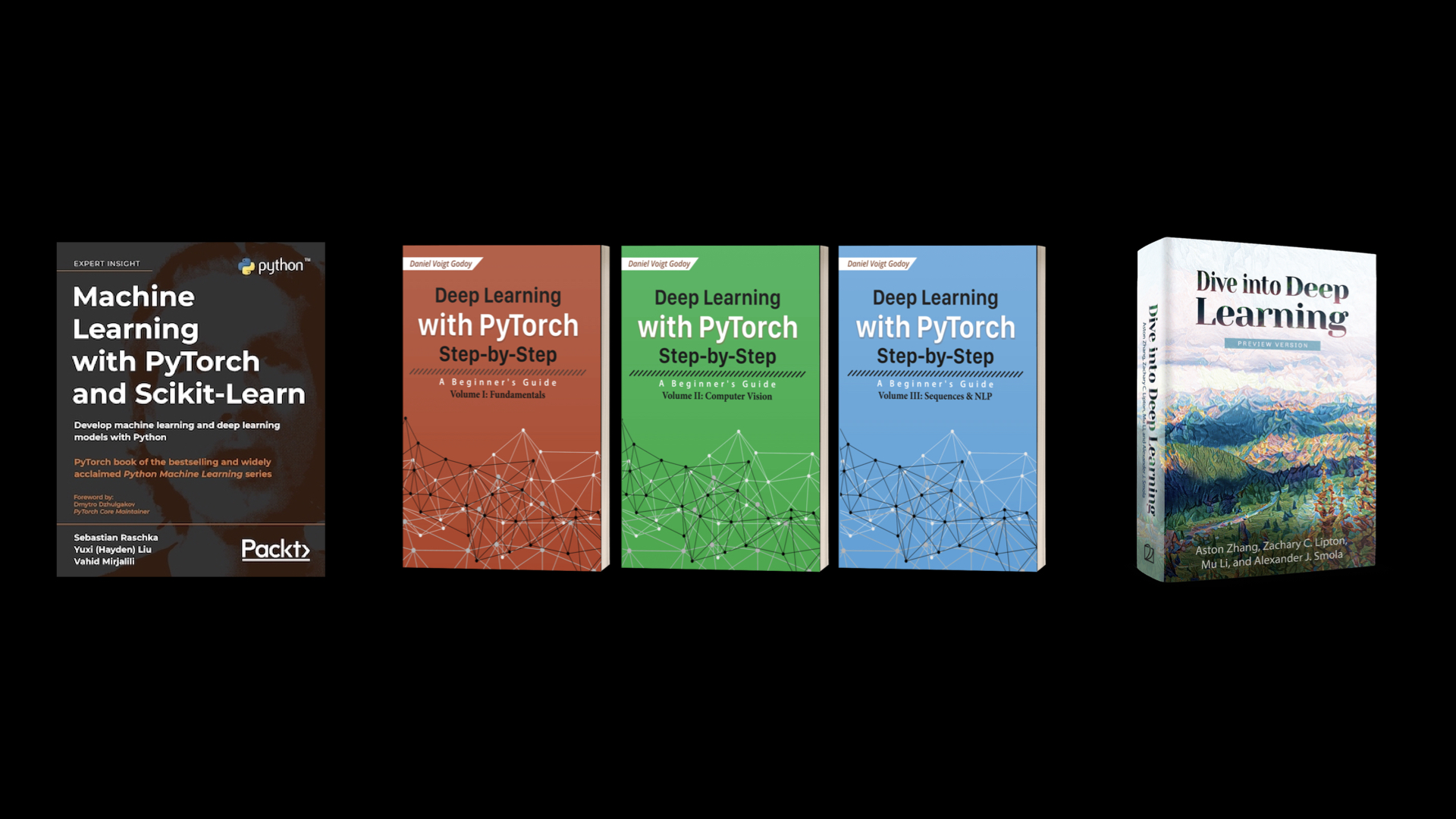
|
||||
|
||||
*Textbooks to learn more about PyTorch as well as deep learning in general.*
|
||||
|
||||
## 🏗 Resources for Machine Learning and Deep Learning Engineering
|
||||
|
||||
Machine Learning Engineering (also referred to as MLOps or ML operations) is the practice of getting the models you create into the hands of others. This may mean via a public app or working behind the scenes to make business decisions.
|
||||
|
||||
The following resources will help you learn more about the steps around deploying a machine learning model.
|
||||
|
||||
- **[Designing Machine Learning Systems book by Chip Huyen](https://www.amazon.com/Designing-Machine-Learning-Systems-Production-Ready/dp/1098107969)** — If you want to build an ML system, it’d be good to know how others have done it. Chip’s book focuses less on building a single machine learning model (though there’s plenty of content on that in the book) but rather building a cohesive ML system. It covers everything from data engineering to model building to model deployment (online and offline) to model monitoring. Even better, it’s a joy to read, you can tell the book is written by a writer (Chip has previously authored several books).
|
||||
- **[Made With ML by Goku Mohandas](https://madewithml.com)** — Whenever I want to learn or reference something to do with MLOps, I go to [madewithml.com/mlops](https://madewithml.com/#mlops) and see if there’s a lesson on it. Made with ML not only teaches you the fundamentals of many different ML models but goes through how to build an end-to-end ML system with plenty of code and tooling examples.
|
||||
- **[The Machine Learning Engineering book by Andriy Burkov](http://www.mlebook.com)** — Even though this book is available to read online for free, I bought it as soon as it came out. I’ve used it as a reference and to learn more about ML engineering so much it’s basically always on my desk/within arms reach. Burkov does an excellent job at getting to the point and referencing further materials when necessary.
|
||||
- **[Full Stack Deep Learning course](https://fullstackdeeplearning.com)** — I first did this course in 2021. And it’s continued to evolve to cover the latest and greatest tools in the field. It’ll teach you how to plan a project to solve an ML problem, how to source or create data, how to troubleshoot an ML project when it goes wrong and most of all, how to build ML-powered products.
|
||||
|
||||

|
||||
|
||||
*Resources to improve your machine learning engineering skills (all of the steps that go around building a machine learning model).*
|
||||
|
||||
## 🗃 Where to find datasets
|
||||
|
||||
Machine learning projects begin with data.
|
||||
|
||||
No data, no ML.
|
||||
|
||||
The following resources are some of the best for finding open-source and often ready-to-use datasets on a wide range of topics and problem domains.
|
||||
|
||||
- [**Paperswithcode Datasets**](https://paperswithcode.com/datasets) — Search for the most used and common machine learning benchmark datasets, understand what they contain, where they came from and where they can be found. You can often also see the current best-performing model on each dataset.
|
||||
- [**HuggingFace Datasets**](https://huggingface.co/docs/datasets) — Not just a resource to find datasets across a wide range of problem domains but also a library to download and start using them within a few lines of code.
|
||||
- **[Kaggle Datasets](https://www.kaggle.com/datasets)** — Find all kinds of datasets that usually accompany Kaggle Competitions, many of which come straight out of industry.
|
||||
- **[Google Dataset search](https://datasetsearch.research.google.com)** — Just like searching Google but specifically for datasets.
|
||||
|
||||
These should be plenty to get started, however, for your own specific problems you’ll likely want to build your own dataset.
|
||||
|
||||

|
||||
|
||||
*Places to find existing and open-source datasets for a variety of problem spaces.*
|
||||
|
||||
## Tools for Deep Learning Domains
|
||||
|
||||
The following resources are focused on libraries and pretrained models for specific problem domains such as computer vision and recommendation engines/systems.
|
||||
|
||||
### 😎 Computer Vision
|
||||
|
||||
We cover computer vision in [03. PyTorch Computer Vision](https://www.learnpytorch.io/03_pytorch_computer_vision/) but as a quick recap, computer vision is the art of getting computers to see.
|
||||
|
||||
If your data is visual, images, x-rays, production line video or even hand-written documents, it may be a computer vision problem.
|
||||
|
||||
- **[TorchVision](https://pytorch.org/vision/stable/index.html)** — PyTorch’s resident computer vision library. Find plenty of methods for loading vision data as well as plenty of pretrained computer vision models to use for your own problems.
|
||||
- [**timm (Torch Image Models) library**](https://github.com/rwightman/pytorch-image-models) — One of the most comprehensive computer vision libraries and resources for pretrained computer vision models. Almost all new research that uses PyTorch for computer vision leverages the `timm` library in some way.
|
||||
- **[Yolov5 for object detection](https://github.com/ultralytics/yolov5)** — If you’re looking to build an object detection model in PyTorch, the `yolov5` GitHub repository might be the quickest way to get started.
|
||||
- **[VISSL (Vision Self-Supervised Learning) library](https://github.com/facebookresearch/vissl)** — Self-supervised learning is the art of getting data to learn patterns in itself. Rather than providing labels for different classes and learning a representation like that, self-supervised learning tries to replicate similar results without labels. VISSL provides an easy to use way to get started using self-supervised learning computer vision models with PyTorch.
|
||||
|
||||
### 📚 Natural Language Processing (NLP)
|
||||
|
||||
Natural language processing involves finding patterns in text.
|
||||
|
||||
For example, you might want to extract important entities in support tickets or classify a document into different categories.
|
||||
|
||||
If your problem involves a large amount of text, you’ll want to look into the following resources.
|
||||
|
||||
- **[TorchText](https://pytorch.org/text/stable/index.html)** — PyTorch’s in-built domain library for text. Like TorchVision, it contains plenty of pre-built methods for loading data and a healthy collection of pretrained models you can adapt to your own problems.
|
||||
- [**HuggingFace Transformers library**](https://huggingface.co/docs/transformers/index) — The HuggingFace Transformers library has more stars on GitHub than the PyTorch library itself. And there’s a reason. Not that HuggingFace Transformers is better than PyTorch but because it’s the best at what it does: provide data loaders and pretrained state-of-the-art models for NLP (and a whole bunch more).
|
||||
- **Bonus:** To learn more about how to HuggingFace Transformers library and all of the pieces around it, the HuggingFace team [offer a free online course](https://huggingface.co/course/chapter1/1).
|
||||
|
||||
### 🎤 Speech and Audio
|
||||
|
||||
If your problem deals with audio files or speech data, such as trying to classify a sound or transcribe speech into text, you’ll want to look into the following resources.
|
||||
|
||||
- [**TorchAudio**](https://pytorch.org/audio/stable/index.html) — PyTorch’s domain library for everything audio. Find in-built methods for preparing data and pre-built model architectures for finding patterns in audio data.
|
||||
- **[SpeechBrain](https://speechbrain.github.io)** — An open-source library built on top of PyTorch to handle speech problems such as recognition (turning speech into text), speech enhancement, speech processing, text-to-speech and more. You can try out many of their [models on the HuggingFace Hub](https://huggingface.co/speechbrain).
|
||||
|
||||
### ❓Recommendation Engines
|
||||
|
||||
The internet is powered by recommendations. YouTube recommends videos, Netflix recommends movies and TV shows, Amazon recommends products, Medium recommends articles.
|
||||
|
||||
If you’re building an online store or online marketplace, chances are you’ll want to start recommending things to your customers.
|
||||
|
||||
For that, you’ll want to look into building a recommendation engine.
|
||||
|
||||
- **[TorchRec](https://pytorch.org/torchrec/)** — PyTorch’s newest in-built domain library for powering recommendation engines with deep learning. TorchRec comes with recommendation datasets and models ready to try and use. Though if a custom recommendation engine isn’t up to par with what you’re after (or too much work), many cloud vendors offer recommendation engine services.
|
||||
|
||||
### ⏳ Time Series
|
||||
|
||||
If your data has a time component and you’d like to leverage patterns from the past to predict the future, such as, predicting the price of Bitcoin next year (don’t try this, [stock forecasting is BS](https://dev.mrdbourke.com/tensorflow-deep-learning/10_time_series_forecasting_in_tensorflow/#model-10-why-forecasting-is-bs-the-turkey-problem)) or a more reasonable problem of predicting electricity demand for a city next week, you’ll want to look into time series libraries.
|
||||
|
||||
Both of these libraries don’t necessarily use PyTorch, however, since time series is such a common problem, I’ve included them here.
|
||||
|
||||
- [**Salesforce Merlion**](https://github.com/salesforce/Merlion) — Turn your time series data into intelligence by using Merlion’s data loaders, pre-built models, AutoML (automated machine learning) hyperparameter tuning and more for time series forecasting and time series anomaly detection all inspired by practical use cases.
|
||||
- [**Facebook Kats**](https://github.com/facebookresearch/Kats) — Facebook’s entire business depends on prediction: when’s the best time to place an advertisement? So you can bet they’re invested heavily in their time series prediction software. Kats (Kit to Analyze Time Series data) is their open-source library for time series forecasting, detection and data processing.
|
||||
|
||||
## 👩💻 How to get a job
|
||||
|
||||
Once you’ve finished an ML course, it’s likely you’ll want to use your ML skills.
|
||||
|
||||
And even better, get paid for them.
|
||||
|
||||
The following resources are good guides on what to do to get one.
|
||||
|
||||
- **["How can a beginner data scientist like me gain experience?"](https://www.mrdbourke.com/how-can-a-beginner-data-scientist-like-me-gain-experience/) by Daniel Bourke** — I get the question of “how do I get experience?” often because many different job requirements state “experience needed”. Well, it turns out one of the best ways to get experience (and a job) is to: *start the job before you have it*.
|
||||
- **[You Don’t Really Need Another MOOC](https://eugeneyan.com/writing/you-dont-need-another-mooc/) by Eugene Yan** — MOOC stands for massive online open course (or something similar). MOOCs are beautiful. They enable people all over the world at their own pace. However, it can be tempting to just continually do MOOCs over and over again thinking “if I just do one more, I’ll be ready”. The truth is, a few is enough, the returns of a MOOC quickly start to trail off. Instead, go off the trail, start to build, start to create, start to learn skills that can’t be taught. Showcase those skills to get a job.
|
||||
- **Bonus:** For the most thorough resource on the internet for machine learning interviews, check out Chip Huyen’s free [Introduction to Machine Learning Interviews book](https://huyenchip.com/ml-interviews-book/).
|
||||
@@ -0,0 +1,469 @@
|
||||
{
|
||||
"nbformat": 4,
|
||||
"nbformat_minor": 0,
|
||||
"metadata": {
|
||||
"colab": {
|
||||
"name": "00_pytorch_fundamentals_exercise_solutions.ipynb",
|
||||
"provenance": [],
|
||||
"collapsed_sections": []
|
||||
},
|
||||
"kernelspec": {
|
||||
"name": "python3",
|
||||
"display_name": "Python 3"
|
||||
},
|
||||
"language_info": {
|
||||
"name": "python"
|
||||
},
|
||||
"accelerator": "GPU"
|
||||
},
|
||||
"cells": [
|
||||
{
|
||||
"cell_type": "markdown",
|
||||
"source": [
|
||||
"# 00. PyTorch Fundamentals Exercise Solutions\n",
|
||||
"\n",
|
||||
"### 1. Documentation reading \n",
|
||||
"\n",
|
||||
"A big part of deep learning (and learning to code in general) is getting familiar with the documentation of a certain framework you're using. We'll be using the PyTorch documentation a lot throughout the rest of this course. So I'd recommend spending 10-minutes reading the following (it's okay if you don't get some things for now, the focus is not yet full understanding, it's awareness):\n",
|
||||
" * The documentation on [`torch.Tensor`](https://pytorch.org/docs/stable/tensors.html#torch-tensor).\n",
|
||||
" * The documentation on [`torch.cuda`](https://pytorch.org/docs/master/notes/cuda.html#cuda-semantics).\n",
|
||||
"\n"
|
||||
],
|
||||
"metadata": {
|
||||
"id": "AzDBM_v4iMe7"
|
||||
}
|
||||
},
|
||||
{
|
||||
"cell_type": "code",
|
||||
"source": [
|
||||
"# No code solution (reading)"
|
||||
],
|
||||
"metadata": {
|
||||
"id": "bGD0oD8Kizak"
|
||||
},
|
||||
"execution_count": 1,
|
||||
"outputs": []
|
||||
},
|
||||
{
|
||||
"cell_type": "markdown",
|
||||
"source": [
|
||||
"### 2. Create a random tensor with shape `(7, 7)`.\n"
|
||||
],
|
||||
"metadata": {
|
||||
"id": "__iXqqz-ioUJ"
|
||||
}
|
||||
},
|
||||
{
|
||||
"cell_type": "code",
|
||||
"source": [
|
||||
"# Import torch\n",
|
||||
"import torch \n",
|
||||
"\n",
|
||||
"# Create random tensor\n",
|
||||
"X = torch.rand(size=(7, 7))\n",
|
||||
"X, X.shape"
|
||||
],
|
||||
"metadata": {
|
||||
"colab": {
|
||||
"base_uri": "https://localhost:8080/"
|
||||
},
|
||||
"id": "6pUq9Dc8i2L7",
|
||||
"outputId": "0fefb85a-c3f7-4f8f-8ff7-cff485f7cc8d"
|
||||
},
|
||||
"execution_count": 2,
|
||||
"outputs": [
|
||||
{
|
||||
"output_type": "execute_result",
|
||||
"data": {
|
||||
"text/plain": [
|
||||
"(tensor([[0.5656, 0.4012, 0.1987, 0.2464, 0.6861, 0.4953, 0.3433],\n",
|
||||
" [0.0032, 0.0228, 0.9020, 0.1267, 0.8009, 0.5274, 0.7453],\n",
|
||||
" [0.9123, 0.8138, 0.1667, 0.5998, 0.4657, 0.4473, 0.8367],\n",
|
||||
" [0.5302, 0.2213, 0.4747, 0.6485, 0.4770, 0.8675, 0.3054],\n",
|
||||
" [0.4226, 0.1398, 0.4495, 0.6974, 0.1808, 0.5872, 0.6931],\n",
|
||||
" [0.2153, 0.7517, 0.3505, 0.3815, 0.3244, 0.2511, 0.4269],\n",
|
||||
" [0.1158, 0.6696, 0.3733, 0.2633, 0.4102, 0.1101, 0.1613]]),\n",
|
||||
" torch.Size([7, 7]))"
|
||||
]
|
||||
},
|
||||
"metadata": {},
|
||||
"execution_count": 2
|
||||
}
|
||||
]
|
||||
},
|
||||
{
|
||||
"cell_type": "markdown",
|
||||
"source": [
|
||||
"### 3. Perform a matrix multiplication on the tensor from 2 with another random tensor with shape `(1, 7)` (hint: you may have to transpose the second tensor)."
|
||||
],
|
||||
"metadata": {
|
||||
"id": "9-XxvRLfiqkR"
|
||||
}
|
||||
},
|
||||
{
|
||||
"cell_type": "code",
|
||||
"source": [
|
||||
"# Create another random tensor\n",
|
||||
"Y = torch.rand(size=(1, 7))\n",
|
||||
"# Z = torch.matmul(X, Y) # will error because of shape issues\n",
|
||||
"Z = torch.matmul(X, Y.T) # no error because of transpose\n",
|
||||
"Z, Z.shape"
|
||||
],
|
||||
"metadata": {
|
||||
"colab": {
|
||||
"base_uri": "https://localhost:8080/"
|
||||
},
|
||||
"id": "NcLqR0Sbi_vT",
|
||||
"outputId": "c1bcc64c-5192-474f-dbb3-0ba7d8516a2e"
|
||||
},
|
||||
"execution_count": 3,
|
||||
"outputs": [
|
||||
{
|
||||
"output_type": "execute_result",
|
||||
"data": {
|
||||
"text/plain": [
|
||||
"(tensor([[1.0888],\n",
|
||||
" [1.7506],\n",
|
||||
" [1.8468],\n",
|
||||
" [1.7496],\n",
|
||||
" [1.9022],\n",
|
||||
" [1.2684],\n",
|
||||
" [0.8617]]), torch.Size([7, 1]))"
|
||||
]
|
||||
},
|
||||
"metadata": {},
|
||||
"execution_count": 3
|
||||
}
|
||||
]
|
||||
},
|
||||
{
|
||||
"cell_type": "markdown",
|
||||
"source": [
|
||||
"### 4. Set the random seed to `0` and do 2 & 3 over again.\n",
|
||||
"\n",
|
||||
"The output should be:\n",
|
||||
"```\n",
|
||||
"(tensor([[1.8542],\n",
|
||||
" [1.9611],\n",
|
||||
" [2.2884],\n",
|
||||
" [3.0481],\n",
|
||||
" [1.7067],\n",
|
||||
" [2.5290],\n",
|
||||
" [1.7989]]), torch.Size([7, 1]))\n",
|
||||
"```"
|
||||
],
|
||||
"metadata": {
|
||||
"id": "eiutdKUFiryU"
|
||||
}
|
||||
},
|
||||
{
|
||||
"cell_type": "code",
|
||||
"source": [
|
||||
"# Set manual seed\n",
|
||||
"torch.manual_seed(0)\n",
|
||||
"\n",
|
||||
"# Create two random tensors\n",
|
||||
"X = torch.rand(size=(7, 7))\n",
|
||||
"Y = torch.rand(size=(1, 7))\n",
|
||||
"\n",
|
||||
"# Matrix multiply tensors\n",
|
||||
"Z = torch.matmul(X, Y.T)\n",
|
||||
"Z, Z.shape"
|
||||
],
|
||||
"metadata": {
|
||||
"colab": {
|
||||
"base_uri": "https://localhost:8080/"
|
||||
},
|
||||
"id": "D-lOWI_1jRMm",
|
||||
"outputId": "7486a251-be91-4946-a31c-68e87a08ac86"
|
||||
},
|
||||
"execution_count": 4,
|
||||
"outputs": [
|
||||
{
|
||||
"output_type": "execute_result",
|
||||
"data": {
|
||||
"text/plain": [
|
||||
"(tensor([[1.8542],\n",
|
||||
" [1.9611],\n",
|
||||
" [2.2884],\n",
|
||||
" [3.0481],\n",
|
||||
" [1.7067],\n",
|
||||
" [2.5290],\n",
|
||||
" [1.7989]]), torch.Size([7, 1]))"
|
||||
]
|
||||
},
|
||||
"metadata": {},
|
||||
"execution_count": 4
|
||||
}
|
||||
]
|
||||
},
|
||||
{
|
||||
"cell_type": "markdown",
|
||||
"source": [
|
||||
"### 5. Speaking of random seeds, we saw how to set it with `torch.manual_seed()` but is there a GPU equivalent? (hint: you'll need to look into the documentation for `torch.cuda` for this one)\n",
|
||||
" * If there is, set the GPU random seed to `1234`."
|
||||
],
|
||||
"metadata": {
|
||||
"id": "ezY6ks9Cis37"
|
||||
}
|
||||
},
|
||||
{
|
||||
"cell_type": "code",
|
||||
"source": [
|
||||
"# Set random seed on the GPU\n",
|
||||
"torch.cuda.manual_seed(1234)"
|
||||
],
|
||||
"metadata": {
|
||||
"id": "_LKWcfSTjp00"
|
||||
},
|
||||
"execution_count": 5,
|
||||
"outputs": []
|
||||
},
|
||||
{
|
||||
"cell_type": "markdown",
|
||||
"source": [
|
||||
"\n",
|
||||
"### 6. Create two random tensors of shape `(2, 3)` and send them both to the GPU (you'll need access to a GPU for this). Set `torch.manual_seed(1234)` when creating the tensors (this doesn't have to be the GPU random seed). The output should be something like:\n",
|
||||
"\n",
|
||||
"```\n",
|
||||
"Device: cuda\n",
|
||||
"(tensor([[0.0290, 0.4019, 0.2598],\n",
|
||||
" [0.3666, 0.0583, 0.7006]], device='cuda:0'),\n",
|
||||
" tensor([[0.0518, 0.4681, 0.6738],\n",
|
||||
" [0.3315, 0.7837, 0.5631]], device='cuda:0'))\n",
|
||||
"```"
|
||||
],
|
||||
"metadata": {
|
||||
"id": "Ir9qSaj6it4n"
|
||||
}
|
||||
},
|
||||
{
|
||||
"cell_type": "code",
|
||||
"source": [
|
||||
"# Set random seed\n",
|
||||
"torch.manual_seed(1234)\n",
|
||||
"\n",
|
||||
"# Check for access to GPU\n",
|
||||
"device = \"cuda\" if torch.cuda.is_available() else \"cpu\"\n",
|
||||
"print(f\"Device: {device}\")\n",
|
||||
"\n",
|
||||
"# Create two random tensors on GPU\n",
|
||||
"tensor_A = torch.rand(size=(2,3)).to(device)\n",
|
||||
"tensor_B = torch.rand(size=(2,3)).to(device)\n",
|
||||
"tensor_A, tensor_B"
|
||||
],
|
||||
"metadata": {
|
||||
"colab": {
|
||||
"base_uri": "https://localhost:8080/"
|
||||
},
|
||||
"id": "azXExiFZj5nm",
|
||||
"outputId": "12d8b85e-efc4-4541-f309-b2d1528ade05"
|
||||
},
|
||||
"execution_count": 6,
|
||||
"outputs": [
|
||||
{
|
||||
"output_type": "stream",
|
||||
"name": "stdout",
|
||||
"text": [
|
||||
"Device: cuda\n"
|
||||
]
|
||||
},
|
||||
{
|
||||
"output_type": "execute_result",
|
||||
"data": {
|
||||
"text/plain": [
|
||||
"(tensor([[0.0290, 0.4019, 0.2598],\n",
|
||||
" [0.3666, 0.0583, 0.7006]], device='cuda:0'),\n",
|
||||
" tensor([[0.0518, 0.4681, 0.6738],\n",
|
||||
" [0.3315, 0.7837, 0.5631]], device='cuda:0'))"
|
||||
]
|
||||
},
|
||||
"metadata": {},
|
||||
"execution_count": 6
|
||||
}
|
||||
]
|
||||
},
|
||||
{
|
||||
"cell_type": "markdown",
|
||||
"source": [
|
||||
"\n",
|
||||
"### 7. Perform a matrix multiplication on the tensors you created in 6 (again, you may have to adjust the shapes of one of the tensors).\n",
|
||||
"\n",
|
||||
"The output should look like:\n",
|
||||
"```\n",
|
||||
"(tensor([[0.3647, 0.4709],\n",
|
||||
" [0.5184, 0.5617]], device='cuda:0'), torch.Size([2, 2]))\n",
|
||||
"```"
|
||||
],
|
||||
"metadata": {
|
||||
"id": "5TlAxeiSiu1y"
|
||||
}
|
||||
},
|
||||
{
|
||||
"cell_type": "code",
|
||||
"source": [
|
||||
"# Perform matmul on tensor_A and tensor_B\n",
|
||||
"# tensor_C = torch.matmul(tensor_A, tensor_B) # won't work because of shape error\n",
|
||||
"tensor_C = torch.matmul(tensor_A, tensor_B.T)\n",
|
||||
"tensor_C, tensor_C.shape"
|
||||
],
|
||||
"metadata": {
|
||||
"colab": {
|
||||
"base_uri": "https://localhost:8080/"
|
||||
},
|
||||
"id": "fAeG7ox0lHEO",
|
||||
"outputId": "dec0db78-f280-4160-e45f-e85c80a9241b"
|
||||
},
|
||||
"execution_count": 7,
|
||||
"outputs": [
|
||||
{
|
||||
"output_type": "execute_result",
|
||||
"data": {
|
||||
"text/plain": [
|
||||
"(tensor([[0.3647, 0.4709],\n",
|
||||
" [0.5184, 0.5617]], device='cuda:0'), torch.Size([2, 2]))"
|
||||
]
|
||||
},
|
||||
"metadata": {},
|
||||
"execution_count": 7
|
||||
}
|
||||
]
|
||||
},
|
||||
{
|
||||
"cell_type": "markdown",
|
||||
"source": [
|
||||
"### 8. Find the maximum and minimum values of the output of 7."
|
||||
],
|
||||
"metadata": {
|
||||
"id": "G7qfa5CSivwg"
|
||||
}
|
||||
},
|
||||
{
|
||||
"cell_type": "code",
|
||||
"source": [
|
||||
"# Find max\n",
|
||||
"max = torch.max(tensor_C)\n",
|
||||
"\n",
|
||||
"# Find min\n",
|
||||
"min = torch.min(tensor_C)\n",
|
||||
"max, min"
|
||||
],
|
||||
"metadata": {
|
||||
"colab": {
|
||||
"base_uri": "https://localhost:8080/"
|
||||
},
|
||||
"id": "Fu8_3mZpllOd",
|
||||
"outputId": "3379333d-4661-411b-9426-fe587e1579f0"
|
||||
},
|
||||
"execution_count": 8,
|
||||
"outputs": [
|
||||
{
|
||||
"output_type": "execute_result",
|
||||
"data": {
|
||||
"text/plain": [
|
||||
"(tensor(0.5617, device='cuda:0'), tensor(0.3647, device='cuda:0'))"
|
||||
]
|
||||
},
|
||||
"metadata": {},
|
||||
"execution_count": 8
|
||||
}
|
||||
]
|
||||
},
|
||||
{
|
||||
"cell_type": "markdown",
|
||||
"source": [
|
||||
"### 9. Find the maximum and minimum index values of the output of 7."
|
||||
],
|
||||
"metadata": {
|
||||
"id": "wrTj5FgNiw47"
|
||||
}
|
||||
},
|
||||
{
|
||||
"cell_type": "code",
|
||||
"source": [
|
||||
"# Find arg max\n",
|
||||
"arg_max = torch.argmax(tensor_C)\n",
|
||||
"\n",
|
||||
"# Find arg min\n",
|
||||
"arg_min = torch.argmin(tensor_C)\n",
|
||||
"arg_max, arg_min"
|
||||
],
|
||||
"metadata": {
|
||||
"colab": {
|
||||
"base_uri": "https://localhost:8080/"
|
||||
},
|
||||
"id": "CCEKt4K2lsfQ",
|
||||
"outputId": "dc8049b1-5686-4157-dc63-d30b94100a12"
|
||||
},
|
||||
"execution_count": 9,
|
||||
"outputs": [
|
||||
{
|
||||
"output_type": "execute_result",
|
||||
"data": {
|
||||
"text/plain": [
|
||||
"(tensor(3, device='cuda:0'), tensor(0, device='cuda:0'))"
|
||||
]
|
||||
},
|
||||
"metadata": {},
|
||||
"execution_count": 9
|
||||
}
|
||||
]
|
||||
},
|
||||
{
|
||||
"cell_type": "markdown",
|
||||
"source": [
|
||||
"\n",
|
||||
"### 10. Make a random tensor with shape `(1, 1, 1, 10)` and then create a new tensor with all the `1` dimensions removed to be left with a tensor of shape `(10)`. Set the seed to `7` when you create it and print out the first tensor and it's shape as well as the second tensor and it's shape.\n",
|
||||
"\n",
|
||||
"The output should look like:\n",
|
||||
"\n",
|
||||
"```\n",
|
||||
"tensor([[[[0.5349, 0.1988, 0.6592, 0.6569, 0.2328, 0.4251, 0.2071, 0.6297,\n",
|
||||
" 0.3653, 0.8513]]]]) torch.Size([1, 1, 1, 10])\n",
|
||||
"tensor([0.5349, 0.1988, 0.6592, 0.6569, 0.2328, 0.4251, 0.2071, 0.6297, 0.3653,\n",
|
||||
" 0.8513]) torch.Size([10])\n",
|
||||
"```"
|
||||
],
|
||||
"metadata": {
|
||||
"id": "hmeybz4uixy7"
|
||||
}
|
||||
},
|
||||
{
|
||||
"cell_type": "code",
|
||||
"source": [
|
||||
"# Set seed\n",
|
||||
"torch.manual_seed(7)\n",
|
||||
"\n",
|
||||
"# Create random tensor\n",
|
||||
"tensor_D = torch.rand(size=(1, 1, 1, 10))\n",
|
||||
"\n",
|
||||
"# Remove single dimensions\n",
|
||||
"tensor_E = tensor_D.squeeze()\n",
|
||||
"\n",
|
||||
"# Print out tensors\n",
|
||||
"print(tensor_D, tensor_D.shape)\n",
|
||||
"print(tensor_E, tensor_E.shape)"
|
||||
],
|
||||
"metadata": {
|
||||
"colab": {
|
||||
"base_uri": "https://localhost:8080/"
|
||||
},
|
||||
"id": "TQ9zbRzVl1jV",
|
||||
"outputId": "230bbe23-7662-464e-e485-d8aa9a5bad7f"
|
||||
},
|
||||
"execution_count": 10,
|
||||
"outputs": [
|
||||
{
|
||||
"output_type": "stream",
|
||||
"name": "stdout",
|
||||
"text": [
|
||||
"tensor([[[[0.5349, 0.1988, 0.6592, 0.6569, 0.2328, 0.4251, 0.2071, 0.6297,\n",
|
||||
" 0.3653, 0.8513]]]]) torch.Size([1, 1, 1, 10])\n",
|
||||
"tensor([0.5349, 0.1988, 0.6592, 0.6569, 0.2328, 0.4251, 0.2071, 0.6297, 0.3653,\n",
|
||||
" 0.8513]) torch.Size([10])\n"
|
||||
]
|
||||
}
|
||||
]
|
||||
}
|
||||
]
|
||||
}
|
||||
@@ -0,0 +1,805 @@
|
||||
{
|
||||
"cells": [
|
||||
{
|
||||
"cell_type": "markdown",
|
||||
"metadata": {
|
||||
"id": "view-in-github",
|
||||
"colab_type": "text"
|
||||
},
|
||||
"source": [
|
||||
"<a href=\"https://colab.research.google.com/github/mrdbourke/pytorch-deep-learning/blob/main/extras/solutions/01_pytorch_workflow_exercise_solutions.ipynb\" target=\"_parent\"><img src=\"https://colab.research.google.com/assets/colab-badge.svg\" alt=\"Open In Colab\"/></a>"
|
||||
]
|
||||
},
|
||||
{
|
||||
"cell_type": "markdown",
|
||||
"metadata": {
|
||||
"id": "N8LsPXZti9Sw"
|
||||
},
|
||||
"source": [
|
||||
"# 01. PyTorch Workflow Exercise Solutions\n",
|
||||
"\n",
|
||||
"The following is a solution notebook for the [PyTorch workflow exercises](https://github.com/mrdbourke/pytorch-deep-learning/blob/main/extras/exercises/01_pytorch_workflow_exercises.ipynb).\n",
|
||||
"\n",
|
||||
"Because of the flexibility of PyTorch, there may be more than one way to answer the question.\n",
|
||||
"\n",
|
||||
"Don't worry about trying to be *right* just try writing code that suffices the question."
|
||||
]
|
||||
},
|
||||
{
|
||||
"cell_type": "code",
|
||||
"source": [
|
||||
"# Show when last updated (for documentation purposes)\n",
|
||||
"import datetime\n",
|
||||
"print(f\"Last updated: {datetime.datetime.now()}\")"
|
||||
],
|
||||
"metadata": {
|
||||
"colab": {
|
||||
"base_uri": "https://localhost:8080/"
|
||||
},
|
||||
"id": "HU08b4hLjWfJ",
|
||||
"outputId": "a8ece4f3-7733-4094-dbac-fcc96787a136"
|
||||
},
|
||||
"execution_count": 1,
|
||||
"outputs": [
|
||||
{
|
||||
"output_type": "stream",
|
||||
"name": "stdout",
|
||||
"text": [
|
||||
"Last updated: 2023-01-19 01:04:46.979628\n"
|
||||
]
|
||||
}
|
||||
]
|
||||
},
|
||||
{
|
||||
"cell_type": "code",
|
||||
"execution_count": 2,
|
||||
"metadata": {
|
||||
"id": "Glu2fM4dkNlx"
|
||||
},
|
||||
"outputs": [],
|
||||
"source": [
|
||||
"# Import necessary libraries\n",
|
||||
"import torch\n",
|
||||
"import matplotlib.pyplot as plt\n",
|
||||
"from torch import nn"
|
||||
]
|
||||
},
|
||||
{
|
||||
"cell_type": "code",
|
||||
"execution_count": 3,
|
||||
"metadata": {
|
||||
"colab": {
|
||||
"base_uri": "https://localhost:8080/",
|
||||
"height": 35
|
||||
},
|
||||
"id": "LqKhXY26m31s",
|
||||
"outputId": "39ab2e2f-d4fc-4126-aee9-7c07829881a8"
|
||||
},
|
||||
"outputs": [
|
||||
{
|
||||
"output_type": "execute_result",
|
||||
"data": {
|
||||
"text/plain": [
|
||||
"'cuda'"
|
||||
],
|
||||
"application/vnd.google.colaboratory.intrinsic+json": {
|
||||
"type": "string"
|
||||
}
|
||||
},
|
||||
"metadata": {},
|
||||
"execution_count": 3
|
||||
}
|
||||
],
|
||||
"source": [
|
||||
"# Setup device-agnostic code\n",
|
||||
"device = \"cuda\" if torch.cuda.is_available() else \"cpu\"\n",
|
||||
"device"
|
||||
]
|
||||
},
|
||||
{
|
||||
"cell_type": "markdown",
|
||||
"metadata": {
|
||||
"id": "g7HUhxCxjeBx"
|
||||
},
|
||||
"source": [
|
||||
"## 1. Create a straight line dataset using the linear regression formula (`weight * X + bias`).\n",
|
||||
" * Set `weight=0.3` and `bias=0.9` there should be at least 100 datapoints total. \n",
|
||||
" * Split the data into 80% training, 20% testing.\n",
|
||||
" * Plot the training and testing data so it becomes visual.\n",
|
||||
"\n",
|
||||
"Your output of the below cell should look something like:\n",
|
||||
"```\n",
|
||||
"Number of X samples: 100\n",
|
||||
"Number of y samples: 100\n",
|
||||
"First 10 X & y samples:\n",
|
||||
"X: tensor([[0.0000],\n",
|
||||
" [0.0100],\n",
|
||||
" [0.0200],\n",
|
||||
" [0.0300],\n",
|
||||
" [0.0400],\n",
|
||||
" [0.0500],\n",
|
||||
" [0.0600],\n",
|
||||
" [0.0700],\n",
|
||||
" [0.0800],\n",
|
||||
" [0.0900]])\n",
|
||||
"y: tensor([[0.9000],\n",
|
||||
" [0.9030],\n",
|
||||
" [0.9060],\n",
|
||||
" [0.9090],\n",
|
||||
" [0.9120],\n",
|
||||
" [0.9150],\n",
|
||||
" [0.9180],\n",
|
||||
" [0.9210],\n",
|
||||
" [0.9240],\n",
|
||||
" [0.9270]])\n",
|
||||
"```\n",
|
||||
"\n",
|
||||
"Of course the numbers in `X` and `y` may be different but ideally they're created using the linear regression formula."
|
||||
]
|
||||
},
|
||||
{
|
||||
"cell_type": "code",
|
||||
"execution_count": 4,
|
||||
"metadata": {
|
||||
"colab": {
|
||||
"base_uri": "https://localhost:8080/"
|
||||
},
|
||||
"id": "KbDG5MV7jhvE",
|
||||
"outputId": "9a81d5bc-8a9f-49d8-8196-b8906312159d"
|
||||
},
|
||||
"outputs": [
|
||||
{
|
||||
"output_type": "stream",
|
||||
"name": "stdout",
|
||||
"text": [
|
||||
"Number of X samples: 100\n",
|
||||
"Number of y samples: 100\n",
|
||||
"First 10 X & y samples:\n",
|
||||
"X: tensor([[0.0000],\n",
|
||||
" [0.0100],\n",
|
||||
" [0.0200],\n",
|
||||
" [0.0300],\n",
|
||||
" [0.0400],\n",
|
||||
" [0.0500],\n",
|
||||
" [0.0600],\n",
|
||||
" [0.0700],\n",
|
||||
" [0.0800],\n",
|
||||
" [0.0900]])\n",
|
||||
"y: tensor([[0.9000],\n",
|
||||
" [0.9030],\n",
|
||||
" [0.9060],\n",
|
||||
" [0.9090],\n",
|
||||
" [0.9120],\n",
|
||||
" [0.9150],\n",
|
||||
" [0.9180],\n",
|
||||
" [0.9210],\n",
|
||||
" [0.9240],\n",
|
||||
" [0.9270]])\n"
|
||||
]
|
||||
}
|
||||
],
|
||||
"source": [
|
||||
"# Create the data parameters\n",
|
||||
"weight = 0.3\n",
|
||||
"bias = 0.9\n",
|
||||
"# Make X and y using linear regression feature\n",
|
||||
"X = torch.arange(0,1,0.01).unsqueeze(dim = 1)\n",
|
||||
"y = weight * X + bias\n",
|
||||
"print(f\"Number of X samples: {len(X)}\")\n",
|
||||
"print(f\"Number of y samples: {len(y)}\")\n",
|
||||
"print(f\"First 10 X & y samples:\\nX: {X[:10]}\\ny: {y[:10]}\")"
|
||||
]
|
||||
},
|
||||
{
|
||||
"cell_type": "code",
|
||||
"execution_count": 5,
|
||||
"metadata": {
|
||||
"colab": {
|
||||
"base_uri": "https://localhost:8080/"
|
||||
},
|
||||
"id": "GlwtT1djkmLw",
|
||||
"outputId": "b0fce3d0-1b57-4051-a935-c05d40cf2dc7"
|
||||
},
|
||||
"outputs": [
|
||||
{
|
||||
"output_type": "execute_result",
|
||||
"data": {
|
||||
"text/plain": [
|
||||
"(80, 80, 20, 20)"
|
||||
]
|
||||
},
|
||||
"metadata": {},
|
||||
"execution_count": 5
|
||||
}
|
||||
],
|
||||
"source": [
|
||||
"# Split the data into training and testing\n",
|
||||
"train_split = int(len(X) * 0.8)\n",
|
||||
"X_train = X[:train_split]\n",
|
||||
"y_train = y[:train_split]\n",
|
||||
"X_test = X[train_split:]\n",
|
||||
"y_test = y[train_split:]\n",
|
||||
"len(X_train),len(y_train),len(X_test),len(y_test)"
|
||||
]
|
||||
},
|
||||
{
|
||||
"cell_type": "code",
|
||||
"execution_count": 6,
|
||||
"metadata": {
|
||||
"colab": {
|
||||
"base_uri": "https://localhost:8080/",
|
||||
"height": 428
|
||||
},
|
||||
"id": "29iQZFNhlYJ-",
|
||||
"outputId": "72479e77-f478-4162-ec07-89ede1b72b10"
|
||||
},
|
||||
"outputs": [
|
||||
{
|
||||
"output_type": "display_data",
|
||||
"data": {
|
||||
"text/plain": [
|
||||
"<Figure size 720x504 with 1 Axes>"
|
||||
],
|
||||
"image/png": "iVBORw0KGgoAAAANSUhEUgAAAlkAAAGbCAYAAAD3MIVlAAAABHNCSVQICAgIfAhkiAAAAAlwSFlzAAALEgAACxIB0t1+/AAAADh0RVh0U29mdHdhcmUAbWF0cGxvdGxpYiB2ZXJzaW9uMy4yLjIsIGh0dHA6Ly9tYXRwbG90bGliLm9yZy+WH4yJAAAgAElEQVR4nO3df3RU9Z3/8debBITyI4KJooLAUUIBRX5EkLNa2OqqiBYr31bUYqxW4wG6+lV0W3VVoJ52LWrXlnbRFvnW9msRD3yPB7uidXERBUlQoAJq8Uc1mDYpth5gRSR5f/+YMU1Cfkwyc2funft8nDMnmXvvzHzI5ceL+37Pe8zdBQAAgMzqlusFAAAA5CNCFgAAQAAIWQAAAAEgZAEAAASAkAUAABCAwlwvoDXFxcU+dOjQXC8DAACgQ1u2bPmLu5e03B7KkDV06FBVVVXlehkAAAAdMrM/tradciEAAEAACFkAAAABIGQBAAAEgJAFAAAQAEIWAABAAEL57sL2NDQ0qLq6WgcOHMj1UhAB3bt317HHHqt+/frleikAgJiJXMj6y1/+IjPTiBEj1K0bF+LQNnfXJ598oj179kgSQQsAkFWRSyl/+9vfdNxxxxGw0CEz0xe+8AWdeOKJqq2tzfVyAAAxE7mkUl9fr+7du+d6GYiQXr166bPPPsv1MgAAMdNhyDKzZWZWa2avt7H/SjPbbma/N7OXzez0JvsuMLM3zWy3mX0nU4s2s0w9FWKA3y8AgFxI5UrWckkXtLP/XUlT3P00SYskPSxJZlYgaYmkaZJGSbrczEaltVoAAICI6DBkuft6SR+1s/9ld/9r8u4mSYOS30+UtNvd33H3Q5J+I2lGmusFAACIhEz3ZF0r6T+T358o6YMm+6qT21plZtebWZWZVdXV1WV4Wfnn6quv1kUXXdSpx0ydOlXz5s0LaEXtmzdvnqZOnZqT1wYAIBcyNsLBzP5RiZB1Vlce7+4PK1lqLCsr80ytK9c66gcqLy/X8uXLO/28//7v/y73zv2YVq1aFZk3Dbz33nsaNmyYKisrVVZWluvlAADQaRkJWWY2RtLPJU1z973JzXskDW5y2KDktlipqalp/H7NmjW67rrrmm3r1atXs+M/++yzlIJQUVFRp9cyYMCATj8GAAB0TdrlQjM7SdIqSbPd/a0muyolDTezYWbWQ9IsSU+l+3pRM3DgwMbb0Ucf3WzbwYMHdfTRR+vxxx/Xl7/8ZfXq1UtLly7V3r17dfnll2vQoEHq1auXRo8erUcffbTZ87YsF06dOlVz5szR7bffruLiYh177LGaP3++Ghoamh3TtFw4dOhQfe9731NFRYX69eunQYMG6Yc//GGz13nrrbc0ZcoU9ezZUyNGjNBvf/tb9enTp92rb/X19Zo/f7769++v/v3766abblJ9fX2zY5555hmdffbZ6t+/vwYMGKDzzz9fu3btatw/bNgwSdIZZ5whM2ssNVZWVuq8885TcXGx+vXrp7POOksbN25M4UwAAOJk7tNzVbiwUHOfnpuzNaQywuFxSRsljTCzajO71sxuMLMbkofcJekYST81s61mViVJ7n5Y0jxJayXtkvSEu+8I5FcRcd/97nc1Z84c7dy5U5dccokOHjyo8ePHa82aNdqxY4duvPFGVVRU6Pnnn2/3eX7961+rsLBQL7/8sn7yk5/oRz/6kVasWNHuYx588EGddtppevXVV/Uv//Ivuu222xpDS0NDg7761a+qsLBQmzZt0vLly7VgwQJ9+umn7T7n/fffr0ceeURLly7Vxo0bVV9fr1//+tfNjjlw4IBuuukmbd68WS+88IKKiop08cUX69ChQ5KkzZs3S0qEsZqaGq1atUqStG/fPs2ePVsvvviiNm/erLFjx+rCCy/U3r17BQDA55ZuWap6r9fSLUtztwh3D91twoQJ3padO3e2ua8z5sxxLyhIfM2WlStXeuJHnvDuu++6JF+8eHGHj73sssv82muvbbxfXl7u06dPb7w/ZcoUP/PMM5s95txzz232mClTpvjcuXMb7w8ZMsRnzZrV7DGnnHKKL1q0yN3dn3nmGS8oKPDq6urG/S+99JJL8kcffbTNtR5//PH+ve99r/F+fX29Dx8+3KdMmdLmY/bv3+/dunXzF1980d3//rOprKxs8zHu7g0NDT5w4EB/7LHH2j0uU79vAADRMGfNHC9YUOBz1gT/D72kKm8lz0Ru4numLF0q1dcnvuZay8bu+vp63XvvvRozZoyOOeYY9enTR6tWrdL777/f7vOMGTOm2f0TTjihw4+Tae8xb7zxhk444QSdeOLf3xR6xhlntPuRRh9//LFqamo0efLkxm3dunXTpEmTmh339ttv64orrtDJJ5+sfv366bjjjlNDQ0OHv8ba2lpVVFSotLRURUVF6tu3r2prazt8HAAgf7VWGlwyfYkO33VYS6Yvydm6YhuyKiqkgoLE11zr3bt3s/uLFy/W/fffr1tvvVXPP/+8tm7dqksuuaSxlNaWlg3zZtasJytTj8mEiy66SHV1dVq6dKleeeUVvfbaayosLOzw11heXq7Kyko9+OCDevnll7V161YNGjSow8cBAPJXKEqDrYhtyFqyRDp8OPE1bDZs2KCLL75Ys2fP1tixY3XyySfrrbfe6viBGfbFL35RH374oT788MPGbVVVVe2GsKKiIh1//PHatGlT4zZ3b+yxkqS9e/fqjTfe0O23365zzz1XI0eO1L59+3T48OHGY3r06CFJRzTMb9iwQd/+9rc1ffp0jR49Wn379m32bk0AQPxUTKhQgRWoYkIIrpw0kbE5Wcic0tJSrVixQhs2bFBxcbF+/OMf691339W4ceOyuo5/+qd/0ogRI1ReXq7Fixfrk08+0c0336zCwsJ253/deOON+v73v6/S0lKddtpp+ulPf6qamhodf/zxkqT+/furuLhYjzzyiAYPHqw9e/bo1ltvVWHh3387HnvsserVq5fWrl2roUOHqmfPnioqKlJpaal+9atfadKkSTpw4IBuu+22xkAGAIinJdOX5LQs2JbYXskKszvvvFMTJ07UtGnT9KUvfUm9e/fWlVdemfV1dOvWTatXr9ann36qiRMnqry8XHfccYfMTD179mzzcbfccou++c1v6lvf+pYmTZqkhoaGZuvv1q2bVqxYoe3bt+vUU0/V3LlztWjRIh111FGNxxQWFuqhhx7Sz3/+c51wwgmaMSPxiUzLli3T/v37NWHCBM2aNUvXXHONhg4dGtjPAAAQLmEYzZAq805ODc+GsrIyr6qqanXfrl27NHLkyCyvCJ/btm2bxo4dq6qqKk2YMCHXy0kZv28AID8ULixUvderwAp0+K7DHT8gC8xsi7sf8fEkXMlCu1avXq1nn31W7777rtatW6err75ap59+usaPH5/rpQEAYiis/VetIWShXfv27dO8efM0atQoXXnllRo5cqTWrl3b4WcyAgCQrrCOZkgV5ULEAr9vACB6wlgabA3lQgAAEClRKg22hhEOAAAglMI6miFVXMkCAAA5F6XRDKkiZAEAgJwL60fjpIOQBQAAci7q/VetIWQBAICsivpohlQRsmJq8eLFfBwNACAn8rE02BpCVsDMrN3b1Vdf3eXnvueee3TqqadmbrEdMDM9+eSTWXs9AEB+ysfSYGsY4RCwmpqaxu/XrFmj6667rtm2Xr165WJZAADkTNRHM6SKK1kBGzhwYOPt6KOPPmLb+vXrNWHCBPXs2VPDhg3THXfcoUOHDjU+ftWqVRozZox69eqlAQMGaMqUKfrzn/+s5cuXa8GCBdqxY0fjVbHly5e3uY777rtPAwcOVJ8+fXTVVVdp//79zfZXVlbqvPPOU3Fxsfr166ezzjpLGzdubNz/eWnxa1/7msys8f7bb7+tGTNmaODAgerdu7fGjx+vNWvWZOaHBwCItHwcy9AZhKwcWrt2ra688krNmzdPO3bs0LJly/Tkk0/q9ttvlyT96U9/0qxZs1ReXq5du3Zp/fr1mj17tiTpsssu0y233KIRI0aopqZGNTU1uuyyy1p9nSeeeEJ33nmnFixYoFdffVUjRozQAw880OyYffv2afbs2XrxxRe1efNmjR07VhdeeKH27t0rKRHCJOmRRx5RTU1N4/39+/dr2rRpeu6557Rt2zbNnDlTl156qd54441AfmYAgOiIS+9Vm9w9dLcJEyZ4W3bu3Nnmvs6Ys2aOFywo8Dlr5mTk+VKxcuVKT/zIE84++2xfuHBhs2NWr17tvXv39oaGBt+yZYtL8vfee6/V57v77rt99OjRHb7u5MmT/Vvf+lazbeecc44PGTKkzcc0NDT4wIED/bHHHmvcJslXrlzZ4etNmjTJFy1a1OFx2ZSp3zcAgNTl4t/aXJBU5a3kmdheyQpDut6yZYvuvfde9enTp/F2xRVX6MCBA/rTn/6k008/Xeeee65OPfVUzZw5Uz/72c9UV1fX6dfZtWuXJk+e3Gxby/u1tbWqqKhQaWmpioqK1LdvX9XW1ur9999v97kPHDig2267TaNGjVL//v3Vp08fVVVVdfg4AEB+ictYhs6IbcgKwzsbGhoadPfdd2vr1q2Nt+3bt+sPf/iDSkpKVFBQoGeffVbPPvusxowZo1/84hcaPny4tm3blvG1lJeXq7KyUg8++KBefvllbd26VYMGDWrWH9aa+fPna+XKlVq0aJH++7//W1u3btXEiRM7fBwAIL+E4eJF2MT23YVheGfD+PHj9cYbb+iUU05p8xgz0+TJkzV58mTdddddGj16tFasWKHTTz9dPXr0UH19fYevM3LkSG3atEnXXHNN47ZNmzY1O2bDhg166KGHNH36dEnSn//852bvgpSk7t27H/F6GzZs0FVXXaWZM2dKkg4ePKi3335bpaWlHa4LAJA/KiZUaOmWpXk/lqEzYhuywuCuu+7SRRddpLine truncated
|
||||
},
|
||||
"metadata": {
|
||||
"needs_background": "light"
|
||||
}
|
||||
}
|
||||
],
|
||||
"source": [
|
||||
"# Plot the training and testing data \n",
|
||||
"def plot_predictions(train_data = X_train,\n",
|
||||
" train_labels = y_train,\n",
|
||||
" test_data = X_test,\n",
|
||||
" test_labels = y_test,\n",
|
||||
" predictions = None):\n",
|
||||
" plt.figure(figsize = (10,7))\n",
|
||||
" plt.scatter(train_data,train_labels,c = 'b',s = 4,label = \"Training data\")\n",
|
||||
" plt.scatter(test_data,test_labels,c = 'g',s = 4,label = \"Test data\")\n",
|
||||
"\n",
|
||||
" if predictions is not None:\n",
|
||||
" plt.scatter(test_data,predictions,c = 'r',s = 4,label = \"Predictions\")\n",
|
||||
" plt.legend(prop = {\"size\" : 14})\n",
|
||||
"plot_predictions()"
|
||||
]
|
||||
},
|
||||
{
|
||||
"cell_type": "markdown",
|
||||
"metadata": {
|
||||
"id": "ImZoe3v8jif8"
|
||||
},
|
||||
"source": [
|
||||
"## 2. Build a PyTorch model by subclassing `nn.Module`. \n",
|
||||
" * Inside should be a randomly initialized `nn.Parameter()` with `requires_grad=True`, one for `weights` and one for `bias`. \n",
|
||||
" * Implement the `forward()` method to compute the linear regression function you used to create the dataset in 1. \n",
|
||||
" * Once you've constructed the model, make an instance of it and check its `state_dict()`.\n",
|
||||
" * **Note:** If you'd like to use `nn.Linear()` instead of `nn.Parameter()` you can."
|
||||
]
|
||||
},
|
||||
{
|
||||
"cell_type": "code",
|
||||
"execution_count": 7,
|
||||
"metadata": {
|
||||
"colab": {
|
||||
"base_uri": "https://localhost:8080/"
|
||||
},
|
||||
"id": "qzd__Y5rjtB8",
|
||||
"outputId": "0c61680e-76ab-465a-e081-7bc8063b4a79"
|
||||
},
|
||||
"outputs": [
|
||||
{
|
||||
"output_type": "execute_result",
|
||||
"data": {
|
||||
"text/plain": [
|
||||
"(LinearRegressionModel(),\n",
|
||||
" OrderedDict([('weight', tensor([0.3367])), ('bias', tensor([0.1288]))]))"
|
||||
]
|
||||
},
|
||||
"metadata": {},
|
||||
"execution_count": 7
|
||||
}
|
||||
],
|
||||
"source": [
|
||||
"# Create PyTorch linear regression model by subclassing nn.Module\n",
|
||||
"## Option 1\n",
|
||||
"class LinearRegressionModel(nn.Module):\n",
|
||||
" def __init__(self):\n",
|
||||
" super().__init__()\n",
|
||||
" self.weight = nn.Parameter(data=torch.randn(1, \n",
|
||||
" requires_grad=True,\n",
|
||||
" dtype=torch.float\n",
|
||||
" ))\n",
|
||||
" \n",
|
||||
" self.bias = nn.Parameter(data=torch.randn(1, \n",
|
||||
" requires_grad=True,\n",
|
||||
" dtype=torch.float\n",
|
||||
" ))\n",
|
||||
"\n",
|
||||
" def forward(self, x):\n",
|
||||
" return self.weight * x + self.bias\n",
|
||||
"\n",
|
||||
"# ## Option 2\n",
|
||||
"# class LinearRegressionModel(nn.Module):\n",
|
||||
"# def __init__(self):\n",
|
||||
"# super().__init__()\n",
|
||||
"# self.linear_layer = nn.Linear(in_features = 1,\n",
|
||||
"# out_features = 1)\n",
|
||||
"# def forward(self,x : torch.Tensor) -> torch.Tensor:\n",
|
||||
"# return self.linear_layer(x)\n",
|
||||
" \n",
|
||||
"torch.manual_seed(42)\n",
|
||||
"model_1 = LinearRegressionModel()\n",
|
||||
"model_1,model_1.state_dict()"
|
||||
]
|
||||
},
|
||||
{
|
||||
"cell_type": "code",
|
||||
"execution_count": 8,
|
||||
"metadata": {
|
||||
"colab": {
|
||||
"base_uri": "https://localhost:8080/"
|
||||
},
|
||||
"id": "G-yjYL_Rl92t",
|
||||
"outputId": "90d2330a-efe1-4b83-ae58-9814adeb76b9"
|
||||
},
|
||||
"outputs": [
|
||||
{
|
||||
"output_type": "execute_result",
|
||||
"data": {
|
||||
"text/plain": [
|
||||
"device(type='cpu')"
|
||||
]
|
||||
},
|
||||
"metadata": {},
|
||||
"execution_count": 8
|
||||
}
|
||||
],
|
||||
"source": [
|
||||
"next(model_1.parameters()).device"
|
||||
]
|
||||
},
|
||||
{
|
||||
"cell_type": "code",
|
||||
"execution_count": 9,
|
||||
"metadata": {
|
||||
"colab": {
|
||||
"base_uri": "https://localhost:8080/"
|
||||
},
|
||||
"id": "5LdcDnmOmyQ2",
|
||||
"outputId": "b801eef6-e0a5-4667-a4db-0e841c72d1a9"
|
||||
},
|
||||
"outputs": [
|
||||
{
|
||||
"output_type": "execute_result",
|
||||
"data": {
|
||||
"text/plain": [
|
||||
"[Parameter containing:\n",
|
||||
" tensor([0.3367], device='cuda:0', requires_grad=True), Parameter containing:\n",
|
||||
" tensor([0.1288], device='cuda:0', requires_grad=True)]"
|
||||
]
|
||||
},
|
||||
"metadata": {},
|
||||
"execution_count": 9
|
||||
}
|
||||
],
|
||||
"source": [
|
||||
"# Instantiate the model and put it to the target device\n",
|
||||
"model_1.to(device)\n",
|
||||
"list(model_1.parameters())"
|
||||
]
|
||||
},
|
||||
{
|
||||
"cell_type": "markdown",
|
||||
"metadata": {
|
||||
"id": "G6nYOrJhjtfu"
|
||||
},
|
||||
"source": [
|
||||
"## 3. Create a loss function and optimizer using `nn.L1Loss()` and `torch.optim.SGD(params, lr)` respectively. \n",
|
||||
" * Set the learning rate of the optimizer to be 0.01 and the parameters to optimize should be the model parameters from the model you created in 2.\n",
|
||||
" * Write a training loop to perform the appropriate training steps for 300 epochs.\n",
|
||||
" * The training loop should test the model on the test dataset every 20 epochs."
|
||||
]
|
||||
},
|
||||
{
|
||||
"cell_type": "code",
|
||||
"execution_count": 10,
|
||||
"metadata": {
|
||||
"id": "ltvoZ-FWjv1j"
|
||||
},
|
||||
"outputs": [],
|
||||
"source": [
|
||||
"# Create the loss function and optimizer\n",
|
||||
"loss_fn = nn.L1Loss()\n",
|
||||
"optimizer = torch.optim.SGD(params = model_1.parameters(),\n",
|
||||
" lr = 0.01)"
|
||||
]
|
||||
},
|
||||
{
|
||||
"cell_type": "code",
|
||||
"execution_count": 11,
|
||||
"metadata": {
|
||||
"colab": {
|
||||
"base_uri": "https://localhost:8080/"
|
||||
},
|
||||
"id": "xpE83NvNnkdV",
|
||||
"outputId": "460841c8-8f4e-41ec-8645-6b3a062db28d"
|
||||
},
|
||||
"outputs": [
|
||||
{
|
||||
"output_type": "stream",
|
||||
"name": "stdout",
|
||||
"text": [
|
||||
"Epoch: 0 | Train loss: 0.757 | Test loss: 0.725\n",
|
||||
"Epoch: 20 | Train loss: 0.525 | Test loss: 0.454\n",
|
||||
"Epoch: 40 | Train loss: 0.294 | Test loss: 0.183\n",
|
||||
"Epoch: 60 | Train loss: 0.077 | Test loss: 0.073\n",
|
||||
"Epoch: 80 | Train loss: 0.053 | Test loss: 0.116\n",
|
||||
"Epoch: 100 | Train loss: 0.046 | Test loss: 0.105\n",
|
||||
"Epoch: 120 | Train loss: 0.039 | Test loss: 0.089\n",
|
||||
"Epoch: 140 | Train loss: 0.032 | Test loss: 0.074\n",
|
||||
"Epoch: 160 | Train loss: 0.025 | Test loss: 0.058\n",
|
||||
"Epoch: 180 | Train loss: 0.018 | Test loss: 0.042\n",
|
||||
"Epoch: 200 | Train loss: 0.011 | Test loss: 0.026\n",
|
||||
"Epoch: 220 | Train loss: 0.004 | Test loss: 0.009\n",
|
||||
"Epoch: 240 | Train loss: 0.004 | Test loss: 0.006\n",
|
||||
"Epoch: 260 | Train loss: 0.004 | Test loss: 0.006\n",
|
||||
"Epoch: 280 | Train loss: 0.004 | Test loss: 0.006\n"
|
||||
]
|
||||
}
|
||||
],
|
||||
"source": [
|
||||
"# Training loop\n",
|
||||
"# Train model for 300 epochs\n",
|
||||
"torch.manual_seed(42)\n",
|
||||
"\n",
|
||||
"epochs = 300\n",
|
||||
"\n",
|
||||
"# Send data to target device\n",
|
||||
"X_train = X_train.to(device)\n",
|
||||
"X_test = X_test.to(device)\n",
|
||||
"y_train = y_train.to(device)\n",
|
||||
"y_test = y_test.to(device)\n",
|
||||
"\n",
|
||||
"for epoch in range(epochs):\n",
|
||||
" ### Training\n",
|
||||
"\n",
|
||||
" # Put model in train mode\n",
|
||||
" model_1.train()\n",
|
||||
"\n",
|
||||
" # 1. Forward pass\n",
|
||||
" y_pred = model_1(X_train)\n",
|
||||
"\n",
|
||||
" # 2. Calculate loss\n",
|
||||
" loss = loss_fn(y_pred,y_train)\n",
|
||||
"\n",
|
||||
" # 3. Zero gradients\n",
|
||||
" optimizer.zero_grad()\n",
|
||||
"\n",
|
||||
" # 4. Backpropagation\n",
|
||||
" loss.backward()\n",
|
||||
"\n",
|
||||
" # 5. Step the optimizer\n",
|
||||
" optimizer.step()\n",
|
||||
"\n",
|
||||
" ### Perform testing every 20 epochs\n",
|
||||
" if epoch % 20 == 0:\n",
|
||||
" # Put model in evaluation mode and setup inference context \n",
|
||||
" model_1.eval()\n",
|
||||
" with torch.inference_mode():\n",
|
||||
" # 1. Forward pass\n",
|
||||
" y_preds = model_1(X_test)\n",
|
||||
" # 2. Calculate test loss\n",
|
||||
" test_loss = loss_fn(y_preds,y_test)\n",
|
||||
" # Print out what's happening\n",
|
||||
" print(f\"Epoch: {epoch} | Train loss: {loss:.3f} | Test loss: {test_loss:.3f}\")"
|
||||
]
|
||||
},
|
||||
{
|
||||
"cell_type": "markdown",
|
||||
"metadata": {
|
||||
"id": "x4j4TM18jwa7"
|
||||
},
|
||||
"source": [
|
||||
"## 4. Make predictions with the trained model on the test data.\n",
|
||||
" * Visualize these predictions against the original training and testing data (**note:** you may need to make sure the predictions are *not* on the GPU if you want to use non-CUDA-enabled libraries such as matplotlib to plot)."
|
||||
]
|
||||
},
|
||||
{
|
||||
"cell_type": "code",
|
||||
"execution_count": 12,
|
||||
"metadata": {
|
||||
"colab": {
|
||||
"base_uri": "https://localhost:8080/"
|
||||
},
|
||||
"id": "bbMPK5Qjjyx_",
|
||||
"outputId": "c93b598c-59d7-41a6-af42-4d74605acf57"
|
||||
},
|
||||
"outputs": [
|
||||
{
|
||||
"output_type": "execute_result",
|
||||
"data": {
|
||||
"text/plain": [
|
||||
"tensor([[1.1464],\n",
|
||||
" [1.1495],\n",
|
||||
" [1.1525],\n",
|
||||
" [1.1556],\n",
|
||||
" [1.1587],\n",
|
||||
" [1.1617],\n",
|
||||
" [1.1648],\n",
|
||||
" [1.1679],\n",
|
||||
" [1.1709],\n",
|
||||
" [1.1740],\n",
|
||||
" [1.1771],\n",
|
||||
" [1.1801],\n",
|
||||
" [1.1832],\n",
|
||||
" [1.1863],\n",
|
||||
" [1.1893],\n",
|
||||
" [1.1924],\n",
|
||||
" [1.1955],\n",
|
||||
" [1.1985],\n",
|
||||
" [1.2016],\n",
|
||||
" [1.2047]], device='cuda:0')"
|
||||
]
|
||||
},
|
||||
"metadata": {},
|
||||
"execution_count": 12
|
||||
}
|
||||
],
|
||||
"source": [
|
||||
"# Make predictions with the model\n",
|
||||
"model_1.eval()\n",
|
||||
"\n",
|
||||
"with torch.inference_mode():\n",
|
||||
" y_preds = model_1(X_test)\n",
|
||||
"y_preds"
|
||||
]
|
||||
},
|
||||
{
|
||||
"cell_type": "code",
|
||||
"execution_count": 13,
|
||||
"metadata": {
|
||||
"colab": {
|
||||
"base_uri": "https://localhost:8080/"
|
||||
},
|
||||
"id": "EUxlAFiCstd5",
|
||||
"outputId": "79d88bb0-01da-41d5-f2e4-1f7dc222af4d"
|
||||
},
|
||||
"outputs": [
|
||||
{
|
||||
"output_type": "execute_result",
|
||||
"data": {
|
||||
"text/plain": [
|
||||
"tensor([[1.1464],\n",
|
||||
" [1.1495],\n",
|
||||
" [1.1525],\n",
|
||||
" [1.1556],\n",
|
||||
" [1.1587],\n",
|
||||
" [1.1617],\n",
|
||||
" [1.1648],\n",
|
||||
" [1.1679],\n",
|
||||
" [1.1709],\n",
|
||||
" [1.1740],\n",
|
||||
" [1.1771],\n",
|
||||
" [1.1801],\n",
|
||||
" [1.1832],\n",
|
||||
" [1.1863],\n",
|
||||
" [1.1893],\n",
|
||||
" [1.1924],\n",
|
||||
" [1.1955],\n",
|
||||
" [1.1985],\n",
|
||||
" [1.2016],\n",
|
||||
" [1.2047]])"
|
||||
]
|
||||
},
|
||||
"metadata": {},
|
||||
"execution_count": 13
|
||||
}
|
||||
],
|
||||
"source": [
|
||||
"y_preds.cpu()"
|
||||
]
|
||||
},
|
||||
{
|
||||
"cell_type": "code",
|
||||
"execution_count": 14,
|
||||
"metadata": {
|
||||
"colab": {
|
||||
"base_uri": "https://localhost:8080/",
|
||||
"height": 428
|
||||
},
|
||||
"id": "K3BdmQaDpFo8",
|
||||
"outputId": "f96069ea-217d-4c03-855e-df4c80162336"
|
||||
},
|
||||
"outputs": [
|
||||
{
|
||||
"output_type": "display_data",
|
||||
"data": {
|
||||
"text/plain": [
|
||||
"<Figure size 720x504 with 1 Axes>"
|
||||
],
|
||||
"image/png": "iVBORw0KGgoAAAANSUhEUgAAAlkAAAGbCAYAAAD3MIVlAAAABHNCSVQICAgIfAhkiAAAAAlwSFlzAAALEgAACxIB0t1+/AAAADh0RVh0U29mdHdhcmUAbWF0cGxvdGxpYiB2ZXJzaW9uMy4yLjIsIGh0dHA6Ly9tYXRwbG90bGliLm9yZy+WH4yJAAAgAElEQVR4nO3deXSU9fn//9dFwiaERQgiRIGCIIuokKLUBaqoICpWvy1bNfRjSzxAq79KrVUPUdAPbcVS21o/SFVqq1ah0MOhKvbDBxcqaMJa2RTFBYwQl1rEopJcvz9mTJMwSSbM3LM+H+fMSea+75l5kzvoi/u65hpzdwEAACC+miV7AQAAAJmIkAUAABAAQhYAAEAACFkAAAABIGQBAAAEIDfZC4ikc+fO3rNnz2QvAwAAoFHr169/393z625PyZDVs2dPlZWVJXsZAAAAjTKztyJtp1wIAAAQAEIWAABAAAhZAAAAASBkAQAABICQBQAAEICUfHdhQ6qqqrRnzx4dPHgw2UtBGmjevLm6dOmidu3aJXspAIAsk3Yh6/3335eZqV+/fmrWjAtxqJ+769///rf27t0rSQQtAEBCpV1K+ec//6njjjuOgIVGmZmOOeYYde/eXfv370/2cgAAWSbtkkplZaWaN2+e7GUgjbRu3VpffPFFspcBAMgyaReypNAVCiBa/L4AAJIhLUMWAABAqiNkAQAABICQlaamTJmiSy65pEmPGTlypGbMmBHQiho2Y8YMjRw5MimvDQBAMqTdCId001g/UFFRkRYtWtTk573nnnvk7k16zNKlS9PmTQNvvvmmevXqpdLSUhUWFiZ7OQAANBkhK2Dl5eXV369YsULf+973am1r3bp1reO/+OKLqIJQ+/btm7yWY489tsmPAQAAR4dyYcC6du1afevQoUOtbYcOHVKHDh302GOP6bzzzlPr1q21YMECffDBB5o4caIKCgrUunVrDRw4UA899FCt561bLhw5cqSmTZumm2++WZ07d1aXLl00c+ZMVVVV1TqmZrmwZ8+euuOOO1RcXKx27dqpoKBAd911V63XefXVVzVixAi1atVK/fr105NPPqm2bds2ePWtsrJSM2fOVMeOHdWxY0ddf/31qqysrHXM008/rXPOOUcdO3bUscceq4suukjbt2+v3t+rVy9J0le/+lWZWXWpsbS0VBdeeKE6d+6sdu3a6eyzz9batWujOBMAgKwyfbqUmxv6miSErBTwk5/8RNOmTdO2bdt0+eWX69ChQxoyZIhWrFihrVu36rrrrlNxcbFWrVrV4PM88sgjys3N1Ysvvqjf/OY3+uUvf6nHH3+8wcfMnz9fp5xyijZs2KAf//jHuvHGG6tDS1VVlb7xjW8oNzdX69at06JFi3T77bfrs88+a/A57777bi1cuFALFizQ2rVrVVlZqUceeaTWMQcPHtT111+vl19+Wc8++6zat2+vSy+9VJ9//rkk6eWXX5YUCmPl5eVaunSpJOnAgQO66qqr9MILL+jll1/WaaedposvvlgffPBBg2sCAGSZBQukysrQ12Rx95S7DR061Ouzbdu2evc1xbRp7jk5oa+JsnjxYg/9yEN2797tknzevHmNPnb8+PF+zTXXVN8vKirysWPHVt8fMWKEn3nmmbUeM2rUqFqPGTFihE+fPr36fo8ePXzChAm1HtOnTx+fM2eOu7s//fTTnpOT43v27Kne//e//90l+UMPPVTvWo8//ni/4447qu9XVlb6SSed5CNGjKj3MZ988ok3a9bMX3jhBXf/z8+mtLS03se4u1dVVXnXrl39D3/4Q4PHxev3BgCQJhL4P3pJZR4hzzR6JcvMHjSz/Wb2Sj37J5vZFjP7h5m9aGan1tg32sx2mtkuM7spTrkwLlIh4H6pbmN3ZWWl7rzzTg0ePFidOnVS27ZttXTpUr399tsNPs/gwYNr3e/WrVujHyfT0GN27Nihbt26qXv37tX7v/rVrzb4kUYff/yxysvLNXz48OptzZo10xlnnFHruNdff12TJk1S79691a5dOx133HGqqqpq9M+4f/9+FRcXq2/fvmrfvr3y8vK0f//+Rh8HAMhgkUqD994rHT4c+pok0ZQLF0ka3cD+3ZJGuPspkuZIul+SzCxH0r2SxkgaIGmimQ2IabVxVFws5eSEviZbmzZtat2fN2+e7r77bv3oRz/SqlWrtGnTJl1++eXVpbT61G2YN7NaPVnxekw8XHLJJaqoqNCCBQv00ksvaePGjcrNzW30z1hUVKTS0lLNnz9fL774ojZt2qSCgoJGHwcAyGCpdOWkhkZDlrs/L+nDBva/6O4fhe+uk1QQ/n6YpF3u/oa7fy7pT5LGxbjeuEmBgFuvNWvW6NJLL9VVV12l0047Tb1799arr76a8HWcfPLJevfdd/Xuu+9WbysrK2swhLVv317HH3+81q1bV73N3at7rCTpgw8+0I4dO3TzzTdr1KhR6t+/vw4cOKDDhw9XH9OiRQtJOqJhfs2aNfr+97+vsWPHauDAgcrLy6v1bk0AQBZKpSsnNcS78f0aSU+Fv+8u6Z0a+/aEt0VkZlPNrMzMyioqKuK8rPTSt29frVq1SmvWrNGOHTs0Y8YM7d69O+HruOCCC9SvXz8VFRVp8+bNWrdunX74wx8qNze3wflf1113nX7+859ryZIl2rlzp66//vpaQahjx47q3LmzFi5cqF27dum5557Ttddeq9zc/0wU6dKli1q3bq2VK1dq3759+vjjjyWFfjZ//OMftW3bNpWWlmrChAnVgQwAkKVS9MpJ3EKWmX1doZD146N5vLvf7+6F7l6Yn58fr2WlpVtvvVXDhg3TmDFjdO6556pNmzaaPHlywtfRrFkzLVu2TJ999pmGDRumoqIi3XLLLTIztWrVqt7H3XDDDfrOd76j7373uzrjjDNUVVVVa/3NmjXT448/ri1btmjQoEGaPn265syZo5YtW1Yfk5ubq1/96lf63e9+p27dumncuNBF0AcffFCffPKJhg4dqgkTJui//uu/1LNnz8B+BgCAFJMCoxmiZR7F1HAz6ylphbsPqmf/YEnLJI1x91fD24ZLus3dLwrf/4kkufvcxl6vsLDQy8rKIu7bvn27+vfv3+iaEYzNmzfrtNNOU1lZmYYOHZrs5USN3xsAyBC5uaH+q5yc0NWrekz/63QtWL9AxUOLde/YYK9wmdl6dz/i40livpJlZidKWirpqi8DVlippJPMrJeZtZA0QdLyWF8PibVs2TI988wz2r17t1avXq0pU6bo1FNP1ZAhQ5K9NABANoqy/2rB+gWq9EotWJ+8ZvhoRjg8JmmtpH5mtsfMrjGza83s2vAhsyR1kvRbM9tkZmWS5O6HJc2QtFLSdklPuPvWQP4UCMyBAwc0Y8YMDRgwQJMnT1b//v21cuXKRj+TEQCAmMUwmqF4aLFyLEfFQ5PXDB9VuTDRKBci3vi9AYA0FGVpMNkCKxcCAAAEIsrS4PS/Tlfu7FxN/2tqNcMTsgAAQGqKsjSYCv1XkRCyAABA8sUwmiEV+q8iIWQBAIDki/KjcSKVBu8de68Ozzoc+KiGpiJkAQCA5Euj0QzRImQBAIDESvPRDNEiZGWpefPm8XE0AIDkiLI0GEmqlgYjIWQFzMwavE2ZMuWon/u2227ToEERP+koEGamJUuWJOz1AAAZKs1HM0SLkBWw8vLy6tvChQuP2HbPPfckeYUAAASkvncMpvlohmgRsgLWtWvX6luHDh2O2Pb8889r6NChatWqlXr16qVbbrlFn3/+efXjly5dqsGDB6t169Y69thjNWLECO3bt0+LFi3S7bffrq1bt1ZfFVu0aFG96/j5z3+url27qm3btrr66qv1ySef1NpfWlqqCy+8UJ07d1a7du109tlna+3atdX7vywtfvOb35SZVd9//fXXNW7cOHXt2lVt2rTRkCFDtGLFivj88AAA6S2GsqCUXv1XkRCykmjlypWaPHmyZsyYoa1bt+rBBx/UkiVLdPPNN0uS3nvvPU2YMEFFRUXavn27nn/+eV111VWSpPHjx+uGG25Qv379qq+KjR8/PuLrPPHEE7r11lt1++23a8OGDerXr59+8Ytf1DrmwIEDuuqqq/TCCy/o5Zdf1mmnnaaLL75YH3zwgaRQCJOkhQsXqry8vPr+J598ojFjxuhvf/ubNm/erCuvvFJXXHGFduzYEcjPDACQRqIsC0rpNZohau6ecrehQ4d6fbZt21bvvqaYtmKa59ye49NWTIvL80Vj8eLFHvqRh5xzzjk+e/bsWscsW7bM27Rp41VVVb5+/XqX5G+++WbE5yspKfGBAwc2+rrDhw/37373u7W2nX/++d6jR496H1NVVeVdu3b1P/zhD9XbJPnixYsbfb0zzjjD58yZ0+hxiRSv3xsAQDBybs9x3SbPuT0n2UtpMkllHiHPZO2VrFSo865fv1533nmn2rZtW32bNGmSDh48qPfee0+nnnqqRo0apUGDBunKK6/Ufffdp4qKiia/zvbt2zV8+PBa2+re379/v4qLi9W3b1+1b99eeXl52r9/v95+++0Gn/vgwYO68cYbNWDAAHXs2FFt27ZVWVlZo48DAGSYGCa2S+lfGowka0NWKpzMqqoqlZSUaNOmTdW3LVu26LXXXlN+fr5ycnL0zDPP6JlnntHgwYP1wAMP6KSTTtLmzZvjvpaioiKVlpZq/vz5evHFF7Vp0yYVFBTU6g+LZObMmVq8eLHmzJmj5557Tps2bdKwYcMafRwAIMM0of8qI0uDEWRtyEqFkzlkyBDt2LFDffr0OeKWm5srKTQ2Yfjw4SopKVFpaam6deumxx9/XJLUokULVVZWNvo6/fv317p162ptq3t/zZo1+v73v6+xY8dq4MCBysvLU3l5ea1jmjdvfsTrrVmzRldffbWuvPJKDR48WAUFBXr99deb/LMAALine truncated
|
||||
},
|
||||
"metadata": {
|
||||
"needs_background": "light"
|
||||
}
|
||||
}
|
||||
],
|
||||
"source": [
|
||||
"# Plot the predictions (these may need to be on a specific device)\n",
|
||||
"plot_predictions(predictions = y_preds.cpu())"
|
||||
]
|
||||
},
|
||||
{
|
||||
"cell_type": "markdown",
|
||||
"metadata": {
|
||||
"id": "s2OnlMWKjzX8"
|
||||
},
|
||||
"source": [
|
||||
"## 5. Save your trained model's `state_dict()` to file.\n",
|
||||
" * Create a new instance of your model class you made in 2. and load in the `state_dict()` you just saved to it.\n",
|
||||
" * Perform predictions on your test data with the loaded model and confirm they match the original model predictions from 4."
|
||||
]
|
||||
},
|
||||
{
|
||||
"cell_type": "code",
|
||||
"execution_count": 15,
|
||||
"metadata": {
|
||||
"colab": {
|
||||
"base_uri": "https://localhost:8080/"
|
||||
},
|
||||
"id": "hgxhgD14qr-i",
|
||||
"outputId": "aa4e116e-f97b-4c28-e7bb-4b2738369fd7"
|
||||
},
|
||||
"outputs": [
|
||||
{
|
||||
"output_type": "stream",
|
||||
"name": "stdout",
|
||||
"text": [
|
||||
"Saving model to models/01_pytorch_model\n"
|
||||
]
|
||||
}
|
||||
],
|
||||
"source": [
|
||||
"from pathlib import Path\n",
|
||||
"\n",
|
||||
"# 1. Create models directory \n",
|
||||
"MODEL_PATH = Path(\"models\")\n",
|
||||
"MODEL_PATH.mkdir(parents = True,exist_ok = True)\n",
|
||||
"# 2. Create model save path \n",
|
||||
"MODEL_NAME = \"01_pytorch_model\"\n",
|
||||
"MODEL_SAVE_PATH = MODEL_PATH / MODEL_NAME \n",
|
||||
"# 3. Save the model state dict\n",
|
||||
"print(f\"Saving model to {MODEL_SAVE_PATH}\")\n",
|
||||
"torch.save(obj = model_1.state_dict(),f = MODEL_SAVE_PATH)"
|
||||
]
|
||||
},
|
||||
{
|
||||
"cell_type": "code",
|
||||
"execution_count": 16,
|
||||
"metadata": {
|
||||
"colab": {
|
||||
"base_uri": "https://localhost:8080/"
|
||||
},
|
||||
"id": "P9vTgiLRrJ7T",
|
||||
"outputId": "5901a52c-5800-4790-e2d0-e998c2aa2b82"
|
||||
},
|
||||
"outputs": [
|
||||
{
|
||||
"output_type": "execute_result",
|
||||
"data": {
|
||||
"text/plain": [
|
||||
"LinearRegressionModel()"
|
||||
]
|
||||
},
|
||||
"metadata": {},
|
||||
"execution_count": 16
|
||||
}
|
||||
],
|
||||
"source": [
|
||||
"# Create new instance of model and load saved state dict (make sure to put it on the target device)\n",
|
||||
"loaded_model = LinearRegressionModel()\n",
|
||||
"loaded_model.load_state_dict(torch.load(f = MODEL_SAVE_PATH))\n",
|
||||
"loaded_model.to(device)"
|
||||
]
|
||||
},
|
||||
{
|
||||
"cell_type": "code",
|
||||
"execution_count": 17,
|
||||
"metadata": {
|
||||
"colab": {
|
||||
"base_uri": "https://localhost:8080/"
|
||||
},
|
||||
"id": "8UGX3VebrVtI",
|
||||
"outputId": "eef16260-cf11-4895-b726-dedfa4e6b839"
|
||||
},
|
||||
"outputs": [
|
||||
{
|
||||
"output_type": "execute_result",
|
||||
"data": {
|
||||
"text/plain": [
|
||||
"tensor([[True],\n",
|
||||
" [True],\n",
|
||||
" [True],\n",
|
||||
" [True],\n",
|
||||
" [True],\n",
|
||||
" [True],\n",
|
||||
" [True],\n",
|
||||
" [True],\n",
|
||||
" [True],\n",
|
||||
" [True],\n",
|
||||
" [True],\n",
|
||||
" [True],\n",
|
||||
" [True],\n",
|
||||
" [True],\n",
|
||||
" [True],\n",
|
||||
" [True],\n",
|
||||
" [True],\n",
|
||||
" [True],\n",
|
||||
" [True],\n",
|
||||
" [True]], device='cuda:0')"
|
||||
]
|
||||
},
|
||||
"metadata": {},
|
||||
"execution_count": 17
|
||||
}
|
||||
],
|
||||
"source": [
|
||||
"# Make predictions with loaded model and compare them to the previous\n",
|
||||
"y_preds_new = loaded_model(X_test)\n",
|
||||
"y_preds == y_preds_new"
|
||||
]
|
||||
},
|
||||
{
|
||||
"cell_type": "code",
|
||||
"execution_count": 18,
|
||||
"metadata": {
|
||||
"colab": {
|
||||
"base_uri": "https://localhost:8080/"
|
||||
},
|
||||
"id": "oQPeILR5_IDS",
|
||||
"outputId": "f784320a-f435-4502-d7cc-e66586c40919"
|
||||
},
|
||||
"outputs": [
|
||||
{
|
||||
"output_type": "execute_result",
|
||||
"data": {
|
||||
"text/plain": [
|
||||
"OrderedDict([('weight', tensor([0.3067], device='cuda:0')),\n",
|
||||
" ('bias', tensor([0.9011], device='cuda:0'))])"
|
||||
]
|
||||
},
|
||||
"metadata": {},
|
||||
"execution_count": 18
|
||||
}
|
||||
],
|
||||
"source": [
|
||||
"loaded_model.state_dict()"
|
||||
]
|
||||
}
|
||||
],
|
||||
"metadata": {
|
||||
"accelerator": "GPU",
|
||||
"colab": {
|
||||
"provenance": [],
|
||||
"include_colab_link": true
|
||||
},
|
||||
"gpuClass": "standard",
|
||||
"kernelspec": {
|
||||
"display_name": "Python 3",
|
||||
"language": "python",
|
||||
"name": "python3"
|
||||
},
|
||||
"language_info": {
|
||||
"name": "python",
|
||||
"version": "3.10.7 (tags/v3.10.7:6cc6b13, Sep 5 2022, 14:08:36) [MSC v.1933 64 bit (AMD64)]"
|
||||
},
|
||||
"vscode": {
|
||||
"interpreter": {
|
||||
"hash": "2dcff298e6fc9f300c172f449ac5b974b753c4428b95c0ffa294019aef922779"
|
||||
}
|
||||
}
|
||||
},
|
||||
"nbformat": 4,
|
||||
"nbformat_minor": 0
|
||||
}
|
||||
@@ -0,0 +1,898 @@
|
||||
{
|
||||
"nbformat": 4,
|
||||
"nbformat_minor": 0,
|
||||
"metadata": {
|
||||
"colab": {
|
||||
"name": "05_pytorch_going_modular_exercise_solutions.ipynb",
|
||||
"provenance": [],
|
||||
"collapsed_sections": [],
|
||||
"authorship_tag": "ABX9TyMV7Vpu90H5EsauLjBra4IS",
|
||||
"include_colab_link": true
|
||||
},
|
||||
"kernelspec": {
|
||||
"name": "python3",
|
||||
"display_name": "Python 3"
|
||||
},
|
||||
"language_info": {
|
||||
"name": "python"
|
||||
},
|
||||
"accelerator": "GPU"
|
||||
},
|
||||
"cells": [
|
||||
{
|
||||
"cell_type": "markdown",
|
||||
"metadata": {
|
||||
"id": "view-in-github",
|
||||
"colab_type": "text"
|
||||
},
|
||||
"source": [
|
||||
"<a href=\"https://colab.research.google.com/github/mrdbourke/pytorch-deep-learning/blob/main/extras/solutions/05_pytorch_going_modular_exercise_solutions.ipynb\" target=\"_parent\"><img src=\"https://colab.research.google.com/assets/colab-badge.svg\" alt=\"Open In Colab\"/></a>"
|
||||
]
|
||||
},
|
||||
{
|
||||
"cell_type": "markdown",
|
||||
"source": [
|
||||
"# 05. PyTorch Going Modular Exercise Solutions\n",
|
||||
"\n",
|
||||
"Welcome to the 05. PyTorch Going Modular exercise solutions notebook.\n",
|
||||
"\n",
|
||||
"> **Note:** There may be more than one solution to each of the exercises. This notebook only shows one possible example.\n",
|
||||
"\n",
|
||||
"## Resources\n",
|
||||
"\n",
|
||||
"1. These exercises/solutions are based on [section 05. PyTorch Going Modular](https://www.learnpytorch.io/05_pytorch_going_modular/) of the Learn PyTorch for Deep Learning course by Zero to Mastery.\n",
|
||||
"2. See a live [walkthrough of the solutions (errors and all) on YouTube](https://youtu.be/ijgFhMK3pp4).\n",
|
||||
"3. See [other solutions on the course GitHub](https://github.com/mrdbourke/pytorch-deep-learning/tree/main/extras/solutions)."
|
||||
],
|
||||
"metadata": {
|
||||
"id": "zNqPNlYylluR"
|
||||
}
|
||||
},
|
||||
{
|
||||
"cell_type": "markdown",
|
||||
"source": [
|
||||
"## 1. Turn the code to get the data (from section 1. Get Data) into a Python script, such as `get_data.py`.\n",
|
||||
"\n",
|
||||
"* When you run the script using `python get_data.py` it should check if the data already exists and skip downloading if it does.\n",
|
||||
"* If the data download is successful, you should be able to access the `pizza_steak_sushi` images from the `data` directory."
|
||||
],
|
||||
"metadata": {
|
||||
"id": "bicbWSrPmfTU"
|
||||
}
|
||||
},
|
||||
{
|
||||
"cell_type": "code",
|
||||
"source": [
|
||||
"%%writefile get_data.py\n",
|
||||
"import os\n",
|
||||
"import zipfile\n",
|
||||
"\n",
|
||||
"from pathlib import Path\n",
|
||||
"\n",
|
||||
"import requests\n",
|
||||
"\n",
|
||||
"# Setup path to data folder\n",
|
||||
"data_path = Path(\"data/\")\n",
|
||||
"image_path = data_path / \"pizza_steak_sushi\"\n",
|
||||
"\n",
|
||||
"# If the image folder doesn't exist, download it and prepare it... \n",
|
||||
"if image_path.is_dir():\n",
|
||||
" print(f\"{image_path} directory exists.\")\n",
|
||||
"else:\n",
|
||||
" print(f\"Did not find {image_path} directory, creating one...\")\n",
|
||||
" image_path.mkdir(parents=True, exist_ok=True)\n",
|
||||
" \n",
|
||||
"# Download pizza, steak, sushi data\n",
|
||||
"with open(data_path / \"pizza_steak_sushi.zip\", \"wb\") as f:\n",
|
||||
" request = requests.get(\"https://github.com/mrdbourke/pytorch-deep-learning/raw/main/data/pizza_steak_sushi.zip\")\n",
|
||||
" print(\"Downloading pizza, steak, sushi data...\")\n",
|
||||
" f.write(request.content)\n",
|
||||
"\n",
|
||||
"# Unzip pizza, steak, sushi data\n",
|
||||
"with zipfile.ZipFile(data_path / \"pizza_steak_sushi.zip\", \"r\") as zip_ref:\n",
|
||||
" print(\"Unzipping pizza, steak, sushi data...\") \n",
|
||||
" zip_ref.extractall(image_path)\n",
|
||||
"\n",
|
||||
"# Remove zip file\n",
|
||||
"os.remove(data_path / \"pizza_steak_sushi.zip\")"
|
||||
],
|
||||
"metadata": {
|
||||
"id": "D-mTTwPjmt4f",
|
||||
"colab": {
|
||||
"base_uri": "https://localhost:8080/"
|
||||
},
|
||||
"outputId": "b482f845-1f78-4b4f-826a-c0c050c1b6ef"
|
||||
},
|
||||
"execution_count": null,
|
||||
"outputs": [
|
||||
{
|
||||
"output_type": "stream",
|
||||
"name": "stdout",
|
||||
"text": [
|
||||
"Writing get_data.py\n"
|
||||
]
|
||||
}
|
||||
]
|
||||
},
|
||||
{
|
||||
"cell_type": "code",
|
||||
"source": [
|
||||
"!python get_data.py"
|
||||
],
|
||||
"metadata": {
|
||||
"colab": {
|
||||
"base_uri": "https://localhost:8080/"
|
||||
},
|
||||
"id": "WAtJ-n10BWHZ",
|
||||
"outputId": "9c9b896c-a339-4d9a-f76d-69bce5261961"
|
||||
},
|
||||
"execution_count": null,
|
||||
"outputs": [
|
||||
{
|
||||
"output_type": "stream",
|
||||
"name": "stdout",
|
||||
"text": [
|
||||
"Did not find data/pizza_steak_sushi directory, creating one...\n",
|
||||
"Downloading pizza, steak, sushi data...\n",
|
||||
"Unzipping pizza, steak, sushi data...\n"
|
||||
]
|
||||
}
|
||||
]
|
||||
},
|
||||
{
|
||||
"cell_type": "markdown",
|
||||
"source": [
|
||||
"## 2. Use [Python's `argparse` module](https://docs.python.org/3/library/argparse.html) to be able to send the `train.py` custom hyperparameter values for training procedures.\n",
|
||||
"* Add an argument flag for using a different:\n",
|
||||
" * Training/testing directory\n",
|
||||
" * Learning rate\n",
|
||||
" * Batch size\n",
|
||||
" * Number of epochs to train for\n",
|
||||
" * Number of hidden units in the TinyVGG model\n",
|
||||
" * Keep the default values for each of the above arguments as what they already are (as in notebook 05).\n",
|
||||
"* For example, you should be able to run something similar to the following line to train a TinyVGG model with a learning rate of 0.003 and a batch size of 64 for 20 epochs: `python train.py --learning_rate 0.003 batch_size 64 num_epochs 20`.\n",
|
||||
"* **Note:** Since `train.py` leverages the other scripts we created in section 05, such as, `model_builder.py`, `utils.py` and `engine.py`, you'll have to make sure they're available to use too. You can find these in the [`going_modular` folder on the course GitHub](https://github.com/mrdbourke/pytorch-deep-learning/tree/main/going_modular/going_modular). "
|
||||
],
|
||||
"metadata": {
|
||||
"id": "zjyn7LU3mvkR"
|
||||
}
|
||||
},
|
||||
{
|
||||
"cell_type": "code",
|
||||
"source": [
|
||||
"%%writefile data_setup.py\n",
|
||||
"\"\"\"\n",
|
||||
"Contains functionality for creating PyTorch DataLoaders for \n",
|
||||
"image classification data.\n",
|
||||
"\"\"\"\n",
|
||||
"import os\n",
|
||||
"\n",
|
||||
"from torchvision import datasets, transforms\n",
|
||||
"from torch.utils.data import DataLoader\n",
|
||||
"\n",
|
||||
"NUM_WORKERS = os.cpu_count()\n",
|
||||
"\n",
|
||||
"def create_dataloaders(\n",
|
||||
" train_dir: str, \n",
|
||||
" test_dir: str, \n",
|
||||
" transform: transforms.Compose, \n",
|
||||
" batch_size: int, \n",
|
||||
" num_workers: int=NUM_WORKERS\n",
|
||||
"):\n",
|
||||
" \"\"\"Creates training and testing DataLoaders.\n",
|
||||
" Takes in a training directory and testing directory path and turns\n",
|
||||
" them into PyTorch Datasets and then into PyTorch DataLoaders.\n",
|
||||
" Args:\n",
|
||||
" train_dir: Path to training directory.\n",
|
||||
" test_dir: Path to testing directory.\n",
|
||||
" transform: torchvision transforms to perform on training and testing data.\n",
|
||||
" batch_size: Number of samples per batch in each of the DataLoaders.\n",
|
||||
" num_workers: An integer for number of workers per DataLoader.\n",
|
||||
" Returns:\n",
|
||||
" A tuple of (train_dataloader, test_dataloader, class_names).\n",
|
||||
" Where class_names is a list of the target classes.\n",
|
||||
" Example usage:\n",
|
||||
" train_dataloader, test_dataloader, class_names = \\\n",
|
||||
" = create_dataloaders(train_dir=path/to/train_dir,\n",
|
||||
" test_dir=path/to/test_dir,\n",
|
||||
" transform=some_transform,\n",
|
||||
" batch_size=32,\n",
|
||||
" num_workers=4)\n",
|
||||
" \"\"\"\n",
|
||||
" # Use ImageFolder to create dataset(s)\n",
|
||||
" train_data = datasets.ImageFolder(train_dir, transform=transform)\n",
|
||||
" test_data = datasets.ImageFolder(test_dir, transform=transform)\n",
|
||||
"\n",
|
||||
" # Get class names\n",
|
||||
" class_names = train_data.classes\n",
|
||||
"\n",
|
||||
" # Turn images into data loaders\n",
|
||||
" train_dataloader = DataLoader(\n",
|
||||
" train_data,\n",
|
||||
" batch_size=batch_size,\n",
|
||||
" shuffle=True,\n",
|
||||
" num_workers=num_workers,\n",
|
||||
" pin_memory=True,\n",
|
||||
" )\n",
|
||||
" test_dataloader = DataLoader(\n",
|
||||
" test_data,\n",
|
||||
" batch_size=batch_size,\n",
|
||||
" shuffle=False,\n",
|
||||
" num_workers=num_workers,\n",
|
||||
" pin_memory=True,\n",
|
||||
" )\n",
|
||||
"\n",
|
||||
" return train_dataloader, test_dataloader, class_names"
|
||||
],
|
||||
"metadata": {
|
||||
"colab": {
|
||||
"base_uri": "https://localhost:8080/"
|
||||
},
|
||||
"id": "QQ4GoYVpDg3g",
|
||||
"outputId": "11511586-1a10-43fd-b60b-81a9b32f5a8e"
|
||||
},
|
||||
"execution_count": null,
|
||||
"outputs": [
|
||||
{
|
||||
"output_type": "stream",
|
||||
"name": "stdout",
|
||||
"text": [
|
||||
"Writing data_setup.py\n"
|
||||
]
|
||||
}
|
||||
]
|
||||
},
|
||||
{
|
||||
"cell_type": "code",
|
||||
"source": [
|
||||
"%%writefile engine.py\n",
|
||||
"\"\"\"\n",
|
||||
"Contains functions for training and testing a PyTorch model.\n",
|
||||
"\"\"\"\n",
|
||||
"import torch\n",
|
||||
"\n",
|
||||
"from tqdm.auto import tqdm\n",
|
||||
"from typing import Dict, List, Tuple\n",
|
||||
"\n",
|
||||
"def train_step(model: torch.nn.Module, \n",
|
||||
" dataloader: torch.utils.data.DataLoader, \n",
|
||||
" loss_fn: torch.nn.Module, \n",
|
||||
" optimizer: torch.optim.Optimizer,\n",
|
||||
" device: torch.device) -> Tuple[float, float]:\n",
|
||||
" \"\"\"Trains a PyTorch model for a single epoch.\n",
|
||||
" Turns a target PyTorch model to training mode and then\n",
|
||||
" runs through all of the required training steps (forward\n",
|
||||
" pass, loss calculation, optimizer step).\n",
|
||||
" Args:\n",
|
||||
" model: A PyTorch model to be trained.\n",
|
||||
" dataloader: A DataLoader instance for the model to be trained on.\n",
|
||||
" loss_fn: A PyTorch loss function to minimize.\n",
|
||||
" optimizer: A PyTorch optimizer to help minimize the loss function.\n",
|
||||
" device: A target device to compute on (e.g. \"cuda\" or \"cpu\").\n",
|
||||
" Returns:\n",
|
||||
" A tuple of training loss and training accuracy metrics.\n",
|
||||
" In the form (train_loss, train_accuracy). For example:\n",
|
||||
" (0.1112, 0.8743)\n",
|
||||
" \"\"\"\n",
|
||||
" # Put model in train mode\n",
|
||||
" model.train()\n",
|
||||
"\n",
|
||||
" # Setup train loss and train accuracy values\n",
|
||||
" train_loss, train_acc = 0, 0\n",
|
||||
"\n",
|
||||
" # Loop through data loader data batches\n",
|
||||
" for batch, (X, y) in enumerate(dataloader):\n",
|
||||
" # Send data to target device\n",
|
||||
" X, y = X.to(device), y.to(device)\n",
|
||||
"\n",
|
||||
" # 1. Forward pass\n",
|
||||
" y_pred = model(X)\n",
|
||||
"\n",
|
||||
" # 2. Calculate and accumulate loss\n",
|
||||
" loss = loss_fn(y_pred, y)\n",
|
||||
" train_loss += loss.item() \n",
|
||||
"\n",
|
||||
" # 3. Optimizer zero grad\n",
|
||||
" optimizer.zero_grad()\n",
|
||||
"\n",
|
||||
" # 4. Loss backward\n",
|
||||
" loss.backward()\n",
|
||||
"\n",
|
||||
" # 5. Optimizer step\n",
|
||||
" optimizer.step()\n",
|
||||
"\n",
|
||||
" # Calculate and accumulate accuracy metric across all batches\n",
|
||||
" y_pred_class = torch.argmax(torch.softmax(y_pred, dim=1), dim=1)\n",
|
||||
" train_acc += (y_pred_class == y).sum().item()/len(y_pred)\n",
|
||||
"\n",
|
||||
" # Adjust metrics to get average loss and accuracy per batch \n",
|
||||
" train_loss = train_loss / len(dataloader)\n",
|
||||
" train_acc = train_acc / len(dataloader)\n",
|
||||
" return train_loss, train_acc\n",
|
||||
"\n",
|
||||
"def test_step(model: torch.nn.Module, \n",
|
||||
" dataloader: torch.utils.data.DataLoader, \n",
|
||||
" loss_fn: torch.nn.Module,\n",
|
||||
" device: torch.device) -> Tuple[float, float]:\n",
|
||||
" \"\"\"Tests a PyTorch model for a single epoch.\n",
|
||||
" Turns a target PyTorch model to \"eval\" mode and then performs\n",
|
||||
" a forward pass on a testing dataset.\n",
|
||||
" Args:\n",
|
||||
" model: A PyTorch model to be tested.\n",
|
||||
" dataloader: A DataLoader instance for the model to be tested on.\n",
|
||||
" loss_fn: A PyTorch loss function to calculate loss on the test data.\n",
|
||||
" device: A target device to compute on (e.g. \"cuda\" or \"cpu\").\n",
|
||||
" Returns:\n",
|
||||
" A tuple of testing loss and testing accuracy metrics.\n",
|
||||
" In the form (test_loss, test_accuracy). For example:\n",
|
||||
" (0.0223, 0.8985)\n",
|
||||
" \"\"\"\n",
|
||||
" # Put model in eval mode\n",
|
||||
" model.eval() \n",
|
||||
"\n",
|
||||
" # Setup test loss and test accuracy values\n",
|
||||
" test_loss, test_acc = 0, 0\n",
|
||||
"\n",
|
||||
" # Turn on inference context manager\n",
|
||||
" with torch.inference_mode():\n",
|
||||
" # Loop through DataLoader batches\n",
|
||||
" for batch, (X, y) in enumerate(dataloader):\n",
|
||||
" # Send data to target device\n",
|
||||
" X, y = X.to(device), y.to(device)\n",
|
||||
"\n",
|
||||
" # 1. Forward pass\n",
|
||||
" test_pred_logits = model(X)\n",
|
||||
"\n",
|
||||
" # 2. Calculate and accumulate loss\n",
|
||||
" loss = loss_fn(test_pred_logits, y)\n",
|
||||
" test_loss += loss.item()\n",
|
||||
"\n",
|
||||
" # Calculate and accumulate accuracy\n",
|
||||
" test_pred_labels = test_pred_logits.argmax(dim=1)\n",
|
||||
" test_acc += ((test_pred_labels == y).sum().item()/len(test_pred_labels))\n",
|
||||
"\n",
|
||||
" # Adjust metrics to get average loss and accuracy per batch \n",
|
||||
" test_loss = test_loss / len(dataloader)\n",
|
||||
" test_acc = test_acc / len(dataloader)\n",
|
||||
" return test_loss, test_acc\n",
|
||||
"\n",
|
||||
"def train(model: torch.nn.Module, \n",
|
||||
" train_dataloader: torch.utils.data.DataLoader, \n",
|
||||
" test_dataloader: torch.utils.data.DataLoader, \n",
|
||||
" optimizer: torch.optim.Optimizer,\n",
|
||||
" loss_fn: torch.nn.Module,\n",
|
||||
" epochs: int,\n",
|
||||
" device: torch.device) -> Dict[str, List]:\n",
|
||||
" \"\"\"Trains and tests a PyTorch model.\n",
|
||||
" Passes a target PyTorch models through train_step() and test_step()\n",
|
||||
" functions for a number of epochs, training and testing the model\n",
|
||||
" in the same epoch loop.\n",
|
||||
" Calculates, prints and stores evaluation metrics throughout.\n",
|
||||
" Args:\n",
|
||||
" model: A PyTorch model to be trained and tested.\n",
|
||||
" train_dataloader: A DataLoader instance for the model to be trained on.\n",
|
||||
" test_dataloader: A DataLoader instance for the model to be tested on.\n",
|
||||
" optimizer: A PyTorch optimizer to help minimize the loss function.\n",
|
||||
" loss_fn: A PyTorch loss function to calculate loss on both datasets.\n",
|
||||
" epochs: An integer indicating how many epochs to train for.\n",
|
||||
" device: A target device to compute on (e.g. \"cuda\" or \"cpu\").\n",
|
||||
" Returns:\n",
|
||||
" A dictionary of training and testing loss as well as training and\n",
|
||||
" testing accuracy metrics. Each metric has a value in a list for \n",
|
||||
" each epoch.\n",
|
||||
" In the form: {train_loss: [...],\n",
|
||||
" train_acc: [...],\n",
|
||||
" test_loss: [...],\n",
|
||||
" test_acc: [...]} \n",
|
||||
" For example if training for epochs=2: \n",
|
||||
" {train_loss: [2.0616, 1.0537],\n",
|
||||
" train_acc: [0.3945, 0.3945],\n",
|
||||
" test_loss: [1.2641, 1.5706],\n",
|
||||
" test_acc: [0.3400, 0.2973]} \n",
|
||||
" \"\"\"\n",
|
||||
" # Create empty results dictionary\n",
|
||||
" results = {\"train_loss\": [],\n",
|
||||
" \"train_acc\": [],\n",
|
||||
" \"test_loss\": [],\n",
|
||||
" \"test_acc\": []\n",
|
||||
" }\n",
|
||||
"\n",
|
||||
" # Loop through training and testing steps for a number of epochs\n",
|
||||
" for epoch in tqdm(range(epochs)):\n",
|
||||
" train_loss, train_acc = train_step(model=model,\n",
|
||||
" dataloader=train_dataloader,\n",
|
||||
" loss_fn=loss_fn,\n",
|
||||
" optimizer=optimizer,\n",
|
||||
" device=device)\n",
|
||||
" test_loss, test_acc = test_step(model=model,\n",
|
||||
" dataloader=test_dataloader,\n",
|
||||
" loss_fn=loss_fn,\n",
|
||||
" device=device)\n",
|
||||
"\n",
|
||||
" # Print out what's happening\n",
|
||||
" print(\n",
|
||||
" f\"Epoch: {epoch+1} | \"\n",
|
||||
" f\"train_loss: {train_loss:.4f} | \"\n",
|
||||
" f\"train_acc: {train_acc:.4f} | \"\n",
|
||||
" f\"test_loss: {test_loss:.4f} | \"\n",
|
||||
" f\"test_acc: {test_acc:.4f}\"\n",
|
||||
" )\n",
|
||||
"\n",
|
||||
" # Update results dictionary\n",
|
||||
" results[\"train_loss\"].append(train_loss)\n",
|
||||
" results[\"train_acc\"].append(train_acc)\n",
|
||||
" results[\"test_loss\"].append(test_loss)\n",
|
||||
" results[\"test_acc\"].append(test_acc)\n",
|
||||
"\n",
|
||||
" # Return the filled results at the end of the epochs\n",
|
||||
" return results"
|
||||
],
|
||||
"metadata": {
|
||||
"colab": {
|
||||
"base_uri": "https://localhost:8080/"
|
||||
},
|
||||
"id": "EzD2EHmsDqMg",
|
||||
"outputId": "8c15e6f3-14cf-444e-c246-defed3e81a29"
|
||||
},
|
||||
"execution_count": null,
|
||||
"outputs": [
|
||||
{
|
||||
"output_type": "stream",
|
||||
"name": "stdout",
|
||||
"text": [
|
||||
"Writing engine.py\n"
|
||||
]
|
||||
}
|
||||
]
|
||||
},
|
||||
{
|
||||
"cell_type": "code",
|
||||
"source": [
|
||||
"%%writefile model_builder.py\n",
|
||||
"\"\"\"\n",
|
||||
"Contains PyTorch model code to instantiate a TinyVGG model.\n",
|
||||
"\"\"\"\n",
|
||||
"import torch\n",
|
||||
"from torch import nn \n",
|
||||
"\n",
|
||||
"class TinyVGG(nn.Module):\n",
|
||||
" \"\"\"Creates the TinyVGG architecture.\n",
|
||||
" Replicates the TinyVGG architecture from the CNN explainer website in PyTorch.\n",
|
||||
" See the original architecture here: https://poloclub.github.io/cnn-explainer/\n",
|
||||
" Args:\n",
|
||||
" input_shape: An integer indicating number of input channels.\n",
|
||||
" hidden_units: An integer indicating number of hidden units between layers.\n",
|
||||
" output_shape: An integer indicating number of output units.\n",
|
||||
" \"\"\"\n",
|
||||
" def __init__(self, input_shape: int, hidden_units: int, output_shape: int) -> None:\n",
|
||||
" super().__init__()\n",
|
||||
" self.conv_block_1 = nn.Sequential(\n",
|
||||
" nn.Conv2d(in_channels=input_shape, \n",
|
||||
" out_channels=hidden_units, \n",
|
||||
" kernel_size=3, \n",
|
||||
" stride=1, \n",
|
||||
" padding=0), \n",
|
||||
" nn.ReLU(),\n",
|
||||
" nn.Conv2d(in_channels=hidden_units, \n",
|
||||
" out_channels=hidden_units,\n",
|
||||
" kernel_size=3,\n",
|
||||
" stride=1,\n",
|
||||
" padding=0),\n",
|
||||
" nn.ReLU(),\n",
|
||||
" nn.MaxPool2d(kernel_size=2,\n",
|
||||
" stride=2)\n",
|
||||
" )\n",
|
||||
" self.conv_block_2 = nn.Sequential(\n",
|
||||
" nn.Conv2d(hidden_units, hidden_units, kernel_size=3, padding=0),\n",
|
||||
" nn.ReLU(),\n",
|
||||
" nn.Conv2d(hidden_units, hidden_units, kernel_size=3, padding=0),\n",
|
||||
" nn.ReLU(),\n",
|
||||
" nn.MaxPool2d(2)\n",
|
||||
" )\n",
|
||||
" self.classifier = nn.Sequential(\n",
|
||||
" nn.Flatten(),\n",
|
||||
" # Where did this in_features shape come from? \n",
|
||||
" # It's because each layer of our network compresses and changes the shape of our inputs data.\n",
|
||||
" nn.Linear(in_features=hidden_units*13*13,\n",
|
||||
" out_features=output_shape)\n",
|
||||
" )\n",
|
||||
" \n",
|
||||
" def forward(self, x: torch.Tensor):\n",
|
||||
" x = self.conv_block_1(x)\n",
|
||||
" x = self.conv_block_2(x)\n",
|
||||
" x = self.classifier(x)\n",
|
||||
" return x\n",
|
||||
" # return self.classifier(self.block_2(self.block_1(x))) # <- leverage the benefits of operator fusion"
|
||||
],
|
||||
"metadata": {
|
||||
"colab": {
|
||||
"base_uri": "https://localhost:8080/"
|
||||
},
|
||||
"id": "V0jywo2jDx-d",
|
||||
"outputId": "ea63d29d-e4ce-4057-da82-5ea92c1a1e95"
|
||||
},
|
||||
"execution_count": null,
|
||||
"outputs": [
|
||||
{
|
||||
"output_type": "stream",
|
||||
"name": "stdout",
|
||||
"text": [
|
||||
"Writing model_builder.py\n"
|
||||
]
|
||||
}
|
||||
]
|
||||
},
|
||||
{
|
||||
"cell_type": "code",
|
||||
"source": [
|
||||
"%%writefile utils.py\n",
|
||||
"\"\"\"\n",
|
||||
"Contains various utility functions for PyTorch model training and saving.\n",
|
||||
"\"\"\"\n",
|
||||
"import torch\n",
|
||||
"from pathlib import Path\n",
|
||||
"\n",
|
||||
"def save_model(model: torch.nn.Module,\n",
|
||||
" target_dir: str,\n",
|
||||
" model_name: str):\n",
|
||||
" \"\"\"Saves a PyTorch model to a target directory.\n",
|
||||
" Args:\n",
|
||||
" model: A target PyTorch model to save.\n",
|
||||
" target_dir: A directory for saving the model to.\n",
|
||||
" model_name: A filename for the saved model. Should include\n",
|
||||
" either \".pth\" or \".pt\" as the file extension.\n",
|
||||
" Example usage:\n",
|
||||
" save_model(model=model_0,\n",
|
||||
" target_dir=\"models\",\n",
|
||||
" model_name=\"05_going_modular_tingvgg_model.pth\")\n",
|
||||
" \"\"\"\n",
|
||||
" # Create target directory\n",
|
||||
" target_dir_path = Path(target_dir)\n",
|
||||
" target_dir_path.mkdir(parents=True,\n",
|
||||
" exist_ok=True)\n",
|
||||
"\n",
|
||||
" # Create model save path\n",
|
||||
" assert model_name.endswith(\".pth\") or model_name.endswith(\".pt\"), \"model_name should end with '.pt' or '.pth'\"\n",
|
||||
" model_save_path = target_dir_path / model_name\n",
|
||||
"\n",
|
||||
" # Save the model state_dict()\n",
|
||||
" print(f\"[INFO] Saving model to: {model_save_path}\")\n",
|
||||
" torch.save(obj=model.state_dict(),\n",
|
||||
" f=model_save_path)"
|
||||
],
|
||||
"metadata": {
|
||||
"colab": {
|
||||
"base_uri": "https://localhost:8080/"
|
||||
},
|
||||
"id": "wk7FsALmD1pI",
|
||||
"outputId": "344661fd-f1b7-4cde-8f65-5c3b707023e2"
|
||||
},
|
||||
"execution_count": null,
|
||||
"outputs": [
|
||||
{
|
||||
"output_type": "stream",
|
||||
"name": "stdout",
|
||||
"text": [
|
||||
"Writing utils.py\n"
|
||||
]
|
||||
}
|
||||
]
|
||||
},
|
||||
{
|
||||
"cell_type": "code",
|
||||
"source": [
|
||||
"%%writefile train.py\n",
|
||||
"\"\"\"\n",
|
||||
"Trains a PyTorch image classification model using device-agnostic code.\n",
|
||||
"\"\"\"\n",
|
||||
"\n",
|
||||
"import os\n",
|
||||
"import argparse\n",
|
||||
"\n",
|
||||
"import torch\n",
|
||||
"\n",
|
||||
"from torchvision import transforms\n",
|
||||
"\n",
|
||||
"import data_setup, engine, model_builder, utils\n",
|
||||
"\n",
|
||||
"# Create a parser\n",
|
||||
"parser = argparse.ArgumentParser(description=\"Get some hyperparameters.\")\n",
|
||||
"\n",
|
||||
"# Get an arg for num_epochs\n",
|
||||
"parser.add_argument(\"--num_epochs\", \n",
|
||||
" default=10, \n",
|
||||
" type=int, \n",
|
||||
" help=\"the number of epochs to train for\")\n",
|
||||
"\n",
|
||||
"# Get an arg for batch_size\n",
|
||||
"parser.add_argument(\"--batch_size\",\n",
|
||||
" default=32,\n",
|
||||
" type=int,\n",
|
||||
" help=\"number of samples per batch\")\n",
|
||||
"\n",
|
||||
"# Get an arg for hidden_units\n",
|
||||
"parser.add_argument(\"--hidden_units\",\n",
|
||||
" default=10,\n",
|
||||
" type=int,\n",
|
||||
" help=\"number of hidden units in hidden layers\")\n",
|
||||
"\n",
|
||||
"# Get an arg for learning_rate\n",
|
||||
"parser.add_argument(\"--learning_rate\",\n",
|
||||
" default=0.001,\n",
|
||||
" type=float,\n",
|
||||
" help=\"learning rate to use for model\")\n",
|
||||
"\n",
|
||||
"# Create an arg for training directory \n",
|
||||
"parser.add_argument(\"--train_dir\",\n",
|
||||
" default=\"data/pizza_steak_sushi/train\",\n",
|
||||
" type=str,\n",
|
||||
" help=\"directory file path to training data in standard image classification format\")\n",
|
||||
"\n",
|
||||
"# Create an arg for test directory \n",
|
||||
"parser.add_argument(\"--test_dir\",\n",
|
||||
" default=\"data/pizza_steak_sushi/test\",\n",
|
||||
" type=str,\n",
|
||||
" help=\"directory file path to testing data in standard image classification format\")\n",
|
||||
"\n",
|
||||
"# Get our arguments from the parser\n",
|
||||
"args = parser.parse_args()\n",
|
||||
"\n",
|
||||
"# Setup hyperparameters\n",
|
||||
"NUM_EPOCHS = args.num_epochs\n",
|
||||
"BATCH_SIZE = args.batch_size\n",
|
||||
"HIDDEN_UNITS = args.hidden_units\n",
|
||||
"LEARNING_RATE = args.learning_rate\n",
|
||||
"print(f\"[INFO] Training a model for {NUM_EPOCHS} epochs with batch size {BATCH_SIZE} using {HIDDEN_UNITS} hidden units and a learning rate of {LEARNING_RATE}\")\n",
|
||||
"\n",
|
||||
"# Setup directories\n",
|
||||
"train_dir = args.train_dir\n",
|
||||
"test_dir = args.test_dir\n",
|
||||
"print(f\"[INFO] Training data file: {train_dir}\")\n",
|
||||
"print(f\"[INFO] Testing data file: {test_dir}\")\n",
|
||||
"\n",
|
||||
"# Setup target device\n",
|
||||
"device = \"cuda\" if torch.cuda.is_available() else \"cpu\"\n",
|
||||
"\n",
|
||||
"# Create transforms\n",
|
||||
"data_transform = transforms.Compose([\n",
|
||||
" transforms.Resize((64, 64)),\n",
|
||||
" transforms.ToTensor()\n",
|
||||
"])\n",
|
||||
"\n",
|
||||
"# Create DataLoaders with help from data_setup.py\n",
|
||||
"train_dataloader, test_dataloader, class_names = data_setup.create_dataloaders(\n",
|
||||
" train_dir=train_dir,\n",
|
||||
" test_dir=test_dir,\n",
|
||||
" transform=data_transform,\n",
|
||||
" batch_size=BATCH_SIZE\n",
|
||||
")\n",
|
||||
"\n",
|
||||
"# Create model with help from model_builder.py\n",
|
||||
"model = model_builder.TinyVGG(\n",
|
||||
" input_shape=3,\n",
|
||||
" hidden_units=HIDDEN_UNITS,\n",
|
||||
" output_shape=len(class_names)\n",
|
||||
").to(device)\n",
|
||||
"\n",
|
||||
"# Set loss and optimizer\n",
|
||||
"loss_fn = torch.nn.CrossEntropyLoss()\n",
|
||||
"optimizer = torch.optim.Adam(model.parameters(),\n",
|
||||
" lr=LEARNING_RATE)\n",
|
||||
"\n",
|
||||
"# Start training with help from engine.py\n",
|
||||
"engine.train(model=model,\n",
|
||||
" train_dataloader=train_dataloader,\n",
|
||||
" test_dataloader=test_dataloader,\n",
|
||||
" loss_fn=loss_fn,\n",
|
||||
" optimizer=optimizer,\n",
|
||||
" epochs=NUM_EPOCHS,\n",
|
||||
" device=device)\n",
|
||||
"\n",
|
||||
"# Save the model with help from utils.py\n",
|
||||
"utils.save_model(model=model,\n",
|
||||
" target_dir=\"models\",\n",
|
||||
" model_name=\"05_going_modular_script_mode_tinyvgg_model.pth\")"
|
||||
],
|
||||
"metadata": {
|
||||
"id": "wYVTSZ5sm02-",
|
||||
"colab": {
|
||||
"base_uri": "https://localhost:8080/"
|
||||
},
|
||||
"outputId": "aa595a1e-af61-4294-dcbd-6ebee5849fec"
|
||||
},
|
||||
"execution_count": null,
|
||||
"outputs": [
|
||||
{
|
||||
"output_type": "stream",
|
||||
"name": "stdout",
|
||||
"text": [
|
||||
"Writing train.py\n"
|
||||
]
|
||||
}
|
||||
]
|
||||
},
|
||||
{
|
||||
"cell_type": "code",
|
||||
"source": [
|
||||
"!python train.py --num_epochs 5 --batch_size 128 --hidden_units 128 --learning_rate 0.0003"
|
||||
],
|
||||
"metadata": {
|
||||
"colab": {
|
||||
"base_uri": "https://localhost:8080/"
|
||||
},
|
||||
"id": "LzaJl39lC40N",
|
||||
"outputId": "a5cf39b4-b69c-4b32-9ce7-0f025a18d582"
|
||||
},
|
||||
"execution_count": null,
|
||||
"outputs": [
|
||||
{
|
||||
"output_type": "stream",
|
||||
"name": "stdout",
|
||||
"text": [
|
||||
"[INFO] Training a model for 5 epochs with batch size 128 using 128 hidden units and a learning rate of 0.0003\n",
|
||||
"[INFO] Training data file: data/pizza_steak_sushi/train\n",
|
||||
"[INFO] Testing data file: data/pizza_steak_sushi/test\n",
|
||||
" 0% 0/5 [00:00<?, ?it/s]Epoch: 1 | train_loss: 1.0994 | train_acc: 0.3082 | test_loss: 1.0933 | test_acc: 0.3333\n",
|
||||
" 20% 1/5 [00:01<00:07, 1.94s/it]Epoch: 2 | train_loss: 1.0897 | train_acc: 0.3859 | test_loss: 1.0803 | test_acc: 0.3733\n",
|
||||
" 40% 2/5 [00:03<00:04, 1.65s/it]Epoch: 3 | train_loss: 1.0683 | train_acc: 0.3926 | test_loss: 1.0466 | test_acc: 0.4800\n",
|
||||
" 60% 3/5 [00:04<00:03, 1.56s/it]Epoch: 4 | train_loss: 1.0318 | train_acc: 0.4898 | test_loss: 1.0320 | test_acc: 0.4267\n",
|
||||
" 80% 4/5 [00:06<00:01, 1.55s/it]Epoch: 5 | train_loss: 0.9779 | train_acc: 0.5560 | test_loss: 1.0151 | test_acc: 0.4000\n",
|
||||
"100% 5/5 [00:07<00:00, 1.57s/it]\n",
|
||||
"[INFO] Saving model to: models/05_going_modular_script_mode_tinyvgg_model.pth\n"
|
||||
]
|
||||
}
|
||||
]
|
||||
},
|
||||
{
|
||||
"cell_type": "markdown",
|
||||
"source": [
|
||||
"## 3. Create a Python script to predict (such as `predict.py`) on a target image given a file path with a saved model.\n",
|
||||
"\n",
|
||||
"* For example, you should be able to run the command `python predict.py some_image.jpeg` and have a trained PyTorch model predict on the image and return its prediction.\n",
|
||||
"* To see example prediction code, check out the [predicting on a custom image section in notebook 04](https://www.learnpytorch.io/04_pytorch_custom_datasets/#113-putting-custom-image-prediction-together-building-a-function). \n",
|
||||
"* You may also have to write code to load in a trained model."
|
||||
],
|
||||
"metadata": {
|
||||
"id": "P2g6EEYvm-46"
|
||||
}
|
||||
},
|
||||
{
|
||||
"cell_type": "code",
|
||||
"source": [
|
||||
"%%writefile predict.py\n",
|
||||
"import torch\n",
|
||||
"import torchvision\n",
|
||||
"import argparse\n",
|
||||
"\n",
|
||||
"import model_builder\n",
|
||||
"\n",
|
||||
"# Creating a parser\n",
|
||||
"parser = argparse.ArgumentParser()\n",
|
||||
"\n",
|
||||
"# Get an image path\n",
|
||||
"parser.add_argument(\"--image\",\n",
|
||||
" help=\"target image filepath to predict on\")\n",
|
||||
"\n",
|
||||
"# Get a model path\n",
|
||||
"parser.add_argument(\"--model_path\",\n",
|
||||
" default=\"models/05_going_modular_script_mode_tinyvgg_model.pth\",\n",
|
||||
" type=str,\n",
|
||||
" help=\"target model to use for prediction filepath\")\n",
|
||||
"\n",
|
||||
"args = parser.parse_args()\n",
|
||||
"\n",
|
||||
"# Setup class names\n",
|
||||
"class_names = [\"pizza\", \"steak\", \"sushi\"]\n",
|
||||
"\n",
|
||||
"# Setup device\n",
|
||||
"device = \"cuda\" if torch.cuda.is_available() else \"cpu\"\n",
|
||||
"\n",
|
||||
"# Get the image path\n",
|
||||
"IMG_PATH = args.image\n",
|
||||
"print(f\"[INFO] Predicting on {IMG_PATH}\")\n",
|
||||
"\n",
|
||||
"# Function to load in the model\n",
|
||||
"def load_model(filepath=args.model_path):\n",
|
||||
" # Need to use same hyperparameters as saved model \n",
|
||||
" model = model_builder.TinyVGG(input_shape=3,\n",
|
||||
" hidden_units=128,\n",
|
||||
" output_shape=3).to(device)\n",
|
||||
"\n",
|
||||
" print(f\"[INFO] Loading in model from: {filepath}\")\n",
|
||||
" # Load in the saved model state dictionary from file \n",
|
||||
" model.load_state_dict(torch.load(filepath))\n",
|
||||
"\n",
|
||||
" return model\n",
|
||||
"\n",
|
||||
"# Function to load in model + predict on select image\n",
|
||||
"def predict_on_image(image_path=IMG_PATH, filepath=args.model_path):\n",
|
||||
" # Load the model\n",
|
||||
" model = load_model(filepath)\n",
|
||||
"\n",
|
||||
" # Load in the image and turn it into torch.float32 (same type as model)\n",
|
||||
" image = torchvision.io.read_image(str(IMG_PATH)).type(torch.float32)\n",
|
||||
"\n",
|
||||
" # Preprocess the image to get it between 0 and 1\n",
|
||||
" image = image / 255.\n",
|
||||
"\n",
|
||||
" # Resize the image to be the same size as the model\n",
|
||||
" transform = torchvision.transforms.Resize(size=(64, 64))\n",
|
||||
" image = transform(image) \n",
|
||||
"\n",
|
||||
" # Predict on image\n",
|
||||
" model.eval()\n",
|
||||
" with torch.inference_mode():\n",
|
||||
" # Put image to target device\n",
|
||||
" image = image.to(device)\n",
|
||||
"\n",
|
||||
" # Get pred logits\n",
|
||||
" pred_logits = model(image.unsqueeze(dim=0)) # make sure image has batch dimension (shape: [batch_size, height, width, color_channels])\n",
|
||||
"\n",
|
||||
" # Get pred probs\n",
|
||||
" pred_prob = torch.softmax(pred_logits, dim=1)\n",
|
||||
"\n",
|
||||
" # Get pred labels\n",
|
||||
" pred_label = torch.argmax(pred_prob, dim=1)\n",
|
||||
" pred_label_class = class_names[pred_label]\n",
|
||||
"\n",
|
||||
" print(f\"[INFO] Pred class: {pred_label_class}, Pred prob: {pred_prob.max():.3f}\")\n",
|
||||
"\n",
|
||||
"if __name__ == \"__main__\":\n",
|
||||
" predict_on_image()"
|
||||
],
|
||||
"metadata": {
|
||||
"id": "0CyTzC3tnCon",
|
||||
"colab": {
|
||||
"base_uri": "https://localhost:8080/"
|
||||
},
|
||||
"outputId": "3baa1cd0-ebb3-410b-f6e5-ef50f9ad17a2"
|
||||
},
|
||||
"execution_count": null,
|
||||
"outputs": [
|
||||
{
|
||||
"output_type": "stream",
|
||||
"name": "stdout",
|
||||
"text": [
|
||||
"Writing predict.py\n"
|
||||
]
|
||||
}
|
||||
]
|
||||
},
|
||||
{
|
||||
"cell_type": "code",
|
||||
"source": [
|
||||
"!python predict.py --image data/pizza_steak_sushi/test/sushi/175783.jpg"
|
||||
],
|
||||
"metadata": {
|
||||
"colab": {
|
||||
"base_uri": "https://localhost:8080/"
|
||||
},
|
||||
"id": "Zcvw9sitIn6r",
|
||||
"outputId": "dd388c00-a10f-4c14-bdd3-51f507e20a12"
|
||||
},
|
||||
"execution_count": null,
|
||||
"outputs": [
|
||||
{
|
||||
"output_type": "stream",
|
||||
"name": "stdout",
|
||||
"text": [
|
||||
"[INFO] Predicting on data/pizza_steak_sushi/test/sushi/175783.jpg\n",
|
||||
"[INFO] Loading in model from: models/05_going_modular_script_mode_tinyvgg_model.pth\n",
|
||||
"[INFO] Pred class: steak, Pred prob: 0.376\n"
|
||||
]
|
||||
}
|
||||
]
|
||||
},
|
||||
{
|
||||
"cell_type": "code",
|
||||
"source": [
|
||||
""
|
||||
],
|
||||
"metadata": {
|
||||
"id": "nwmoMhW8IqSu"
|
||||
},
|
||||
"execution_count": null,
|
||||
"outputs": []
|
||||
}
|
||||
]
|
||||
}
|
||||
@@ -0,0 +1,16 @@
|
||||
All solution notebooks for the [exercise templates](https://github.com/mrdbourke/pytorch-deep-learning/tree/main/extras/exercises).
|
||||
|
||||
**Note:** There may be more than one way of creating a solution for each exercise, the solutions are only one example.
|
||||
|
||||
You can video walkthroughs of me live-coding possible solutions (errors and all) to the notebooks on YouTube.
|
||||
|
||||
| **Notebook** | **Live-coding Exercise & Solution Video Walkthrough** |
|
||||
| ----- | ----- |
|
||||
| 02 PyTorch Neural Network Classification | https://youtu.be/ByyHwoEgF0Q |
|
||||
| 03 PyTorch Computer Vision | https://youtu.be/_PibmqpEyhA |
|
||||
| 04 PyTorch Custom Datasets | https://youtu.be/vsFMF9wqWx0 |
|
||||
| 05 PyTorch Going Modular | https://youtu.be/ijgFhMK3pp4 |
|
||||
| 06 PyTorch Transfer Learning | https://youtu.be/ueLolShyFqs |
|
||||
| 07 PyTorch Experiment Tracking | https://youtu.be/cO_r2FYcAjU |
|
||||
| 08 PyTorch Paper Replicating | https://youtu.be/tjpW_BY8y3g |
|
||||
| 09 PyTorch Model Deployment | https://youtu.be/jOX5ZCkWO-0 |
|
||||
@@ -0,0 +1,15 @@
|
||||
# 05. PyTorch Going Modular
|
||||
|
||||
The main goal of section [05. PyTorch Going Modular](https://www.learnpytorch.io/05_pytorch_going_modular/) is to: **turn useful notebook code cells into reusable Python scripts (`.py` files)**.
|
||||
|
||||
This directory contains all the necessary materials for doing so.
|
||||
|
||||
They breakdown as follows:
|
||||
* `going_modular/` - directory of Python helper scripts for running PyTorch code (generated by `05_pytorch_going_modular_script_mode.ipynb`).
|
||||
* `models/` - trained PyTorch models that come as a result of running notebook 05. Going Modular Part 1 and Part 2.
|
||||
* [`05_pytorch_going_modular_cell_mode.ipynb`](https://github.com/mrdbourke/pytorch-deep-learning/blob/main/going_modular/05_pytorch_going_modular_cell_mode.ipynb) - Part 1/2 notebooks for teaching the materials for section 05. This notebook takes the most useful code from notebook 04 and streamlines it.
|
||||
* [`05_pytorch_going_modular_script_mode.ipynb`](https://github.com/mrdbourke/pytorch-deep-learning/blob/main/going_modular/05_pytorch_going_modular_script_mode.ipynb) - Part 2/2 notebooks for teaching the materials for section 05. This notebooks turns the most useful code cells from Part 1 into the Python scripts contained in `going_modular/`.
|
||||
|
||||
For this section, we're going to see how the Part 1 notebook (cell mode) turns into the Part 2 notebook (script mode).
|
||||
|
||||
Doing this will result in us having a directory with the same structure as the `going_modular/` directory above.
|
||||
@@ -0,0 +1,13 @@
|
||||
# Going Modular Scripts
|
||||
|
||||
The Python scripts in this directory were generated using the notebook [05. Going Modular Part 2 (script mode)](https://github.com/mrdbourke/pytorch-deep-learning/blob/main/going_modular/05_pytorch_going_modular_script_mode.ipynb).
|
||||
|
||||
They breakdown as follows:
|
||||
* `data_setup.py` - a file to prepare and download data if needed.
|
||||
* `engine.py` - a file containing various training functions.
|
||||
* `model_builder.py` - a file to create a PyTorch TinyVGG model.
|
||||
* `train.py` - a file to leverage all other files and train a target PyTorch model.
|
||||
* `utils.py` - a file dedicated to helpful utility functions.
|
||||
* **Extra:** `predictions.py` - a file for making predictions with a trained PyTorch model and input image (the main function, `pred_and_plot_image()` was originally created in [06. PyTorch Transfer Learning section 6](https://www.learnpytorch.io/06_pytorch_transfer_learning/#6-make-predictions-on-images-from-the-test-set)).
|
||||
|
||||
For an explanation of how this was done, refer to section [05. PyTorch Going Modular of the learnpytorch.io book](https://www.learnpytorch.io/05_pytorch_going_modular/).
|
||||
@@ -0,0 +1,65 @@
|
||||
"""
|
||||
Contains functionality for creating PyTorch DataLoaders for
|
||||
image classification data.
|
||||
"""
|
||||
import os
|
||||
|
||||
from torchvision import datasets, transforms
|
||||
from torch.utils.data import DataLoader
|
||||
|
||||
NUM_WORKERS = os.cpu_count()
|
||||
|
||||
def create_dataloaders(
|
||||
train_dir: str,
|
||||
test_dir: str,
|
||||
transform: transforms.Compose,
|
||||
batch_size: int,
|
||||
num_workers: int=NUM_WORKERS
|
||||
):
|
||||
"""Creates training and testing DataLoaders.
|
||||
|
||||
Takes in a training directory and testing directory path and turns
|
||||
them into PyTorch Datasets and then into PyTorch DataLoaders.
|
||||
|
||||
Args:
|
||||
train_dir: Path to training directory.
|
||||
test_dir: Path to testing directory.
|
||||
transform: torchvision transforms to perform on training and testing data.
|
||||
batch_size: Number of samples per batch in each of the DataLoaders.
|
||||
num_workers: An integer for number of workers per DataLoader.
|
||||
|
||||
Returns:
|
||||
A tuple of (train_dataloader, test_dataloader, class_names).
|
||||
Where class_names is a list of the target classes.
|
||||
Example usage:
|
||||
train_dataloader, test_dataloader, class_names = \
|
||||
= create_dataloaders(train_dir=path/to/train_dir,
|
||||
test_dir=path/to/test_dir,
|
||||
transform=some_transform,
|
||||
batch_size=32,
|
||||
num_workers=4)
|
||||
"""
|
||||
# Use ImageFolder to create dataset(s)
|
||||
train_data = datasets.ImageFolder(train_dir, transform=transform)
|
||||
test_data = datasets.ImageFolder(test_dir, transform=transform)
|
||||
|
||||
# Get class names
|
||||
class_names = train_data.classes
|
||||
|
||||
# Turn images into data loaders
|
||||
train_dataloader = DataLoader(
|
||||
train_data,
|
||||
batch_size=batch_size,
|
||||
shuffle=True,
|
||||
num_workers=num_workers,
|
||||
pin_memory=True,
|
||||
)
|
||||
test_dataloader = DataLoader(
|
||||
test_data,
|
||||
batch_size=batch_size,
|
||||
shuffle=False,
|
||||
num_workers=num_workers,
|
||||
pin_memory=True,
|
||||
)
|
||||
|
||||
return train_dataloader, test_dataloader, class_names
|
||||
@@ -0,0 +1,195 @@
|
||||
"""
|
||||
Contains functions for training and testing a PyTorch model.
|
||||
"""
|
||||
import torch
|
||||
|
||||
from tqdm.auto import tqdm
|
||||
from typing import Dict, List, Tuple
|
||||
|
||||
def train_step(model: torch.nn.Module,
|
||||
dataloader: torch.utils.data.DataLoader,
|
||||
loss_fn: torch.nn.Module,
|
||||
optimizer: torch.optim.Optimizer,
|
||||
device: torch.device) -> Tuple[float, float]:
|
||||
"""Trains a PyTorch model for a single epoch.
|
||||
|
||||
Turns a target PyTorch model to training mode and then
|
||||
runs through all of the required training steps (forward
|
||||
pass, loss calculation, optimizer step).
|
||||
|
||||
Args:
|
||||
model: A PyTorch model to be trained.
|
||||
dataloader: A DataLoader instance for the model to be trained on.
|
||||
loss_fn: A PyTorch loss function to minimize.
|
||||
optimizer: A PyTorch optimizer to help minimize the loss function.
|
||||
device: A target device to compute on (e.g. "cuda" or "cpu").
|
||||
|
||||
Returns:
|
||||
A tuple of training loss and training accuracy metrics.
|
||||
In the form (train_loss, train_accuracy). For example:
|
||||
|
||||
(0.1112, 0.8743)
|
||||
"""
|
||||
# Put model in train mode
|
||||
model.train()
|
||||
|
||||
# Setup train loss and train accuracy values
|
||||
train_loss, train_acc = 0, 0
|
||||
|
||||
# Loop through data loader data batches
|
||||
for batch, (X, y) in enumerate(dataloader):
|
||||
# Send data to target device
|
||||
X, y = X.to(device), y.to(device)
|
||||
|
||||
# 1. Forward pass
|
||||
y_pred = model(X)
|
||||
|
||||
# 2. Calculate and accumulate loss
|
||||
loss = loss_fn(y_pred, y)
|
||||
train_loss += loss.item()
|
||||
|
||||
# 3. Optimizer zero grad
|
||||
optimizer.zero_grad()
|
||||
|
||||
# 4. Loss backward
|
||||
loss.backward()
|
||||
|
||||
# 5. Optimizer step
|
||||
optimizer.step()
|
||||
|
||||
# Calculate and accumulate accuracy metric across all batches
|
||||
y_pred_class = torch.argmax(torch.softmax(y_pred, dim=1), dim=1)
|
||||
train_acc += (y_pred_class == y).sum().item()/len(y_pred)
|
||||
|
||||
# Adjust metrics to get average loss and accuracy per batch
|
||||
train_loss = train_loss / len(dataloader)
|
||||
train_acc = train_acc / len(dataloader)
|
||||
return train_loss, train_acc
|
||||
|
||||
def test_step(model: torch.nn.Module,
|
||||
dataloader: torch.utils.data.DataLoader,
|
||||
loss_fn: torch.nn.Module,
|
||||
device: torch.device) -> Tuple[float, float]:
|
||||
"""Tests a PyTorch model for a single epoch.
|
||||
|
||||
Turns a target PyTorch model to "eval" mode and then performs
|
||||
a forward pass on a testing dataset.
|
||||
|
||||
Args:
|
||||
model: A PyTorch model to be tested.
|
||||
dataloader: A DataLoader instance for the model to be tested on.
|
||||
loss_fn: A PyTorch loss function to calculate loss on the test data.
|
||||
device: A target device to compute on (e.g. "cuda" or "cpu").
|
||||
|
||||
Returns:
|
||||
A tuple of testing loss and testing accuracy metrics.
|
||||
In the form (test_loss, test_accuracy). For example:
|
||||
|
||||
(0.0223, 0.8985)
|
||||
"""
|
||||
# Put model in eval mode
|
||||
model.eval()
|
||||
|
||||
# Setup test loss and test accuracy values
|
||||
test_loss, test_acc = 0, 0
|
||||
|
||||
# Turn on inference context manager
|
||||
with torch.inference_mode():
|
||||
# Loop through DataLoader batches
|
||||
for batch, (X, y) in enumerate(dataloader):
|
||||
# Send data to target device
|
||||
X, y = X.to(device), y.to(device)
|
||||
|
||||
# 1. Forward pass
|
||||
test_pred_logits = model(X)
|
||||
|
||||
# 2. Calculate and accumulate loss
|
||||
loss = loss_fn(test_pred_logits, y)
|
||||
test_loss += loss.item()
|
||||
|
||||
# Calculate and accumulate accuracy
|
||||
test_pred_labels = test_pred_logits.argmax(dim=1)
|
||||
test_acc += ((test_pred_labels == y).sum().item()/len(test_pred_labels))
|
||||
|
||||
# Adjust metrics to get average loss and accuracy per batch
|
||||
test_loss = test_loss / len(dataloader)
|
||||
test_acc = test_acc / len(dataloader)
|
||||
return test_loss, test_acc
|
||||
|
||||
def train(model: torch.nn.Module,
|
||||
train_dataloader: torch.utils.data.DataLoader,
|
||||
test_dataloader: torch.utils.data.DataLoader,
|
||||
optimizer: torch.optim.Optimizer,
|
||||
loss_fn: torch.nn.Module,
|
||||
epochs: int,
|
||||
device: torch.device) -> Dict[str, List]:
|
||||
"""Trains and tests a PyTorch model.
|
||||
|
||||
Passes a target PyTorch models through train_step() and test_step()
|
||||
functions for a number of epochs, training and testing the model
|
||||
in the same epoch loop.
|
||||
|
||||
Calculates, prints and stores evaluation metrics throughout.
|
||||
|
||||
Args:
|
||||
model: A PyTorch model to be trained and tested.
|
||||
train_dataloader: A DataLoader instance for the model to be trained on.
|
||||
test_dataloader: A DataLoader instance for the model to be tested on.
|
||||
optimizer: A PyTorch optimizer to help minimize the loss function.
|
||||
loss_fn: A PyTorch loss function to calculate loss on both datasets.
|
||||
epochs: An integer indicating how many epochs to train for.
|
||||
device: A target device to compute on (e.g. "cuda" or "cpu").
|
||||
|
||||
Returns:
|
||||
A dictionary of training and testing loss as well as training and
|
||||
testing accuracy metrics. Each metric has a value in a list for
|
||||
each epoch.
|
||||
In the form: {train_loss: [...],
|
||||
train_acc: [...],
|
||||
test_loss: [...],
|
||||
test_acc: [...]}
|
||||
For example if training for epochs=2:
|
||||
{train_loss: [2.0616, 1.0537],
|
||||
train_acc: [0.3945, 0.3945],
|
||||
test_loss: [1.2641, 1.5706],
|
||||
test_acc: [0.3400, 0.2973]}
|
||||
"""
|
||||
# Create empty results dictionary
|
||||
results = {"train_loss": [],
|
||||
"train_acc": [],
|
||||
"test_loss": [],
|
||||
"test_acc": []
|
||||
}
|
||||
|
||||
# Make sure model on target device
|
||||
model.to(device)
|
||||
|
||||
# Loop through training and testing steps for a number of epochs
|
||||
for epoch in tqdm(range(epochs)):
|
||||
train_loss, train_acc = train_step(model=model,
|
||||
dataloader=train_dataloader,
|
||||
loss_fn=loss_fn,
|
||||
optimizer=optimizer,
|
||||
device=device)
|
||||
test_loss, test_acc = test_step(model=model,
|
||||
dataloader=test_dataloader,
|
||||
loss_fn=loss_fn,
|
||||
device=device)
|
||||
|
||||
# Print out what's happening
|
||||
print(
|
||||
f"Epoch: {epoch+1} | "
|
||||
f"train_loss: {train_loss:.4f} | "
|
||||
f"train_acc: {train_acc:.4f} | "
|
||||
f"test_loss: {test_loss:.4f} | "
|
||||
f"test_acc: {test_acc:.4f}"
|
||||
)
|
||||
|
||||
# Update results dictionary
|
||||
results["train_loss"].append(train_loss)
|
||||
results["train_acc"].append(train_acc)
|
||||
results["test_loss"].append(test_loss)
|
||||
results["test_acc"].append(test_acc)
|
||||
|
||||
# Return the filled results at the end of the epochs
|
||||
return results
|
||||
@@ -0,0 +1,56 @@
|
||||
"""
|
||||
Contains PyTorch model code to instantiate a TinyVGG model.
|
||||
"""
|
||||
import torch
|
||||
from torch import nn
|
||||
|
||||
class TinyVGG(nn.Module):
|
||||
"""Creates the TinyVGG architecture.
|
||||
|
||||
Replicates the TinyVGG architecture from the CNN explainer website in PyTorch.
|
||||
See the original architecture here: https://poloclub.github.io/cnn-explainer/
|
||||
|
||||
Args:
|
||||
input_shape: An integer indicating number of input channels.
|
||||
hidden_units: An integer indicating number of hidden units between layers.
|
||||
output_shape: An integer indicating number of output units.
|
||||
"""
|
||||
def __init__(self, input_shape: int, hidden_units: int, output_shape: int) -> None:
|
||||
super().__init__()
|
||||
self.conv_block_1 = nn.Sequential(
|
||||
nn.Conv2d(in_channels=input_shape,
|
||||
out_channels=hidden_units,
|
||||
kernel_size=3,
|
||||
stride=1,
|
||||
padding=0),
|
||||
nn.ReLU(),
|
||||
nn.Conv2d(in_channels=hidden_units,
|
||||
out_channels=hidden_units,
|
||||
kernel_size=3,
|
||||
stride=1,
|
||||
padding=0),
|
||||
nn.ReLU(),
|
||||
nn.MaxPool2d(kernel_size=2,
|
||||
stride=2)
|
||||
)
|
||||
self.conv_block_2 = nn.Sequential(
|
||||
nn.Conv2d(hidden_units, hidden_units, kernel_size=3, padding=0),
|
||||
nn.ReLU(),
|
||||
nn.Conv2d(hidden_units, hidden_units, kernel_size=3, padding=0),
|
||||
nn.ReLU(),
|
||||
nn.MaxPool2d(2)
|
||||
)
|
||||
self.classifier = nn.Sequential(
|
||||
nn.Flatten(),
|
||||
# Where did this in_features shape come from?
|
||||
# It's because each layer of our network compresses and changes the shape of our inputs data.
|
||||
nn.Linear(in_features=hidden_units*13*13,
|
||||
out_features=output_shape)
|
||||
)
|
||||
|
||||
def forward(self, x: torch.Tensor):
|
||||
x = self.conv_block_1(x)
|
||||
x = self.conv_block_2(x)
|
||||
x = self.classifier(x)
|
||||
return x
|
||||
# return self.classifier(self.block_2(self.block_1(x))) # <- leverage the benefits of operator fusion
|
||||
@@ -0,0 +1,83 @@
|
||||
"""
|
||||
Utility functions to make predictions.
|
||||
|
||||
Main reference for code creation: https://www.learnpytorch.io/06_pytorch_transfer_learning/#6-make-predictions-on-images-from-the-test-set
|
||||
"""
|
||||
import torch
|
||||
import torchvision
|
||||
from torchvision import transforms
|
||||
import matplotlib.pyplot as plt
|
||||
|
||||
from typing import List, Tuple
|
||||
|
||||
from PIL import Image
|
||||
|
||||
# Set device
|
||||
device = "cuda" if torch.cuda.is_available() else "cpu"
|
||||
|
||||
# Predict on a target image with a target model
|
||||
# Function created in: https://www.learnpytorch.io/06_pytorch_transfer_learning/#6-make-predictions-on-images-from-the-test-set
|
||||
def pred_and_plot_image(
|
||||
model: torch.nn.Module,
|
||||
class_names: List[str],
|
||||
image_path: str,
|
||||
image_size: Tuple[int, int] = (224, 224),
|
||||
transform: torchvision.transforms = None,
|
||||
device: torch.device = device,
|
||||
):
|
||||
"""Predicts on a target image with a target model.
|
||||
|
||||
Args:
|
||||
model (torch.nn.Module): A trained (or untrained) PyTorch model to predict on an image.
|
||||
class_names (List[str]): A list of target classes to map predictions to.
|
||||
image_path (str): Filepath to target image to predict on.
|
||||
image_size (Tuple[int, int], optional): Size to transform target image to. Defaults to (224, 224).
|
||||
transform (torchvision.transforms, optional): Transform to perform on image. Defaults to None which uses ImageNet normalization.
|
||||
device (torch.device, optional): Target device to perform prediction on. Defaults to device.
|
||||
"""
|
||||
|
||||
# Open image
|
||||
img = Image.open(image_path)
|
||||
|
||||
# Create transformation for image (if one doesn't exist)
|
||||
if transform is not None:
|
||||
image_transform = transform
|
||||
else:
|
||||
image_transform = transforms.Compose(
|
||||
[
|
||||
transforms.Resize(image_size),
|
||||
transforms.ToTensor(),
|
||||
transforms.Normalize(
|
||||
mean=[0.485, 0.456, 0.406], std=[0.229, 0.224, 0.225]
|
||||
),
|
||||
]
|
||||
)
|
||||
|
||||
### Predict on image ###
|
||||
|
||||
# Make sure the model is on the target device
|
||||
model.to(device)
|
||||
|
||||
# Turn on model evaluation mode and inference mode
|
||||
model.eval()
|
||||
with torch.inference_mode():
|
||||
# Transform and add an extra dimension to image (model requires samples in [batch_size, color_channels, height, width])
|
||||
transformed_image = image_transform(img).unsqueeze(dim=0)
|
||||
|
||||
# Make a prediction on image with an extra dimension and send it to the target device
|
||||
target_image_pred = model(transformed_image.to(device))
|
||||
|
||||
# Convert logits -> prediction probabilities (using torch.softmax() for multi-class classification)
|
||||
target_image_pred_probs = torch.softmax(target_image_pred, dim=1)
|
||||
|
||||
# Convert prediction probabilities -> prediction labels
|
||||
target_image_pred_label = torch.argmax(target_image_pred_probs, dim=1)
|
||||
|
||||
# Plot image with predicted label and probability
|
||||
plt.figure()
|
||||
plt.imshow(img)
|
||||
plt.title(
|
||||
f"Pred: {class_names[target_image_pred_label]} | Prob: {target_image_pred_probs.max():.3f}"
|
||||
)
|
||||
plt.axis(False)
|
||||
|
||||
@@ -0,0 +1,62 @@
|
||||
"""
|
||||
Trains a PyTorch image classification model using device-agnostic code.
|
||||
"""
|
||||
|
||||
import os
|
||||
import torch
|
||||
import data_setup, engine, model_builder, utils
|
||||
|
||||
from torchvision import transforms
|
||||
|
||||
# Setup hyperparameters
|
||||
NUM_EPOCHS = 5
|
||||
BATCH_SIZE = 32
|
||||
HIDDEN_UNITS = 10
|
||||
LEARNING_RATE = 0.001
|
||||
|
||||
# Setup directories
|
||||
train_dir = "data/pizza_steak_sushi/train"
|
||||
test_dir = "data/pizza_steak_sushi/test"
|
||||
|
||||
# Setup target device
|
||||
device = "cuda" if torch.cuda.is_available() else "cpu"
|
||||
|
||||
# Create transforms
|
||||
data_transform = transforms.Compose([
|
||||
transforms.Resize((64, 64)),
|
||||
transforms.ToTensor()
|
||||
])
|
||||
|
||||
# Create DataLoaders with help from data_setup.py
|
||||
train_dataloader, test_dataloader, class_names = data_setup.create_dataloaders(
|
||||
train_dir=train_dir,
|
||||
test_dir=test_dir,
|
||||
transform=data_transform,
|
||||
batch_size=BATCH_SIZE
|
||||
)
|
||||
|
||||
# Create model with help from model_builder.py
|
||||
model = model_builder.TinyVGG(
|
||||
input_shape=3,
|
||||
hidden_units=HIDDEN_UNITS,
|
||||
output_shape=len(class_names)
|
||||
).to(device)
|
||||
|
||||
# Set loss and optimizer
|
||||
loss_fn = torch.nn.CrossEntropyLoss()
|
||||
optimizer = torch.optim.Adam(model.parameters(),
|
||||
lr=LEARNING_RATE)
|
||||
|
||||
# Start training with help from engine.py
|
||||
engine.train(model=model,
|
||||
train_dataloader=train_dataloader,
|
||||
test_dataloader=test_dataloader,
|
||||
loss_fn=loss_fn,
|
||||
optimizer=optimizer,
|
||||
epochs=NUM_EPOCHS,
|
||||
device=device)
|
||||
|
||||
# Save the model with help from utils.py
|
||||
utils.save_model(model=model,
|
||||
target_dir="models",
|
||||
model_name="05_going_modular_script_mode_tinyvgg_model.pth")
|
||||
@@ -0,0 +1,35 @@
|
||||
"""
|
||||
Contains various utility functions for PyTorch model training and saving.
|
||||
"""
|
||||
import torch
|
||||
from pathlib import Path
|
||||
|
||||
def save_model(model: torch.nn.Module,
|
||||
target_dir: str,
|
||||
model_name: str):
|
||||
"""Saves a PyTorch model to a target directory.
|
||||
|
||||
Args:
|
||||
model: A target PyTorch model to save.
|
||||
target_dir: A directory for saving the model to.
|
||||
model_name: A filename for the saved model. Should include
|
||||
either ".pth" or ".pt" as the file extension.
|
||||
|
||||
Example usage:
|
||||
save_model(model=model_0,
|
||||
target_dir="models",
|
||||
model_name="05_going_modular_tingvgg_model.pth")
|
||||
"""
|
||||
# Create target directory
|
||||
target_dir_path = Path(target_dir)
|
||||
target_dir_path.mkdir(parents=True,
|
||||
exist_ok=True)
|
||||
|
||||
# Create model save path
|
||||
assert model_name.endswith(".pth") or model_name.endswith(".pt"), "model_name should end with '.pt' or '.pth'"
|
||||
model_save_path = target_dir_path / model_name
|
||||
|
||||
# Save the model state_dict()
|
||||
print(f"[INFO] Saving model to: {model_save_path}")
|
||||
torch.save(obj=model.state_dict(),
|
||||
f=model_save_path)
|
||||
@@ -0,0 +1,294 @@
|
||||
"""
|
||||
A series of helper functions used throughout the course.
|
||||
|
||||
If a function gets defined once and could be used over and over, it'll go in here.
|
||||
"""
|
||||
import torch
|
||||
import matplotlib.pyplot as plt
|
||||
import numpy as np
|
||||
|
||||
from torch import nn
|
||||
|
||||
import os
|
||||
import zipfile
|
||||
|
||||
from pathlib import Path
|
||||
|
||||
import requests
|
||||
|
||||
# Walk through an image classification directory and find out how many files (images)
|
||||
# are in each subdirectory.
|
||||
import os
|
||||
|
||||
def walk_through_dir(dir_path):
|
||||
"""
|
||||
Walks through dir_path returning its contents.
|
||||
Args:
|
||||
dir_path (str): target directory
|
||||
|
||||
Returns:
|
||||
A print out of:
|
||||
number of subdiretories in dir_path
|
||||
number of images (files) in each subdirectory
|
||||
name of each subdirectory
|
||||
"""
|
||||
for dirpath, dirnames, filenames in os.walk(dir_path):
|
||||
print(f"There are {len(dirnames)} directories and {len(filenames)} images in '{dirpath}'.")
|
||||
|
||||
def plot_decision_boundary(model: torch.nn.Module, X: torch.Tensor, y: torch.Tensor):
|
||||
"""Plots decision boundaries of model predicting on X in comparison to y.
|
||||
|
||||
Source - https://madewithml.com/courses/foundations/neural-networks/ (with modifications)
|
||||
"""
|
||||
# Put everything to CPU (works better with NumPy + Matplotlib)
|
||||
model.to("cpu")
|
||||
X, y = X.to("cpu"), y.to("cpu")
|
||||
|
||||
# Setup prediction boundaries and grid
|
||||
x_min, x_max = X[:, 0].min() - 0.1, X[:, 0].max() + 0.1
|
||||
y_min, y_max = X[:, 1].min() - 0.1, X[:, 1].max() + 0.1
|
||||
xx, yy = np.meshgrid(np.linspace(x_min, x_max, 101), np.linspace(y_min, y_max, 101))
|
||||
|
||||
# Make features
|
||||
X_to_pred_on = torch.from_numpy(np.column_stack((xx.ravel(), yy.ravel()))).float()
|
||||
|
||||
# Make predictions
|
||||
model.eval()
|
||||
with torch.inference_mode():
|
||||
y_logits = model(X_to_pred_on)
|
||||
|
||||
# Test for multi-class or binary and adjust logits to prediction labels
|
||||
if len(torch.unique(y)) > 2:
|
||||
y_pred = torch.softmax(y_logits, dim=1).argmax(dim=1) # mutli-class
|
||||
else:
|
||||
y_pred = torch.round(torch.sigmoid(y_logits)) # binary
|
||||
|
||||
# Reshape preds and plot
|
||||
y_pred = y_pred.reshape(xx.shape).detach().numpy()
|
||||
plt.contourf(xx, yy, y_pred, cmap=plt.cm.RdYlBu, alpha=0.7)
|
||||
plt.scatter(X[:, 0], X[:, 1], c=y, s=40, cmap=plt.cm.RdYlBu)
|
||||
plt.xlim(xx.min(), xx.max())
|
||||
plt.ylim(yy.min(), yy.max())
|
||||
|
||||
|
||||
# Plot linear data or training and test and predictions (optional)
|
||||
def plot_predictions(
|
||||
train_data, train_labels, test_data, test_labels, predictions=None
|
||||
):
|
||||
"""
|
||||
Plots linear training data and test data and compares predictions.
|
||||
"""
|
||||
plt.figure(figsize=(10, 7))
|
||||
|
||||
# Plot training data in blue
|
||||
plt.scatter(train_data, train_labels, c="b", s=4, label="Training data")
|
||||
|
||||
# Plot test data in green
|
||||
plt.scatter(test_data, test_labels, c="g", s=4, label="Testing data")
|
||||
|
||||
if predictions is not None:
|
||||
# Plot the predictions in red (predictions were made on the test data)
|
||||
plt.scatter(test_data, predictions, c="r", s=4, label="Predictions")
|
||||
|
||||
# Show the legend
|
||||
plt.legend(prop={"size": 14})
|
||||
|
||||
|
||||
# Calculate accuracy (a classification metric)
|
||||
def accuracy_fn(y_true, y_pred):
|
||||
"""Calculates accuracy between truth labels and predictions.
|
||||
|
||||
Args:
|
||||
y_true (torch.Tensor): Truth labels for predictions.
|
||||
y_pred (torch.Tensor): Predictions to be compared to predictions.
|
||||
|
||||
Returns:
|
||||
[torch.float]: Accuracy value between y_true and y_pred, e.g. 78.45
|
||||
"""
|
||||
correct = torch.eq(y_true, y_pred).sum().item()
|
||||
acc = (correct / len(y_pred)) * 100
|
||||
return acc
|
||||
|
||||
|
||||
def print_train_time(start, end, device=None):
|
||||
"""Prints difference between start and end time.
|
||||
|
||||
Args:
|
||||
start (float): Start time of computation (preferred in timeit format).
|
||||
end (float): End time of computation.
|
||||
device ([type], optional): Device that compute is running on. Defaults to None.
|
||||
|
||||
Returns:
|
||||
float: time between start and end in seconds (higher is longer).
|
||||
"""
|
||||
total_time = end - start
|
||||
print(f"\nTrain time on {device}: {total_time:.3f} seconds")
|
||||
return total_time
|
||||
|
||||
|
||||
# Plot loss curves of a model
|
||||
def plot_loss_curves(results):
|
||||
"""Plots training curves of a results dictionary.
|
||||
|
||||
Args:
|
||||
results (dict): dictionary containing list of values, e.g.
|
||||
{"train_loss": [...],
|
||||
"train_acc": [...],
|
||||
"test_loss": [...],
|
||||
"test_acc": [...]}
|
||||
"""
|
||||
loss = results["train_loss"]
|
||||
test_loss = results["test_loss"]
|
||||
|
||||
accuracy = results["train_acc"]
|
||||
test_accuracy = results["test_acc"]
|
||||
|
||||
epochs = range(len(results["train_loss"]))
|
||||
|
||||
plt.figure(figsize=(15, 7))
|
||||
|
||||
# Plot loss
|
||||
plt.subplot(1, 2, 1)
|
||||
plt.plot(epochs, loss, label="train_loss")
|
||||
plt.plot(epochs, test_loss, label="test_loss")
|
||||
plt.title("Loss")
|
||||
plt.xlabel("Epochs")
|
||||
plt.legend()
|
||||
|
||||
# Plot accuracy
|
||||
plt.subplot(1, 2, 2)
|
||||
plt.plot(epochs, accuracy, label="train_accuracy")
|
||||
plt.plot(epochs, test_accuracy, label="test_accuracy")
|
||||
plt.title("Accuracy")
|
||||
plt.xlabel("Epochs")
|
||||
plt.legend()
|
||||
|
||||
|
||||
# Pred and plot image function from notebook 04
|
||||
# See creation: https://www.learnpytorch.io/04_pytorch_custom_datasets/#113-putting-custom-image-prediction-together-building-a-function
|
||||
from typing import List
|
||||
import torchvision
|
||||
|
||||
|
||||
def pred_and_plot_image(
|
||||
model: torch.nn.Module,
|
||||
image_path: str,
|
||||
class_names: List[str] = None,
|
||||
transform=None,
|
||||
device: torch.device = "cuda" if torch.cuda.is_available() else "cpu",
|
||||
):
|
||||
"""Makes a prediction on a target image with a trained model and plots the image.
|
||||
|
||||
Args:
|
||||
model (torch.nn.Module): trained PyTorch image classification model.
|
||||
image_path (str): filepath to target image.
|
||||
class_names (List[str], optional): different class names for target image. Defaults to None.
|
||||
transform (_type_, optional): transform of target image. Defaults to None.
|
||||
device (torch.device, optional): target device to compute on. Defaults to "cuda" if torch.cuda.is_available() else "cpu".
|
||||
|
||||
Returns:
|
||||
Matplotlib plot of target image and model prediction as title.
|
||||
|
||||
Example usage:
|
||||
pred_and_plot_image(model=model,
|
||||
image="some_image.jpeg",
|
||||
class_names=["class_1", "class_2", "class_3"],
|
||||
transform=torchvision.transforms.ToTensor(),
|
||||
device=device)
|
||||
"""
|
||||
|
||||
# 1. Load in image and convert the tensor values to float32
|
||||
target_image = torchvision.io.read_image(str(image_path)).type(torch.float32)
|
||||
|
||||
# 2. Divide the image pixel values by 255 to get them between [0, 1]
|
||||
target_image = target_image / 255.0
|
||||
|
||||
# 3. Transform if necessary
|
||||
if transform:
|
||||
target_image = transform(target_image)
|
||||
|
||||
# 4. Make sure the model is on the target device
|
||||
model.to(device)
|
||||
|
||||
# 5. Turn on model evaluation mode and inference mode
|
||||
model.eval()
|
||||
with torch.inference_mode():
|
||||
# Add an extra dimension to the image
|
||||
target_image = target_image.unsqueeze(dim=0)
|
||||
|
||||
# Make a prediction on image with an extra dimension and send it to the target device
|
||||
target_image_pred = model(target_image.to(device))
|
||||
|
||||
# 6. Convert logits -> prediction probabilities (using torch.softmax() for multi-class classification)
|
||||
target_image_pred_probs = torch.softmax(target_image_pred, dim=1)
|
||||
|
||||
# 7. Convert prediction probabilities -> prediction labels
|
||||
target_image_pred_label = torch.argmax(target_image_pred_probs, dim=1)
|
||||
|
||||
# 8. Plot the image alongside the prediction and prediction probability
|
||||
plt.imshow(
|
||||
target_image.squeeze().permute(1, 2, 0)
|
||||
) # make sure it's the right size for matplotlib
|
||||
if class_names:
|
||||
title = f"Pred: {class_names[target_image_pred_label.cpu()]} | Prob: {target_image_pred_probs.max().cpu():.3f}"
|
||||
else:
|
||||
title = f"Pred: {target_image_pred_label} | Prob: {target_image_pred_probs.max().cpu():.3f}"
|
||||
plt.title(title)
|
||||
plt.axis(False)
|
||||
|
||||
def set_seeds(seed: int=42):
|
||||
"""Sets random sets for torch operations.
|
||||
|
||||
Args:
|
||||
seed (int, optional): Random seed to set. Defaults to 42.
|
||||
"""
|
||||
# Set the seed for general torch operations
|
||||
torch.manual_seed(seed)
|
||||
# Set the seed for CUDA torch operations (ones that happen on the GPU)
|
||||
torch.cuda.manual_seed(seed)
|
||||
|
||||
def download_data(source: str,
|
||||
destination: str,
|
||||
remove_source: bool = True) -> Path:
|
||||
"""Downloads a zipped dataset from source and unzips to destination.
|
||||
|
||||
Args:
|
||||
source (str): A link to a zipped file containing data.
|
||||
destination (str): A target directory to unzip data to.
|
||||
remove_source (bool): Whether to remove the source after downloading and extracting.
|
||||
|
||||
Returns:
|
||||
pathlib.Path to downloaded data.
|
||||
|
||||
Example usage:
|
||||
download_data(source="https://github.com/mrdbourke/pytorch-deep-learning/raw/main/data/pizza_steak_sushi.zip",
|
||||
destination="pizza_steak_sushi")
|
||||
"""
|
||||
# Setup path to data folder
|
||||
data_path = Path("data/")
|
||||
image_path = data_path / destination
|
||||
|
||||
# If the image folder doesn't exist, download it and prepare it...
|
||||
if image_path.is_dir():
|
||||
print(f"[INFO] {image_path} directory exists, skipping download.")
|
||||
else:
|
||||
print(f"[INFO] Did not find {image_path} directory, creating one...")
|
||||
image_path.mkdir(parents=True, exist_ok=True)
|
||||
|
||||
# Download pizza, steak, sushi data
|
||||
target_file = Path(source).name
|
||||
with open(data_path / target_file, "wb") as f:
|
||||
request = requests.get(source)
|
||||
print(f"[INFO] Downloading {target_file} from {source}...")
|
||||
f.write(request.content)
|
||||
|
||||
# Unzip pizza, steak, sushi data
|
||||
with zipfile.ZipFile(data_path / target_file, "r") as zip_ref:
|
||||
print(f"[INFO] Unzipping {target_file} data...")
|
||||
zip_ref.extractall(image_path)
|
||||
|
||||
# Remove .zip file
|
||||
if remove_source:
|
||||
os.remove(data_path / target_file)
|
||||
|
||||
return image_path
|
||||

|
After Width: | Height: | Size: 5.5 MiB |

|
After Width: | Height: | Size: 1.1 MiB |

|
After Width: | Height: | Size: 1.1 MiB |

|
After Width: | Height: | Size: 213 KiB |